
Deskripsi
╔══════════════════════════════════════════════════════════════╗
║ AI US500 PRO ║
║ Hybrid Trend / Mean-Reversion cBot ║
║ Multi-AI • Multi-Timeframe ║
╚══════════════════════════════════════════════════════════════╝
🧠 **AI US500 PRO** adalah cBot profesional untuk cTrader yang dirancang khusus untuk indeks S&P 500 (US500). Ini menggabungkan analisis teknis multi-timeframe dengan kecerdasan buatan untuk memfilter setiap perdagangan sebelum eksekusi.
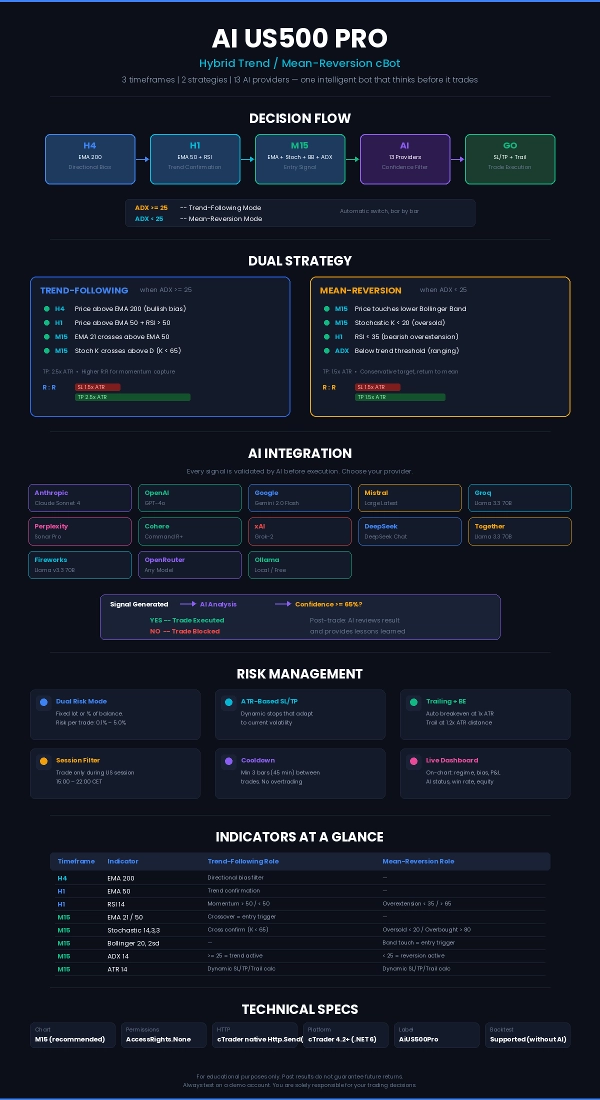
Bot ini beroperasi di **3 timeframe simultan** (H4 → H1 → M15), secara otomatis mendeteksi rezim pasar (tren atau ranging) dan menerapkan strategi yang paling sesuai: mengikuti tren saat pasar memiliki arah, mean-reversion saat bergerak menyamping. Setiap sinyal yang dihasilkan dapat divalidasi secara real time oleh model AI pilihan Anda dari **13 penyedia yang didukung**.
Berjalan dengan `AccessRights.None` — tidak memerlukan izin khusus, menggunakan API HTTP asli cTrader.
━━━━━━━━━━━━━━━━━━━━━━━━━━━━━━━━━━━━━
📐 **ARSITEKTUR STRATEGI**
Bot mengikuti alur keputusan bertingkat:
```
H4 (EMA 200) → Menentukan bias arah jangka panjang (bullish / bearish / netral)
↓
H1 (EMA 50 + RSI 14) → Mengonfirmasi arah dan mengevaluasi overextension
↓
M15 (EMA 21/50 + Stoch + BB + ADX + ATR) → Menghasilkan sinyal masuk
↓
AI (Claude / GPT / Gemini / ...) → Memfilter sinyal dengan skor kepercayaan
↓
Eksekusi → Perhitungan volume, SL/TP dinamis, trailing stop
```
⚡ **Deteksi Rezim (ADX)**
— ADX ≥ ambang → pasar trending → strategi mengikuti tren
— ADX < ambang → pasar ranging → strategi mean-reversion
Peralihan ini sepenuhnya otomatis, bar per bar.
━━━━━━━━━━━━━━━━━━━━━━━━━━━━━━━━━━━━━
📊 **STRATEGI MENGIKUTI TREN**
Kondisi masuk LONG:
✅ H4: harga di atas EMA 200 (bias bullish)
✅ H1: harga di atas EMA 50 + RSI > 50
✅ M15: EMA 21 melintasi di atas EMA 50 (bullish crossover)
✅ M15: Stochastic K melintasi di atas D, dengan K < 65 (tidak overbought)
Kondisi masuk SHORT: cermin dan terbalik.
📊 **STRATEGI MEAN-REVERSION**
Kondisi masuk LONG:
✅ ADX di bawah ambang (pasar ranging)
✅ M15: harga menyentuh atau menembus Bollinger Band bawah
✅ M15: Stochastic K < 20 (oversold)
✅ H1: RSI < 35 (overextension bearish)
Kondisi masuk SHORT: cermin dan terbalik.
━━━━━━━━━━━━━━━━━━━━━━━━━━━━━━━━━━━━━
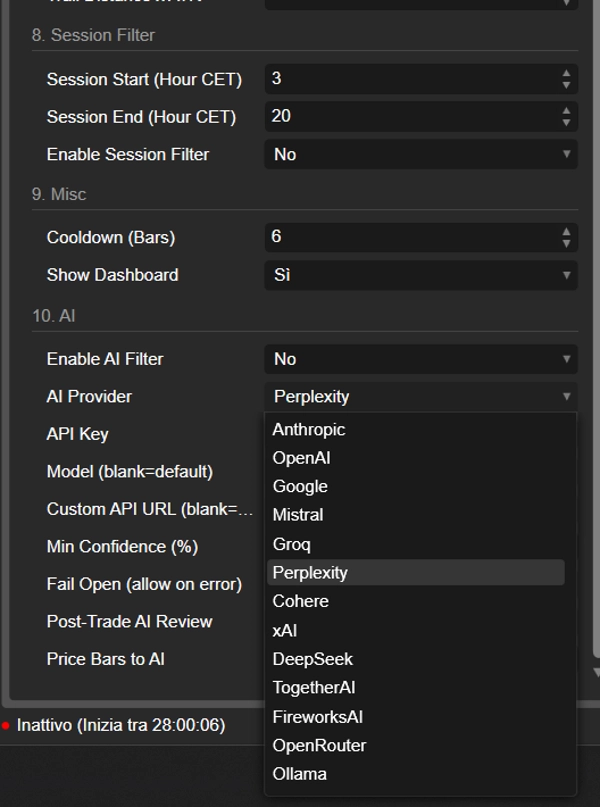
🤖 **INTEGRASI AI — 13 PENYEDIA**
Saat bot menghasilkan sinyal teknis yang valid, sebelum mengeksekusi mengirimkan paket data lengkap ke AI yang berisi:
— Semua indikator multi-timeframe
— N candle M15 terakhir (OHLCV)
— Arah yang diusulkan dan strategi aktif
— Parameter risiko (SL/TP dalam pips, rasio R:R)
— Status akun dan posisi terbuka
AI merespons dengan:
— **Skor kepercayaan** (0-100%)
— **Keputusan** (GO / NO_GO)
— **Faktor utama** (2-3 faktor utama)
— **Peringatan risiko** (risiko utama yang teridentifikasi)
Jika kepercayaan di bawah ambang minimum, perdagangan akan **diblokir**.
Setelah setiap perdagangan ditutup, AI juga memberikan **analisis pasca-perdagangan** dengan penilaian, rating, dan pelajaran yang dipetik.
**Penyedia yang didukung:**
```
1. Anthropic (Claude) — claude-sonnet-4
2. OpenAI (ChatGPT) — gpt-4o
3. Google (Gemini) — gemini-2.0-flash
4. Mistral — mistral-large-latest
5. Groq — llama-3.3-70b-versatile
6. Perplexity — sonar-pro
7. Cohere — command-r-plus
8. xAI (Grok) — grok-2
9. DeepSeek — deepseek-chat
10. Together AI — Llama-3.3-70B-Instruct-Turbo
11. Fireworks AI — llama-v3p3-70b-instruct
12. OpenRouter — anthropic/claude-sonnet-4
13. Ollama (lokal, gratis) — llama3.1
```
Setiap penyedia memiliki URL dan model default yang sudah dikonfigurasi sebelumnya. Anda dapat mengganti model dan URL untuk fleksibilitas maksimal.
━━━━━━━━━━━━━━━━━━━━━━━━━━━━━━━━━━━━━
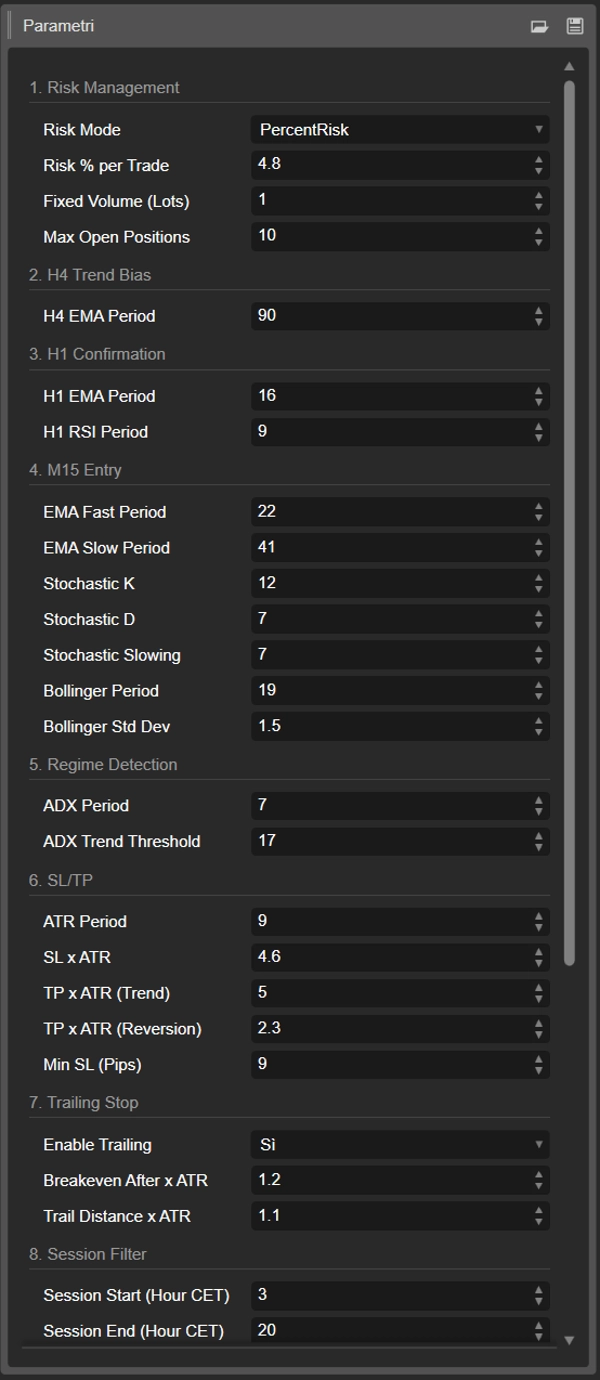
🔧 **PARAMETER — PANDUAN LENGKAP**
━━━━━━━━━━━━━━━━━━━━━━━━━━━━━━━━━━━━━
💰 **1. MANAJEMEN RISIKO**
▸ **Mode Risiko** — `PercentRisk` / `FixedLot`
Pilih antara ukuran posisi berbasis persentase atau lot tetap. Dalam mode PercentRisk bot secara otomatis menghitung volume berdasarkan jarak stop loss dan modal yang tersedia. Default: `PercentRisk`
▸ **Persentase Risiko per Perdagangan** — 0.1% hingga 5.0%
Persentase saldo akun yang dipertaruhkan pada setiap perdagangan. Volume dihitung sehingga jika SL terkena, kerugian tepat sama dengan persentase ini. Default: `1.0%`
▸ **Volume Tetap (Lot)** — 0.01 dan ke atas
Volume tetap dalam lot, hanya digunakan saat Mode Risiko disetel ke FixedLot. Default: `0.1`
▸ **Maks Posisi Terbuka** — 1 hingga 10
Jumlah maksimum posisi yang dapat dipegang bot secara bersamaan. Saat batas tercapai, tidak ada perdagangan baru yang dibuka. Default: `3`
━━━━━━━━━━━━━━━━━━━━━━━━━━━━━━━━━━━━━
📈 **2. BIAS TREN H4**
▸ **Periode EMA H4** — 50 ke atas
Periode EMA yang diterapkan pada timeframe H4. Menentukan bias arah jangka panjang. Harga di atas EMA = bias bullish, di bawah = bearish. Buffer berbasis ATR mencegah sinyal palsu saat harga terlalu dekat dengan rata-rata. Default: `200`
━━━━━━━━━━━━━━━━━━━━━━━━━━━━━━━━━━━━━
🔍 **3. KONFIRMASI H1**
▸ **Periode EMA H1** — 10 ke atas
Periode EMA pada timeframe H1. Harga harus berada di sisi yang benar dari EMA ini untuk mengonfirmasi masuk. Default: `50`
▸ **Periode RSI H1** — 5 ke atas
Periode Relative Strength Index pada H1. Digunakan untuk konfirmasi tren (RSI > 50 untuk long, < 50 untuk short) dan penyaringan overextension dalam mean-reversion (RSI < 35 atau > 65). Default: `14`
━━━━━━━━━━━━━━━━━━━━━━━━━━━━━━━━━━━━━
🎯 **4. MASUK M15**
▸ **Periode EMA Cepat** — 5 ke atas
EMA cepat pada timeframe masuk (M15). Persilangan dengan EMA lambat menghasilkan sinyal mengikuti tren. Default: `21`
▸ **Periode EMA Lambat** — 10 ke atas
EMA lambat. Persilangan EMA Cepat/Lambat adalah pemicu utama untuk strategi tren. Default: `50`
▸ **Stochastic K / D / Slowing** — periode osilator stokastik
Digunakan sebagai konfirmasi momentum. Dalam strategi tren menyaring masuk di zona non-ekstrem; dalam mean-reversion mengidentifikasi area overbought/oversold. Default: `K=14, D=3, Slowing=3`
▸ **Periode Bollinger** — 10 ke atas
Periode Bollinger Bands. Dalam mean-reversion, sentuhan pita atas/bawah adalah pemicu masuk. Default: `20`
▸ **Deviasi Std Bollinger** — 1.0 ke atas
Deviasi standar pita. Nilai lebih tinggi = pita lebih lebar = sinyal lebih sedikit tapi lebih dapat diandalkan. Default: `2.0`
━━━━━━━━━━━━━━━━━━━━━━━━━━━━━━━━━━━━━
🌡️ **5. DETEKSI REZIM (ADX)**
▸ **Periode ADX** — 7 ke atas
Periode Sistem Gerakan Arah. Mengukur kekuatan tren tanpa memandang arah. Default: `14`
▸ **Ambang Tren ADX** — 15 hingga 40
Ambang yang memisahkan pasar trending dan ranging. ADX di atas nilai ini = strategi mengikuti tren aktif; di bawah = mean-reversion aktif. Default: `25`
━━━━━━━━━━━━━━━━━━━━━━━━━━━━━━━━━━━━━
🛡️ **6. SL / TP (BERBASIS ATR)**
Semua stop loss dan take profit bersifat dinamis, dihitung sebagai kelipatan ATR saat ini. Ini berarti mereka secara otomatis menyesuaikan dengan volatilitas: stop ketat di pasar tenang, stop lebih lebar di pasar volatil.
▸ **Periode ATR** — 5 ke atas
Periode Average True Range. Mengukur volatilitas terbaru dan menjadi dasar perhitungan SL, TP, breakeven, dan trailing. Default: `14`
▸ **SL x ATR** — 0.5 ke atas
Pengali ATR untuk stop loss. Contoh: dengan ATR = 20 poin dan pengali 1.5, SL akan 30 poin dari harga masuk. Default: `1.5`
▸ **TP x ATR (Tren)** — 1.0 ke atas
Pengali ATR untuk take profit dalam strategi mengikuti tren. Biasanya lebih tinggi dari SL untuk rasio R:R yang menguntungkan. Default: `2.5`
▸ **TP x ATR (Reversion)** — 0.5 ke atas
Pengali ATR untuk take profit dalam mean-reversion. Biasanya lebih konservatif karena targetnya adalah kembali ke rata-rata. Default: `1.5`
▸ **Min SL (Pips)** — 1 ke atas
Stop loss minimum dalam pips. Jika perhitungan ATR menghasilkan SL di bawah nilai ini, nilai minimum digunakan. Melindungi dari stop yang terlalu ketat dalam kondisi volatilitas sangat rendah. Default: `10`
━━━━━━━━━━━━━━━━━━━━━━━━━━━━━━━━━━━━━
🔄 **7. TRAILING STOP**
Sistem manajemen aktif untuk posisi terbuka dengan breakeven otomatis dan trailing stop, keduanya berbasis ATR.
▸ **Aktifkan Trailing** — On/Off
Mengaktifkan/mematikan seluruh sistem trailing. Saat mati, posisi mempertahankan SL/TP tetap hingga ditutup. Default: `On`
▸ **Breakeven Setelah x ATR** — 0.3 ke atas
Saat keuntungan belum direalisasi mencapai kelipatan ATR ini, SL dipindahkan ke harga masuk (+ setengah spread untuk menutup biaya). Perdagangan menjadi tanpa risiko. Default: `1.0`
▸ **Jarak Trail x ATR** — 0.5 ke atas
Jarak trailing stop dari harga saat ini, dinyatakan sebagai kelipatan ATR. SL mengikuti harga dan tidak pernah mundur. Default: `1.2`
━━━━━━━━━━━━━━━━━━━━━━━━━━━━━━━━━━━━━
🕐 **8. FILTER SESI**
Memfilter aktivitas perdagangan berdasarkan waktu. US500 berperilaku sangat berbeda selama pre-market, sesi reguler, dan after-hours.
▸ **Aktifkan Filter Sesi** — On/Off
Mengaktifkan/mematikan filter waktu. Default: `On`
▸ **Mulai Sesi (Jam CET)** — 0-23
Jam mulai jendela perdagangan (zona waktu CET). Default: `15` (buka sesi AS)
▸ **Akhir Sesi (Jam CET)** — 0-23
Jam akhir jendela perdagangan. Default: `22` (tutup sesi AS)
Bot juga mendukung sesi yang melewati tengah malam (misal Mulai=22, Akhir=6).
━━━━━━━━━━━━━━━━━━━━━━━━━━━━━━━━━━━━━
⚙️ **9. MISC**
▸ **Cooldown (Bar)** — 0 ke atas
Jumlah minimum bar M15 yang harus lewat antara satu perdagangan dan berikutnya. Mencegah overtrading dalam situasi sinyal cepat. Default: `3` (= 45 menit)
▸ **Tampilkan Dashboard** — On/Off
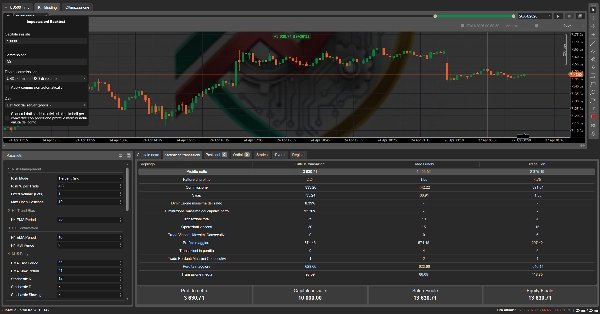
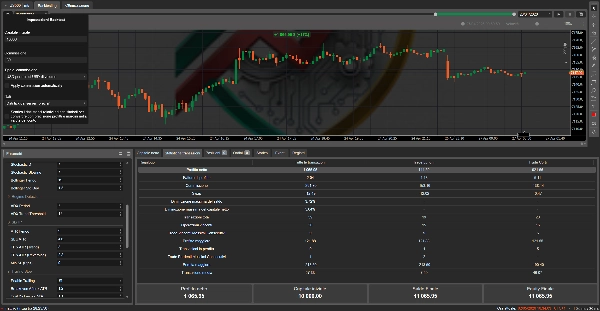
Menampilkan/menyembunyikan dashboard di chart dengan rezim, bias, indikator, P&L, status AI dan statistik langsung. Default: `On`
━━━━━━━━━━━━━━━━━━━━━━━━━━━━━━━━━━━━━
🤖 **10. ANALISIS AI**
▸ **Aktifkan Filter AI** — On/Off
Mengaktifkan/mematikan filter AI. Saat mati, bot beroperasi hanya dengan analisis teknis. Default: `Off`
▸ **Penyedia AI** — pilihan dari 13 penyedia
Pilih penyedia AI yang akan digunakan. Setiap penyedia memiliki URL dan model default yang sudah dikonfigurasi. Default: `Anthropic`
▸ **Kunci API** — string
Kunci API Anda untuk penyedia yang dipilih. Diperlukan untuk semua penyedia kecuali Ollama (yang berjalan lokal). Kosongkan jika menggunakan Ollama.
▸ **Model (kosong=default)** — string
Override model AI. Kosongkan untuk menggunakan model default penyedia yang dipilih. Berguna untuk menguji model tertentu (misal "gpt-4o-mini", "claude-haiku-4-5-20251001").
▸ **URL API Kustom (kosong=default)** — string
Override URL API. Berguna untuk Ollama pada port kustom, proxy perusahaan, atau endpoint kustom.
▸ **Kepercayaan Minimum (%)** — 30 hingga 95
Ambang kepercayaan AI minimum untuk menyetujui perdagangan. Jika AI mengembalikan skor di bawah ini, perdagangan diblokir meskipun semua sinyal teknis valid. Default: `65`
▸ **Fail Open (izinkan saat error)** — On/Off
Perilaku saat AI gagal (timeout, API down, respons salah). On = perdagangan tetap berjalan (fail-open). Off = perdagangan diblokir (fail-closed). Default: `On`
▸ **Review AI Pasca-Perdagangan** — On/Off
Saat diaktifkan, setelah setiap perdagangan ditutup bot mengirim detail hasil ke AI yang memberikan penilaian, rating (BAIK/NETRAL/JELEK) dan pelajaran yang dipetik. Semua dicatat ke konsol. Default: `On`
▸ **Jumlah Bar Harga ke AI** — 5 hingga 25
Jumlah candle M15 terbaru yang dikirim ke AI dalam konteks analisis. Lebih banyak bar = lebih banyak konteks tapi lebih banyak token yang digunakan. Default: `12`
━━━━━━━━━━━━━━━━━━━━━━━━━━━━━━━━━━━━━
📋 **DASHBOARD DI CHART**
Dashboard menampilkan secara real time:
— Rezim saat ini (TREND / RANGE)
— Bias H4 (BULL / BEAR / FLAT)
— Nilai ADX, ATR, RSI H1
— Posisi terbuka / maksimum
— P&L terbuka, saldo, ekuitas
— Status sesi (AKTIF / TUTUP)
— Total perdagangan dan persentase kemenangan
— Status AI: penyedia, keputusan terakhir, kepercayaan
— Jumlah panggilan AI dan perdagangan yang diblokir
Warna berubah otomatis: 🟢 hijau saat P&L positif, 🔴 merah saat negatif.
━━━━━━━━━━━━━━━━━━━━━━━━━━━━━━━━━━━━━
📌 **CATATAN TEKNIS**
— Timeframe yang direkomendasikan: **M15** (bot memberi peringatan jika digunakan pada TF lain)
— `AccessRights.None` — tidak memerlukan izin khusus
— Menggunakan `Http.Send()` asli cTrader untuk panggilan AI
— Kompatibel dengan cTrader 4.2+ (.NET 6)
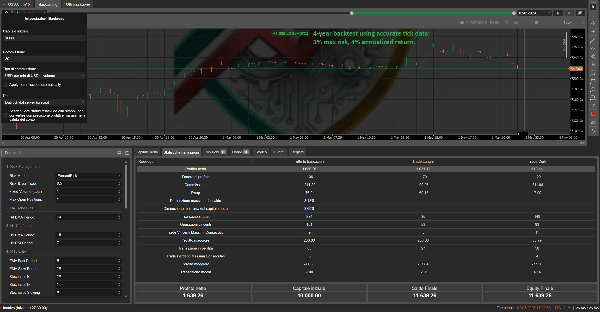
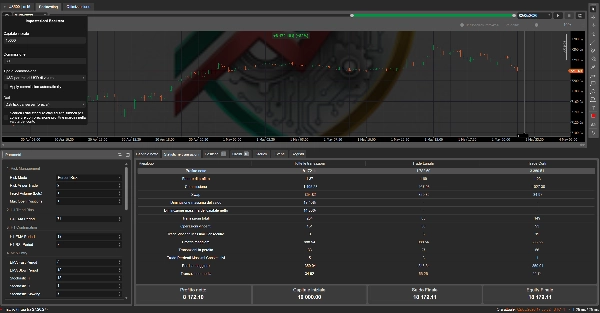
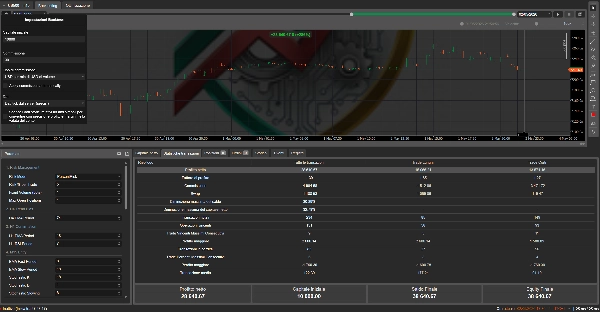
— Mendukung backtesting (tanpa AI) dan trading langsung (dengan atau tanpa AI)
— Posisi bot diidentifikasi dengan label `AiUS500Pro`
— Tidak mengganggu posisi manual atau bot lain
━━━━━━━━━━━━━━━━━━━━━━━━━━━━━━━━━━━━━
⚠️ **PENAFIAN**
cBot ini disediakan hanya untuk tujuan edukasi dan informasi. Perdagangan indeks melibatkan risiko kehilangan modal yang signifikan. Hasil masa lalu tidak menjamin hasil di masa depan. Integrasi AI meningkatkan penyaringan tetapi tidak menghilangkan risiko. Selalu uji di akun demo sebelum menggunakan di akun live. Anda bertanggung jawab penuh atas keputusan perdagangan Anda.
━━━━━━━━━━━━━━━━━━━━━━━━━━━━━━━━━━━━━
Ringkasan
Key technical indicators include EMAs, RSI, Stochastic oscillator, Bollinger Bands, ADX, ATR, and volume calculations. The bot uses ADX to switch automatically between strategies on a bar-by-bar basis. Trade entries are generated on the M15 timeframe and validated in real time by AI models from 13 supported providers, which provide confidence scores and risk assessments to approve or block trades.
Risk management features include dynamic position sizing (percentage or fixed lots), ATR-based stop loss and take profit levels, trailing stops, and breakeven adjustments. A session filter restricts trading to specified hours aligned with US market sessions. The bot offers a configurable on-chart dashboard displaying regime, bias, indicators, open positions, P&L, AI status, and trade statistics.
AI integration supports customizable API keys, models, and endpoints, with post-trade AI reviews providing trade assessments. The bot requires no special permissions and supports backtesting without AI and live trading with or without AI filtering.