Mô tả
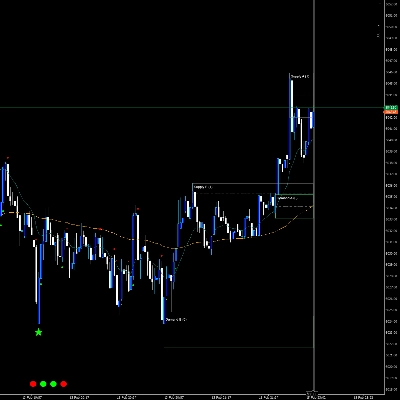
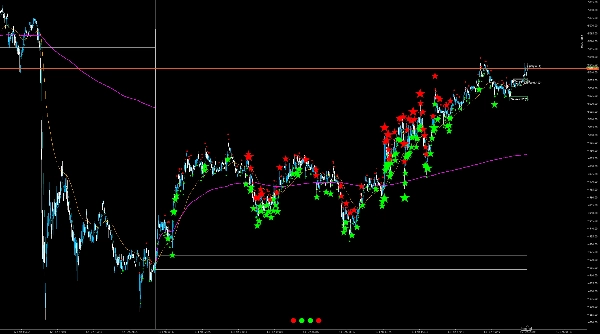
Một chỉ báo scalping nhỏ gọn cho cTrader kết hợp ba yếu tố trong một lớp phủ sạch sẽ: VWAP hàng ngày dựa trên phiên, hướng dẫn Phạm vi Mở cửa, bong bóng “delta/sức mạnh” như các dấu hiệu động lượng/hoạt động, và các vùng cung/cầu động với trạng thái kiểm tra/xác nhận cùng bộ lọc xu hướng tùy chọn. Trên hết, nó bao gồm một đèn giao thông đa khung thời gian hiển thị, ngay lập tức, hướng của cây nến vừa đóng gần đây nhất trên nhiều khung thời gian (VWAP + Phạm vi Mở cửa).
Lưu ý: Các tham số được thiết kế có chủ ý để bạn có thể nhanh chóng điều chỉnh công cụ cho thị trường/khung thời gian của mình; logic chạy tự động ở nền.
Những gì bạn nhận được (tính năng)
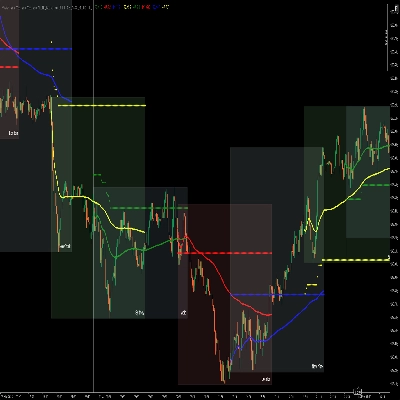
- VWAP hàng ngày (đặt lại mỗi ngày giao dịch): Hiển thị “giá phiên” công bằng và giúp với sự hồi quy trung bình, điều chỉnh giá, và xu hướng định hướng
- Phạm vi Mở cửa (OR) cao/thấp: Vẽ phạm vi mở cửa để bạn có thể cấu trúc các thiết lập phá vỡ/đảo chiều (phút tự động hoặc định nghĩa thủ công)
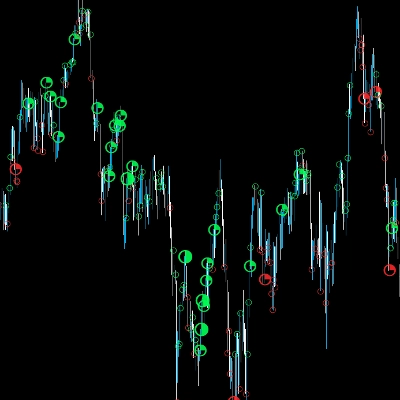
- Bong bóng Delta/Sức mạnh: Làm nổi bật các cây nến có hoạt động trên trung bình (tùy theo chế độ: đột biến khối lượng, khối lượng thân/phạm vi, hoặc đại diện delta) và tô màu theo hướng (tăng giá/giảm giá)
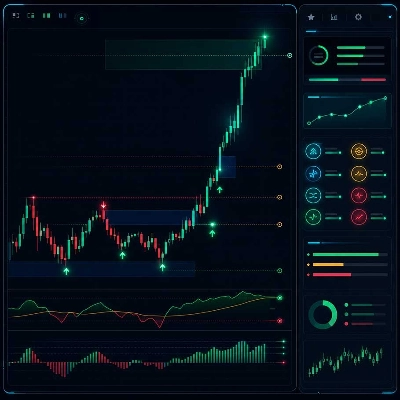
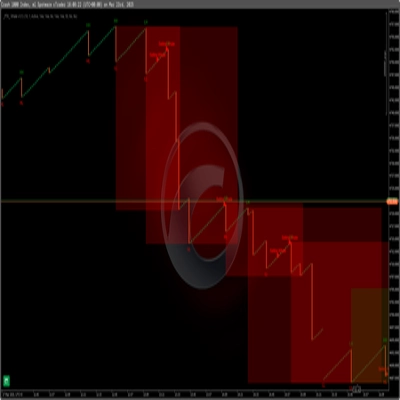
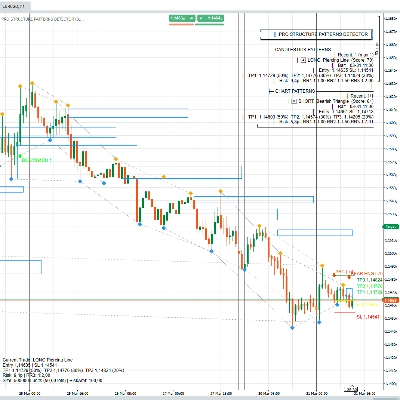
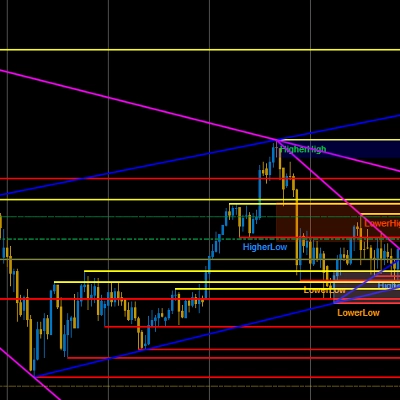
- Vùng Cung/Cầu (hai bộ pivot A/B): Vùng tự động từ các đỉnh/đáy pivot đã xác nhận, với độ sâu vùng dựa trên ATR, phần mở rộng bên phải được xác định, và một đường giữa tùy chọn
- Trạng thái vùng: “Mới → Đã kiểm tra → Đã xác nhận” (xác nhận tùy chọn qua điều kiện khối lượng) để bạn có thể ngay lập tức thấy liệu một vùng đã được giao dịch vào và liệu nó có phản ứng mạnh mẽ
- Bộ lọc xu hướng (tùy chọn): Bộ lọc EMA hoặc EMA+ADX để các vùng chỉ được hiển thị/xem xét theo hướng xu hướng (ví dụ, vùng cầu chỉ trong xu hướng tăng)
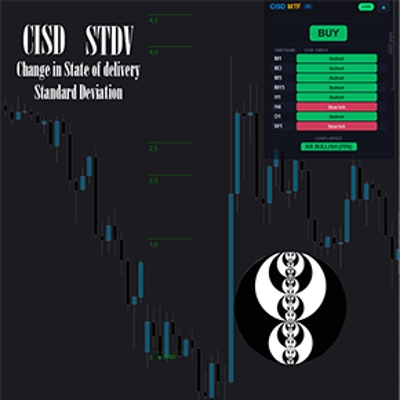
- Đèn giao thông đa khung thời gian: Hiển thị M1/M5/H1/D1 dưới dạng xanh/đỏ/xám tùy theo cây nến đóng cuối cùng—bối cảnh hữu ích mà không cần chuyển đổi khung thời gian biểu đồ
Người mua có thể cấu hình gì (tổng quan tham số)
Các cài đặt được nhóm và thiết kế thực tế có chủ ý:
Cốt lõi
- Độ dài ATR: Đầu vào cơ bản cho độ sâu vùng và một số chỉ số bong bóng
- Hiển thị VWAP hàng ngày: Bật/Tắt
- Hiển thị Phạm vi Mở cửa: Bật/Tắt
- Chế độ OR: Tự động (phụ thuộc vào TF biểu đồ) hoặc Thủ công (phút cố định)
- Hệ số tự động OR / phút OR: Tinh chỉnh thời lượng OR
Bộ lọc Xu hướng
- Chế độ: Tắt / EMA / EMA+ADX
- EMA nhanh / EMA chậm: Hướng xu hướng qua giao cắt/mối quan hệ EMA
- Độ dài ADX + ngưỡng: Độ mạnh xu hướng tối thiểu khi bật EMA+ADX
- Vẽ đường EMA: Tùy chọn hiển thị EMA bộ lọc trên biểu đồ
Bong bóng
- Hiển thị bong bóng: Bật/Tắt
- Đại diện delta: Ba biến thể (trọng số phạm vi, đóng so với trước, đóng so với mở) tùy theo công cụ/dữ liệu
- Chỉ số bong bóng: Tự động hoặc chỉ số cố định (delta tuyệt đối, đột biến khối lượng, khối lượng thân/phạm vi)
- Quay lại phân vị + % phân vị: Kiểm soát mức độ “hiếm” của tín hiệu bong bóng (phần trăm cao hơn = chỉ sự kiện mạnh hơn)
- Giới hạn nhãn: Số lượng nhãn bong bóng còn lại trên biểu đồ (hiệu suất/độ rõ ràng)
- Phông chữ cơ bản + chế độ 4K: Tỷ lệ hình ảnh cho màn hình độ phân giải cao
- Glyph nhỏ/lớn: Hình dạng bong bóng (chấm/vòng tròn, v.v.)
- Gỡ lỗi: Ép buộc bong bóng (chỉ thử nghiệm)
Vùng
- Hiển thị vùng: Bật/Tắt
- Độ sâu vùng × ATR: Độ dày vùng (thích ứng với biến động)
- Mở rộng (thanh): Vùng mở rộng sang bên phải bao xa
- Hiển thị đường giữa: Bật/Tắt
- Chỉ vùng theo xu hướng: Hiển thị vùng chỉ khi hướng bộ lọc xu hướng phù hợp
- Tham số pivot A & B (trái/phải): Hai độ nhạy (ví dụ, vùng “thô” + “tinh”)
- Kích thước nhãn vùng: Nhỏ/Vừa/Lớn
- Màu sắc (ARGB): Màu riêng cho cung/cầu, đã kiểm tra, đã xác nhận + đường giữa
- Xác nhận bằng khối lượng + vol‑MA/nhân tố: Chỉ xác nhận nếu khối lượng tick trên MA × hệ số
Đèn Giao Thông
- Hiển thị đèn giao thông: Bật/Tắt
- Phông chữ + tỷ lệ 4K: Kích thước/độ đọc
- Cập nhật mỗi N thanh: Tần suất cập nhật (hiệu suất so với độ phản hồi)
(Mô tả trường tham số có thể được trình bày rõ ràng qua thuộc tính/mô tả Tham số; nền tảng hỗ trợ nhóm và mô tả trực tiếp trong giao diện tham số.)
Dành cho ai
- Các nhà scalping và giao dịch trong ngày cần bối cảnh nhanh: VWAP/OR cho cấu trúc, bong bóng cho “hoạt động,” vùng cho khu vực phản ứng
- Các nhà giao dịch muốn hình ảnh rõ ràng mà không cần chồng nhiều chỉ báo
- Người dùng có thể muốn một cái nhìn lọc xu hướng tùy chọn (EMA/ADX), trong khi giữ cốt lõi như một hiển thị cắm và chạy
Sử dụng điển hình (ngắn gọn & thực tế)
Kiểm tra xu hướng qua VWAP + đèn giao thông, và dùng OR như “vùng chiến đấu” trong giai đoạn mở cửa.
Dùng bong bóng như manh mối rằng “có điều gì đó trên trung bình đang xảy ra ở đây” (phá vỡ, hấp thụ, xung lực).
Dùng vùng như khu vực lập kế hoạch: chạm đầu tiên = “Đã kiểm tra”; phản ứng với khối lượng cao có thể được đánh dấu là “Đã xác nhận”; đường giữa giúp giao dịch mức‑đến‑mức sạch sẽ.