Descripción
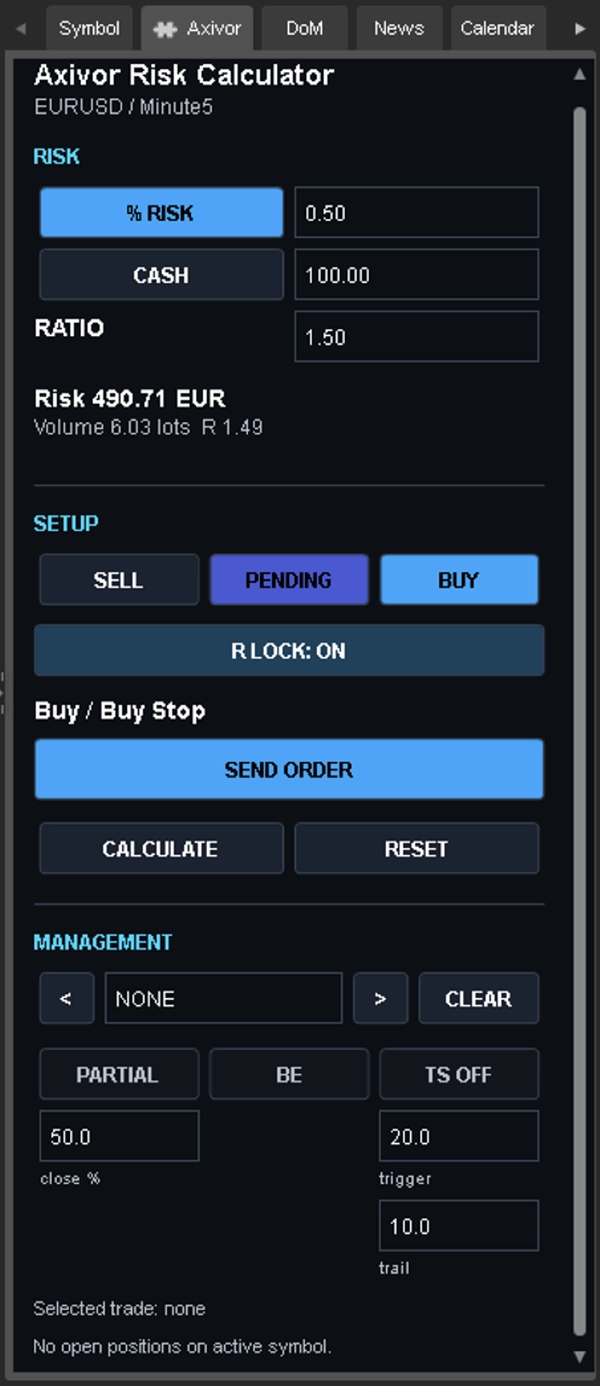
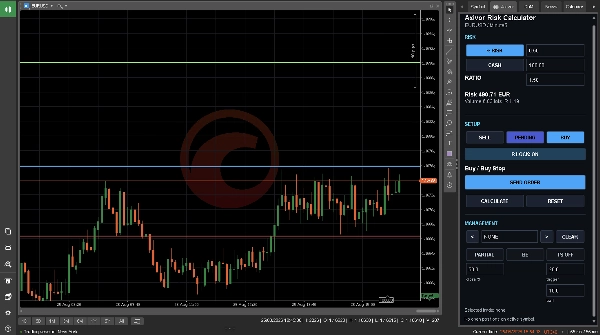
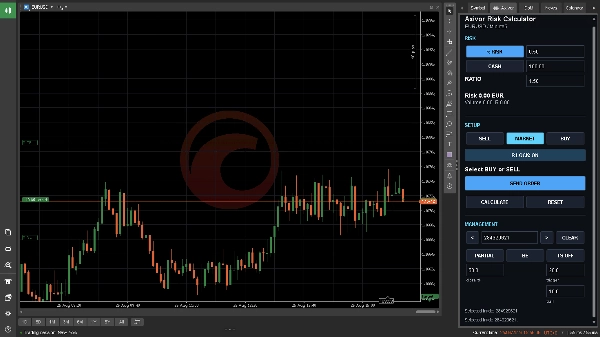
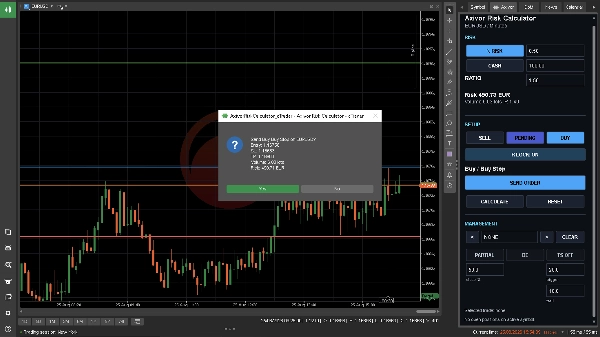
Axivor Risk Calculator es un complemento de escritorio para la planificación manual de operaciones en cTrader. Integra el dimensionamiento del riesgo, niveles en el gráfico, revisión de órdenes y gestión de posiciones seleccionadas en un flujo de trabajo único en el Panel de Símbolo Activo.
El complemento no genera señales, no elige la dirección de la operación ni ejecuta una estrategia automatizada. Usted define la configuración y aprueba cada orden.
Cómo funciona
1. Elija Comprar o Vender y seleccione el modo Mercado o Pendiente.
2. Coloque Entrada, Stop Loss y Take Profit en el gráfico.
3. Defina el riesgo como un porcentaje o una cantidad fija en la moneda de la cuenta.
4. Revise el volumen normalizado por cTrader, el riesgo monetario y el múltiplo R.
5. Seleccione Enviar Orden y verifique la confirmación antes de aprobar la ejecución.
Mover las líneas del gráfico o cambiar valores recalcula el plan. No envía una orden.
Funciones principales
• Dimensionamiento de riesgo en porcentaje y cantidad fija
• Normalización nativa de riesgo y volumen por símbolo en cTrader
• Entrada, Stop Loss y Take Profit arrastrables
• Planificación R y bloqueo R
• Compra y Venta en Mercado
• Flujos de trabajo Buy Limit, Buy Stop, Sell Limit y Sell Stop
• Confirmación explícita de órdenes
• Cierre parcial de posición seleccionada
• Mover Stop Loss a punto de equilibrio
• Controles de trailing stop basados en pips
Caso de uso para trading
Esta es una utilidad de ejecución manual para traders que ya tienen su propio análisis o estrategia y desean una forma estructurada de dimensionar y revisar una operación antes de enviarla. Puede usarse en símbolos y períodos de gráfico compatibles con cTrader Desktop donde el broker suministra datos válidos de símbolo y cuenta.
No se recomienda ningún símbolo, período, apalancamiento o saldo de cuenta específico. La idoneidad depende del instrumento, reglas del broker, condiciones de la cuenta y los propios límites de riesgo del trader.
Permisos y compatibilidad
• Tipo de producto: complemento de escritorio
• Derechos de acceso: Ninguno
• Plataformas: cTrader Windows y cTrader Mac
• El complemento no se presenta como un cBot móvil/web.
Limitaciones
• No señales, análisis de dirección de mercado ni estrategia automatizada
• No predicción de rendimiento ni resultado de riesgo garantizado
• No línea de TP parcial automática en el gráfico
• No trailing ATR ni trailing estructural
• No control de desviación máxima al estilo MetaTrader
Los cálculos dependen de los valores actuales de la cuenta y los datos de símbolo del broker/plataforma. Los gaps, deslizamientos, conectividad, liquidez y reglas de ejecución pueden hacer que el llenado o pérdida real difiera del plan.
Pruebe el flujo completo en una cuenta demo de cTrader con el broker y símbolos previstos antes de considerar su uso en vivo. Verifique dirección, tipo de orden, Entrada, Stop Loss, Take Profit, volumen normalizado y riesgo monetario antes de cada envío.
El trading implica riesgos. El rendimiento pasado no garantiza resultados futuros.
Resumen
Key features include percentage-based and fixed-cash risk sizing, cTrader-native symbol risk and volume normalization, draggable chart lines for Entry, Stop Loss, and Take Profit, and calculation of normalized volume, monetary risk, and risk/reward multiples. The plugin supports market buy/sell and pending order types (Buy Limit, Buy Stop, Sell Limit, Sell Stop), partial position closing, break-even stop loss adjustment, and pip-based trailing stop controls.
The tool is intended for traders who perform their own analysis or strategy and seek a structured approach to position sizing and trade review. It does not generate trading signals or automate strategies. Calculations rely on current account and broker data; actual trade execution may vary due to market conditions. Users should verify all parameters before order submission and test the workflow on a demo account.
Supported order types: market, limit, stop, stop-limit. Data access includes positions, orders, and chart information.
Conversación
Valoraciones de clientes
5 | 100 % | |
4 | 0 % | |
3 | 0 % | |
2 | 0 % | |
1 | 0 % |





![Logotipo de "Custom Timeframes [Iridio Capital]"](https://cdn.ctrader.com/image/webp/4d75a920-23c7-4fea-a7b5-594a9d067f2e_63286)