present
ลงทะเบียนและรับส่วนลด $50 สำหรับการซื้อครั้งแรกของคุณ
Trading product for Chart Drawing Sync ปลั๊กอินเดสก์ท็อป Chart UI Tools, image 1
Chart Drawing Sync
ปลั๊กอินเดสก์ท็อป
เวอร์ชัน 1.0, Sep 2026
Windows, Mac
4.3
รีวิว: 3
Trading product for Chart Drawing Sync ปลั๊กอินเดสก์ท็อป Chart UI Tools, image 2
Trading product for Chart Drawing Sync ปลั๊กอินเดสก์ท็อป Chart UI Tools, image 3
Trading product for Chart Drawing Sync ปลั๊กอินเดสก์ท็อป Chart UI Tools, image 4
Trading product for Chart Drawing Sync ปลั๊กอินเดสก์ท็อป Chart UI Tools, image 5
ตั้งแต่ 16/09/2026

คำอธิบาย

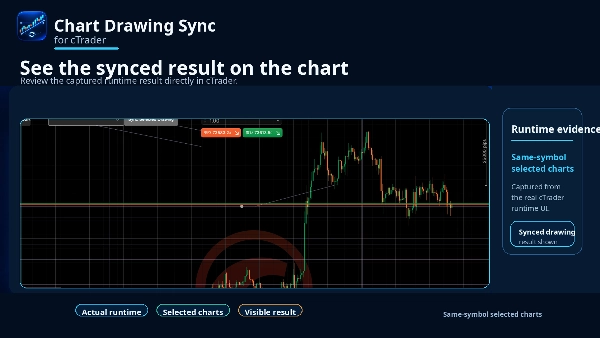
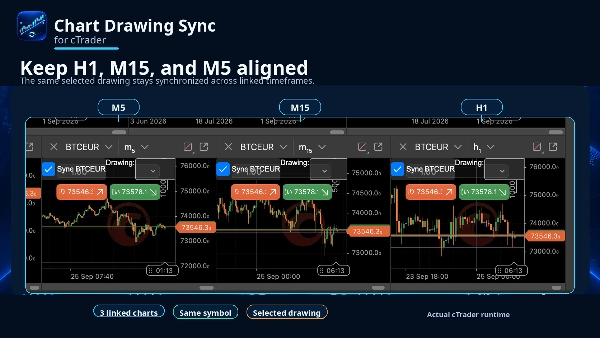
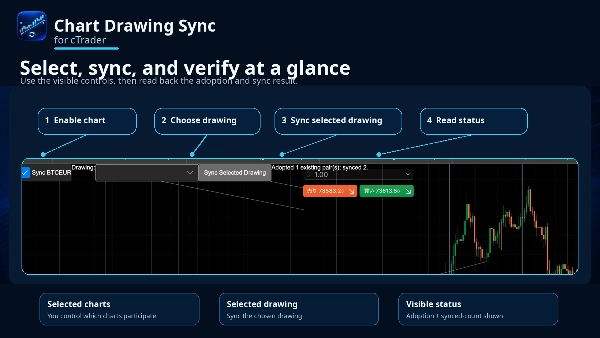
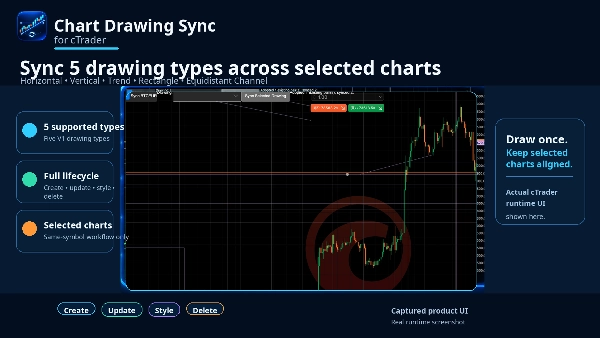
รักษาการวิเคราะห์แผนภูมิของคุณให้สอดคล้องกันโดยไม่ต้องวาดวัตถุเดิมซ้ำในทุกช่วงเวลา Chart Drawing Sync เป็นปลั๊กอิน cTrader Desktop ดั้งเดิมที่ซิงโครไนซ์ห้าประเภทการวาดที่ใช้บ่อยในแผนภูมิที่มีสัญลักษณ์เดียวกันที่คุณเลือก สร้างหรือแก้ไขการวาดบนแผนภูมิที่เข้าร่วมใดก็ได้ และเรขาคณิตเวลา/ราคา สไตล์ที่รองรับ และการลบจะถูกซิงโครไนซ์กับการวาดที่สอดคล้องกันบนแผนภูมิอื่นที่เลือก ใช้เส้นแนวนอน เส้นแนวตั้ง เส้นแนวโน้ม สี่เหลี่ยมผืนผ้า และช่องทางที่มีระยะห่างเท่ากันในมุมมองเช่น H1, M15 และ M5 การซิงโครไนซ์เป็นแบบสองทาง ดังนั้นคุณสามารถทำงานต่อจากช่วงเวลาที่เข้าร่วมใดก็ได้ที่มีบริบทชัดเจนที่สุด ปลั๊กอินถูกออกแบบให้เลือกทำงานเฉพาะ มันทำงานเฉพาะระหว่างแผนภูมิที่ผู้ใช้เลือกสำหรับสัญลักษณ์เดียวกัน การวาดที่มีอยู่จะไม่ถูกคัดลอกโดยไม่เลือกเมื่อเริ่มต้น; ใช้ Sync Selected Drawing เมื่อคุณต้องการนำการวาดที่มีอยู่มาใช้โดยชัดเจน หากเป้าหมายมีวัตถุที่ไม่เกี่ยวข้องที่มีชื่อเดียวกัน ปลั๊กอินจะปิดการทำงาน ข้ามเป้าหมายนั้น และแสดงสถานะความขัดแย้งแทนที่จะเขียนทับ การเปลี่ยนแปลงการวาดอย่างรวดเร็วจะถูกรวมกันเพื่อหลีกเลี่ยงการอัปเดตซ้ำซ้อน กรอบแผนภูมิที่เปิดใหม่สามารถเข้าร่วมได้ กรอบที่ปิดจะถูกยกเลิกการสมัคร และการหยุดปลั๊กอินจะหยุดการซิงโครไนซ์โดยไม่ลบการวาดของคุณ เวอร์ชันเต็มไม่มีข้อจำกัดผลิตภัณฑ์สองแผนภูมิของเวอร์ชันทดลอง เวอร์ชันทดลองมีประเภทการวาดห้าประเภทเดียวกันและกระบวนการสร้าง อัปเดต สไตล์ และลบสำหรับแผนภูมิที่เข้าร่วมได้สูงสุดสองแผนภูมิ Chart Drawing Sync เป็นเครื่องมือกระบวนการวิเคราะห์ มันไม่ทำการซื้อขาย สร้างสัญญาณหรือการแจ้งเตือน ซิงโครไนซ์สัญลักษณ์ต่าง ๆ หรือให้การซิงโครไนซ์บนเว็บ มือถือ หรือข้ามอุปกรณ์

สรุป

สรุปโดย AI
Chart Drawing Sync is a cTrader Desktop plugin designed to synchronize five drawing types—Horizontal Lines, Vertical Lines, Trend Lines, Rectangles, and Equidistant Channels—across multiple charts of the same trading symbol. Users select which same-symbol charts to link, allowing any creation, modification, styling, or deletion of these drawings on one chart to be reflected bidirectionally on the others. This synchronization supports different timeframes (e.g., H1, M15, M5), enabling seamless multi-timeframe analysis without redrawing objects repeatedly.

The plugin operates selectively, syncing only user-chosen charts and drawings. It avoids overwriting unrelated objects by detecting name conflicts and provides status feedback when conflicts occur. Rapid changes are efficiently managed to prevent update loops. New chart windows can join synchronization dynamically, and stopping the plugin halts syncing without removing drawings.

Chart Drawing Sync focuses solely on chart analysis workflow; it does not execute trades, generate alerts, or sync across different symbols or devices. The trial version limits synchronization to two charts, while the full version supports more. This tool enhances charting efficiency by maintaining consistent visual analysis elements across multiple views of the same market symbol.
โปรไฟล์ปลั๊กอิน

การสนทนา

รีวิวจากลูกค้า

4.3
รีวิว: 3
5
33 %
4
67 %
3
0 %
2
0 %
1
0 %
รีวิวจากลูกค้า
October 30, 2026
bidirectional drawing edits and conflict detection make synchronising lines, rectangles and channels genuinely practical across selected timeframes of the same symbol, instead of repeatedly nudging the same level on each desktop chart.
October 16, 2026
Chart Drawing Sync provides a compact on-chart control panel with chart selection and a dedicated Sync Selected Drawing action. The interface takes little space and keeps the chart uncluttered. However, the dropdown appears difficult to read, and the selected synchronization state could be communicated more clearly. Score: 4.1/5.
October 2, 2026
Synchronising lines, rectangles and channels across the same symbol's charts is a useful desktop shortcut. Different timeframes can share the drawings, with bidirectional edits and conflict detection. The scope is selected local charts rather than cross device storage.

คำถามที่พบบ่อย

Chart UI Tools
ผลิตภัณฑ์ที่มีให้บริการผ่าน cTrader Store รวมถึงบอทการเทรด อินดิเคเตอร์ และปลั๊กอิน มีให้บริการโดยนักพัฒนาบุคคลที่สามและมีไว้เพื่อวัตถุประสงค์ในการเข้าถึงข้อมูลและทางเทคนิคเท่านั้น cTrader Store ไม่ใช่โบรกเกอร์และไม่ได้ให้คำแนะนำการลงทุน คำแนะนำส่วนบุคคล หรือการรับประกันผลการดำเนินงานในอนาคต

เพิ่มเติมจากผู้เขียนคนนี้

"BOS CHOCH Structure" โลโก้
เรตติ้งสูง
4.5
(4)
$29
/
$39
อินดิเคเตอร์
BOS
MSS
+4
See confirmed BOS, CHOCH and SWEEP structure events on your cTrader chart.
อินดิเคเตอร์
BOS
Add standard-timeframe context candles to a native Renko chart.
อินดิเคเตอร์
EMA
Volume
Map range high, mid, low, price location and a deterministic pressure proxy on your cTrader chart.
อินดิเคเตอร์
Channel
Key Levels
+1
Monitor a selected chart trendline and confirm breaks on candle close.
ปลั๊กอินเดสก์ท็อป
Trade Journal
Trade Statistics
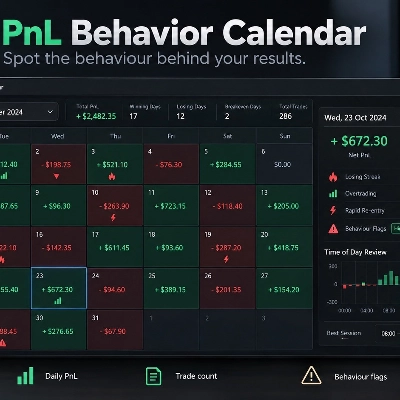
Review daily PnL, trade counts, losing streaks and rapid re-entry from your cTrader history.
cBot
Drawdown Guard
Daily Loss Limit
Monitor account-wide loss and stop-loss risk budgets, with optional order cancellation and post-fill closure.
ปลั๊กอินเดสก์ท็อป
Position Sizer
Risk Calculator
Size manual trades from your risk settings and review Market, Limit or Stop orders before execution.
อินดิเคเตอร์
Volume
Key Levels
View tick activity across a selected chart range with Point of Control, Value Area High and Value Area Low.

นอกจากนี้คุณยังอาจชอบ

ปลั๊กอินเดสก์ท็อป
Risk/Reward
Trade Journal
+5
cTrader Journal - Automatic Trade Capture. Offline Reviews. No Subscription.
"TradeGuard" โลโก้
ยอดนิยม
4.6
(3)
$25
ปลั๊กอินเดสก์ท็อป
ATR
Prop
+5
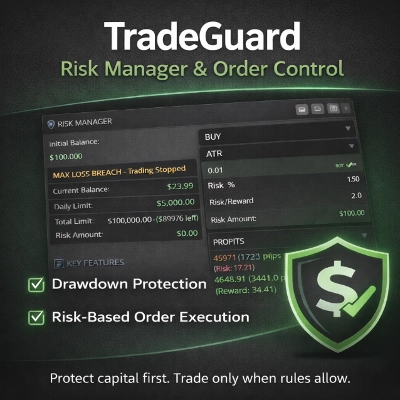
cTrader risk management plugin with daily & total drawdown limits, CBot control, and risk-based order execution.
"BatchTPSL" โลโก้
ยอดนิยม
4.5
(2)
$40
/
$60
ปลั๊กอินเดสก์ท็อป
Forex
Crypto
+4
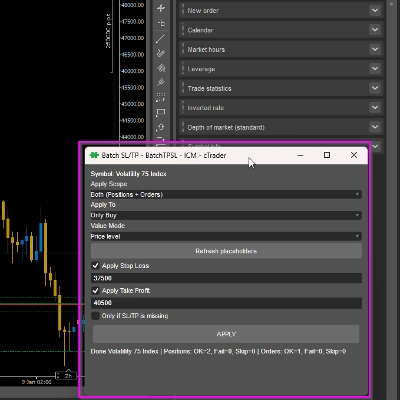
Apply Stop Loss and Take Profit to all positions and pending orders in one click.
ปลั๊กอินเดสก์ท็อป
Forex
Crypto
+3
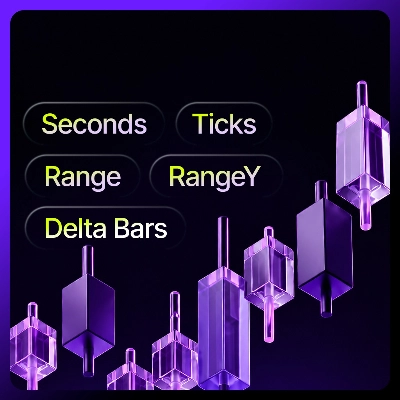
Seconds | Ticks | Range | RangeY | Delta | Heikin-Ashi Bar types. Any size or Symbol.
"AI Trading Agent" โลโก้
ยอดนิยม
3.5
(4)
จาก $9
ปลั๊กอินเดสก์ท็อป
AI
Forex
+5
AI Trading Agent, predict market moves, detect trends, and execute profitable trades.
ปลั๊กอินเดสก์ท็อป
Forex
Signal
+2
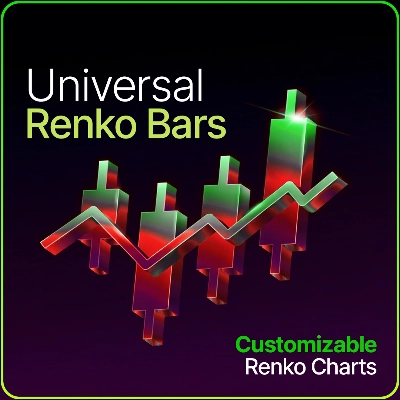
Adaptive Renko chart builder for precise, flexible trading - ideal for both scalping and trend analysis.
ปลั๊กอินเดสก์ท็อป
Fixed Risk %
Risk/Reward
+5
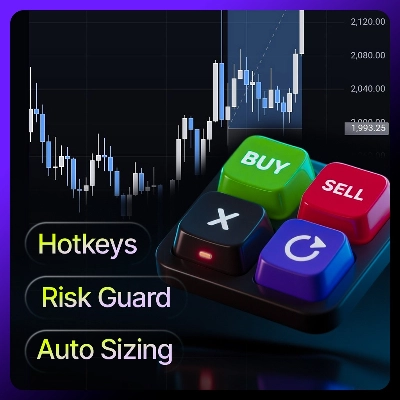
⚡Place orders, set SL/TP, and manage positions with Hotkeys or directly on the chart.
ปลั๊กอินเดสก์ท็อป
File Access
Trade Journal
Your watchlist in one grid: trend on five timeframes, ADR used, correlation to the chart's symbol, currency strength.
ปลั๊กอินเดสก์ท็อป
Signal
Breakout
The Risk-Reward plugin is a tool to visualize a trading idea based on other analysis tools,
ปลั๊กอินเดสก์ท็อป
Risk Alerts
Trade Alerts
+3
Daily loss limits, profit giveback protection and scheduled trading breaks to help you stay disciplined.
"Quant Audit PRO" โลโก้
ใหม่
4.5
(4)
$19
ปลั๊กอินเดสก์ท็อป
External Data
Trade Journal
+2
Real Quant Audit, Live equity, open-position risk and 24 quant tests on your full account. IS THE EDGE REAL?
ปลั๊กอินเดสก์ท็อป
External Data
Study economic event reactions with broker M1 history, bar replay, range comparisons and a reproducible export.
ปลั๊กอินเดสก์ท็อป
Forex
Commodities
Close all non crypto trades at 19:55 utc Friday
ปลั๊กอินเดสก์ท็อป
Trade Journal
AI Integration
+1
Turn your closed-trade history into an at-a-glance monthly calendar and a deep performance dashboard.
ปลั๊กอินเดสก์ท็อป
Risk/Reward
Chart UI Tools
+3
Visual cTrader backtesting tool with trade drawing, risk sizing, stats, and automatic trade simulation.
ปลั๊กอินเดสก์ท็อป
SL Manager
Risk/Reward
+5
Drag SL & TP on the chart, see risk, reward, R:R and lot size live, then place Buy or Sell orders in one click
ปลั๊กอินเดสก์ท็อป
Position Sizer
Risk Calculator
Size manual trades from your risk settings and review Market, Limit or Stop orders before execution.
ปลั๊กอินเดสก์ท็อป
Trade Journal
AI Integration
+1
#1 Trade Journal, PnL analytics, bot monitoring and strategy statistics.

ราคา

ตั้งแต่ 16/09/2026