present
Sign up and get $50 off your first purchase
Trading product for PnL Behavior Calendar Desktop plugin Trade Journal Trade Statistics, image 1
PnL Behavior Calendar
Desktop plugin
Version 1.0, Sep 2026
Windows, Mac
4.0
Reviews: 2
Trading product for PnL Behavior Calendar Desktop plugin Trade Journal Trade Statistics, image 2
Trading product for PnL Behavior Calendar Desktop plugin Trade Journal Trade Statistics, image 3
Trading product for PnL Behavior Calendar Desktop plugin Trade Journal Trade Statistics, image 4
Trading product for PnL Behavior Calendar Desktop plugin Trade Journal Trade Statistics, image 5
Since 16/09/2026

Description

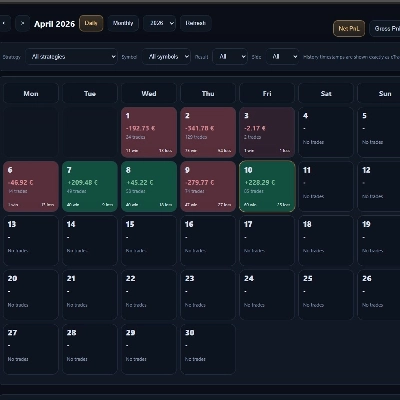
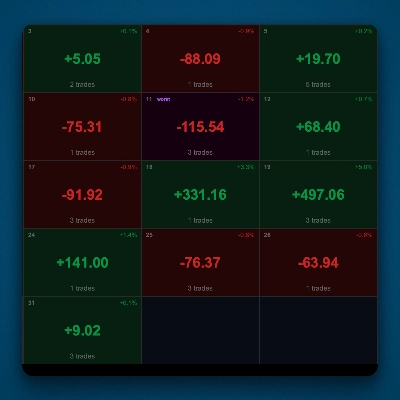
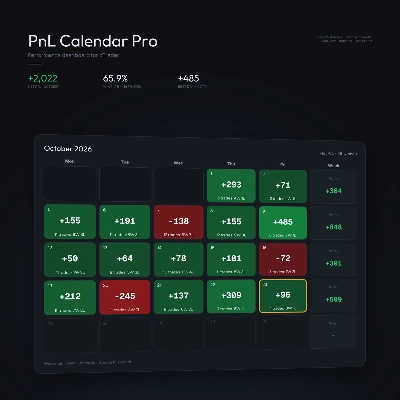
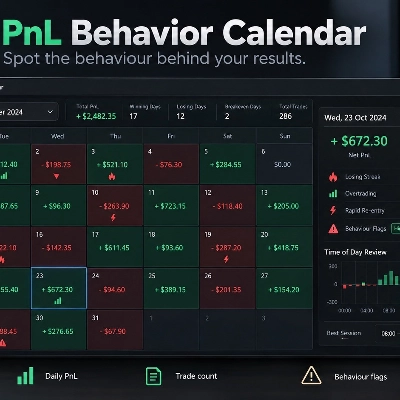
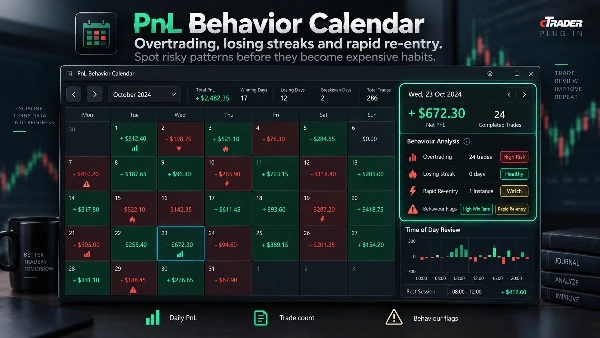
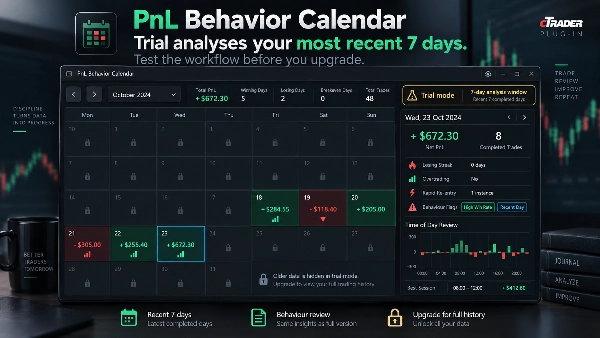
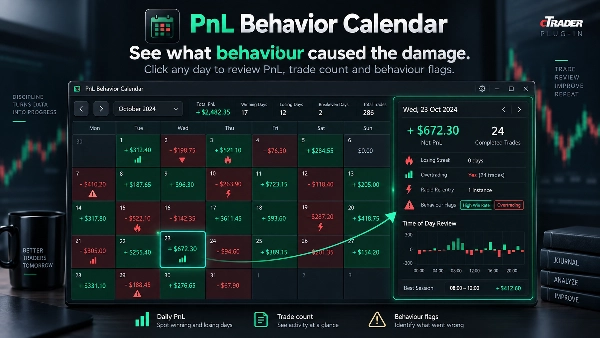
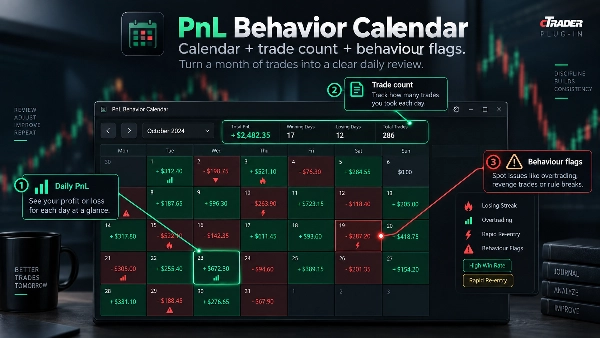
PnL Behavior Calendar is a desktop plugin that turns cTrader trade history into a monthly review focused on trading behaviour, not just profit and loss. The calendar shows daily net PnL and trade count, while the selected-day panel highlights completed positions, losing streaks, overtrading and rapid re-entry after a loss. Time-of-day summaries help reveal when poor decisions are most concentrated.


Use cases:

• Review winning and losing days in a monthly calendar.

• See completed positions for a selected day without exporting to a spreadsheet.

• Detect consecutive-loss streaks and unusually high trade counts.

• Flag rapid re-entry after a losing position closes.

• Compare trading behaviour by time of day using the cTrader user time offset.


The plugin is read-only and never places or modifies trades. Behavior flags describe trading patterns and do not diagnose trader intent or psychology. It is a review tool, not a signal or trading-advice system. Trading involves risk. Past performance does not guarantee future results.

Summary

AI summary
PnL Behavior Calendar is a desktop plugin for cTrader that transforms trade history into a monthly calendar view focused on trading behavior analysis. It displays daily net profit and loss alongside trade counts, enabling users to review winning and losing days at a glance. Selecting a specific day reveals detailed completed positions and highlights behavioral patterns such as losing streaks, overtrading, and rapid re-entry following losses. The plugin also provides time-of-day summaries adjusted to the user's time zone to identify periods prone to poor trading decisions. Designed as a read-only review tool, it does not execute or modify trades and does not provide trading signals or advice. Its primary function is to help traders understand which behaviors impact their performance by visualizing trade activity and behavioral flags within an intuitive calendar interface.
Plugin profile

Discussion

Customer reviews

4.0
Reviews: 2
5
0 %
4
100 %
3
0 %
2
0 %
1
0 %
Customer reviews
October 25, 2026
clicking a calendar day through to its closed positions makes the behaviour view more useful than coloured P&L tiles alone. Counts, losing streaks and rapid reentry flags provide retrospective context rather than blocking the next trade.
October 16, 2026
PnL Behavior Calendar displays trading statistics, a monthly calendar, losing streaks, rapid re-entry counts and time-of-day results within cTrader TradeWatch. The dashboard provides a useful overview of trading activity, but its narrow layout and dense text reduce readability. Behavioral metrics also need clearer period labels to avoid confusion. Score: 4.1/5.

FAQ

Trade Journal
Trade Statistics
Products available through cTrader Store, including trading bots, indicators and plugins, are provided by third-party developers and made available for informational and technical access purposes only. cTrader Store is not a broker and does not provide investment advice, personal recommendations or any guarantee of future performance.

More from this author

Indicator
BOS
MSS
+4
See confirmed BOS, CHOCH and SWEEP structure events on your cTrader chart.
Indicator
BOS
Add standard-timeframe context candles to a native Renko chart.
Indicator
EMA
Volume
Map range high, mid, low, price location and a deterministic pressure proxy on your cTrader chart.
Indicator
Channel
Key Levels
+1
Monitor a selected chart trendline and confirm breaks on candle close.
Desktop plugin
Chart UI Tools
Keep lines, zones and channels synced across selected same-symbol charts from one desktop plugin.
cBot
Drawdown Guard
Daily Loss Limit
Monitor account-wide loss and stop-loss risk budgets, with optional order cancellation and post-fill closure.
Desktop plugin
Position Sizer
Risk Calculator
Size manual trades from your risk settings and review Market, Limit or Stop orders before execution.
Indicator
Volume
Key Levels
View tick activity across a selected chart range with Point of Control, Value Area High and Value Area Low.

You may also like

Desktop plugin
Forex
Signal
+2
Adaptive Renko chart builder for precise, flexible trading - ideal for both scalping and trend analysis.
Desktop plugin
Trade Journal
AI Integration
+1
#1 Trade Journal, PnL analytics, bot monitoring and strategy statistics.
Desktop plugin
External Data
Study economic event reactions with broker M1 history, bar replay, range comparisons and a reproducible export.
Desktop plugin
Prop
Forex
+4
Visual monthly trading journal that displays your performance day-by-day in a calendar view.
Desktop plugin
Trade Journal
AI Integration
+1
Turn your closed-trade history into an at-a-glance monthly calendar and a deep performance dashboard.
Desktop plugin
SL Manager
Risk/Reward
+5
Drag SL & TP on the chart, see risk, reward, R:R and lot size live, then place Buy or Sell orders in one click
Desktop plugin
Risk Alerts
Prop Firm Fit
+5
Read-only risk cockpit for prop-firm traders: live drawdown gauges, FTMO-style permitted loss, alerts and reports.
Desktop plugin
External Data
Trade Journal
+2
Real Quant Audit, Live equity, open-position risk and 24 quant tests on your full account. IS THE EDGE REAL?
Desktop plugin
Prop
Forex
+5
Place professional OCO & OSO orders in cTrader — visually, instantly, and without execution mistakes.
Desktop plugin
Forex
Commodities
Close all non crypto trades at 19:55 utc Friday
Desktop plugin
Risk/Reward
Chart UI Tools
+3
Visual cTrader backtesting tool with trade drawing, risk sizing, stats, and automatic trade simulation.
Desktop plugin
Forex
Crypto
+3
Seconds | Ticks | Range | RangeY | Delta | Heikin-Ashi Bar types. Any size or Symbol.
Desktop plugin
Signal
Breakout
The Risk-Reward plugin is a tool to visualize a trading idea based on other analysis tools,
Desktop plugin
External Data
HTTP Requests
Load live gamma levels from your own QuantWheel API key into PulseFlow Gamma Regime, with no more typing by hand.
Desktop plugin
Position Sizer
Risk Calculator
Size manual trades from your risk settings and review Market, Limit or Stop orders before execution.
Desktop plugin
ECN-friendly
Chart UI Tools
Any timeframe cTrader lacks: seconds, minutes, hours, tick & range bars, Heikin-Ashi in the timeframe menu.
Desktop plugin
ATR
RSI
+24
One-click toggle for Positions / Pending Orders on cTrader charts with fixed on-chart warnings and an ASP control panel
Desktop plugin
Forex
Crypto
+4
Apply Stop Loss and Take Profit to all positions and pending orders in one click.

Price

Since 16/09/2026