Description
RiskBudget Guard is an account-wide risk monitoring cBot. It brings realised losses, open-position stop-loss risk and pending-order risk into one budget view across the symbols in your account. It does not open new positions.
Read your remaining risk budget
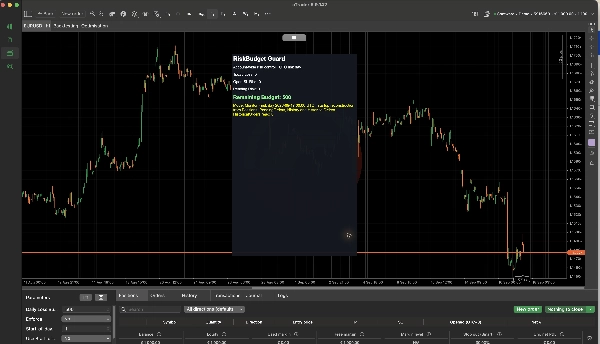
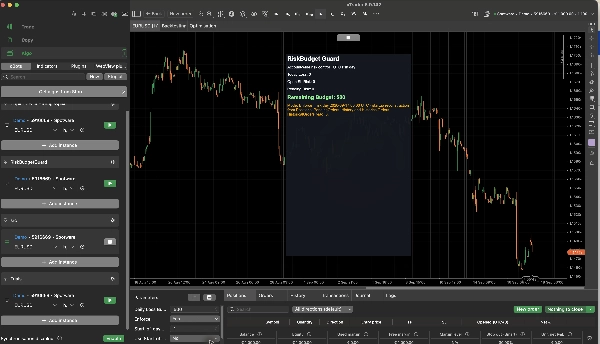
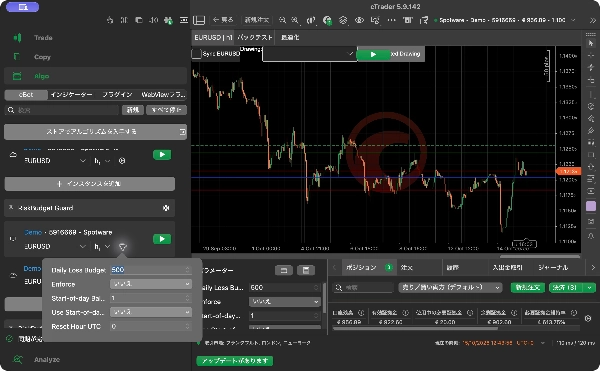
The chart HUD displays Today Loss, Open SL Risk, Pending Risk and Remaining Budget. The budget combines losses realised during the current UTC risk day with the calculated stop-loss risk of open positions and pending orders. Profitable trades do not replenish the loss allowance for that day.
Choose a fixed budget in account currency, or a percentage of a reconstructed start-of-day balance. You can also set the UTC hour at which a new risk day starts. Start-of-day balance reconstruction can be approximate when deposits or withdrawals occur during the day.
Monitor or enforce
With Enforce = No, the cBot monitors and displays account risk without cancelling orders or closing positions. This is the default mode.
With Enforce = Yes, the cBot can attempt to cancel a newly created pending order or close a newly opened or filled position when the resulting account risk exceeds the budget. These actions occur after order creation or execution. RiskBudget Guard cannot block a manual order before it reaches the broker and does not promise a hard cap on realised losses.
Positions or pending orders without a usable Stop Loss can be treated as unbounded risk. Review the HUD and your account's protection settings before enabling enforcement. Broker execution, slippage and failed trade requests can affect the outcome.
Get started
1. Install RiskBudget Guard and add a cBot instance to the account you want to monitor.
2. Leave Enforce set to No while checking the displayed budget and account state.
3. For a fixed budget, enter Daily Loss Budget and leave Use Start-of-day % Budget disabled. For a percentage budget, enable that option and set Start-of-day Balance %.
4. Set Reset Hour UTC from 0 to 23. The default is 0.
5. Start the cBot and review the four HUD values and current mode. Enable Enforce only when you want the cBot to perform the post-execution actions described above.
The default fixed budget is 500 in account currency; the default percentage is 1%. RiskBudget Guard must remain running to monitor events and act on them. It does not generate entry signals or promise trading returns.
Summary
Key features include a chart HUD displaying Today Loss, Open Stop-Loss Risk, Pending Risk, and Remaining Budget. Users can set a fixed daily loss budget in account currency or define it as a percentage of a reconstructed start-of-day balance, with the option to specify the UTC hour when the risk day resets.
RiskBudget Guard operates in two modes: monitoring only (default), which displays risk metrics without intervention, and enforcement mode, which can cancel new pending orders or close positions if the resulting risk exceeds the set budget. Enforcement actions occur post-execution and depend on stop-loss settings and broker execution factors.
The cBot requires continuous operation to monitor and act on risk events. It is intended to assist in managing daily loss limits and drawdown guard strategies by providing real-time risk budget visibility and optional automated risk control actions.
Discussion
Customer reviews
5 | 100 % | |
4 | 0 % | |
3 | 0 % | |
2 | 0 % | |
1 | 0 % |