Description
ST-TECH | ContextEdge Position Manager Manual
Manual Position Management for cTrader
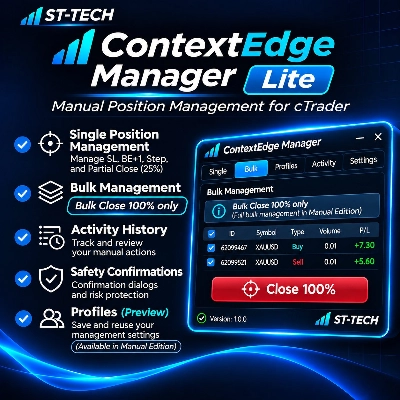
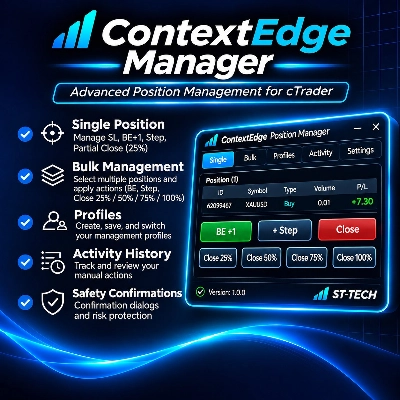
Take control of your open positions with a clean, intuitive trading panel designed for fast and organized manual trade management.
ContextEdge Position Manager Manual helps you manage individual positions or multiple positions together, with confirmation safeguards and an integrated activity history.
Key Features
Single Position Management
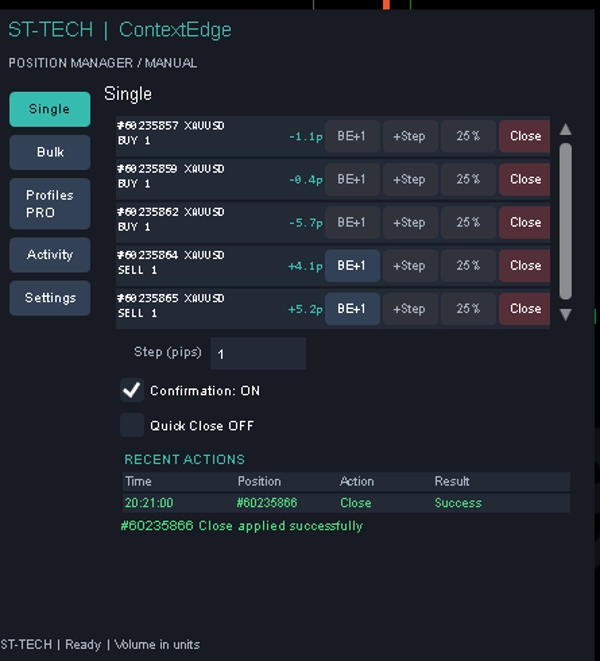
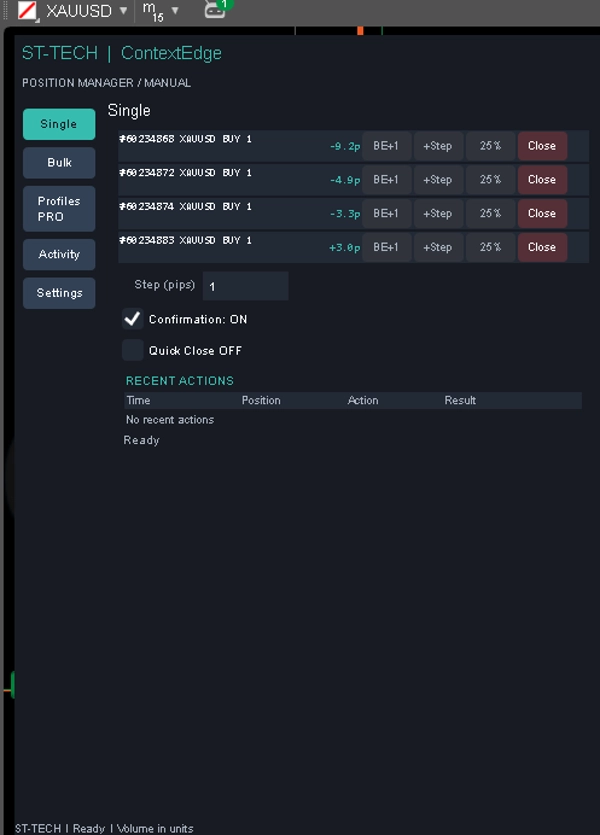
- View open positions with symbol, direction, volume, and live profit/loss [pips].
- Move Stop Loss to Break Even +1 pip.
- Adjust Stop Loss using a configurable step.
- Close 25% of a position.
- Close individual positions.
- Optional Quick Close for full position closure.
Bulk Position Management
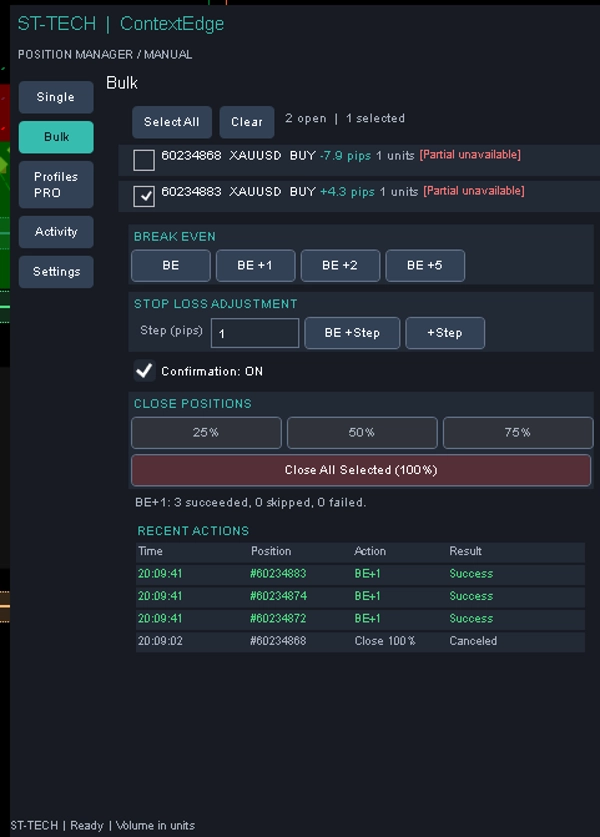
- Select multiple positions using checkboxes.
- Select All or Clear Selection.
- Move Stop Loss to BE, BE+1, BE+2, BE+5, or BE+Step.
- Move Stop Loss forward using the configured step.
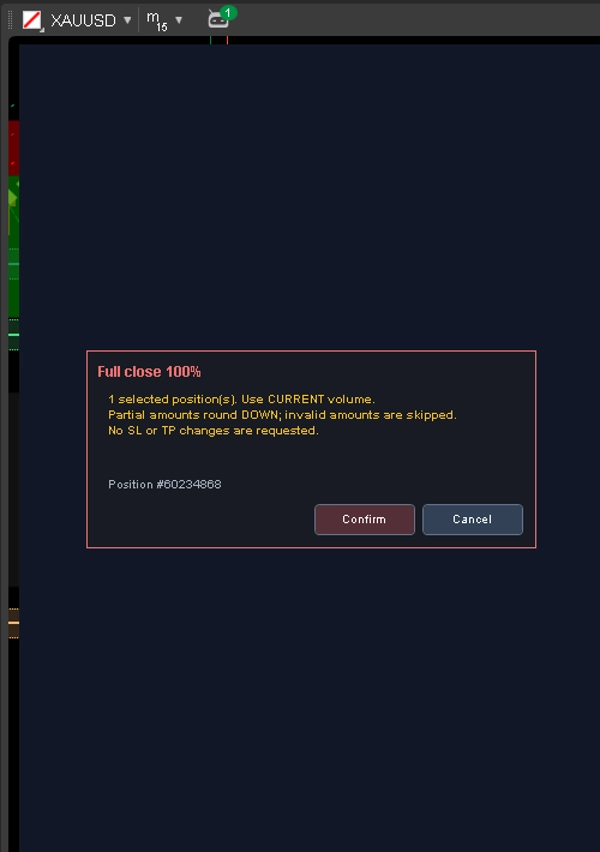
- Close 25%, 50%, 75%, or 100% of selected positions.
- Confirmation required for bulk closing actions.
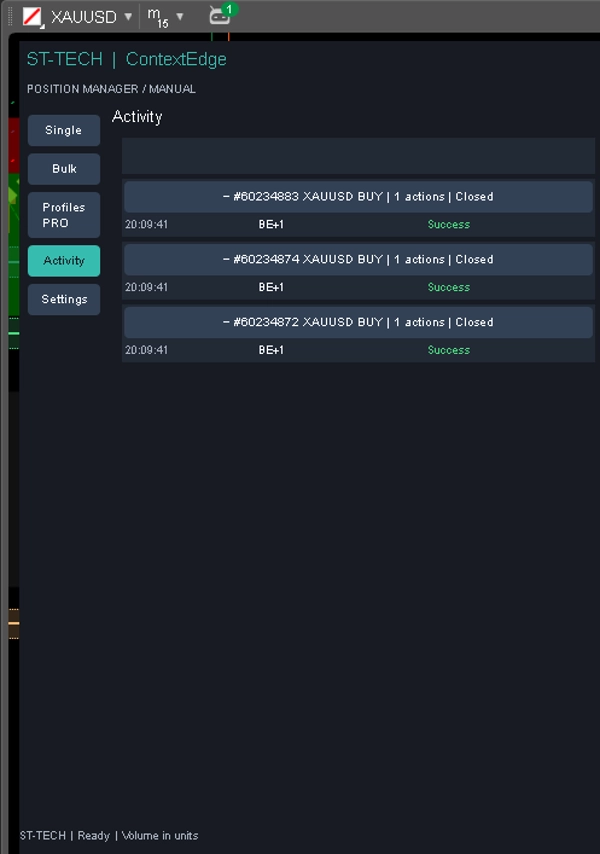
Activity History
- Review manual actions during the current cBot session.
- Actions organized by position ID.
- Expand position groups to review their history.
- View the five most recent actions.
Customizable Interface
- Organized tabs for position management, activity history, and settings.
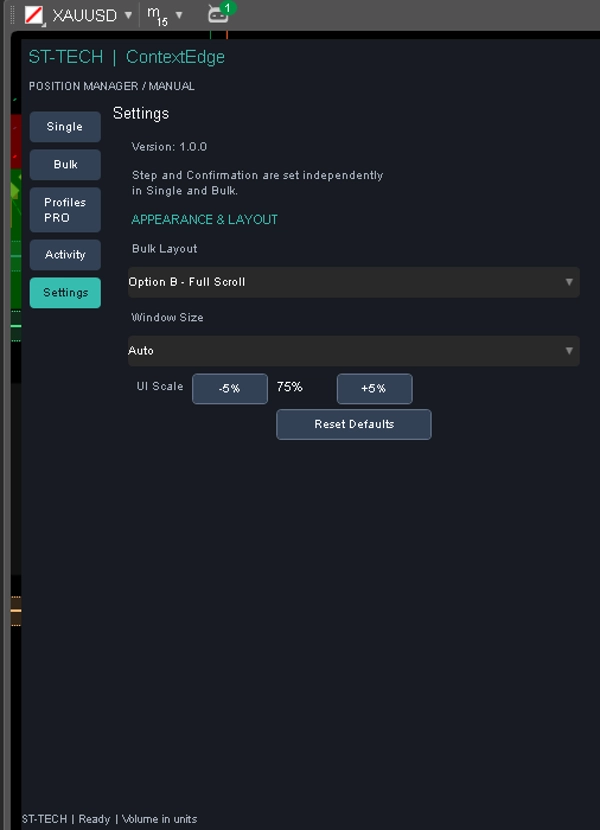
- Adjustable interface scale.
- Multiple window sizes.
- Two Bulk layout options.
- Dark-themed interface.
Free Lite Edition
Want to try ContextEdge Position Manager before purchasing?
ContextEdge Position Manager Lite is the free edition, offering core manual position management features.
mohamed.torky052021 - cTrader Store
Important Information
ContextEdge Position Manager Manual is a manual trade-management utility. It does not generate trading signals, automatically open positions, or provide automated position management.
Trading involves financial risk. Users remain responsible for their trading decisions and actions.
ST-TECH | ContextEdge Position Manager Manual