

Description
VERSION COMPLÈTE ! https://ctrader.com/products/2705
LIMITES DE LA DÉMO :
- Une poignée d'instruments triés sur le volet
- 4 périodes (M1, M10, M30, H2)
- Limite de 2 ans sur les données de backtesting
- x4 backtests simultanés
Pour accéder à la version complète, veuillez consulter le lien ci-dessus !
----------------
Pourquoi OmniSim ?
Le backtesting traditionnel dans cTrader consomme d'importantes ressources système pour afficher les courbes d'équité et les graphiques de solde en temps réel, ce qui ralentit votre ordinateur et limite l'efficacité des tests. OmniSim simplifie tout le processus en récupérant directement les données de tick du serveur et en exécutant des backtests légers et ciblés sur vos instruments et périodes sélectionnés sans la surcharge visuelle, mais sans la négliger.
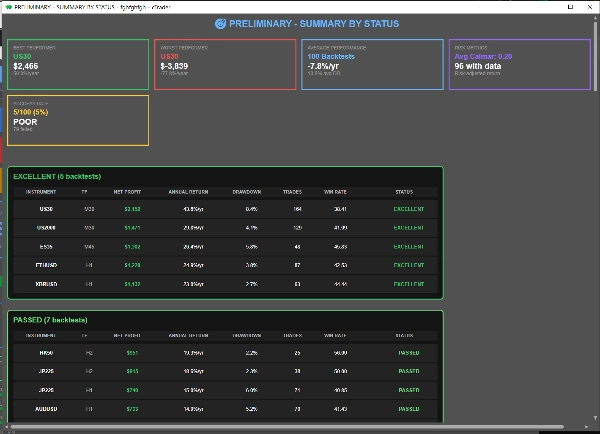
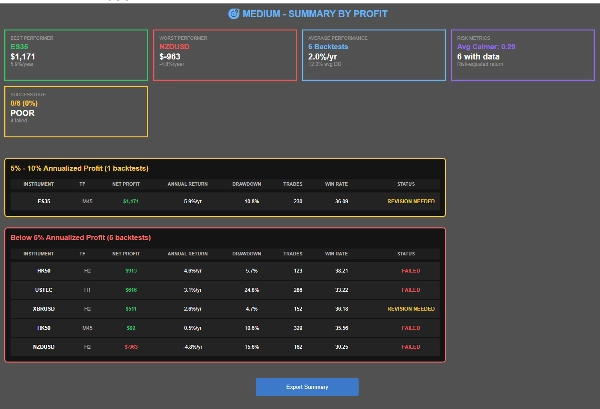
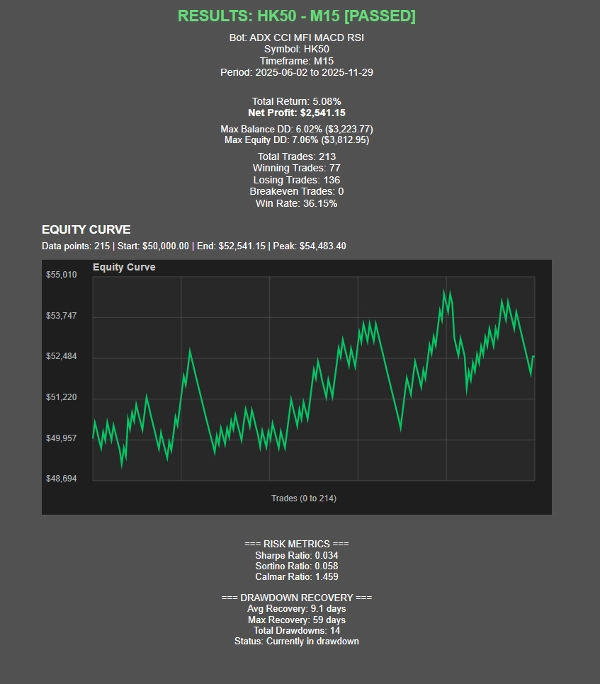
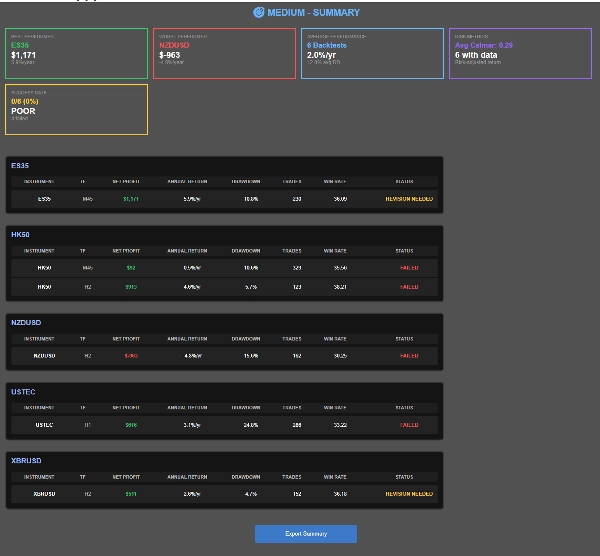
À mesure que les tests se terminent, OmniSim génère automatiquement des rapports individuels pour chaque backtest ainsi qu'un rapport récapitulatif complet, vous offrant une vue d'ensemble complète des performances en un coup d'œil.
Comment ça fonctionne ?
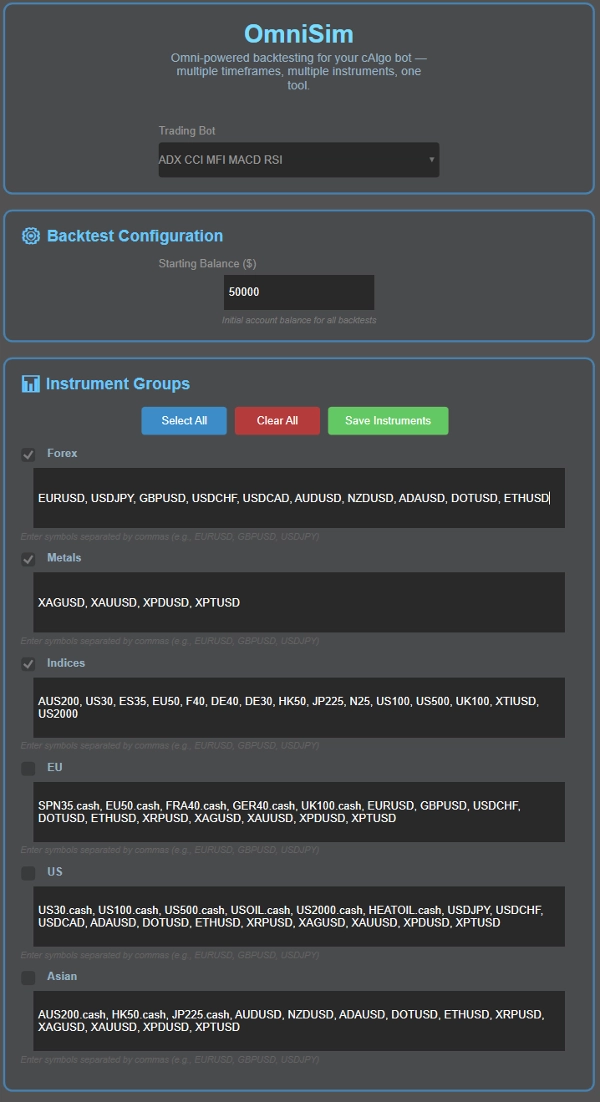
L'interface utilisateur d'OmniSim a été conçue pour être intuitive et simple.
- Choisissez votre bot : Omni charge automatiquement tous les bots installés et les affiche dans une liste déroulante en haut de l'interface
- Choisissez votre capital
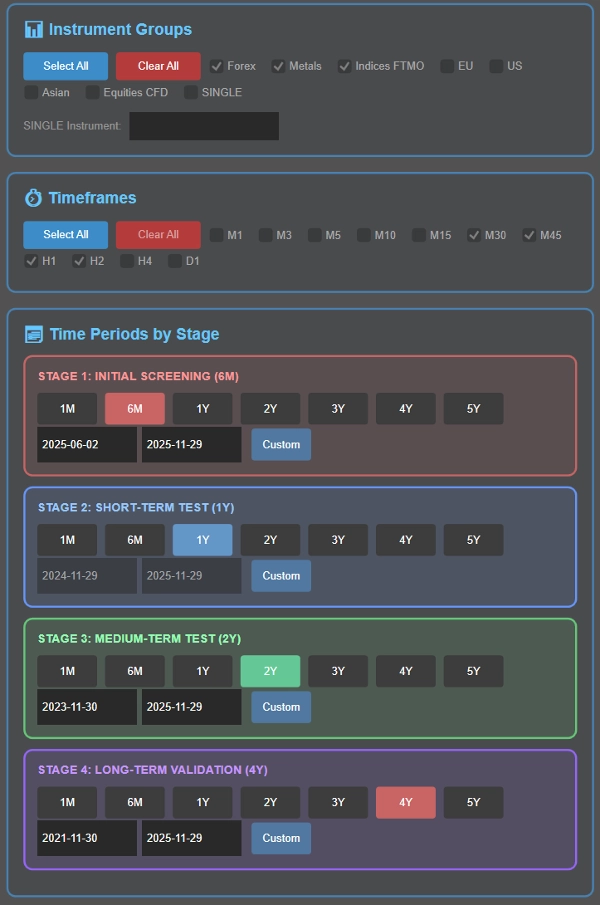
- Choisissez votre(s) instrument(s) : ici, vous trouverez 5 groupes (Forex, Métaux, Indices, UE, US, Asie) dont les instruments sont personnalisables pour votre commodité. Avant le backtest, vous pouvez sélectionner le groupe d'instrument(s) que vous souhaitez tester
- Choisissez votre(s) période(s) : choisissez les périodes à tester : M1, M3, M5, M10, M15, M30, M45, H1, H2, H4, D1
- Définissez vos périodes de backtesting dans le cadre du processus en cascade intelligent (détaillé ci-dessous), ou choisissez une période spécifique unique si vous préférez.
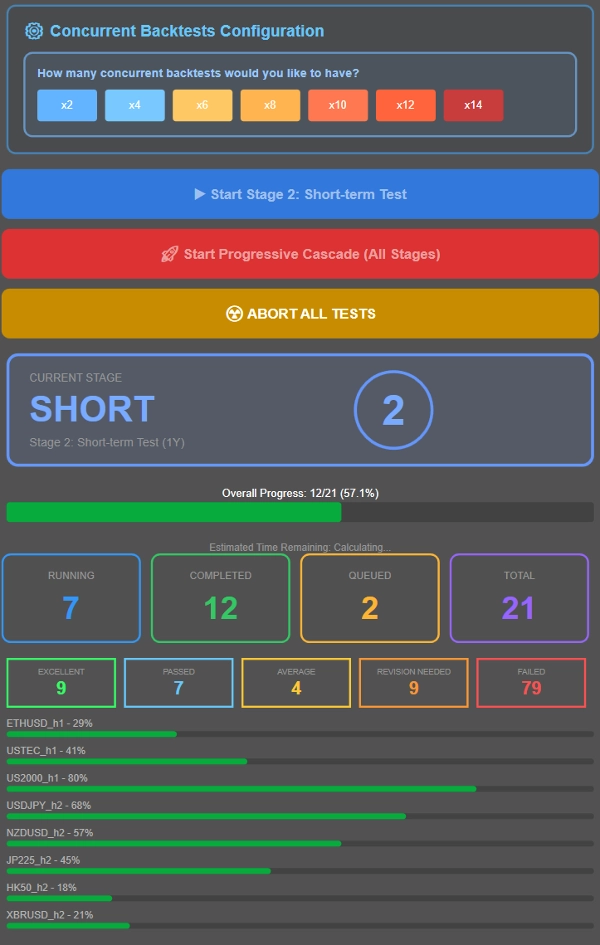
- Contrôlez le nombre de tests exécutés simultanément en fonction des spécifications de votre système. À titre de référence, un système avec 16 Go de RAM et un Ryzen 7 5800X3D gère facilement 8 backtests simultanés, avec des performances fluides jusqu'à 12-14 tests simultanés. Ajustez selon votre matériel.
- Exécutez soit un backtest en cascade (filtrage progressif à travers plusieurs périodes) soit testez toutes les combinaisons sur une période spécifique avec les valeurs par défaut des paramètres du cbot.
Qu'est-ce qu'un processus de backtesting en cascade ?
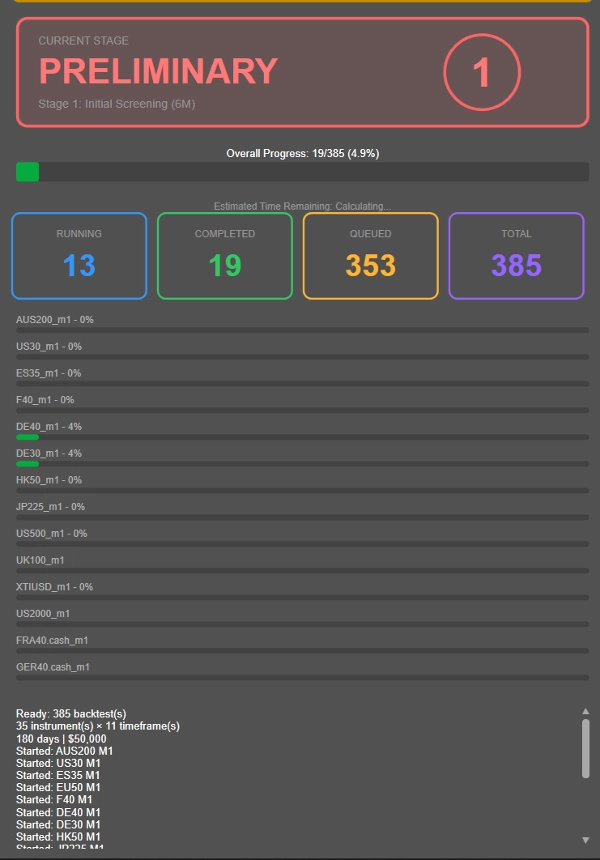
Plutôt que d'exécuter de longs backtests de 4 ans sur chaque combinaison instrument-période (y compris les non rentables), OmniSim utilise une méthodologie de cascade progressive qui filtre intelligemment les moins performants dès le début :
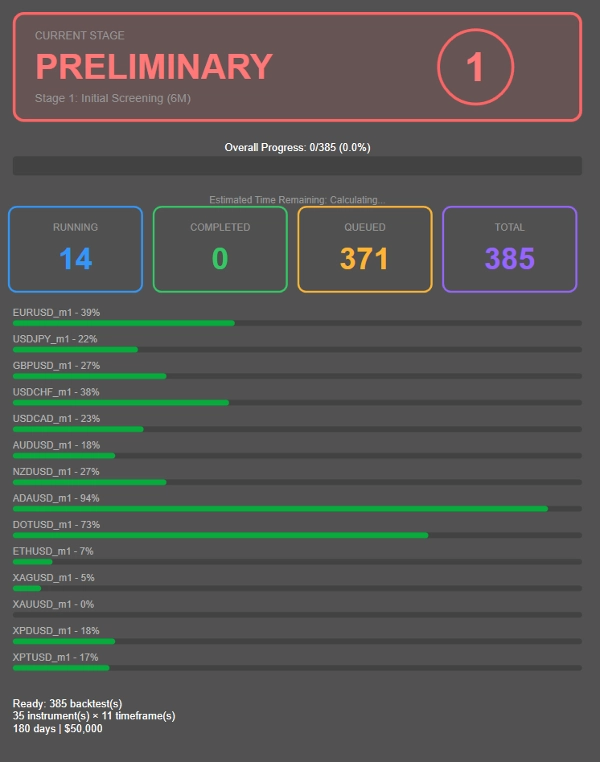
- Étape 1 : Sélection initiale de 6 mois
- Étape 2 : Les survivants passent à un test d'1 an
- Étape 3 : Les performeurs constants passent à une validation de 2 ans
- Étape 4 : Seules les combinaisons les plus robustes affrontent le test complet de 4 ans
---------------
- La durée de chaque étape ci-dessus a été choisie par moi pour ce que je considère comme une durée de backtesting raisonnablement pratique. Vous pouvez ajuster la durée comme vous le souhaitez, au lieu de 6M → 1A → 2A → 4A, vous pouvez choisir 1M → 2A → 4A → 8A ! Entièrement personnalisable.
---------------
Cette approche réduit considérablement les calculs gaspillés sur des combinaisons non rentables, vous permettant de concentrer les ressources sur les stratégies qui montrent réellement du potentiel.
Vous souhaitez plutôt tout tester sur une seule période ? Configurez simplement la période souhaitée à l'Étape 2 et exécutez toutes les combinaisons sur cette période spécifique en cliquant sur le bouton bleu.
Classification des performances, ajustable sur demande après achat !
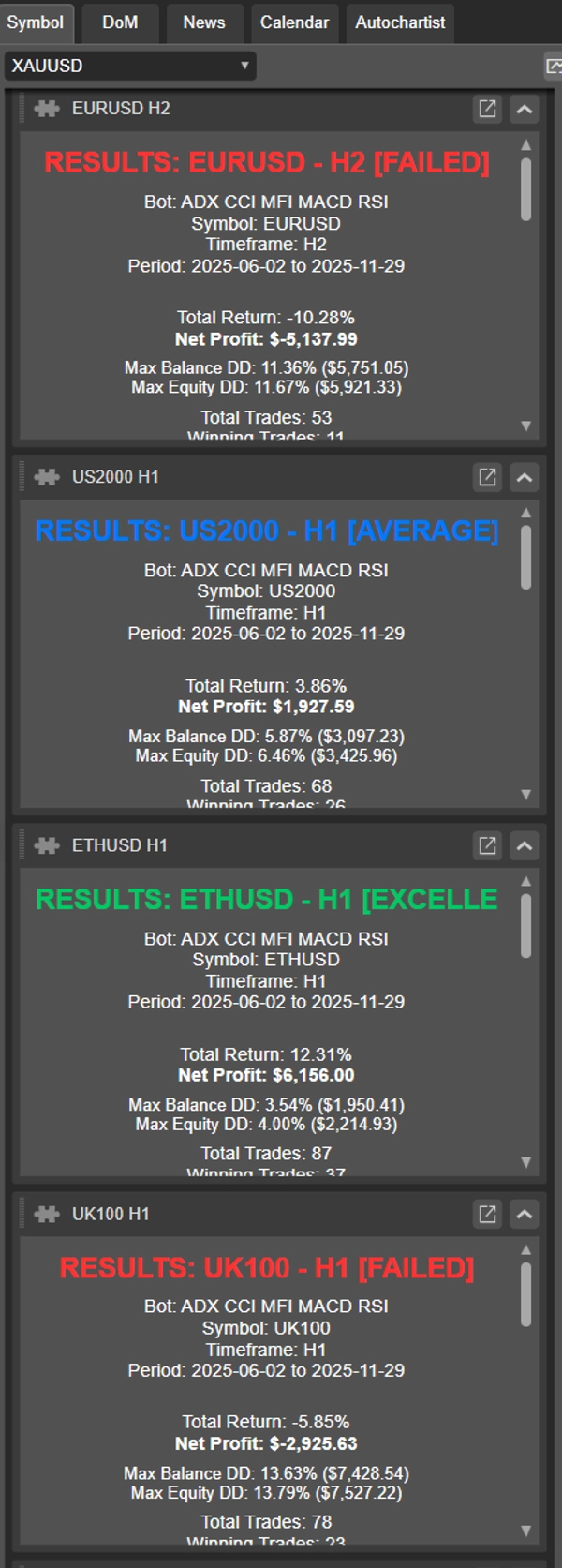
- EXCELLENT : ≤10% DD moyen, ≥20% de profit annualisé
- VALIDÉ : ≤10% DD moyen, 10-20% de profit annualisé
- MOYEN : ≤10% DD moyen, 5-10% de profit annualisé
- RÉVISION NÉCESSAIRE : 10-20% DD avec >5% de profit OU ≤5% DD avec 0-5% de profit
- ÉCHOUÉ : Tout le reste
Ce plugin a été conçu avec les critères de réussite et d'échec des prop firms populaires (drawdown de disqualification à 10%). Selon le risque pris par trade, il peut être difficile de déterminer la véritable performance, d'où les autres catégories comme révision nécessaire et moyen, toutes dans des métriques de performance raisonnables. Échoué est réservé aux retours médiocres, drawdown inexistant ou énorme.
Métriques de performance :
- Ratio de Sharpe, Ratio de Sortino, Ratio de Calmar (en cours)
- Statistiques de récupération de drawdown
- Visualisation de la courbe d'équité
- Suivi en temps réel avec ETA
Présentation des résultats
- Trois vues récapitulatives : Par instrument, Par statut, Par profit
- Navigation des résultats cliquable
- Fonctionnalité d'export CSV
- Cartes de statut visuelles et indicateurs de progression
Résumé
Avis clients
Discussion
Questions fréquentes
Plus de cet auteur



![Logo de "Custom Timeframes [Iridio Capital]"](https://cdn.ctrader.com/image/webp/4d75a920-23c7-4fea-a7b5-594a9d067f2e_63286)
Prix