
説明
🤖 Wall Sentinel – オプションウォール取引ボット
Wall Sentinel は、オプションウォール と ガンマウォール の周辺で動作するよう設計された高度な取引cBotです。これらはオプション市場から導出された重要なレベルであり、しばしば 機関投資家のサポート、レジスタンス、および高反応価格ゾーン として機能します。
このボットは自動的に AlgoTrend オプションウォールデータ に接続し、Apify データスクレイパー を通じて提供される自動化されたデータを利用し、大口投資家やプロのデスクが年間数千ユーロを支払ってアクセスするような構造化された市場レベルの分析を実行します。
Wall Sentinel は 機関レベルのオプションデータ と 適応型テクニカルフィルター(EMA、RSI、ATR)を組み合わせ、価格が 戦略的で高確率の反応レベル と相互作用するときのみ取引を行います。
これは単なるランダムなインジケーターボットではなく、コンテキスト認識型の取引システム です。
🧠 取引ロジック
Wall Sentinel:
- 定期的に更新された オプションウォールデータ をダウンロードします
- 以下を識別します:
-
- プットウォール → 潜在的なサポートゾーン
- コールウォール → 潜在的なレジスタンスゾーン
- ガンマウォール → 価格の磁石レベル
- 以下を評価します:
-
- 現在の価格と主要なウォール間の距離
- オプションデータからの方向性の 市場バイアス
- 市場のレジーム(トレンド、レンジ、ボラティリティ)
- テクニカル確認(EMA + RSIフィルター)
- 以下の条件が満たされた場合のみ取引を開始します:
-
- 価格が重要度の高いウォール付近にある
- テクニカルフィルターがセットアップを確認する
- スプレッドおよびリスク条件が許容範囲内である
これにより、単なる価格パターンではなく、大口ポジションとヘッジフローが存在する場所 に合わせた取引アプローチが実現します。
⚙️ Wall Sentinel — 完全パラメーターガイド
Wall Sentinel は 機関オプション市場レベル と テクニカル確認フィルター を組み合わせています。各パラメーターは、ボットが市場構造、タイミング、およびリスクをどのように解釈するかを制御します。
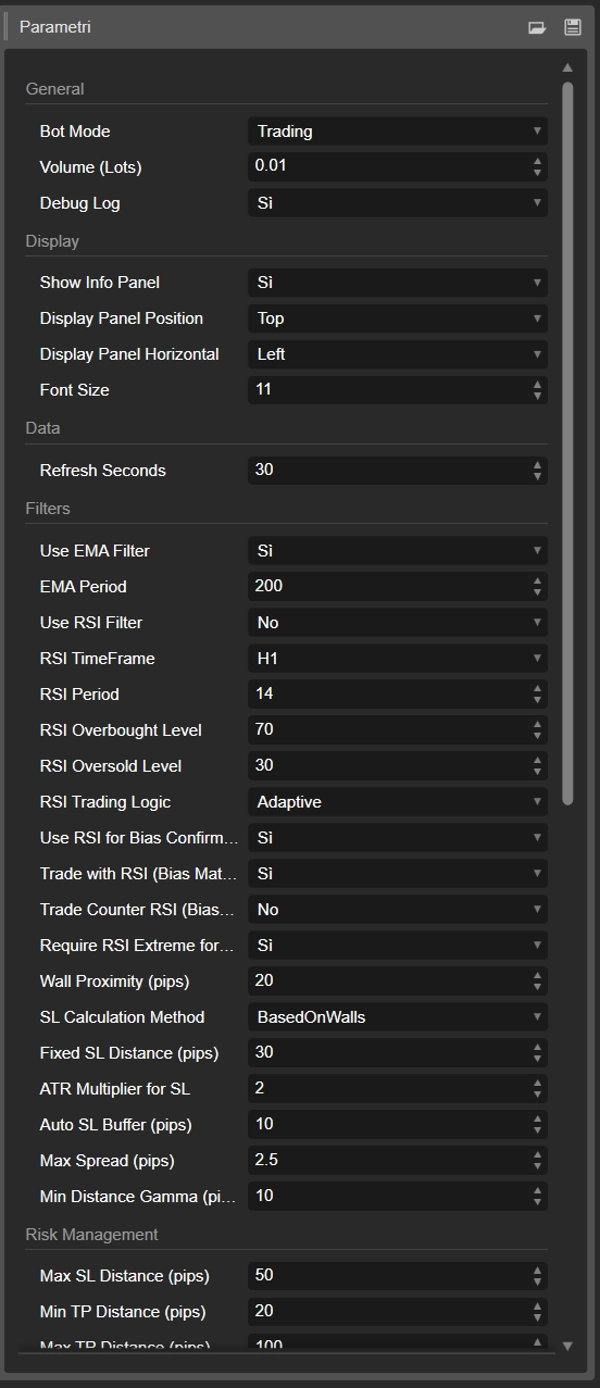
🔹 一般設定
ボットモード
cBot の動作方法を定義します。
- トレーディング → 完全自動化。ボットはオプションウォールデータを分析し、条件が整ったときに取引を実行します。
- バイアスのみ → 情報モード。ボットは依然として機関のバイアスとウォールデータをダウンロードおよび処理しますが、取引は開始しません。自動化なしで意思決定支援を求める裁量トレーダーに有用です。
取引量(ロット)
各取引のポジションサイズを指定します。
これはリスクエクスポージャーに直接影響します。Wall Sentinel は強い反応を引き起こす可能性のある構造レベル周辺で取引するため、ロットサイズは口座残高とリスク許容度に応じて調整する必要があります。
デバッグログ
詳細なターミナル出力を有効または無効にします。
有効にすると、ボットは以下を出力します:
- データダウンロード状況
- ウォール解析結果
- 市場状況
- システム活動
セットアップおよびテスト時は ON 推奨、ライブ取引時は任意です。
🖥 表示設定
情報パネル表示
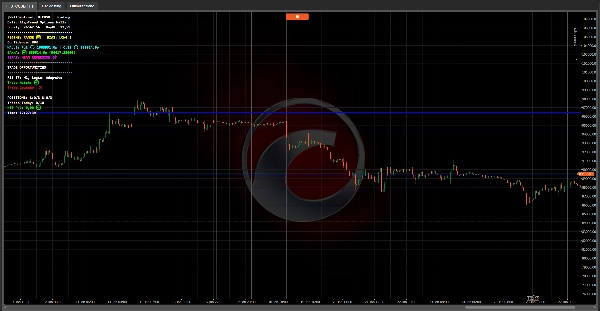
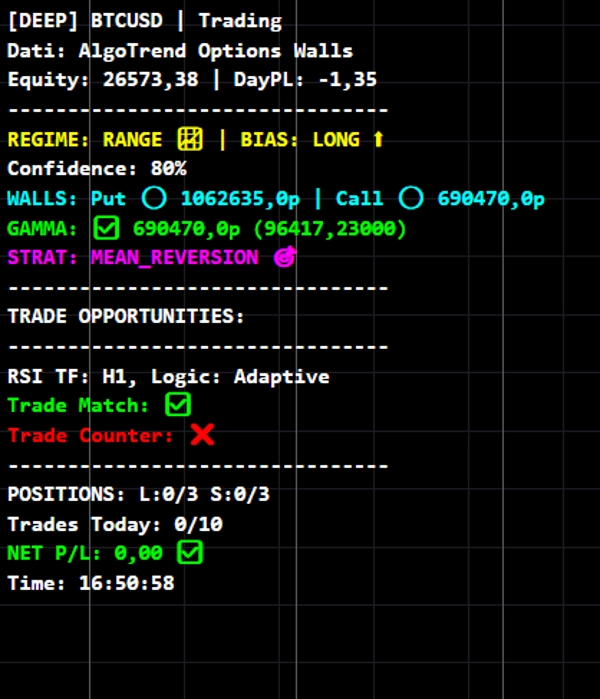
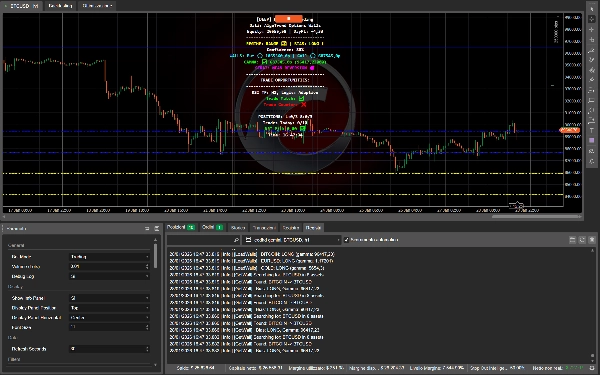
チャート上にリアルタイム情報パネルを表示します。
パネルには以下が表示されます:
- オプションポジショニングからの市場バイアス
- 市場レジーム(トレンド、レンジ、ボラティリティ)
- 主要なプット/コールウォールからの距離
- 一般的なシステムステータス
これにより、ボットは取引システムであると同時に 意思決定支援ダッシュボード となります。
表示パネル位置
情報パネルの垂直配置を制御します(チャートの上部または下部)。
表示パネル水平位置
水平位置の整列を制御します(左、中央、右)。
マルチインジケーターのレイアウトに便利です。
フォントサイズ
異なる画面解像度での読みやすさのためにパネル内のテキストサイズを調整します。
🌐 データ設定
更新間隔(秒)
ボットが機関のオプションウォールデータを更新する頻度を決定します。
Wall Sentinel は自動化された Apify スクレイパー を通じて AlgoTrend データに接続し、構造化されたオプションポジショニング分析を提供します。これは大口投資家が年間数千ユーロを支払ってアクセスする市場情報の一種です。
値が小さいほど更新頻度が高くなります(高速市場で有用)
値が大きいほどリソース使用量が軽減されます
📊 市場フィルター
EMAフィルターを使用
指数移動平均を使用したトレンド整合性を有効にします。
有効にすると:
- EMAより上ではロング取引が優先されます
- EMAより下ではショート取引が優先されます
これは、ウォール条件が非常に強くない限り、支配的な方向性モメンタムに逆らった取引を防ぎます。
EMA期間
EMAフィルターの感度を制御します。
- 小さいほど速く、反応が良い
- 大きいほど滑らかでトレンド重視
デフォルト200 = 機関スタイルのトレンドフィルター。
RSIフィルターを使用
モメンタムの疲労ロジックを取引エントリーに追加します。
RSIは以下を防止します:
- 買われ過ぎのレジスタンスでの買い
- 売られ過ぎのサポートでの売り
RSIタイムフレーム
RSIが計算されるタイムフレームを定義します。
これはチャートのタイムフレームと異なる場合があり、以下を可能にします:
- 高いTFのRSI → より広範な市場モメンタムフィルター
- 低いTFのRSI → エントリータイミングフィルター
RSI期間
RSI計算に使用されるバーの数。
値が小さいほど反応が速い
値が大きいほどモメンタム読みが滑らか
RSI買われ過ぎレベル
市場が上方に過剰拡張と見なされる閾値。
リスクの高いロングを避けたり、ロジックモードに応じて逆張りショートを許可したりします。
RSI売られ過ぎレベル
市場が下方に過剰拡張と見なされる閾値。
リスクの高いショートを避けたり、逆張りロングを許可したりします。
RSI取引ロジック
RSIがオプションウォールおよびバイアスとどのように相互作用するかを定義します。
- 標準 → RSIは従来の確認フィルターとして機能します
- カウンター → 強いウォール付近のRSI極端値に対して取引を許可します
- 適応型 → バイアス、ウォールの近接性、市場レジームに基づいてRSIの挙動が変化します
適応型モードが最も高度でコンテキスト認識型です。
🧱 オプションウォールとの相互作用
ウォール近接距離(ピップス)
取引を考慮するために価格がプットまたはコールウォールから離れていてよい最大距離。
小さい値 = 正確な反応のみ取引
大きい値 = 機関ゾーン周辺でより柔軟なエントリー
🛑 ストップロスシステム
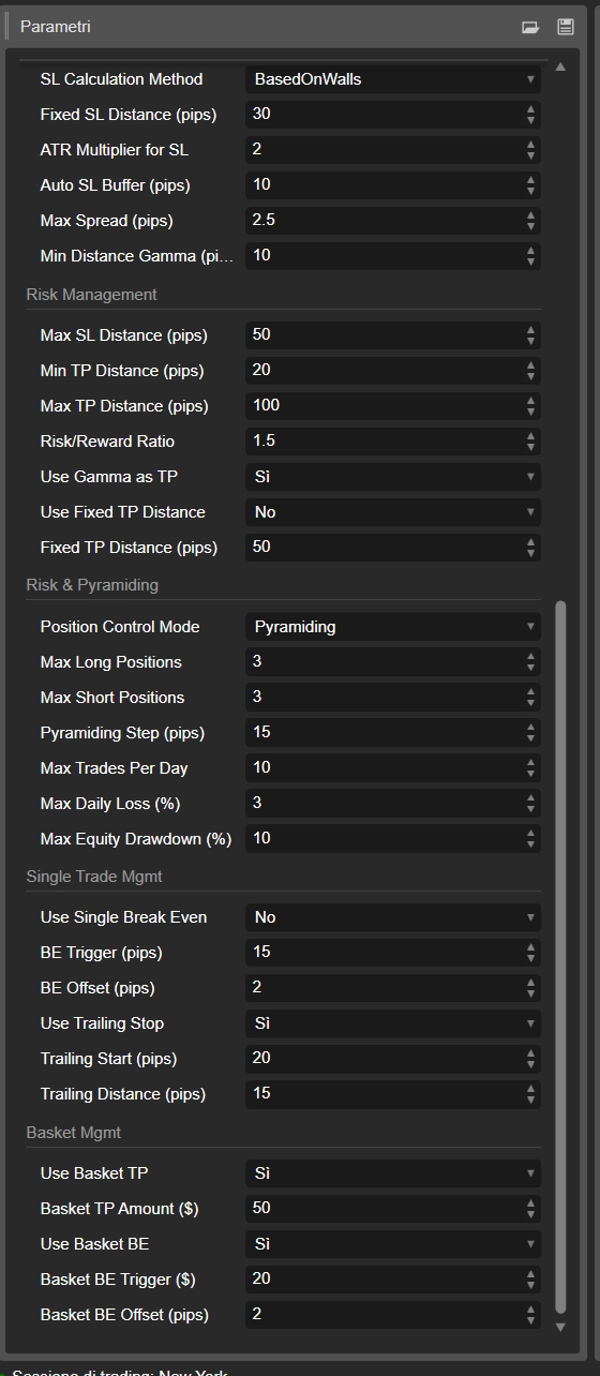
SL計算方法
ボットがストップロスをどのように設定するかを決定します:
- BasedOnWalls → 構造的なプット/コールウォールの外側にストップを配置
- FixedPips → 構造に関係なく固定距離のストップ
- ATRBased → ボラティリティに基づく動的ストップ
ウォールベースのSLは機関レベルと整合し、ATRベースのSLはボラティリティに適応します。
固定SL距離(ピップス)
SL方法が FixedPips に設定されている場合のみ使用されます。
SL用ATR乗数
ATRベースのSLを使用する際にATRに適用される乗数。
大きいほどボラティリティの高い市場で広いストップ
小さいほどリスク管理が厳密
自動SLバッファー(ピップス)
構造レベルの外側に追加される安全マージン。
機関ウォール周辺の小さな流動性スイープによるストップアウトを防ぎます。
🌡 実行の安全性
最大スプレッド(ピップス)
取引実行時に許容される最大スプレッド。
流動性が低いまたは取引コストが高い状況でのポジションエントリーを防ぎます。
🧠 まとめ
Wall Sentinel は以下を中心に構築されています:
✔ 機関オプションポジショニング
✔ ガンマおよびウォール反応ゾーン
✔ 適応型テクニカル確認
✔ 構造化されたリスク管理
これは デリバティブ市場のインテリジェンス と 価格アクションフィルタリング を融合し、単なるチャートパターンではなく 実際のポジショニング圧力が存在する場所 で取引するよう設計されたシステムを提供します。
⚠️ プロフェッショナルリスク免責事項
Wall Sentinel は自動取引システムであり、利益を保証するものではありません。金融市場は重大なリスクを伴い、レバレッジや市場状況によっては損失が預金を超えることがあります。過去のパフォーマンスや歴史的テスト結果は将来の結果を保証しません。
ボットは自動化されたデータ収集システムを通じて提供される外部のオプション市場データに依存しています。データソースは構造化され専門的に処理されていますが、常に利用可能で正確であることは保証されません。
ユーザーは以下に責任を持ちます:
- 適切なリスクレベルの設定
- 適切なポジションサイズの選択
- 口座エクスポージャーの監視
このソフトウェアは教育および取引支援目的で意図されており、レバレッジのかかった金融商品リスクを理解しているトレーダーのみが使用すべきです。
詳細については、プロフィールページで私の連絡先情報をご覧ください。
概要
The bot automatically downloads updated Options Walls data via an automated Apify scraper connected to AlgoTrend, providing structured options positioning analysis. It identifies Put Walls (potential support), Call Walls (potential resistance), and the Gamma Wall (price magnet level), then evaluates the current price's proximity to these walls, directional market bias, market regime (trend, range, volatility), and applies adaptive technical filters including EMA, RSI, and ATR.
Wall Sentinel opens trades only when price approaches significant walls and technical conditions confirm the setup, incorporating risk controls such as configurable stop loss methods based on walls, fixed pips, or ATR volatility. It supports full automation or an informational mode for discretionary trading, with customizable parameters for trade volume, data refresh rate, and display settings.
The system is suitable for various markets including indices, commodities, forex, stocks, and crypto, and is designed for day trading with high trade frequency. It blends derivatives market intelligence with price-action filtering to trade where real institutional positioning pressure exists rather than relying solely on price patterns.
ディスカッション
カスタマーレビュー
5 | 0 % | |
4 | 50 % | |
3 | 50 % | |
2 | 0 % | |
1 | 0 % |