Descrizione
AVVISO IMPORTANTE / Aggiornamento del Progetto
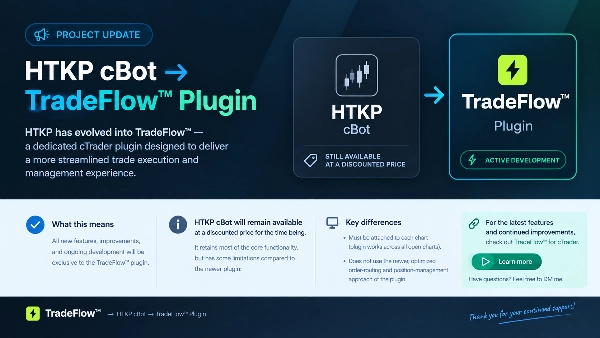
HTKP cBot → TradeFlow™ Pugin
HTKP si è evoluto in TradeFlow™, un plugin dedicato per cTrader progettato per offrire un'esperienza di esecuzione e gestione del trading più fluida.
D'ora in poi, tutte le nuove funzionalità, miglioramenti e lo sviluppo continuo saranno esclusivi del plugin TradeFlow™.
Il cBot HTKP rimarrà disponibile a un prezzo scontato per il momento. Mantiene la maggior parte delle funzionalità principali, ma presenta alcune limitazioni rispetto al plugin più recente:
- Differenze chiave e vantaggi del plugin
- Flusso di lavoro Multi-Chart - Funziona su grafici e simboli aperti senza doverlo collegare a ciascun grafico individualmente.
- Esecuzione migliorata - Routing degli ordini e gestione delle posizioni aggiornati utilizzando i formati più recenti di ordini e posizioni di cTrader.
- Interazione rivista sul grafico - Tutti gli elementi visivi sono stati rivisti per un'esperienza migliore e un flusso di lavoro più snello.
Aggiornamento sullo sviluppo: Il cBot HTKP rimane disponibile a prezzo scontato, ma tutte le future funzionalità e aggiornamenti saranno esclusivi del plugin TradeFlow™.
Per le ultime funzionalità e miglioramenti continui, consiglio di dare un'occhiata a TradeFlow™ per cTrader.
Hai domande sulle differenze o su quale versione si adatta meglio al tuo flusso di lavoro? Sentiti libero di inviarmi un messaggio diretto.
Grazie!
-------------------------------------------------------------------------
Note sull'uso del cBot:
Richiederà questo font personalizzato installato sul tuo PC per visualizzare / dimensionare correttamente i valori nei pannelli
Controlla la sezione Discussione per il link
Lascia un commento nella sezione Discussione o contattami direttamente se non riesci a vedere / scaricare l'ultima versione
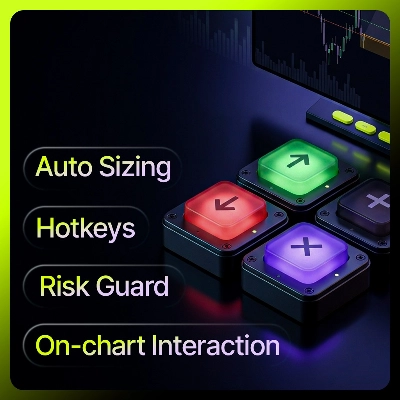
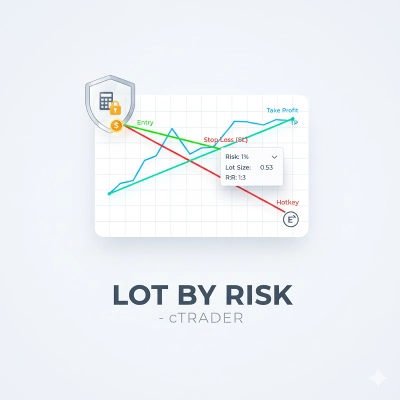
Un cBot per cTrader per un trading manuale veloce basato sul rischio. Calcola la dimensione di ogni ingresso da un rischio fisso in dollari, piazza operazioni tramite tasti rapidi o livelli di prezzo interattivi, gestisce stop e uscite parziali, e applica un limite di perdita a livello di conto.
Scegli un preset di rischio in dollari. Premi un tasto per comprare o vendere; la dimensione del lotto è calcolata in modo che la distanza dello stop-loss rischi esattamente quella somma. Gli obiettivi automatici opzionali prendono profitto parziale a distanze impostate. Un limite di drawdown chiude tutto se il patrimonio del conto scende troppo.
Concetto base: Dimensionamento basato sul rischio
- Il pannello funziona in modalità rischio in dollari. Scegli uno dei tre preset di rischio (es. $15, $30, $50). All'ingresso, la dimensione del lotto è derivata in modo che il prezzo che si muove dall'ingresso allo stop-loss rischi quella somma in dollari: lotti = riskAmount / (stopLossPips × pipValue)
- Se lo stop è troppo stretto per il preset per adattarsi al lotto minimo del broker, l'ingresso è bloccato invece di rischiare silenziosamente troppo, e il pannello mostra un messaggio di avviso Check Risk. Allarga lo stop o cambia il preset di rischio.
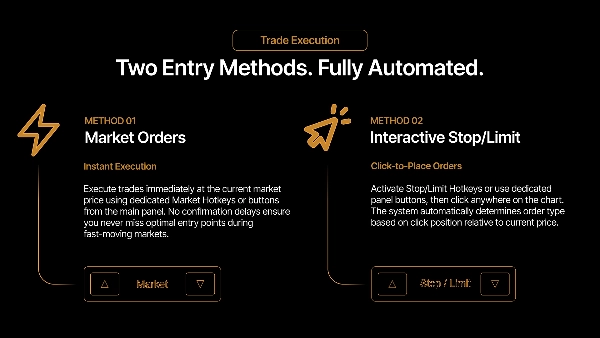
Ingressi: Due modi per entrare, entrambi usando il dimensionamento del rischio sopra
- Tasti rapidi di mercato. I tasti Compra e Vendi aprono immediatamente al mercato.
- Box pendente. Un tasto rapido disegna un box trascinabile sul grafico la cui altezza è pari alla distanza dello stop. Trascinalo al prezzo desiderato, attivalo, e l'ordine scatta come ingresso di mercato quando il prezzo tocca la linea mediana del box. Ridimensiona il box solo cambiando lo stop-loss nel pannello; il trascinamento verticale lo sposta. Premendo di nuovo la stessa direzione nasconde il box; la direzione opposta lo cambia.
Per impostazione predefinita, le posizioni in direzioni opposte sono prevenute, quindi un acquisto mentre si è short viene ignorato invece di fare hedging.
Gestione della posizione
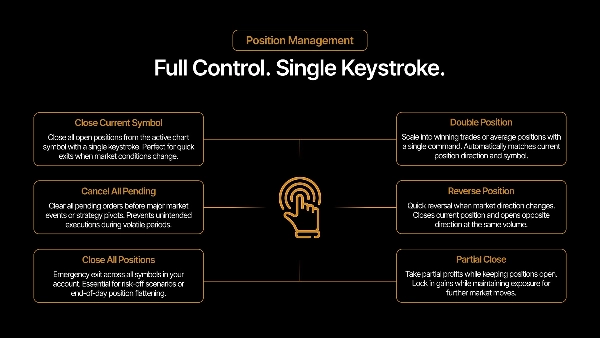
- Chiusura parziale - Chiude una percentuale impostata della posizione; se il resto scenderebbe sotto il minimo del broker, la chiude completamente.
- Riduci stop-loss - Sposta lo stop di un passo fisso più vicino all'ingresso. Non attraversa il prezzo corrente.
- Break-even - Sposta lo stop all'ingresso. Non si applica se il prezzo non ha superato l'ingresso.
- Raddoppia - Raddoppia il volume della posizione (scale-in), fino a un limite opzionale.
- Inverti - Chiude e riapre nella direzione opposta.
- Chiudi - Chiudi il simbolo corrente, o chiudi tutti i simboli.
Il raddoppio e lo scale-in si fondono in una posizione cTrader con un ingresso misto. Il cBot traccia internamente i singoli fill in modo che le stime di profitto per uscite parziali riflettano i prezzi reali per fill, non solo la media mista.
Esecuzione auto-target
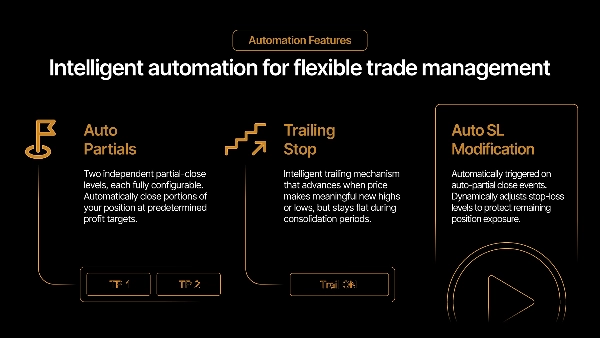
- Due livelli opzionali di take-profit parziale automatico. Ognuno ha la propria distanza (pips) e percentuale di volume. Quando il prezzo raggiunge un livello, quella percentuale viene chiusa dai fill più vecchi per primi (FIFO). TP2 prende la sua percentuale di ciò che rimane dopo TP1.
- I livelli abilitati disegnano una linea e un'etichetta sul grafico che mostrano la distanza e il profitto stimato a quel livello. La stima del profitto è calibrata dal valore live della posizione sulla piattaforma, quindi segue da vicino la cifra realizzata dal broker; su una posizione scale-in rimane un piccolo residuo dovuto all'arrotondamento dei prezzi nei dati esposti dalla piattaforma.
- Follow-up opzionali: riduci lo stop della metà dopo che TP1 scatta, e sposta lo stop al break-even dopo TP2.
Protezione dal drawdown
- Attivata di default. Se il patrimonio del conto scende a saldo iniziale − perdita massima, ogni posizione sul conto viene chiusa e nuovi ingressi sono bloccati finché non la resetti dal pannello.
- Con il trailing abilitato, il limite segue il patrimonio del conto verso l'alto — il trigger diventa picco del patrimonio − perdita massima — bloccando i guadagni invece di misurare dal saldo iniziale.
Pannelli
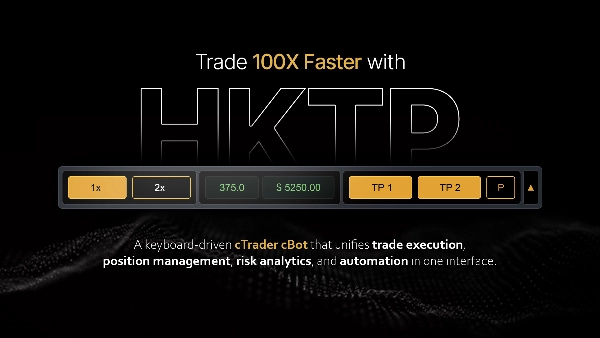
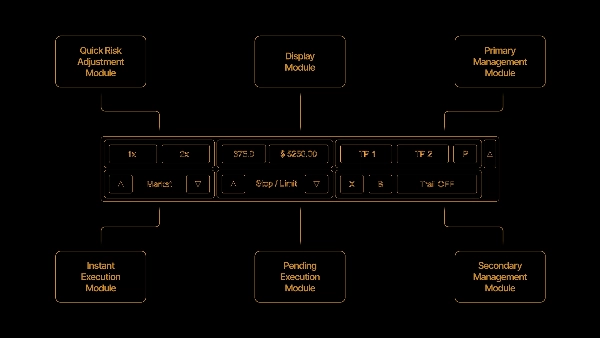
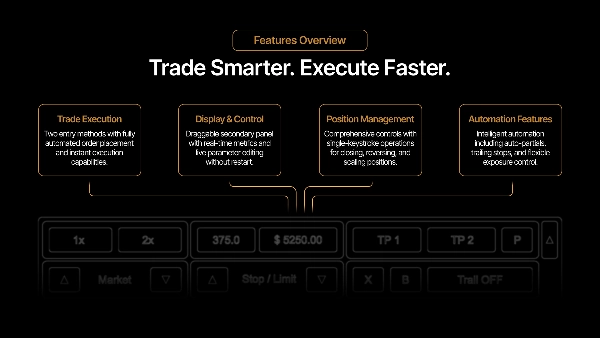
- Il pannello principale mostra l'esposizione (rischio aperto), pips e valore live, dimensione del lotto, i preset di rischio, e i pulsanti di ingresso e gestione.
- Il pannello secondario mostra il profitto della sessione, lo stato della protezione dal drawdown con margine residuo, e un pulsante di reset della sessione.
Note e limiti
- L'hedging è disabilitato per progettazione; le posizioni in direzioni opposte sono prevenute.
- I valori di profitto ed esposizione sono stime calibrate dai valori live della piattaforma e possono differire dal numero realizzato dal broker di qualche centesimo, principalmente per arrotondamenti di prezzo e tempistiche di commissioni/swap.
- Gli auto-target e le chiusure parziali agiscono solo sul simbolo del grafico; "chiudi tutto" e la protezione dal drawdown agiscono sull'intero conto.
Riepilogo
The panel manages positions with features including partial closes, stop-loss adjustments, breakeven stops, position doubling (scaling-in), reversing trades, and closing single or all symbols. It supports two automatic partial take-profit levels with configurable distances and volume percentages, displaying profit estimates and chart markers. Optional follow-up actions adjust stops after take-profits trigger.
Risk management includes an account-wide drawdown protection that closes all positions and blocks new entries if equity falls beyond a set limit, with an optional trailing feature to lock in gains. The main panel displays exposure, live pips and value, lot size, risk presets, and trade controls, while a secondary panel shows session profit and drawdown status.
Hedging is disabled; opposite-direction entries are prevented. Profit and exposure figures are estimates calibrated from live platform data. The tool supports stop, limit, stop-limit, and market orders, suitable for scalping and trend strategies with medium trade frequency. Recommended minimum account balance is $1,000.
Discussioni
Recensioni dei clienti
5 | 100 % | |
4 | 0 % | |
3 | 0 % | |
2 | 0 % | |
1 | 0 % |