present
新規登録で初回購入時に$50オフ
Trading product for FXCompute Trade Copier マルチプラットフォームプラグイン No Overtrading One-click Trading, image 1
FXCompute Trade Copier
マルチプラットフォームプラグイン
2 ダウンロード数
バージョン 1.0、Aug 2026
Windows、Mac, Mobile, Web
Trading product for FXCompute Trade Copier マルチプラットフォームプラグイン No Overtrading One-click Trading, image 2
Trading product for FXCompute Trade Copier マルチプラットフォームプラグイン No Overtrading One-click Trading, image 3
Trading product for FXCompute Trade Copier マルチプラットフォームプラグイン No Overtrading One-click Trading, image 4
Trading product for FXCompute Trade Copier マルチプラットフォームプラグイン No Overtrading One-click Trading, image 5
Trading product for FXCompute Trade Copier マルチプラットフォームプラグイン No Overtrading One-click Trading, image 6
Trading product for FXCompute Trade Copier マルチプラットフォームプラグイン No Overtrading One-click Trading, image 7
Trading product for FXCompute Trade Copier マルチプラットフォームプラグイン No Overtrading One-click Trading, image 8
登録日 22/01/2025
13
無料インストール

説明

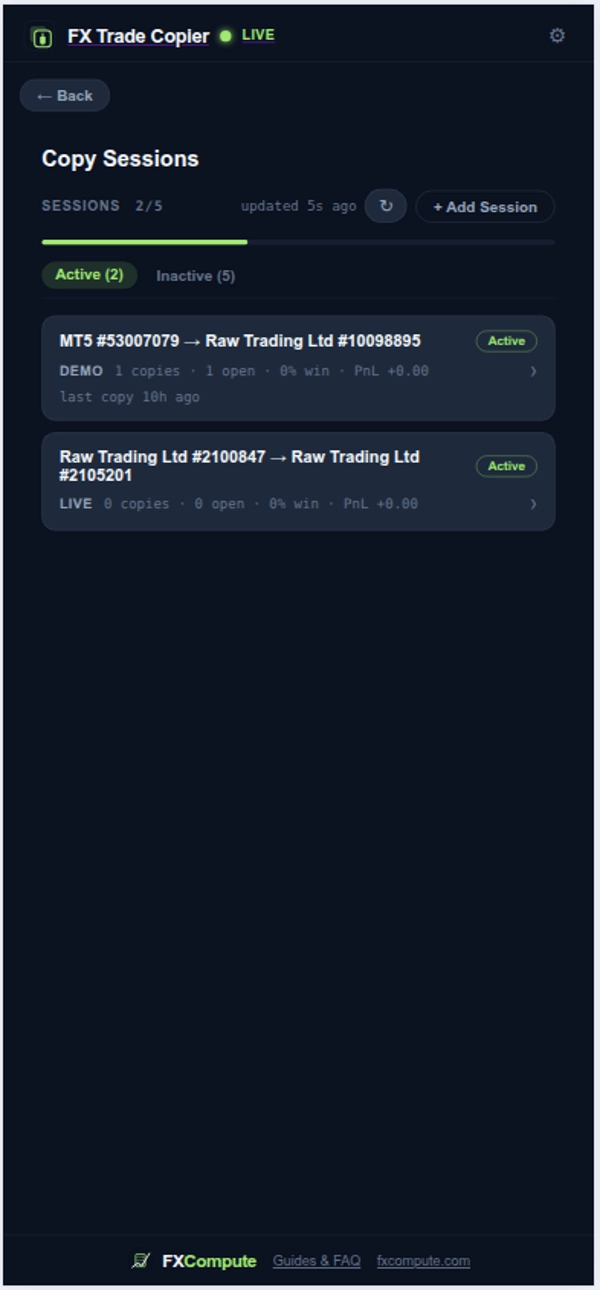
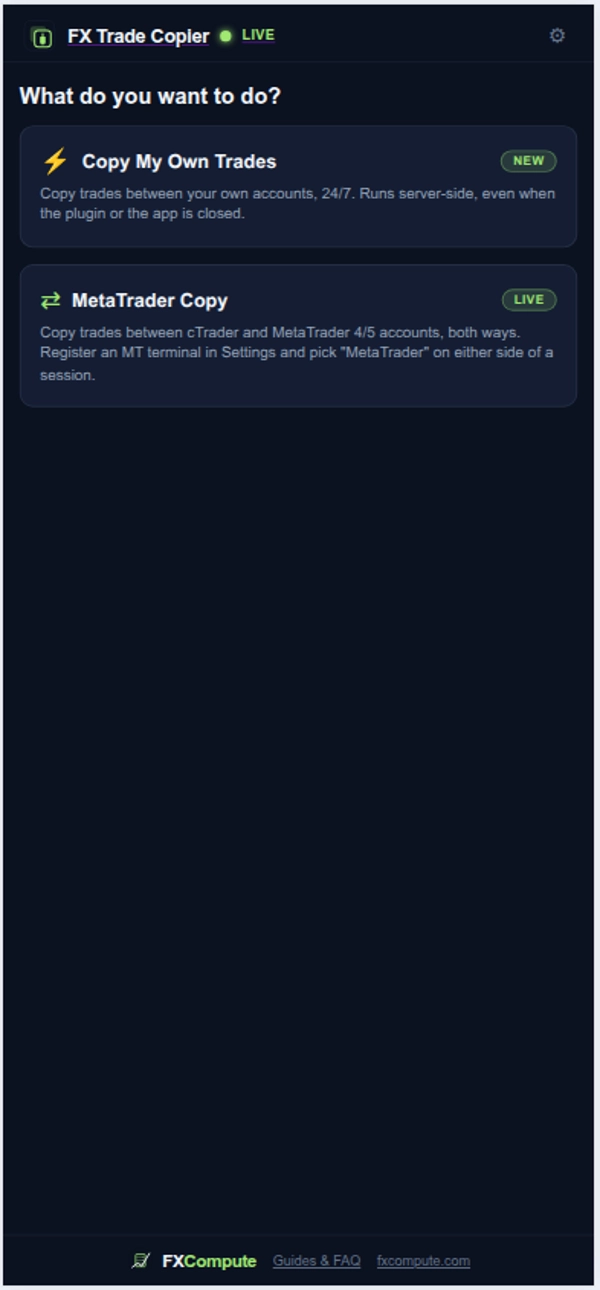
FXCompute Trade Copier is a cloud-based server-side execution plugin that automatically replicates trades across your trading accounts in real time. It operates 24/7 on dedicated cloud infrastructure, copying position opens, modifications, partial closes, and market exits without requiring your device or trading application to stay open.

The plugin provides cross-account trade synchronization, equipped with automated risk management, lot size scaling, symbol mapping, and position protection controls.

Key Functionality

- 24/7 Server-Side Execution: Runs continuously on cloud servers, maintaining active copying even when your local computer or cTrader app is powered off.
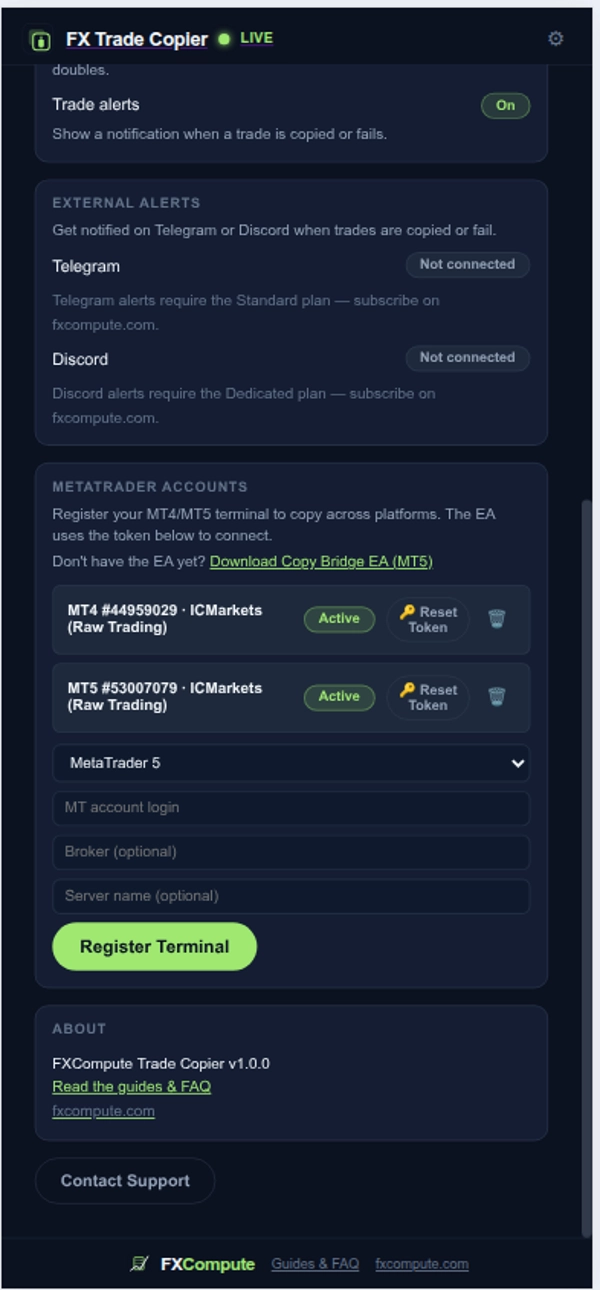
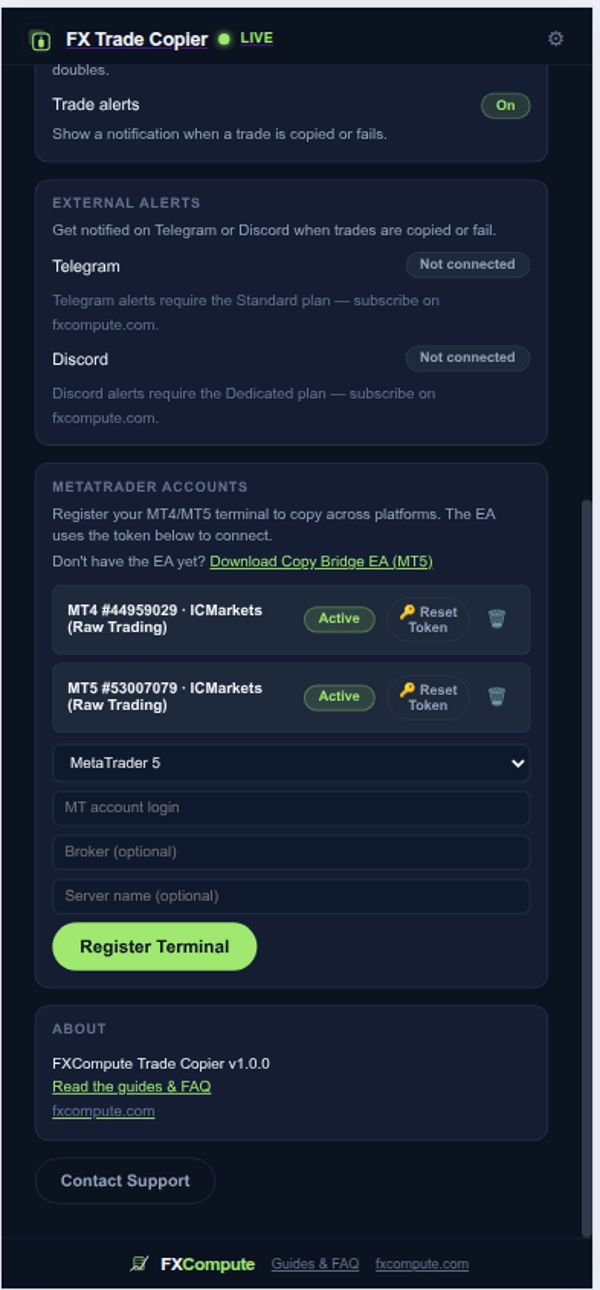
- Cross-Account Synchronization: Replicates trades seamlessly between multiple cTrader accounts and supported external trading platforms.
- Multi-Account Aggregation: Merges trade signals from multiple source accounts into a single follower account with customizable lot weights.
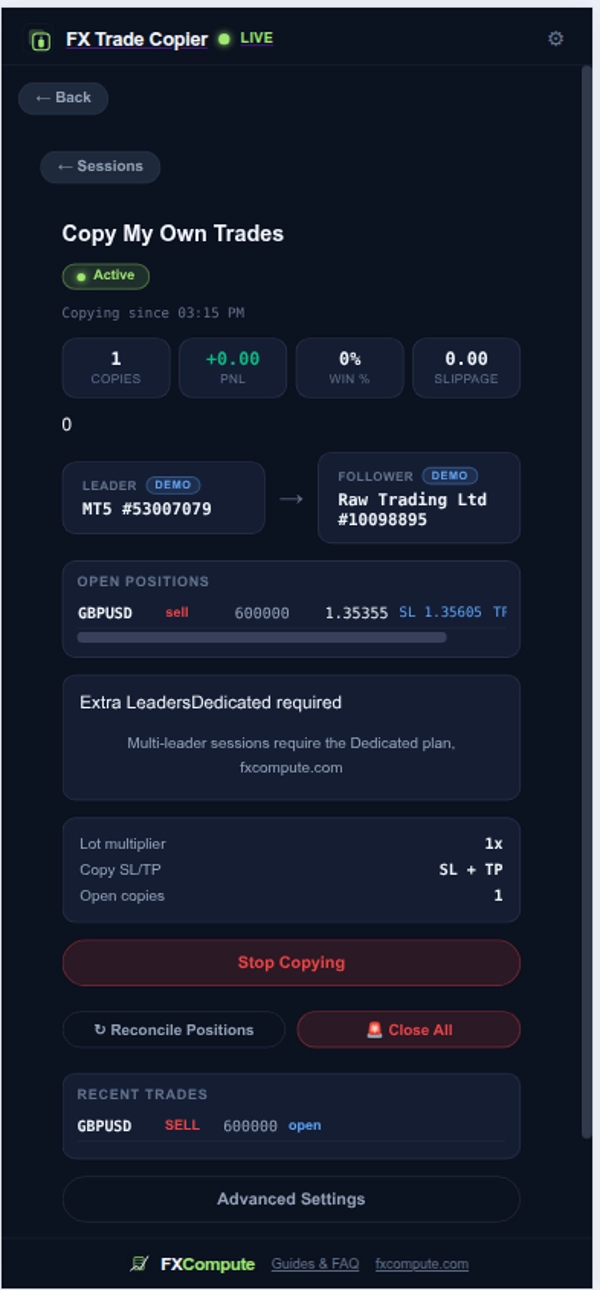
- Emergency Close All: One-click control to instantly market-close all active follower positions across linked accounts.
- Automated Position Reconciliation: Background scanner that detects and closes desynchronized follower trades resulting from connection drops.

Integration into Trading Workflow

1. Account Connection: Connect your cTrader accounts via cTrader ID single sign-on or link secondary accounts via a secure authorization token.
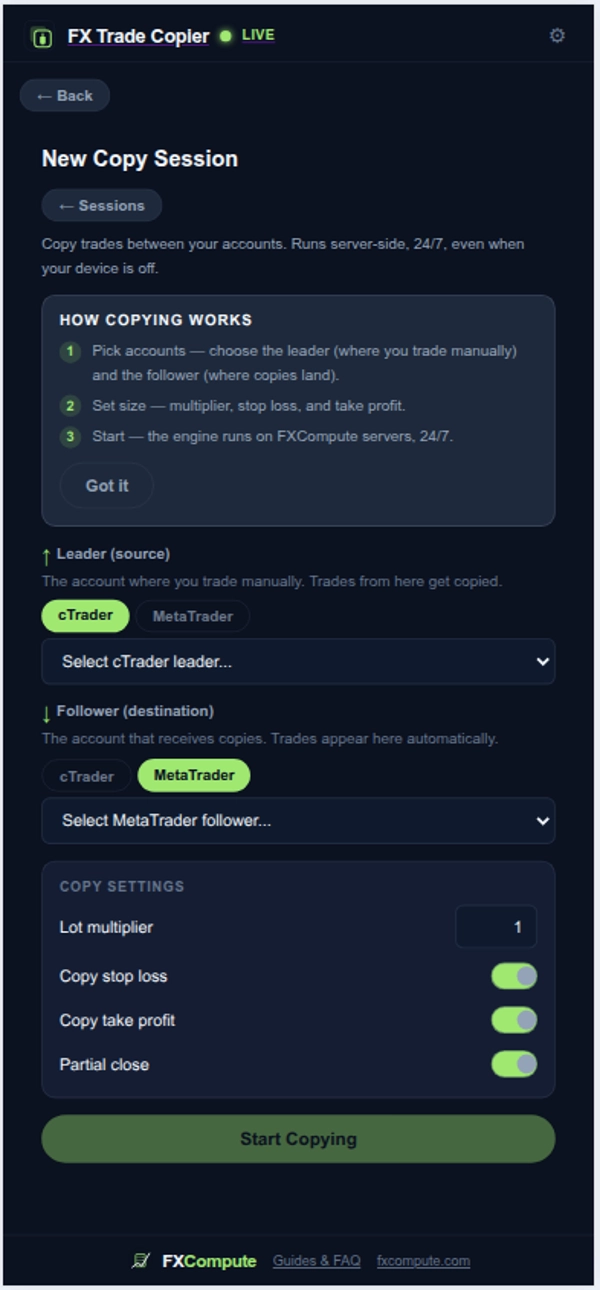
2. Session Setup: Select your source account (Leader) and your target account (Follower).
3. Parameter Configuration: Define position sizing rules, Stop Loss and Take Profit offsets, and symbol mapping rules.
4. Passive Cloud Execution: Trade normally on your Leader account. The engine processes execution events in milliseconds and reflects them on your Follower account automatically.

Key Settings and Parameters

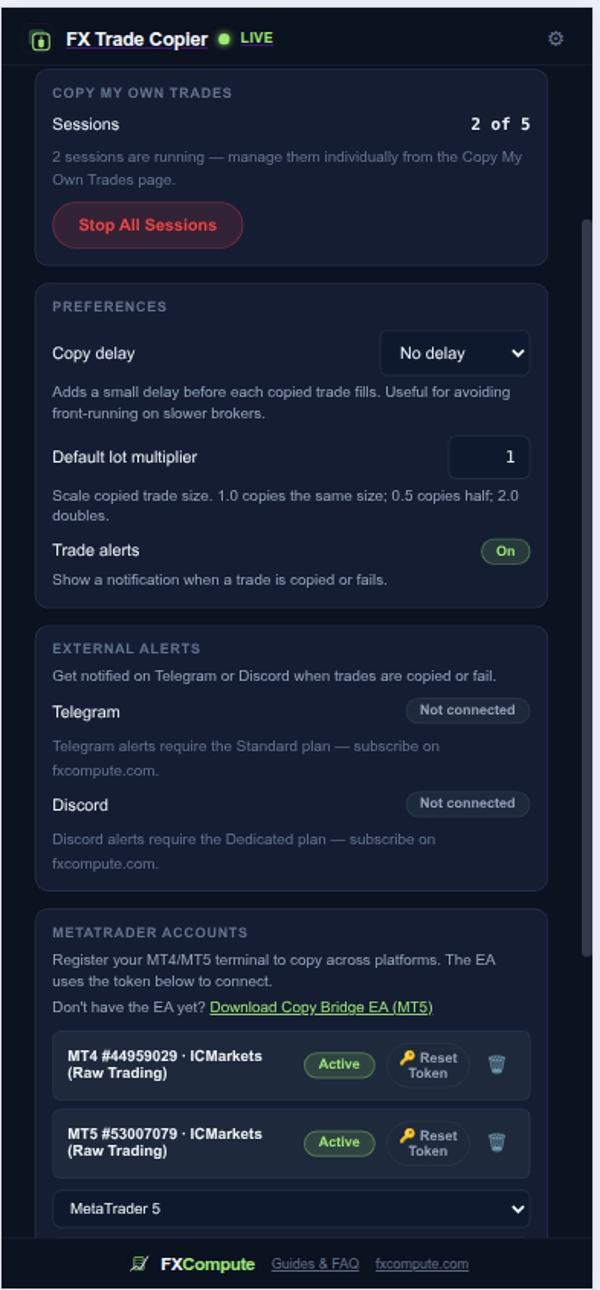
- Lot Multiplier: Proportional lot size scaling, for example 1.0 for a 1:1 copy, 0.5 for half size, or 2.0 for double size.
- Risk Per Trade: Automatically calculates follower lot size based on a percentage of account balance or equity.
- Volume Caps: Minimum and maximum lot limits per trade, plus equity percentage caps.
- Reverse Copying: Inverts trade directions so that BUY on the Leader becomes SELL on the Follower, and vice versa.
- Skip Unprotected Trades: Optionally ignores trades placed without an attached Stop Loss or Take Profit.
- SL and TP Distance Override: Defines custom fixed Stop Loss or Take Profit offsets in pips.
- Trailing Stop and Break-Even: Moves Stop Loss to break-even after a target profit level is reached, then trails the spot price.
- Partial Take-Profit Scaling: Closes a defined portion of the position at initial target levels while trailing the remaining volume.
- Symbol Mapping and Multipliers: Maps non-matching broker symbol names such as XAUUSD to GOLD, and applies per-symbol volume multipliers.
- Time and Side Filters: Restricts copying to specific trading hours, days of the week, or trade directions such as Buy Only or Sell Only.

Typical Use Cases

- Multi-Account Portfolio Management: Replicate trades from a primary strategy account across secondary trading accounts while enforcing custom risk limits.
- Cross-Platform Strategy Synchronization: Execute manual trades on cTrader while automatically mirroring positions across supported external terminals.
- Signal Distribution: Distribute trading signals across personal accounts without requiring local VPS software.
- Hedging and Strategy Reversal: Use reverse copying to capture inverse market movements on experimental strategies.

Who This Plugin Is For

This plugin is designed for intermediate to advanced traders, portfolio managers, and multi-account operators who need uninterrupted 24/7 cloud execution, centralized risk management, and automatic desynchronization protection across two or more trading accounts.

Limitations and Usage Notes

- Execution Fill Prices: Signal routing takes milliseconds, but execution fill prices depend on individual broker liquidity, spreads, and market depth.
- Symbol Mapping: Ensure broker symbols are mapped accurately before starting an active copying session.
- Market Opening Hours: Trade requests sent while follower markets are closed will be rejected by the follower broker.

Disclaimer: Trading involves risk. Past performance does not guarantee future results.

概要

プラグインのプロフィール
プラグインのカテゴリー
取引管理
データアクセス
ポジション
注文
アカウント
外部HTTP
サポート対象の注文の種類
成行
リスクモデル
固定ロット
固定リスク割合
サポート対象のリスク管理
損切り
利食い
1日の制限
最大ドローダウン制限

カスタマーレビュー

0.0
レビュー: 0
カスタマーレビュー
この商品にはまだレビューがありません。お使いになったことがある方は、ぜひレビューをお願いします。

ディスカッション

よくあるご質問

No Overtrading
One-click Trading
Session Filter
Prop Firm Fit
HTTP Requests
VPS Recommended
Partial Close Manager
cTrader Storeで入手可能な取引ボット、インジケーター、プラグインなどの商品は、第三者の開発者が提供するものであり、情報と技術の取得のみを目的としてご利用いただけます。cTrader Storeはブローカーではなく、投資助言や個人的な推奨を行うことも、将来のパフォーマンスを保証することもありません。

この作成者の他の商品

インジケーター
Forex
Crypto
+4
This indicator has an in built strategy analyzer that analyze the markets and generates quality signals.
cBot
Forex
Stocks
+1
Time the market with ease with Trading Assistant Why use Limit Orders when you can time your trades on trend lines?
インジケーター
Key Levels
Order Block
+2
It monitors trend lines on price charts and fires multi-channel alerts and optionally places trades when price crosses..

これも好きかも

マルチプラットフォームプラグイン
Forex
Signal
Check the correlations among different assets.
マルチプラットフォームプラグイン
Economic Calendar
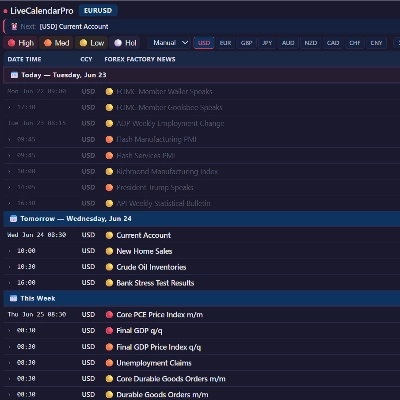
Displays live economic events directly inside your cTrader charts.
マルチプラットフォームプラグイン
Forex
Explore key candlestick formations with clear descriptions.
マルチプラットフォームプラグイン
Forex
An educational simulation game where you identify market trends.
マルチプラットフォームプラグイン
Forex
Signal
Market's Gainers and Losers
マルチプラットフォームプラグイン
Forex
Signal
A technical analysis tool providing visual indicators for market data within the trading interface.
マルチプラットフォームプラグイン
Risk Alerts
Fixed Risk %
+5
ICT/`SMC Trading Analystics Platform
マルチプラットフォームプラグイン
Forex
Forex glossary with search.
マルチプラットフォームプラグイン
SL Manager
TP Manager
+5
Free version of the ICT Trading Platform Available this week to test out!
マルチプラットフォームプラグイン
AI
Forex
+1
Get AI-driven crypto trends using real-time Binance data.
マルチプラットフォームプラグイン
Forex
Chart Pattern Trainer
マルチプラットフォームプラグイン
Trade Journal
No Overtrading
+1
Free cTrader checklist plugin to manage trade rules, risk checks, notes, templates, and progress.
マルチプラットフォームプラグイン
Forex
An educational training tool designed to help users recognize historical chart patterns through simulation.
マルチプラットフォームプラグイン
Crypto
Commodities
+3
LIGHT VERSION: Market Trends helps to evaluate direction and momentum by combining trends, highs/lows & heatmaps
マルチプラットフォームプラグイン
Iridio Dashboard allows you to track your trades, record data, and optimize your strategies for better performance.
マルチプラットフォームプラグイン
Forex
Signal
Integral Market Indicator
マルチプラットフォームプラグイン
BTCUSD
EURUSD
+3
A Light Trading Room plugin, providing 4-6 daily analyses published from mid-Asia to the end of US session.
マルチプラットフォームプラグイン
AI-powered financial advisor with market analysis, forecasts, verified data, and seamless cTrader trading.

価格

登録日 22/01/2025
13
無料インストール