Description
Heikin Ashi Structure Bias (cTrader Indicator)
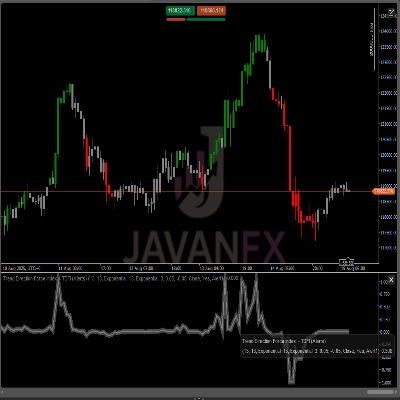
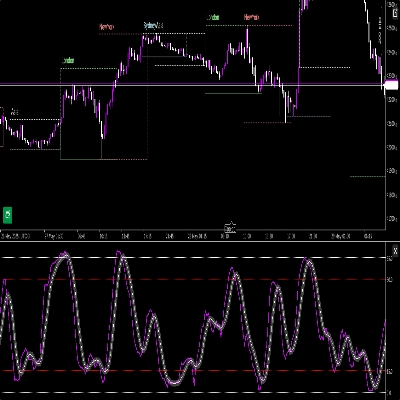
Automatic supply–demand zones with multi-timeframe bias.
What it does – in plain English
This indicator automatically:
- Reads Heikin Ashi price action and detects meaningful pivot shifts.
- Builds dynamic support and resistance zones around those pivots, using both the wick extreme and the candle body (not just random lines).
- Merges nearby zones intelligently so you see clean, tradable levels instead of a forest of horizontal lines.
- Generates a clear bullish or bearish bias whenever price fully breaks the latest support or resistance zone.
- Shows you the bias for:
- Your chart timeframe, and
- An optional higher timeframe (default H2) — without drawing HTF clutter on your chart.
Result: one glance tells you where the real levels are and whether the market is currently leaning up or down.
The problem it solves
Most traders have the same issues:
- Support/resistance lines drawn by hand are:
- subjective,
- inconsistent,
- and often overdone.
- Simple “zigzag + horizontal line” indicators:
- don’t handle zone width properly,
- stack levels on top of each other,
- or extend zones so far they cover half the chart.
- Bias is often “in your head” – not something you can clearly see or use in a rule-based way.
This indicator is built to:
- Turn Heikin Ashi structure into clear, objective zones,
- Give you a rule-based trend/bias based on those zones,
- While keeping the chart clean and readable.
How the zones are built (trader-friendly explanation)
For each Heikin Ashi pivot, the indicator looks at a 3-candle structure:
- When HA flips from red to green, it marks a support pivot.
- When HA flips from green to red, it marks a resistance pivot.
Then it builds the zone:
Support zones
- Finds the lowest wick among the 3 candles (true extreme).
- Finds the next-lowest low that’s still higher than that extreme.
- Uses the candle body (open/close) near that inner low to define the “tradable” side of the zone.
- Final support zone:
- Bottom = extreme wick low,
- Top = body-based inner level.
Resistance zones
- Finds the highest wick among the 3 candles.
- Finds the next-highest high that’s still lower than that extreme.
- Uses the body near that inner high.
- Final resistance zone:
- Top = extreme wick high,
- Bottom = body-based inner level.
So each zone is not just an arbitrary band:
It’s a wick-to-body range that represents where price really rejected or reversed.
Merging logic (why the chart stays clean)
Zones of the same type (support with support, resistance with resistance):
- Are treated as units on a timeline.
- Can only merge if they actually overlap in price.
- Merging is strictly local:
- A new zone can merge with:
- the most recent zone (back-to-back), or
- the second-most recent zone (+1 gap), and
- One additional “anchor” merge behind that if the new combined zone now overlaps the previous structure.
This keeps behaviour intuitive:
- Zones don’t “swallow” the entire history.
- Older levels are respected but not allowed to create giant mega-zones.
- Local structure like A–B–C or A–C+D is handled in a controlled way.
Bias logic (how you actually trade with it)
For each timeframe (main and HTF):
- The indicator tracks the latest merged support zone and the latest merged resistance zone.
- Then, on each closed candle:
- If price closes above the latest resistance zone → bias becomes Bullish.
- If price closes below the latest support zone → bias becomes Bearish.
It stores:
- The time of the last bias flip,
- The price level at which price broke the zone.
On the chart, a small text panel shows:
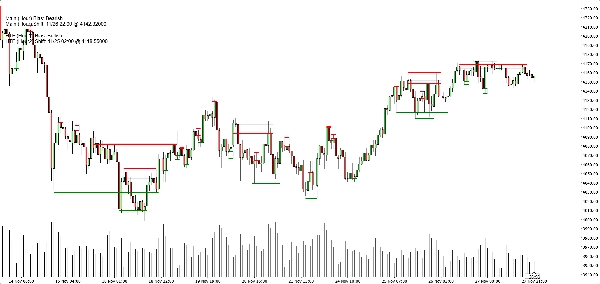
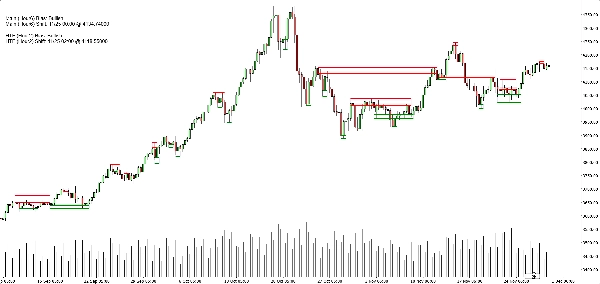
Main (H1) Bias: BullishMain (H1) Shift: 11/26 15:00 @1.08750
If HTF is enabled, you’ll also see something like:
HTF (H2) Bias: BearishHTF (H2) Shift: 11/25 08:00 @1.09200
You can also enable a sound alert when the main timeframe bias flips.
What you see on the chart
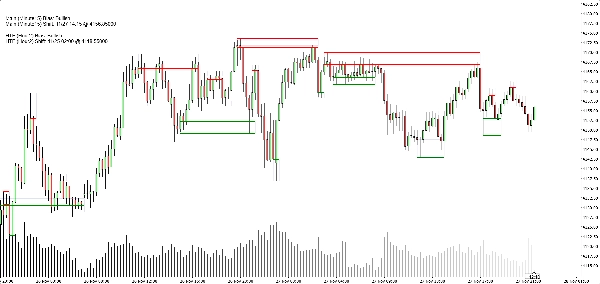
- Support zones:
- Green horizontal base/trigger lines (optional),
- A soft navy rectangle (very low opacity) showing the full support band.
- Resistance zones:
- Red lines + soft navy rectangle for the band.
- Clean display toggles:
- Show/hide support zones,
- Show/hide resistance zones,
- Turn the filled rectangles on/off,
- Turn the base/trigger lines on/off,
- Turn the bias panel on/off.
This lets different traders choose between:
- A more minimalist look (maybe just rectangles), or
- A more precise view (exact lines visible).
Typical use cases
You can position it as useful for:
- Trend filtering
- Only look for buys when both main TF and HTF biases are Bullish.
- Only look for sells when both are Bearish.
- Zone entries
- Use the zones as areas of interest for:
- Limit orders,
- Confirmation entries (e.g. price returns to a broken zone and rejects again),
- Stop placement just beyond the outer band.
- Top-down analysis
- HTF bias (H2 by default) as the big picture,
- Chart TF bias for timing,
- Zones for concrete execution levels.
What it is NOT (important for honest selling)
- It’s not a robot that auto-trades for you.
- It’s not a “holy grail” signal that guarantees profit.
- It’s a structure and bias engine:
- Objectively defines zones,
- Objectively defines trend/bias based on those zones,
- Leaves actual trade management to the trader/strategy.
Summary
It provides a rule-based bullish or bearish bias by tracking price breaks above resistance or below support zones on both the current chart timeframe and an optional higher timeframe. This bias is displayed on a built-in dashboard panel, with optional sound alerts for bias changes.
The indicator works across all timeframes and markets where price forms swings, including forex, crypto, stocks, and futures. It features customizable lookback periods, automatic cleanup of old zones, and toggles for display elements to suit different trader preferences.
Typical uses include trend filtering by aligning biases across timeframes, identifying zone entries for limit or confirmation orders, and supporting top-down analysis. The tool timestamps and sequences pivots and bias shifts, facilitating automation or journaling. It is a structure and bias engine that aids traders in objectively defining market levels and trends while maintaining chart clarity.
Discussion
Customer reviews
5 | 33 % | |
4 | 67 % | |
3 | 0 % | |
2 | 0 % | |
1 | 0 % |