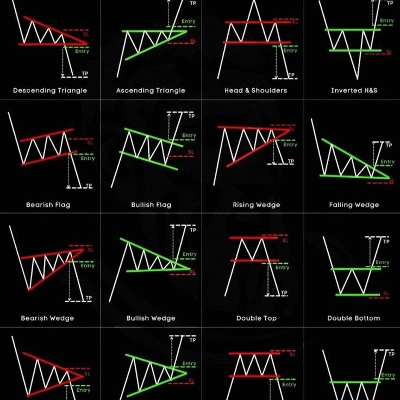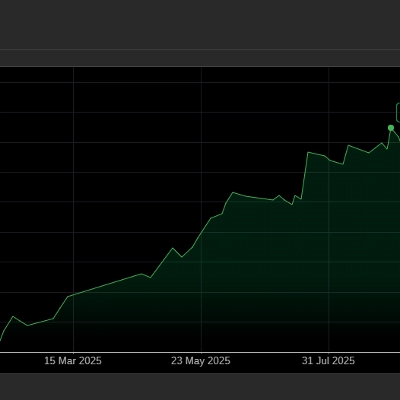

Trading product for Bitcoiva Future Trade cBot Fixed Lot EMA, image 1
cBot
Version 1.0, Jul 2026
Windows, Mac, Mobile, Web
1
Downloads
20%
Rendite
1.5
Gewinnfaktor
10%
Maximaler Rückgang
Trading product for Bitcoiva Future Trade cBot Fixed Lot EMA, image 2
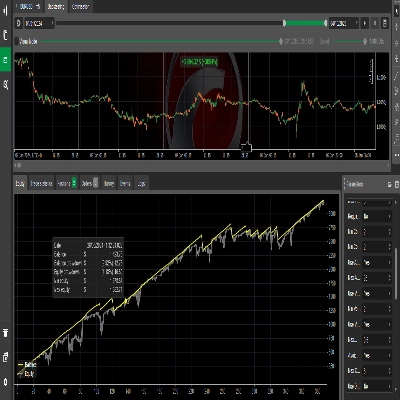
Trading product for Bitcoiva Future Trade cBot Fixed Lot EMA, image 3
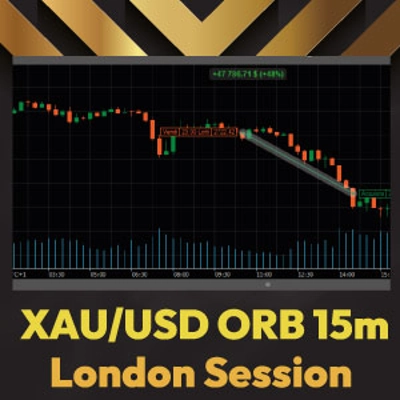
Trading product for Bitcoiva Future Trade cBot Fixed Lot EMA, image 4
1
Kostenlose Installationen

Beschreibung

User Manual

--- Part 1: How to Use the Bot Correctly ---


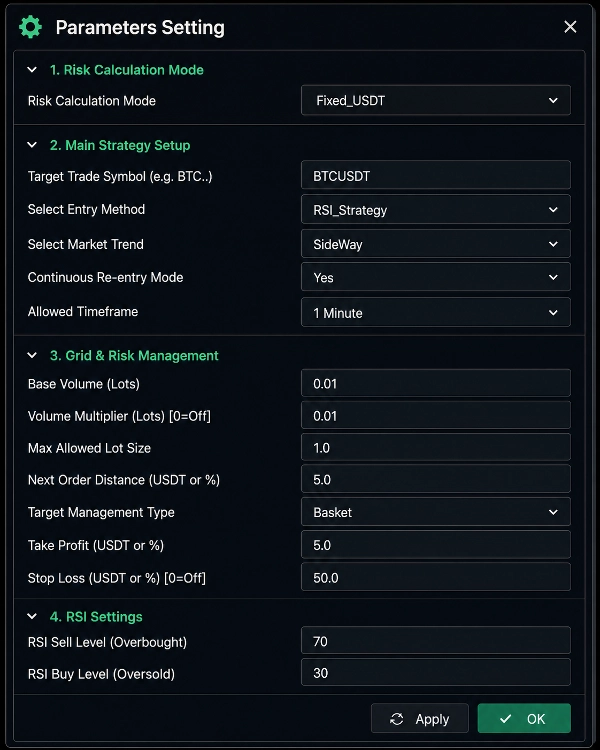
1. Open the Chart: In Trade, open the chart of the specific pair you want to trade (e.g., BTCUSDT).

2. Attach the Bot: Drag and drop (or "Add") the onto that chart.

3. Configure the Settings:

* Target Trade Symbol: Type the exact name of the pair as it appears on the chart. (Don't worry if you type it in lowercase like 'BTCUSDT'—the bot will automatically convert it to CAPITAL letters like 'BTCUSDT'!).

* Base Volume: Enter the starting Lot Size suitable for that specific pair.

* Max Lot Size: This MUST be equal to or greater than your Base Volume.

* Risk Mode & Profit: Set your desired profit target (either as a fixed USDT amount or a Percentage).

4. Start the Bot: Once you've double-checked everything, click the "Play" (Start) button.

5. Successful Start: If all your settings are correct, no errors will pop up. Instead, you will see "[Bot successfully started for BTCUSDT]" printed in your Journal. That's it! The bot will now wait for the right strategy signal and start trading automatically.

--- Part 2: Don't Panic if an Error Occurs! (Safety Features) ---

If you accidentally type a wrong number or pair name in the settings, the bot will NOT trade blindly and risk your money. Instead, it acts very smartly to protect your account:


* Instant Lock (Idle Mode): The bot will immediately freeze itself and will not place a single order.

* Where to check for the error?

1. On the Chart (Screen): As soon as you start the bot, a large RED text saying "ERROR" will clearly appear right in the middle of your chart. It will stay there until you fix it.

2. In the Journal / Log: Open the "Log" or "Journal" tab at the bottom of Trader (or the 'Events' tab on the mobile app). You will see a detailed explanation tagged with [ERROR] or [WARNING].


--- Part 3: What Errors Might You See & How to Fix Them? ---


1. Symbol Mismatch Error (Wrong Pair Name)

* Why it happens: You typed "BTCUSDT" in the settings, but you attached the bot to a "EURUSD" chart.

* The Fix: Make sure the 'Target Trade Symbol' in your settings exactly matches the Chart you currently have open.


2. Min Lot Error (Minimum Lot Size)

* Why it happens: Your Base Volume (e.g., 0.01) is lower than the broker's required minimum lot size for that specific pair (e.g., 10).

* The Fix: The bot will helpfully tell you the exact minimum requirement in the error message itself (e.g., "Broker Min Lot: 10"). Just change your Base Volume to 10 in the settings and start the bot again.


3. Max Lot Error (Maximum Lot Size)

* Why it happens: Your Max Allowed Lot Size is set smaller than your Base Volume (e.g., your Base is 10, but your Max is 5).

* The Fix: Go to settings and increase the Max Lot Size so it is equal to or greater than your Base Volume.


4. Timeframe Warning

* Why it happens: The bot settings dictate "1 Minute", but your chart is currently set to "1 Hour" candles.

* The Fix: Simply change your chart's timeframe to 1 Minute!

Zusammenfassung

KI-Zusammenfassung
Bitcoiva Future Trade is an algorithmic trading bot designed for futures markets, employing a martingale strategy with a scalping trading style. It operates by attaching to a specific trading pair chart (e.g., BTCUSDT) and automatically executes trades based on configured parameters. Users set key inputs including the target trade symbol, base volume (starting lot size), maximum lot size, risk mode, and profit targets expressed as fixed amounts or percentages. The bot monitors for strategy signals and initiates trades accordingly.
The bot incorporates safety features to prevent trading errors: it locks and halts trading if configuration mismatches or invalid inputs occur, displaying clear error messages on the chart and in the log for user correction. Common errors addressed include symbol mismatches, minimum and maximum lot size violations, and timeframe inconsistencies.
Key indicators used include Exponential Moving Average (EMA), Bollinger Bands, and volume analysis. Position sizing options support fixed lot sizes and fixed risk percentages, with trade management features such as break-even handling. The bot is optimized for medium-frequency scalping on 15-minute charts and supports leverage up to 100x. Recommended starting balance is approximately $1,000 with a risk per trade of 1%, aiming for a 20% return on investment and a profit factor of 1.5 based on backtesting data.
Handelsprofil
Handelsstil
Scalping
Strategietyp
Martingale
Analysetyp
Technisch
Algorithmisch
Handelsfrequenz
Mittel
Empfohlener Mindestsaldo
$1000
Risiko pro Transaktion
1%
Chartzeitraum
15 Minuten
Backtesting-Hebel
1:100

Kundenbewertungen

0.0
Bewertungen: 0
Kundenbewertungen
Bisher gibt es keine Bewertungen für dieses Produkt. Haben Sie es schon ausprobiert? Dann können Sie die erste Person sein, die andere darüber informiert!

Diskussion

Häufig gestellte Fragen (FAQ)

Fixed Lot
EMA
Bollinger Bands
Fixed Risk %
Volume
Break Even
AI Trading
Über den cTrader Store verfügbare Produkte, einschließlich Handelsbots, Indikatoren und Plugins, werden von externen Entwicklern bereitgestellt und nur zu Informations- und technischen Zugriffszwecken verfügbar gemacht. cTrader Store ist kein Broker und erbringt keine Anlageberatung, persönlichen Empfehlungen oder eine Garantie für zukünftige Performance.

Das könnte Sie auch noch interessieren

cBot
Forex
EURUSD
Easy Trade, Just Plug and Play!
cBot
ATR
EMA
+5
Momentum driven, Compounding. Volatility adaptive EMA BOLLINGER ATR base Strategy
93.4%
Rendite
1.31
Gewinnfaktor
cBot
AI
NAS100
+3
DeMark Volume Pro Multi-Style Suite
19.24
Gewinnfaktor
cBot
Forex
Crypto
+5
Professional execution engine for the Visual Risk Terminal. Instant batch orders, PnL syncing, and automated hedging.
1
Gewinnfaktor
cBot
ATR
Prop
+4
🚀 HTF Power 3 (PO3) – Automated ICT AMD Strategy
70.2%
Rendite
1.31
Gewinnfaktor
cBot
Prop
Forex
+11
Manage trades visually! Secure profits with Auto Partials & Trailing Shield. Works on all cTrader markets.
35.2%
Rendite
4
Gewinnfaktor
cBot
Aggressive
Low Drawdown
+5
TALON Gold Scalper: 9 strategies, 1 cBot. Precision over frequency. Set it, let it run, enjoy life!
3.96
Gewinnfaktor
cBot
BTCUSD
Crypto
+1
Demo version of https://ctrader.com/products/318
cBot
ATR
Auto-manages SL, TP, and position size to enforce risk discipline. Never enter a trade without a plan again.
cBot
Volume
Balanced
+5
An automated utility featuring global drawdown control, basket trailing profit tracking, and custom session filters.
16.4%
Rendite
1.55
Gewinnfaktor
cBot
ATR
EMA
+5
Smart Trading Bot with Rich Management Tools for FOREX PAIRS, NASDAQ, GOLD, OIL
14.4%
Rendite
1.38
Gewinnfaktor
cBot
Prop
Forex
+2
Aggressive Gold Bot: BB+MACD strategy. Smart ATR-based risk management. Professional on-chart trading dashboard
1.32
Gewinnfaktor
cBot
Perfectly optimized to trade AUDUSD. Over 85% win rate
cBot
Grid
Forex
+11
Semi bot will manage your position by moving stoploss and cover loss with 3 martingale style
cBot
BTCUSD
Automated cTrader bot with webhook support, trade management, take-profit levels, and Telegram notifications
cBot
SMC
Forex
+11
💎 ICT Silver Bullet Strategy cBot — liquidity sweep & breakout algorithm with risk control.
cBot
Forex
BTCUSD
+8
RiskPilot is a clean, fast trade panel for cTrader that sizes positions by account risk % in a single click.
cBot
Conservative
Grid Recovery
Ziggy, an advanced algorithm designed to maximize efficiency and simplify profit control.

Preis

1
Kostenlose Installationen