Descrizione
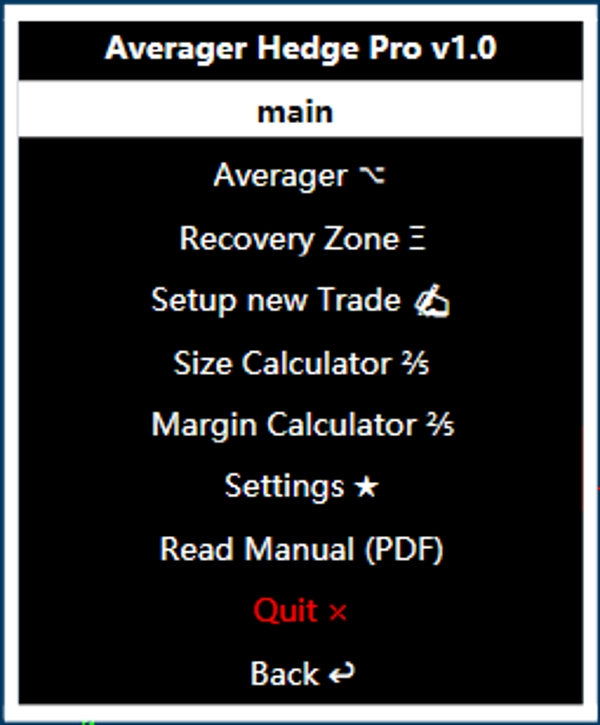
Averager Hedge Pro is an advanced trade manager tool allows you to manage grid & recovery zone positions with 2 main functions Averager(Grid) & Recovery Zone plus 3 more functions.
1. Averager: This option allows the trader to set an average grid based on the average price, ideal
for mean-reverting markets/strategies. Averages are opened and closed automatically based on the
parameters set in the menu.
2. Recovery Zone: This function allows the trader to create a recovery zone in Hedging, ideal for
trend-following strategies/markets. Positions are opened and closed automatically based on the
parameters set in the menu.
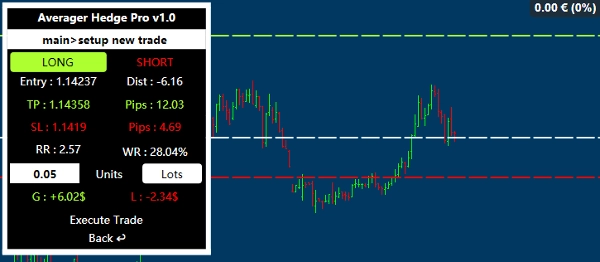
3. New Trade Setup: Allows the trader to choose and set the entry point, take profit, and stop loss
directly on the chart by moving the lines direcly. All parameters, such as the risk/reward ratio, static
win probability, and all other value related calculations are also calculated indicatively and without
taking into account commissions or swaps.
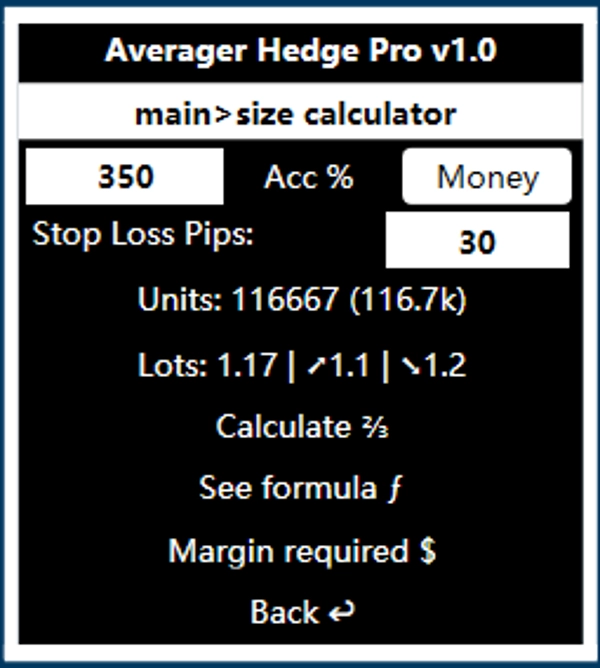
4. Size Calculator: A useful size calculator. Enter the percentage of your account or a monetary
amount you are willing to lose if your stop loss is hit. This allows you to generate a size where you
will lose the exact amount entered in the first parameter, all calculations are indicatively and
without taking into account commissions or swaps.
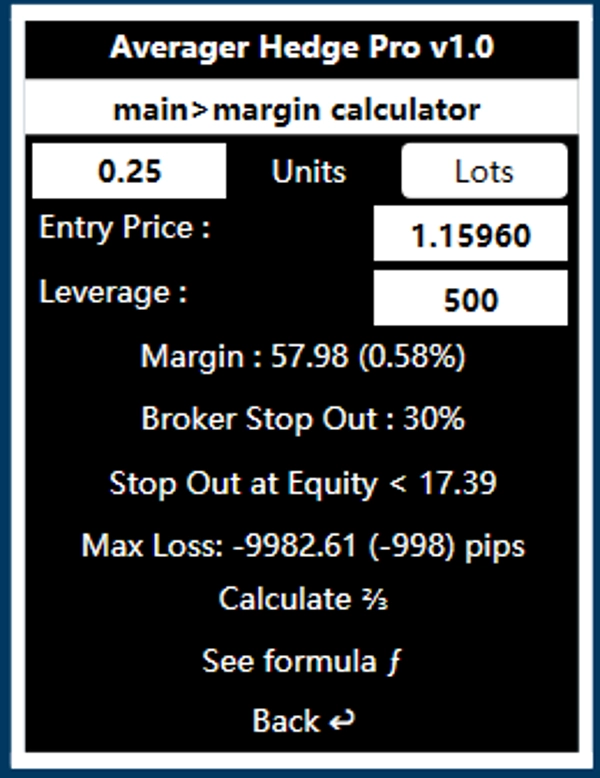
5. Margin Calculator: This function calculate the margin that is the amount of money required on
your account to open a trade. It also indicates the stop-out level with all the related details, all
calculations are indicatively and without taking into account commissions or swaps.
There are also settings to adjust the menu to your preferences.
Functions Details:
Averager/Recovery Zone Menu
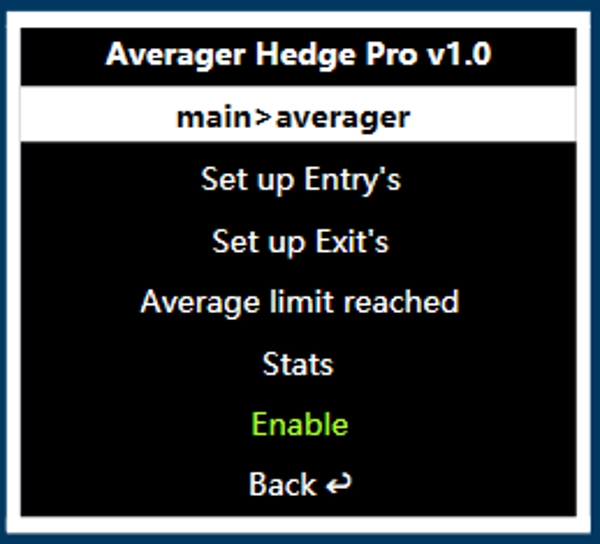
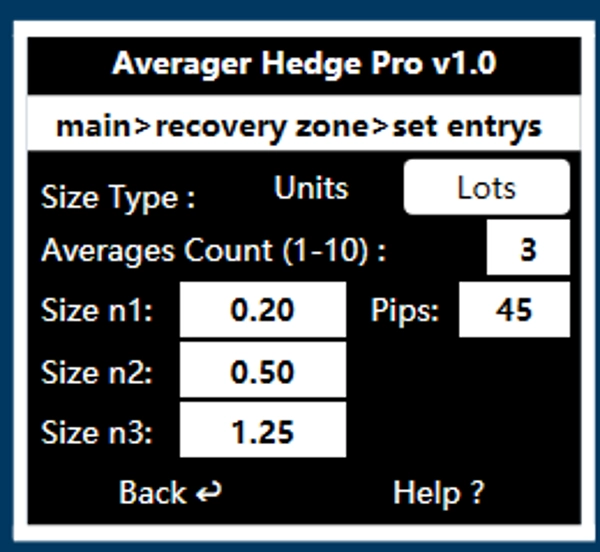
By enabling this function, you can set up averages/recovery entrys that will be calculated on the average price.
The set entries menu allows you to set the entry conditions and quantities while the set exits menu
allows you to set specific exit conditions for when the positions are in profit. The Average Limit
Reached menu allows you to plan what to do in case all losing average/recovery entrys are reached.
Warning: when adding a position with the "hold" option enabled in the menu, there is no stop loss; therefore, the trade must be managed manually to avoid significant losses in the account.
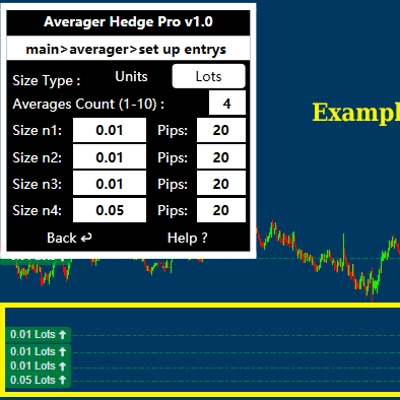
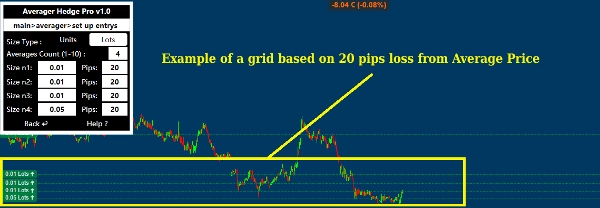
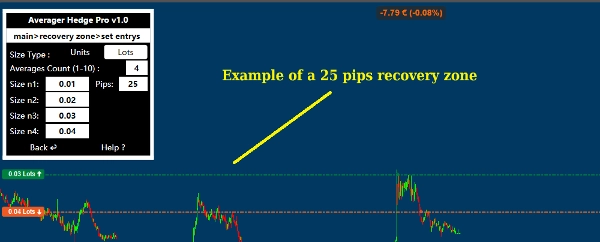
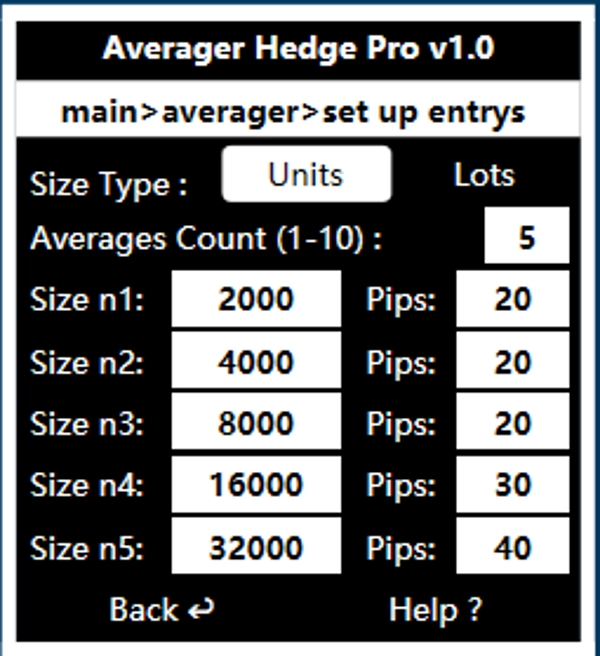
Averager and Recovery Zone Menu "Set up Entrys" function
You can choose up to 10 price average/recovery entrys and whether to use units or lot sizes.
Size n indicates the number of the average/recovery entrys excluding the main trade, the trade size used and how
many pips it must lose from the average price before triggering the order.
Notice: with each entry the positions are added to the current one. Using a martingale strategy entails an exponential risk of capital loss, ensure that you start with a position size appropriate for your account, The sizes shown in the examples screenshots are indicative and can be completely modified by the user.
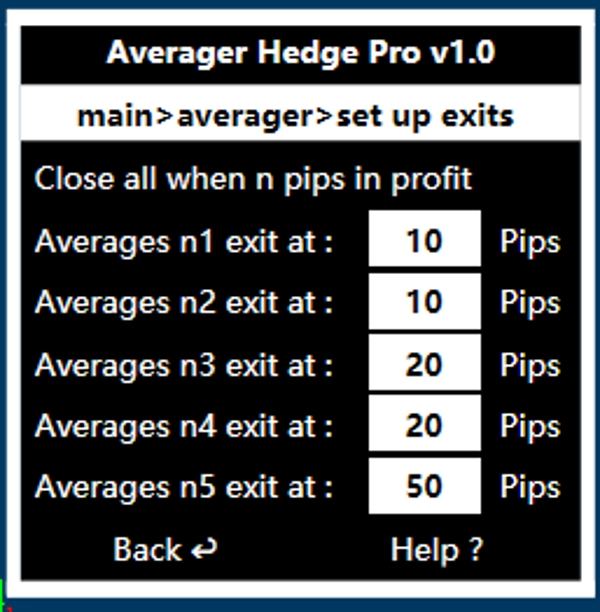
Averager and Recovery Zone Menu "Set up Exits" function
Once the entry conditions have been set, the exit conditions can be set, these indicate when to exit
when the positions are in profit.
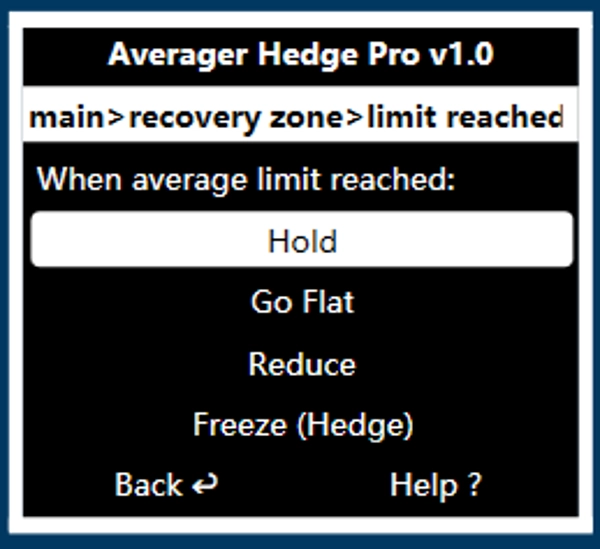
Averager and Recovery Zone Menu "Average Limit Reached" function
The menus of the average limit reached indicates what to do when the maximum number of
mediations specified in the income menu is reached.
The options are 4, Hold = "Hold the position", Go Flat = "Close all", Reduce = "Close the bigger size", Freeze (Hedge) = "makes the longs and shorts amout to be the same (neutral position)"
Set Up New Trade Menu function
Allows the trader to choose and set the entry point, take profit, and stop loss directly on the chart by
moving the lines direcly.
Size Calculator function
A useful size calculator. Enter the percentage of your account or a monetary amount you are willing
to lose if your stop loss is hit.
Margin Calculator function
This function calculate the margin that is the amount of money required on your account to open a trade. It also indicates the stop-out
level with all the related details, all calculations are indicatively and without taking into account commissions or swaps
Inside the menu is possibile to get all the instructions relative to all the functions in details
Risk Disclaimer
The developer of this tool assumes no responsibility for any
damage caused by user operations. Trading involves risks for capital and must be done consciously.
Trading operations and any mediations are a trader's choice. The software is a support tool
and does not make decisions on the direction of the market.
Riepilogo
Additional features include a New Trade Setup allowing users to set entry points, take profit, and stop loss directly on the chart by adjusting lines, with indicative calculations of risk/reward ratios and win probabilities. The Size Calculator helps determine position size based on a specified risk amount or percentage of the account, while the Margin Calculator estimates required margin and stop-out levels for trades.
Users can configure up to 10 average or recovery entries, set specific exit conditions for profitable positions, and define actions when maximum average limits are reached, such as holding, closing, reducing, or neutralizing positions. The tool supports market, limit, stop, and stop-limit orders and incorporates dynamic and equity-based risk models with stop loss and take profit management.
All calculations are indicative and exclude commissions or swaps. The software serves as a support tool and does not make market direction decisions. It is suitable for day trading with medium trade frequency and supports up to 11 simultaneous positions.