Killzone-Indicator
Gösterge
Sürüm 1.0, Apr 2026
Windows, Mac
4.0
Değerlendirmeler: 1
Trading product for Killzone-Indicator Gösterge Forex Breakout, image 2
Trading product for Killzone-Indicator Gösterge Forex Breakout, image 3
Trading product for Killzone-Indicator Gösterge Forex Breakout, image 4

Açıklama

Killzone Oturumu Göstergesi — Asya · Londra · New York · NY PM

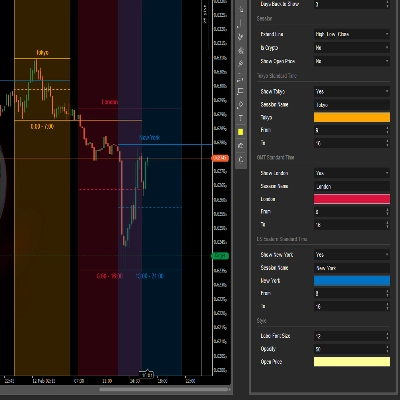
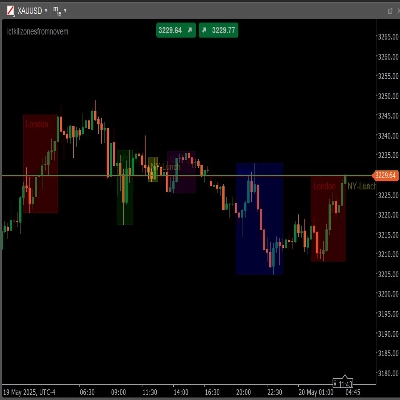
Tüm dört ana ICT Killzone oturumunu cTrader grafiğinizde otomatik olarak vurgular. Manuel çizim yok, kaçırılan pencere yok — gösterge her oturum bölgesini gerçek zamanlı olarak hesaplar ve gösterir.

─────────────────────────────

ANA ÖZELLİKLER

─────────────────────────────

► Dört Oturum

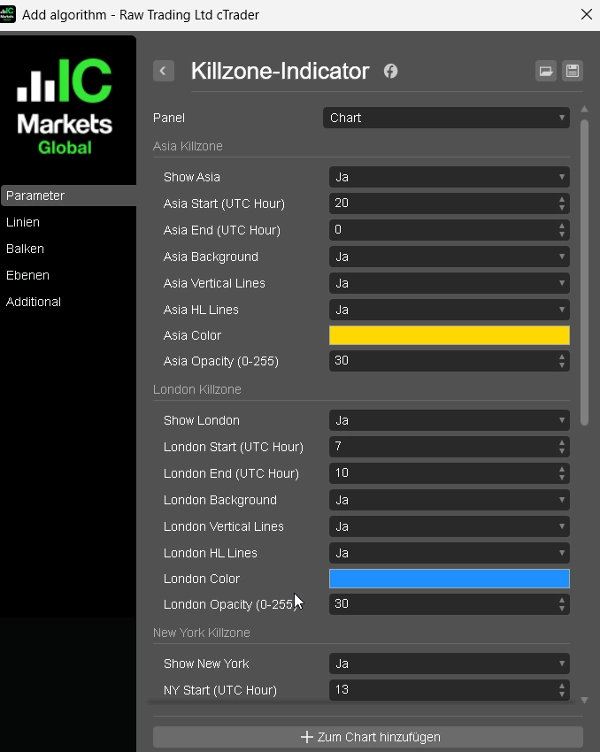
Asya, Londra, New York ve New York PM — her oturum kendi başlangıç saati, bitiş saati, rengi ve açma/kapama seçeneği ile tamamen bağımsızdır.

► Arka Plan Vurgusu

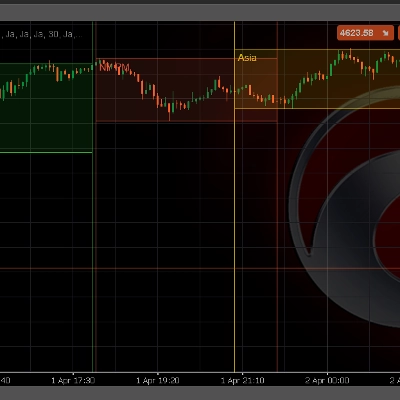
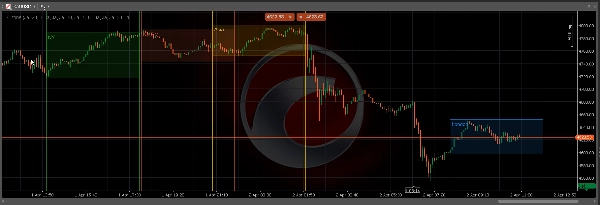
Her oturum bölgesi için isteğe bağlı dolu dikdörtgen — herhangi bir zaman diliminde aktif Killzone'u anında tanımlayın.

► Yüksek / Düşük Çizgiler

Oturum Yüksek ve Düşük seviyelerinde net yatay çizgiler — manipülasyon, dönüş ve giriş onayı için ana seviyeler.

► Dikey Sınır Çizgileri

Oturum açılış ve kapanışında isteğe bağlı dikey çizgiler — oturumlar arasında temiz görsel ayrım için.

► Ücretsiz Renk Seçimi

Her oturumun ayarlanabilir opaklık (0–255) ile kendi yerel cTrader renk seçicisi vardır.

► Yapılandırılabilir Geriye Dönük Çizim

60 güne kadar geçmiş oturum bölgelerini çizin — geriye dönük test ve oturum analizi için idealdir.

─────────────────────────────

VARSAYILAN OTURUM SAATLERİ (UTC)

─────────────────────────────

Asya → 20:00 – 00:00

Londra → 07:00 – 10:00

New York → 13:00 – 16:00

NY PM → 17:00 – 20:00

Tüm saatler, broker sunucunuzun zamanına uyacak şekilde tamamen ayarlanabilir.

─────────────────────────────

KULLANIM ŞEKLİ

─────────────────────────────

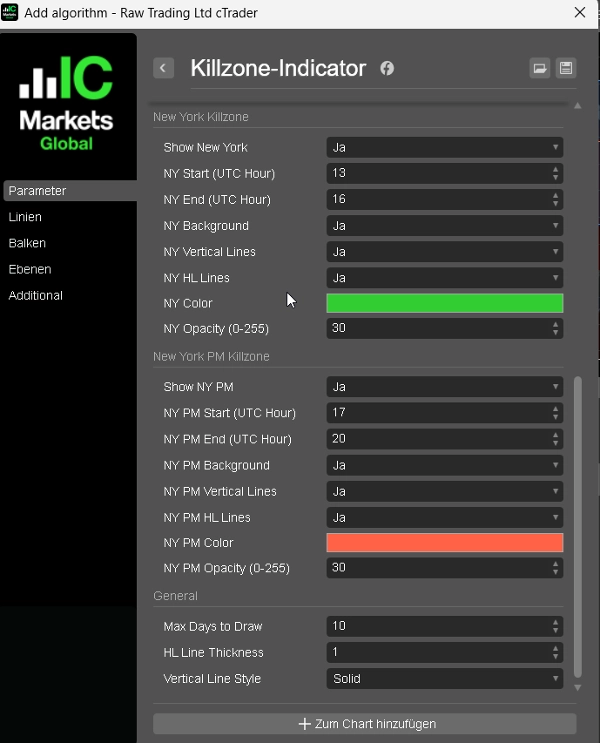
1. Göstergiyi herhangi bir grafik ve zaman dilimine ekleyin.

2. Oturum saatlerini broker sunucunuzun zamanına göre ayarlayın (varsayılan UTC).

3. Oturum başına Arka Plan, Dikey Çizgiler ve HL Çizgilerini etkinleştirin veya devre dışı bırakın.

4. Her oturum için tercih ettiğiniz renk ve opaklığı seçin.

5. Çizilecek geçmiş oturum sayısını kontrol etmek için Maks Gün sayısını ayarlayın.

Oturum Yüksek ve Düşük seviyeleri birincil referans noktalarınızdır — Killzone girişleri, stop yerleştirme ve likidite hedefleri için kullanın.

─────────────────────────────

İDEAL KULLANIM

─────────────────────────────

✔ Killzone kavramlarıyla çalışan ICT / SMC traderları

✔ Oturum bazlı manipülasyon ve dönüş analizi

✔ Order Block ve Fair Value Gap birleşim ticareti

✔ Net oturum yapısına ihtiyaç duyan FTMO / prop firma traderları

─────────────────────────────

UYUMLULUK

─────────────────────────────

Platform : cTrader (Windows & Mac)

Dil : C# / cAlgo

Zaman Dilimleri : Tümü (M1’den W1’e)

Enstrümanlar: Forex, Altın, Endeksler, Kripto

Özet

YZ özeti
The Killzone Session Indicator for cTrader automatically highlights four major ICT Killzone trading sessions—Asia, London, New York, and New York PM—directly on your chart in real time. Each session is independently configurable with customizable start and end times, colors, and toggles. The indicator visually marks session zones with optional background highlights and vertical boundary lines for clear separation. It also plots horizontal lines at each session’s high and low levels, which serve as key reference points for manipulation, reversal, and entry confirmation. Users can adjust opacity and colors per session and set a configurable lookback period to display up to 60 days of historical session zones, aiding in backtesting and analysis. The default session times are set in UTC but can be adjusted to match any broker’s server time. Compatible with all timeframes (M1 to W1) and instruments including Forex, Gold, Indices, and Crypto, this indicator supports traders employing ICT, Smart Money Concepts, order flow, and session-based strategies. It is designed for use on the cTrader platform (Windows and Mac) and coded in C# (cAlgo).
Gösterge profili
Gösterge kategorisi
Piyasa yapısı (SMC)
Çıktı türü
Görselleştirme
Veri gereklilikleri
Yalnızca çubuklar
Desteklenen sinyaller
Kesişim
Kırılma
Yön değiştirme
Seviye kırılması
Seans açılış aralığı

Müşteri değerlendirmeleri

4.0
Değerlendirmeler: 1
5
0 %
4
100 %
3
0 %
2
0 %
1
0 %
Müşteri değerlendirmeleri
April 5, 2026
The decision feels less rushed, but the stop still matters.

Tartışma

SSS

Forex
Breakout
Indices
EURUSD
Commodities
GBPUSD
NZDUSD
Prop
Fair Value Gap
SMC
Stocks
XAUUSD
NAS100
USDJPY
cTrader Store üzerinden erişilebilen işlem botları, göstergeler ve eklentiler gibi ürünler, üçüncü taraf sağlayıcılar tarafından sağlanır ve yalnızca bilgilendirme ve teknik erişim amaçlarıyla sunulur. cTrader Store bir broker değildir ve yatırım tavsiyesi, kişisel öneriler vermez veya gelecekteki performansı garanti etmez.

Bu oluşturanın diğer ürünleri

Gösterge
SMC
Prop
+6
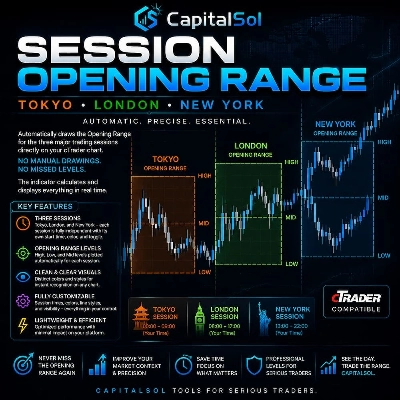
Automatically draws the Opening Range (High & Low) for Tokyo, London, and New York sessions. Configurable start times,
Gösterge
BOS
Key Levels
+2
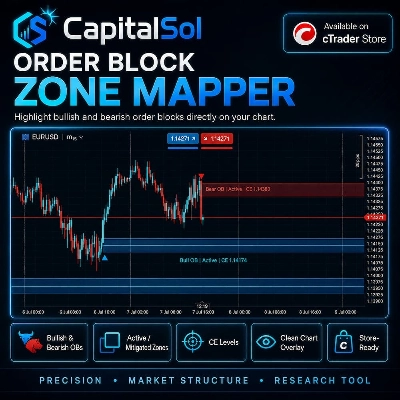
Maps bullish and bearish order block zones, CE levels and structure-based price action context.
Gösterge
Liquidity Grab
Liquidity Sweep
+2
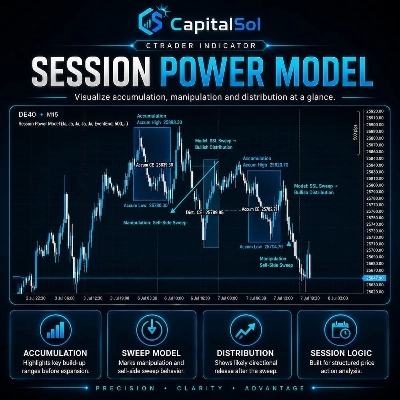
Visualizes accumulation ranges, manipulation sweeps and distribution phases on your cTrader chart.
Gösterge
EMA
RSI
+2
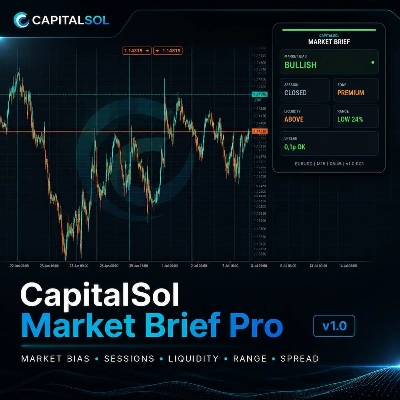
Compact premium cTrader dashboard for market bias, sessions, premium/discount context, liquidity direction, ADR range an
Gösterge
MSS
Key Levels
+2
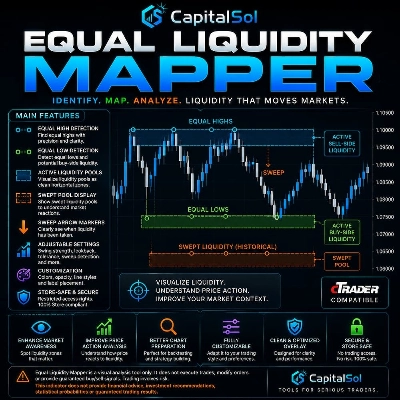
Maps equal highs, equal lows and active liquidity pools directly on your cTrader chart.
Gösterge
MSS
Key Levels
+4
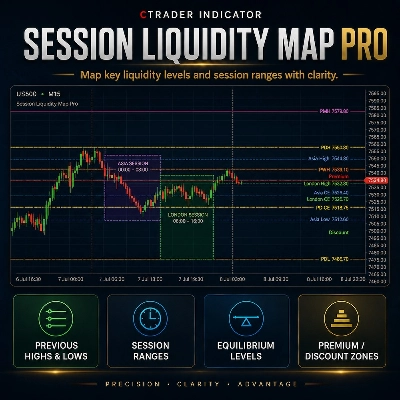
Maps session ranges, previous highs/lows, equilibrium and premium/discount zones on your cTrader chart.
Gösterge
BOS
MSS
+3
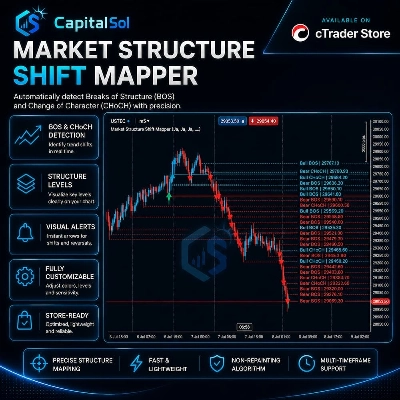
Maps BOS, CHoCH, swing breaks and market structure shifts directly on your cTrader chart.

Şunları da beğenebilirsiniz

Gösterge
ZigZag Pro – Multi-Swing Indicator for cTrader Description: ZigZag Pro is a powerful and fully customizable swing indica
Gösterge
ATR
Market Structure
Adaptive multi timeframe market condition analyzer that identifies the most tradeable timeframe.
Gösterge
Forex
BTCUSD
+10
6-stage IIR filter trend indicator with colored line segments, reversal signals, alerts, and entry arrows.
Gösterge
Forex
Crypto
+2
A powerful cTrader indicator with customizable Moving Average alerts, notifications, and automated trading actions.
Gösterge
AI-assisted
Order Block
+5
The daily bias estimator indicator uses ICT concepts to show whether the chart is bullish or bearish on multi-time frame
Gösterge
MSS
Key Levels
+4
Maps session ranges, previous highs/lows, equilibrium and premium/discount zones on your cTrader chart.
Gösterge
Forex
The cTrader Market Sessions Alerts Indicator marks global sessions, highlights key levels, and sends real-time alerts.
Gösterge
Prop
Forex
+5
Transform your approach to trading with our innovative Pivot Point Indicator.
Gösterge
Forex
BTCUSD
+5
This indicator displays the OrderBlocks of the current and higher timeframe, made by ICT's student.
Gösterge
AI
ATR
+23
The ZigZag Trend is a market structure tool that filters out small price fluctuations and highlights major swing.
Gösterge
BOS
MSS
+3
Orderblocks with Multi-Timeframe.
Gösterge
This indicator can be used to: change color, shape size, position, change font, increase or decrease, and other function
Gösterge
Highlights market sessions & overlaps with real-time range & volume stats – perfect for pro scalpers.
Gösterge
AI
SMC
+5
Coloring trendline/ Colored Trendline / Color Trendline
Gösterge
ATR
RSI
+6
💹 Define a price channel 📈 and determine trend direction (bullish 🟢 or bearish 🔴).
Gösterge
[Hamster-Coder] Pivot Points (Multi Time Frame)
Gösterge
Prop
Forex
+13
Color Volume Bars – Visualize Market Strength Instantly
Gösterge
RSI
XAUUSD
+2
Automatic ZigZag swings with dynamic support & resistance levels, labeling highs/lows for clear trend signals.

Fiyat