Mô tả
Bảng tóm tắt gian lận. 3 năm dữ liệu được tóm tắt dưới đây với hướng có xác suất cao.
Giao dịch trong ngày
- Châu Á: B120 (Phiên Bias + Heikin 2H đồng thuận) | thay thế: Chỉ Phiên Bias
- London: Heikin 1H
- New York: Heikin 2H
- Tây (London và NY): Heikin 2H
- Thời gian: Tây + Heikin 2H đảo chiều → theo dõi 30 phút tốt nhất
Swing (2–3 ngày)
- Hướng (3 ngày / 72h): Phiên Bias Toàn cầu (Châu Á+London+New York kết hợp)
- Bộ lọc vào lệnh: Phiên Bias Toàn cầu + Heikin 4H đồng thuận (nếu không đồng thuận → bỏ qua)
- Tránh mặc định: 2 ngày / 48h
HeikinSessionBiasOnlyBot là một bảng điều khiển bias và “la bàn” cấu trúc thị trường dành cho các nhà giao dịch tùy ý. Nó không đặt lệnh giao dịch. Thay vào đó, nó cung cấp cho bạn một cái nhìn rõ ràng, luôn được cập nhật về xu hướng/bias sử dụng hai động cơ độc lập:
- Heikin Bias (bias hướng khung thời gian cao hơn)
- Session Bias (khoảng/biểu đồ khối lượng phiên Châu Á/London/New York)
Nó làm gì (bằng tiếng Anh đơn giản)
1) Heikin Bias (động cơ bias xu hướng)
Động cơ này hoạt động trên Bias TF (phút) bạn chọn (mặc định 360 phút / 6H):
- Nó xây dựng nến Heikin Ashi trên khung thời gian đó.
- Nó phát hiện vùng pivot khi “màu” HA thay đổi (xanh lá ↔ đỏ).
- Bias đảo chiều khi đóng cửa phá vỡ vùng pivot mới nhất:
-
- Đóng cửa phá vỡ trên vùng kháng cự → Tăng giá
- Đóng cửa phá vỡ dưới vùng hỗ trợ → Giảm giá
- Nếu không có đảo chiều phá vỡ pivot, nó vẫn có thể đảo chiều bằng Động cơ Inside v2:
-
- Nó quan sát cuộn thanh inside-bar (một sự siết chặt) được neo bởi phạm vi bấc.
- Sau MinInsideBarsForReversal thanh inside, nó trở nên “được kích hoạt.”
- Đóng cửa trên phạm vi bấc neo sẽ đảo chiều tăng; dưới đảo chiều giảm.
Kết quả: bạn nhận được một bias hướng khung thời gian cao hơn rõ ràng được cập nhật tự động.
2) Session Bias (động cơ bias Châu Á / London / New York)
Động cơ này chạy trên khung thời gian phân tích 5 phút cố định và tự xây dựng lại ở cuối mỗi phiên.
Đối với mỗi phiên (Châu Á, London, NY), nó:
- Xây dựng phạm vi cao/thấp của phiên đó
- Xây dựng một biểu đồ khối lượng đơn giản (bins) và tìm POC (Điểm Kiểm Soát)
- Sử dụng chia khối lượng nửa phạm vi:
-
- Lấy điểm giữa phạm vi phiên: mid = (Thấp + Cao) / 2
- So sánh khối lượng giao dịch ở nửa dưới và nửa trên
- Tạo điểm số hướng cho mỗi phiên từ ba trụ cột:
-
- HYB (vị trí đóng cửa so với phạm vi + so với POC)
- V (độ lệch khối lượng hiệu quả từ chia nửa)
- BB (động lực phá vỡ thân nến: logic chỉ phá vỡ so với thân nến trước)
Sau đó nó tính toán:
- DirScore = trung bình(HYB, V, BB)
- Một Bias phiên từ DirScore sử dụng DirBand
- Một Độ tin cậy phiên từ:
-
- AGR (đồng thuận giữa HYB/V/BB)
- CLR (độ mạnh/rõ ràng của các đầu vào)
- PRG (mức độ “tiến triển” của chuyển động qua phiên)
Cuối cùng, nó kết hợp ba phiên thành một SetScore và gán nhãn Session Bias tổng thể.
3) “Bias Kết hợp” cuối cùng (câu trả lời hàng đầu của bạn)
Bạn chọn cách kết hợp hai động cơ:
- BothAgree (mặc định): chỉ hiển thị Tăng/Giảm nếu cả hai động cơ đồng thuận; nếu không thì Cân bằng (hoặc Đang chờ nếu chưa hoàn chỉnh).
- Chỉ Heikin: chỉ bias Heikin khung thời gian cao hơn.
- Chỉ Phiên: chỉ kết quả động cơ phiên.
Đây là bộ lọc thực tế: nếu bạn muốn ít giao dịch hơn nhưng sự đồng thuận rõ ràng hơn, hãy dùng BothAgree.
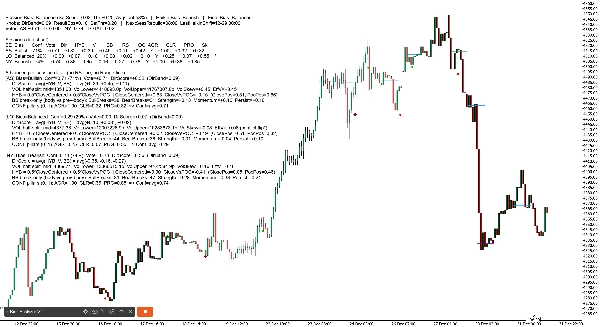
1) Tiêu đề Bảng điều khiển (dòng trên cùng)
Bạn sẽ thấy như sau:
Session Bias: Tăng giá (SetScore +0.85, Ngưỡng ±0.20, Độ tin cậy trung bình 72%) | Heikin Bias: Tăng giá | Bias cuối cùng: Tăng giá
Ý nghĩa từng thuật ngữ
- Session Bias: hướng kết hợp từ Châu Á/London/NY
- SetScore: “tổng số phiếu” kết hợp từ ba phiên
-
- Mỗi phiên đóng góp một Phiếu = dấu hướng × độ tin cậy
- Tăng giá cộng, giảm giá trừ
- Ngưỡng (SetThr): mức tối thiểu SetScore cần để gọi Session Bias tăng/giảm giá
-
- Nếu SetScore nằm trong ±Ngưỡng → Session Bias trở thành Cân bằng
- Độ tin cậy trung bình: độ tin cậy trung bình của ba phiên (0–100%)
- Heikin Bias: bias khung thời gian cao hơn (Tăng/Giảm/Đang chờ)
- Bias cuối cùng: kết quả cuối cùng sau khi kết hợp (BothAgree / HeikinOnly / SessionOnly)
2) Dòng “Núm điều chỉnh” của Bảng điều khiển (ảnh chụp cài đặt)
Ví dụ:
Núm điều chỉnh: DirBand=0.09 ResultEps=0.10 SetThr=0.20 | NextSessRebuild=17:00 LastHeikinShift=12-30 06:00
Ý nghĩa
- DirBand: mức độ mạnh của DirScore để gán nhãn phiên tăng hoặc giảm giá
-
- DirBand nhỏ = nhiều tín hiệu hơn, “nhạy” hơn
- DirBand lớn = ít tín hiệu hơn, thận trọng hơn
- ResultEps: “vùng chết” dùng khi quyết định kết quả có rõ ràng không
-
- Giúp tránh coi những khác biệt nhỏ là có ý nghĩa
- SetThr: ngưỡng dùng ở mức phiên kết hợp (SetScore)
- NextSessRebuild: thời điểm phiên tiếp theo được xây dựng lại (UTC)
- LastHeikinShift: lần cuối bias Heikin thay đổi
3) Dòng “Phiếu bầu” (tổng nhanh)
Ví dụ:
Phiếu bầu: AS +0.40 LO +0.20 NY -0.10 TỔNG CỘNG +0.50
Ý nghĩa
- Phiếu bầu AS / LO / NY = dấu (hướng) × độ tin cậy
- TỔNG CỘNG đơn giản là tổng cộng
- Đây cơ bản là “bảng điểm phiên” của bạn.
4) Bảng Chế độ Chi tiết (phân tích theo phiên)
Ở chế độ Chi tiết, bạn nhận được bảng gọn như sau:
SE | Bias | Conf | Vote | Dir | HYB | V | BB | RS | OC | AGR | CLR | PRG | Sk
Giải thích từng cột (đơn giản)
- SE: nhãn phiên (AS, LO, NY)
- Bias: Tăng / Giảm / Cân bằng (cho phiên đó)
- Conf: phần trăm độ tin cậy cho phiên đó
- Vote: phiếu hướng (dấu bias × độ tin cậy)
- Dir: DirScore = trung bình(HYB, V, BB)
- HYB: điểm vị trí đóng cửa kết hợp
-
- Kết hợp “đóng cửa trong phạm vi” + “đóng cửa so với POC”
- V: độ lệch khối lượng hiệu quả
-
- Dựa trên khối lượng phiên nửa trên so với nửa dưới
- Có thể đảo chiều nếu mâu thuẫn với “kết quả” (xem Sk bên dưới)
- BB: điểm phá vỡ thân nến
-
- Đo động lực chỉ phá vỡ so với ranh giới thân nến trước đó
- RS: Điểm kết quả (pha trộn của di chuyển ròng + HYB)
-
- Dùng để kiểm tra “độ rõ ràng kết quả”
- OC: kết quả rõ ràng? (Có/Không)
-
- Nếu RS đủ lớn (vượt ResultEps), được coi là “rõ ràng”
- AGR: trụ cột đồng thuận (0..1)
-
- HYB/V/BB có cùng hướng không?
- CLR: trụ cột rõ ràng (0..1)
-
- HYB/V/BB mạnh hay yếu?
- PRG: trụ cột tiến triển (0..1)
-
- Phiên di chuyển đều đặn (ít dao động / theo dõi tốt hơn)?
- Sk: dấu hiệu mâu thuẫn độ lệch
-
*nghĩa là độ lệch khối lượng mâu thuẫn với hướng kết quả và đã được đảo chiều nội bộ để tránh bias gây hiểu lầm
2) Dòng Lịch sử POC Phiên (trên biểu đồ)
Robot vẽ các đường ngang hiển thị POC (Điểm Kiểm Soát) cho các phiên gần đây:
- Đường riêng cho AS, LO, NY
- Nó vẽ nhiều “bộ lịch sử” (mặc định 6), làm mờ các bộ cũ hơn
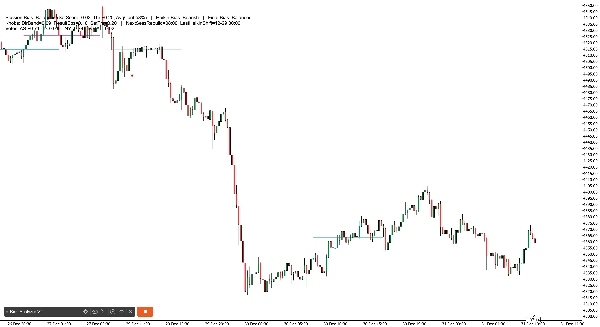
3) Dấu hiệu Đảo chiều Heikin (trên biểu đồ)
Khi bias Heikin đảo chiều, bot in dấu hiệu:
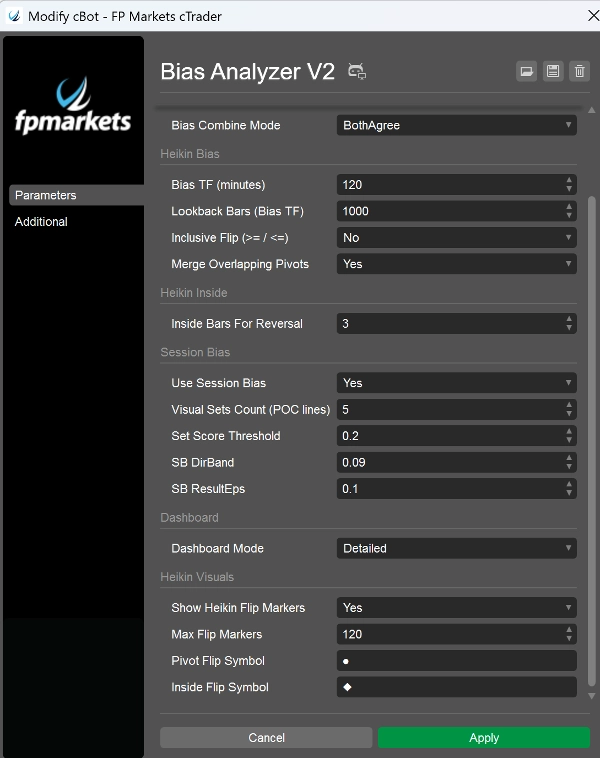
- Đảo chiều phá vỡ pivot sử dụng Biểu tượng Đảo chiều Pivot của bạn (mặc định ●)
- Đảo chiều Động cơ Inside sử dụng Biểu tượng Đảo chiều Inside của bạn (mặc định ◆)
- Màu sắc khác nhau theo hướng và loại đảo chiều (để bạn biết “tại sao” nó thay đổi)
Các tham số quan trọng nhất (những gì cần nhấn mạnh trong bài thuyết trình của bạn)
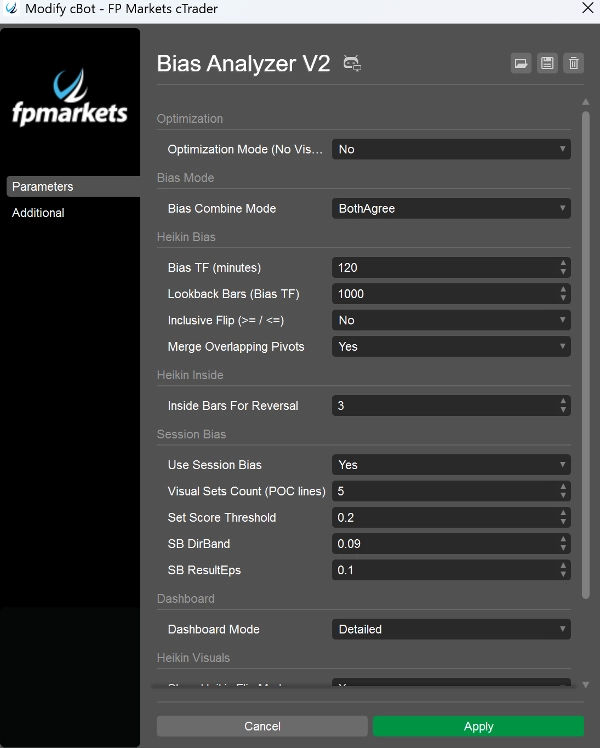
- Bias TF (phút): đặt “khung thời gian neo” cho bias Heikin (ví dụ, 240, 360, 720)
- MinInsideBarsForReversal: kiểm soát độ chặt của cuộn trước khi động cơ inside có thể đảo chiều
- Sử dụng Session Bias: bật/tắt động cơ phiên
- Số lượng Bộ hiển thị: số đường lịch sử POC giữ lại
- DirBand / ResultEps / Ngưỡng SetScore: kiểm soát mức độ nghiêm ngặt của động cơ phiên
- Chế độ Kết hợp Bias: xác định mức độ thận trọng của bias cuối cùng
- Chế độ Bảng điều khiển: BaseOnly vs Chi tiết
- Chế độ Tối ưu hóa: tắt hình ảnh/tiếng ồn nhật ký để kiểm tra hiệu suất