![Trading product for [Fx4U]Risk & Reward Trading Tool Pro cBot Forex Signal, image 1](https://cdn.ctrader.com/image/webp/e26324ec-9547-4365-a38e-ccd0e7c4d86f_31374)
![Trading product for [Fx4U]Risk & Reward Trading Tool Pro cBot Forex Signal, image 2](https://cdn.ctrader.com/image/webp/b39abd48-eefe-40d1-b5fc-2e6386f54a71_31375)
![Trading product for [Fx4U]Risk & Reward Trading Tool Pro cBot Forex Signal, image 3](https://cdn.ctrader.com/image/webp/67aa0c0c-8c57-48a7-9162-ad929ad7a475_31376)
![Trading product for [Fx4U]Risk & Reward Trading Tool Pro cBot Forex Signal, image 4](https://cdn.ctrader.com/image/webp/e3992ca9-7ae3-4710-9ddd-d3b38a430fc6_31377)
![Trading product for [Fx4U]Risk & Reward Trading Tool Pro cBot Forex Signal, image 5](https://cdn.ctrader.com/image/webp/3708b80a-d8a6-4ed1-aa3e-621594a534d9_31378)
![Trading product for [Fx4U]Risk & Reward Trading Tool Pro cBot Forex Signal, image 6](https://cdn.ctrader.com/image/webp/02d28981-4163-48c7-8fdb-f47c6e94e0d6_31379)
Descrizione
L'ultima versione è aggiornata al link sottostante:
https://ctrader.com/products/2100 (cbot)
https://ctrader.com/products/2101 (indicator)
Questo è uno strumento per aiutare i trader ad aprire/chiudere ordini/modificare ordini rapidamente con un solo clic. Questo strumento ha già calcolato il numero di Lotti basato sulla quantità di rischio per ogni ordine e sullo StopLoss che scegli. Può funzionare sia in modalità tempo reale per il trading live sia in modalità Backtesting per testare le tue strategie.
Nota importante:
- I "pulsanti blu" sono i pulsanti di cambio stato (Ordine di Mercato => Ordine Limit => Ordine Stop => Ordine di Mercato; Acquista => Vendi => Acquista)
- I "pulsanti rossi" sono i pulsanti di "Esecuzione". => Per aprire un ordine - usa il pulsante "Apri Nuovo Ordine"; per chiudere la posizione - usa il pulsante "Chiudi Posizione" o "Chiudi Tutto"; per Annullare un Ordine Pendete - usa il pulsante "Annulla Ordine" o "Chiudi Tutto".
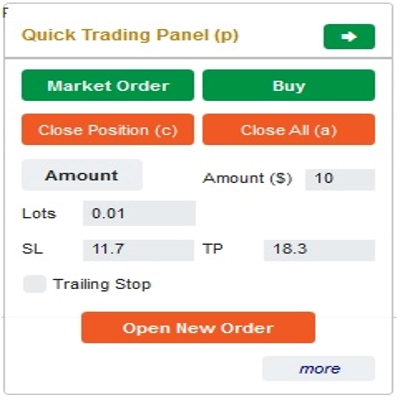
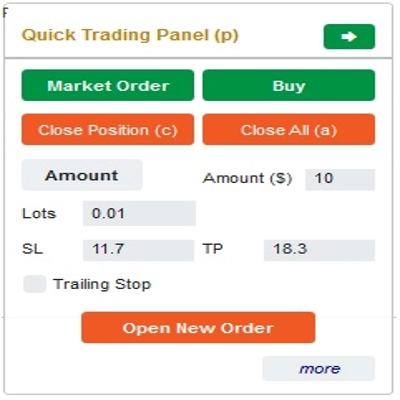
Nel “Pannello di Trading Rapido”:
Per cambiare tra ordini BUY e SELL, puoi trascinare la linea StopLoss sul grafico sopra o sotto la linea di ingresso.
– Puoi aprire e chiudere sia ordini di mercato che ordini Limit o Stop.
– Puoi regolare l'importo dell'ordine come %Saldo o un importo fisso per ogni ordine. Basandosi su questo importo e sullo StopLoss che scegli, il bot calcolerà automaticamente il numero di Lotti per aprire l'ordine.
– Puoi modificare StopLoss, TakeProfit o Prezzo di Entrata (per ordini pendenti) cambiando i numeri SL, TP o Range nel “Pannello di Trading Rapido” o trascinando le linee orizzontali sul grafico.
– SL, TP e Range (per ordini pendenti) sono calcolati in Pips, mentre Scadenza(min) è calcolata in Minuti (Se non usi la Scadenza, lasciala a 0 o spazio)
Nel “Pannello di Modifica Rapida”:
– In questo pannello puoi chiudere ordini o modificare parametri dell'ordine come StopLoss (in Prezzi), TakeProfit (in Prezzi), TrailingStop o Range (in Pips) e Scadenza (in Minuti)
(Nota che StopLoss e TakeProfit in questo pannello sono i prezzi a cui intendi spostarti)
– In questo pannello puoi anche cambiare StopLoss, TakeProfit o Range (in Pips) tramite numero nel pannello o trascinare la linea orizzontale sul grafico alla posizione desiderata.
– Puoi passare avanti e indietro tra gli ordini per visualizzare i parametri di quegli ordini nel pannello
Nota: Il numero nel rettangolo giallo è il numero ID dell'ordine selezionato per la modifica
Ti auguriamo un trading di successo!
Riepilogo
The interface includes a Quick Trading Panel where users can toggle between buy and sell orders by adjusting the stop loss line on the chart. Users can specify order amounts as a percentage of their balance or as fixed values. StopLoss, TakeProfit, and entry prices for pending orders can be edited either numerically or by dragging lines on the chart. Parameters such as SL, TP, and range are measured in pips, while expiry times are set in minutes.
A Quick Modifying Panel allows users to close orders or adjust order parameters including StopLoss, TakeProfit, TrailingStop, range, and expiry. Changes can be made by entering values or dragging chart lines. The panel also enables switching between orders to view and edit their details.
This tool operates in both real-time trading and backtesting modes, supporting multiple forex symbols including EURUSD, GBPUSD, USDJPY, and XAUUSD (gold). It is intended to streamline risk and reward management in forex trading environments.
Recensioni dei clienti
5 | 33 % | |
4 | 33 % | |
3 | 33 % | |
2 | 0 % | |
1 | 0 % |
![Logo di "[Fx4U] GBPUSD - Price Action"](https://cdn.ctrader.com/image/webp/d80b34fc-da3c-4f01-a321-456450665649_26190)
![Logo di "[Fx4U] CADJPY - Price Action"](https://cdn.ctrader.com/image/webp/1ba81247-b6b7-4f3c-a297-fa3eb1d57fe1_26195)

![Logo di "[Fx4U] EURAUD - Price Action"](https://cdn.ctrader.com/image/webp/baf8dde4-1ef3-4beb-8ae2-0fed8320f65d_26177)

![Logo di "[Fx4U] AUDCHF - Price Action"](https://cdn.ctrader.com/image/webp/0a22e9aa-c83b-42cd-b0b8-c1a2da593207_26148)