Description
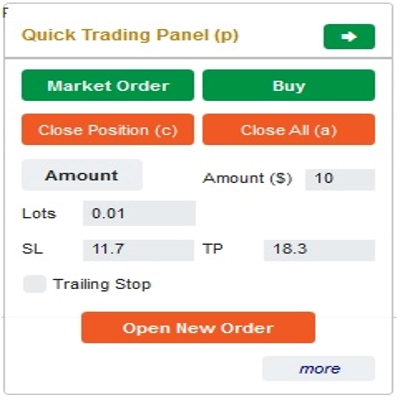
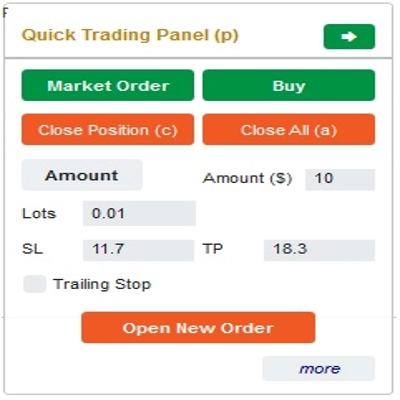
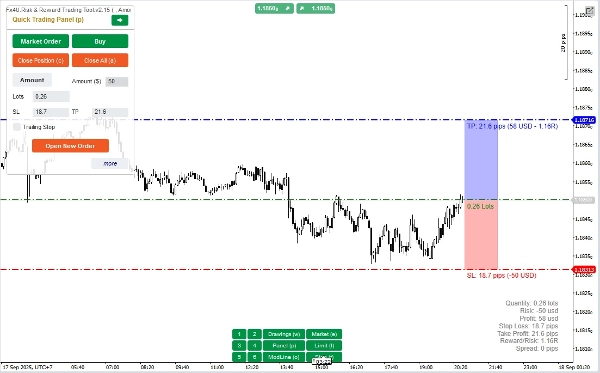
This is a tool to help traders open/close orders/modify orders quickly with just one click. This tool has already calculated the number of Lots based on the amount of risk for each order and the StopLoss you choose. It can work in both Real-time mode for live trading as well as in Backtesting mode to test your strategies.
Important note:
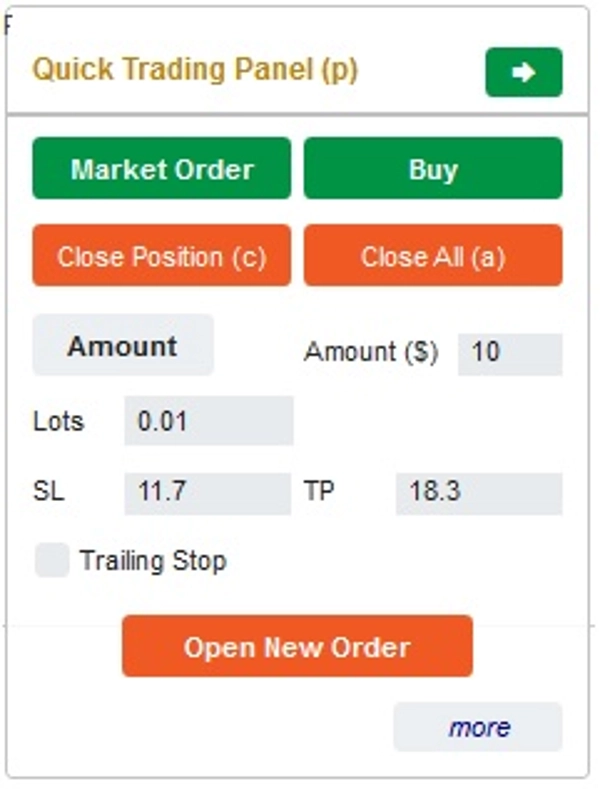
- "Blue buttons" are the status change buttons (Market Order => Limit Order => Stop Order => Market Order; Buy => Sell => Buy)
- "Red buttons" are the "Execution" buttons. => To open an order - use the "Open New Order" button; to close position - use the "Close Position" button or "Close All" button; to Cancel Pending Order - use "Cancel Order" button or "Close All" button.
In “Quick Trading Panel”:
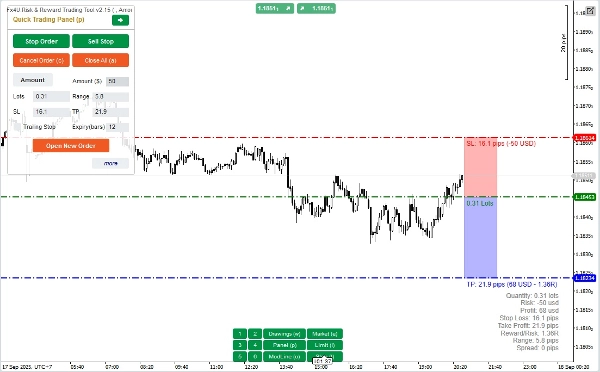
To change between BUY and SELL orders, you can drag the StopLoss line on the chart above or below the Entry Line.
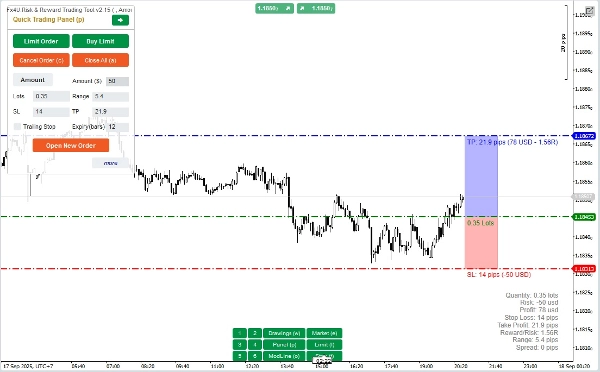
– You can open and close both market orders and Limit orders or Stop orders.
– You can adjust the order amount as %Balance or a fixed order amount for each order. Based on this amount and the StopLoss you choose, the bot will automatically calculate the number of Lots to open the order.
– You can edit StopLoss, TakeProfit or Entry Price (for pending orders) by changing the SL, TP or Range numbers in “Quick Trading Panel” or dragging the horizontal lines on the chart.
– SL, TP and Range (for pending orders) are calculated in Pips, while Expiry(min) is calculated in Minutes (If you don’t use Expiry, leave it as 0 or space)
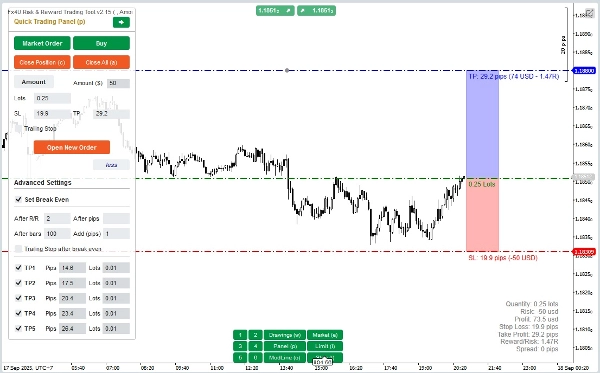
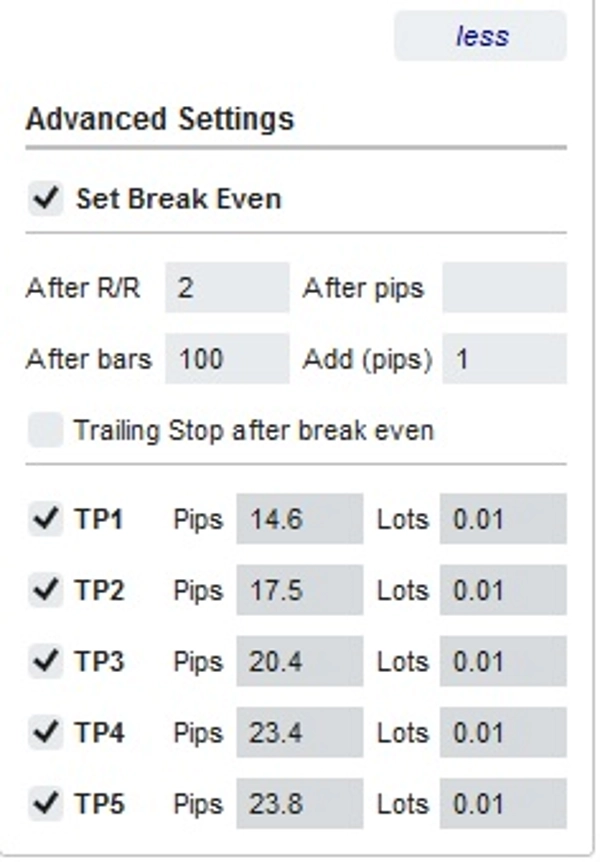
– There is also an advanced settings section that allows you (Note: Advanced Settings only when the indicator is active):
+ Set "Break Even" when the price moves a certain number of Pips ("After Pips") or when the price moves positive "R/R" times Stoploss ("After R/R") or after the order opens "n" bars ("After Bars")
+ Allows you to "Advanced Take Profit" with 5 levels for you to choose from
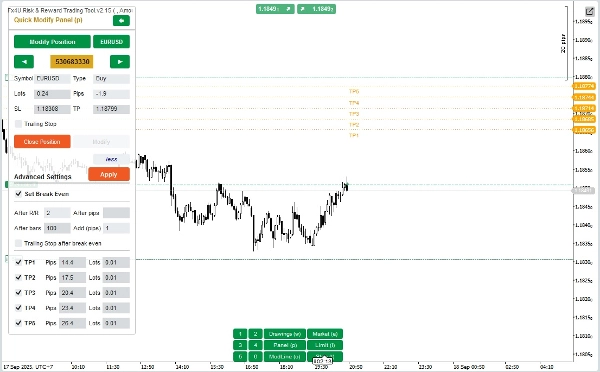
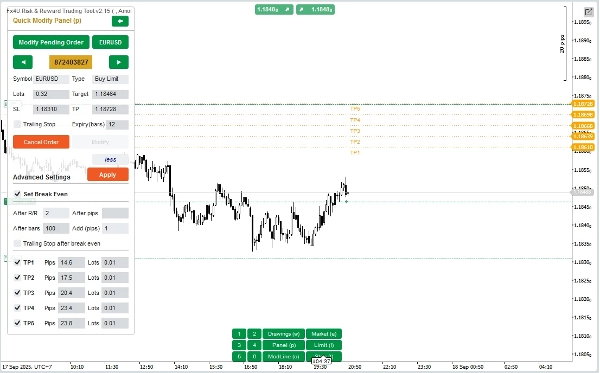
In “Quick Modifying Panel”:
– In this Panel you can close orders or edit order parameters such as StopLoss (in Prices), TakeProfit (in Prices), TrailingStop or Range (in Pips) and Expiry (in Minutes)
(Note that StopLoss and TakeProfit in this panel are the prices you intend to move to)
– In this Panel you can also change StopLoss, TakeProfit or Range(in Pips) by number in the panel or drag the horizontal line on the chart to the desired position.
– You can change back and forth between orders to display the parameters of those orders on the Panel
Note: The number in the yellow rectangle is the ID number of the order being selected for editing
– There is also an advanced settings section that allows you (Note: Advanced Settings only when the indicator is active):
+ Edit the "Break Even" setting when the price moves a certain number of Pips ("After Pips") or when the price moves positive "R/R" times the Stoploss ("After R/R") or after the order opens "n" bars ("After Bars")
+ Edit the "Advanced Take Profit" with 5 levels for you to choose from
Wishing you successful trading!
Summary
Key features include:
- A Quick Trading Panel allowing drag-and-drop adjustment of StopLoss lines to switch between buy and sell orders.
- Order amount settings adjustable by percentage of balance or fixed amount.
- Editable StopLoss, TakeProfit, and Entry Price parameters via panel inputs or chart line dragging.
- Support for order expiry times measured in minutes.
- Advanced settings for automatic Break Even adjustments triggered by price movement in pips, risk/reward ratio, or elapsed bars.
- Multi-level Advanced Take Profit options with up to five levels.
- A Quick Modifying Panel to close orders or edit StopLoss, TakeProfit, TrailingStop, Range, and Expiry parameters, with visual order selection by ID.
The tool operates in both real-time live trading and backtesting modes. It supports major Forex symbols including EURUSD, GBPUSD, USDJPY, and XAUUSD (gold). The interface uses color-coded buttons for order status changes and execution commands to streamline trading operations.
Customer reviews
5 | 50 % | |
4 | 50 % | |
3 | 0 % | |
2 | 0 % | |
1 | 0 % |
!["[Fx4U] GBPUSD - Price Action" logo](https://cdn.ctrader.com/image/webp/d80b34fc-da3c-4f01-a321-456450665649_26190)
!["[Fx4U] CADJPY - Price Action" logo](https://cdn.ctrader.com/image/webp/1ba81247-b6b7-4f3c-a297-fa3eb1d57fe1_26195)

!["[Fx4U] EURAUD - Price Action" logo](https://cdn.ctrader.com/image/webp/baf8dde4-1ef3-4beb-8ae2-0fed8320f65d_26177)

!["[Fx4U] AUDCHF - Price Action" logo](https://cdn.ctrader.com/image/webp/0a22e9aa-c83b-42cd-b0b8-c1a2da593207_26148)