![Trading product for [Fx4U]Risk & Reward Trading Tool Pro cBot Forex Signal, image 1](https://cdn.ctrader.com/image/webp/e26324ec-9547-4365-a38e-ccd0e7c4d86f_31374)
![Trading product for [Fx4U]Risk & Reward Trading Tool Pro cBot Forex Signal, image 2](https://cdn.ctrader.com/image/webp/b39abd48-eefe-40d1-b5fc-2e6386f54a71_31375)
![Trading product for [Fx4U]Risk & Reward Trading Tool Pro cBot Forex Signal, image 3](https://cdn.ctrader.com/image/webp/67aa0c0c-8c57-48a7-9162-ad929ad7a475_31376)
![Trading product for [Fx4U]Risk & Reward Trading Tool Pro cBot Forex Signal, image 4](https://cdn.ctrader.com/image/webp/e3992ca9-7ae3-4710-9ddd-d3b38a430fc6_31377)
![Trading product for [Fx4U]Risk & Reward Trading Tool Pro cBot Forex Signal, image 5](https://cdn.ctrader.com/image/webp/3708b80a-d8a6-4ed1-aa3e-621594a534d9_31378)
![Trading product for [Fx4U]Risk & Reward Trading Tool Pro cBot Forex Signal, image 6](https://cdn.ctrader.com/image/webp/02d28981-4163-48c7-8fdb-f47c6e94e0d6_31379)
Descrição
A versão mais recente está atualizada no link abaixo:
https://ctrader.com/products/2100 (cbot)
https://ctrader.com/products/2101 (indicator)
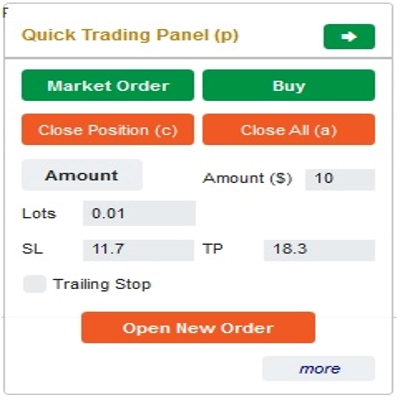
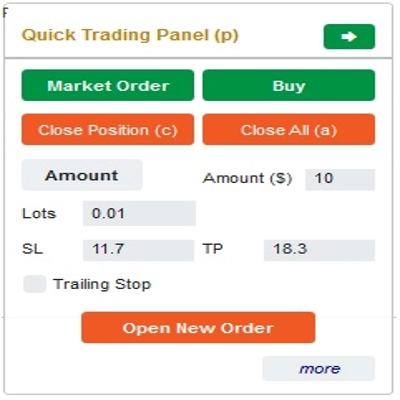
Esta é uma ferramenta para ajudar os traders a abrir/fechar ordens/modificar ordens rapidamente com apenas um clique. Esta ferramenta já calculou o número de Lotes com base na quantidade de risco para cada ordem e no StopLoss que você escolher. Pode funcionar tanto no modo em tempo real para negociação ao vivo quanto no modo de Backtesting para testar suas estratégias.
Nota importante:
- "Botões azuis" são os botões de mudança de status (Ordem de Mercado => Ordem Limitada => Ordem Stop => Ordem de Mercado; Comprar => Vender => Comprar)
- "Botões vermelhos" são os botões de "Execução". => Para abrir uma ordem - use o botão "Abrir Nova Ordem"; para fechar posição - use o botão "Fechar Posição" ou o botão "Fechar Tudo"; para Cancelar Ordem Pendente - use o botão "Cancelar Ordem" ou o botão "Fechar Tudo".
No “Painel de Negociação Rápida”:
Para alternar entre ordens de COMPRA e VENDA, você pode arrastar a linha StopLoss no gráfico acima ou abaixo da Linha de Entrada.
– Você pode abrir e fechar tanto ordens de mercado quanto ordens Limitadas ou ordens Stop.
– Você pode ajustar o valor da ordem como %Saldo ou um valor fixo para cada ordem. Com base nesse valor e no StopLoss que você escolher, o bot calculará automaticamente o número de Lotes para abrir a ordem.
– Você pode editar StopLoss, TakeProfit ou Preço de Entrada (para ordens pendentes) alterando os números SL, TP ou Range no “Painel de Negociação Rápida” ou arrastando as linhas horizontais no gráfico.
– SL, TP e Range (para ordens pendentes) são calculados em Pips, enquanto Expiração(min) é calculada em Minutos (Se você não usar Expiração, deixe como 0 ou espaço)
No “Painel de Modificação Rápida”:
– Neste Painel você pode fechar ordens ou editar parâmetros da ordem como StopLoss (em Preços), TakeProfit (em Preços), TrailingStop ou Range (em Pips) e Expiração (em Minutos)
(Observe que StopLoss e TakeProfit neste painel são os preços para os quais você pretende mover)
– Neste Painel você também pode alterar StopLoss, TakeProfit ou Range (em Pips) por número no painel ou arrastar a linha horizontal no gráfico para a posição desejada.
– Você pode alternar entre ordens para exibir os parâmetros dessas ordens no Painel
Nota: O número no retângulo amarelo é o número de ID da ordem selecionada para edição
Desejamos a você negociações bem-sucedidas!
Resumo
The interface includes a Quick Trading Panel where users can toggle between buy and sell orders by adjusting the stop loss line on the chart. Users can specify order amounts as a percentage of their balance or as fixed values. StopLoss, TakeProfit, and entry prices for pending orders can be edited either numerically or by dragging lines on the chart. Parameters such as SL, TP, and range are measured in pips, while expiry times are set in minutes.
A Quick Modifying Panel allows users to close orders or adjust order parameters including StopLoss, TakeProfit, TrailingStop, range, and expiry. Changes can be made by entering values or dragging chart lines. The panel also enables switching between orders to view and edit their details.
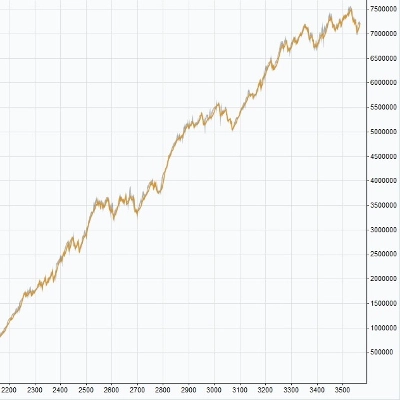
This tool operates in both real-time trading and backtesting modes, supporting multiple forex symbols including EURUSD, GBPUSD, USDJPY, and XAUUSD (gold). It is intended to streamline risk and reward management in forex trading environments.
Avaliações de clientes
5 | 33 % | |
4 | 33 % | |
3 | 33 % | |
2 | 0 % | |
1 | 0 % |
![Logótipo de "[Fx4U] GBPUSD - Price Action"](https://cdn.ctrader.com/image/webp/d80b34fc-da3c-4f01-a321-456450665649_26190)
![Logótipo de "[Fx4U] CADJPY - Price Action"](https://cdn.ctrader.com/image/webp/1ba81247-b6b7-4f3c-a297-fa3eb1d57fe1_26195)

![Logótipo de "[Fx4U] AUDCHF - Price Action"](https://cdn.ctrader.com/image/webp/0a22e9aa-c83b-42cd-b0b8-c1a2da593207_26148)

![Logótipo de "[Fx4U] EURAUD - Price Action"](https://cdn.ctrader.com/image/webp/baf8dde4-1ef3-4beb-8ae2-0fed8320f65d_26177)