![Trading product for [Fx4U]Risk & Reward Trading Tool Pro cBot Forex Signal, image 1](https://cdn.ctrader.com/image/webp/e26324ec-9547-4365-a38e-ccd0e7c4d86f_31374)
![Trading product for [Fx4U]Risk & Reward Trading Tool Pro cBot Forex Signal, image 2](https://cdn.ctrader.com/image/webp/b39abd48-eefe-40d1-b5fc-2e6386f54a71_31375)
![Trading product for [Fx4U]Risk & Reward Trading Tool Pro cBot Forex Signal, image 3](https://cdn.ctrader.com/image/webp/67aa0c0c-8c57-48a7-9162-ad929ad7a475_31376)
![Trading product for [Fx4U]Risk & Reward Trading Tool Pro cBot Forex Signal, image 4](https://cdn.ctrader.com/image/webp/e3992ca9-7ae3-4710-9ddd-d3b38a430fc6_31377)
![Trading product for [Fx4U]Risk & Reward Trading Tool Pro cBot Forex Signal, image 5](https://cdn.ctrader.com/image/webp/3708b80a-d8a6-4ed1-aa3e-621594a534d9_31378)
![Trading product for [Fx4U]Risk & Reward Trading Tool Pro cBot Forex Signal, image 6](https://cdn.ctrader.com/image/webp/02d28981-4163-48c7-8fdb-f47c6e94e0d6_31379)
Descripción
La última versión está actualizada en el siguiente enlace:
https://ctrader.com/products/2100 (cbot)
https://ctrader.com/products/2101 (indicator)
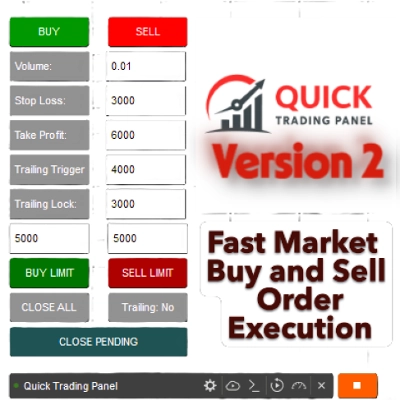
Esta es una herramienta para ayudar a los traders a abrir/cerrar órdenes/modificar órdenes rápidamente con solo un clic. Esta herramienta ya ha calculado el número de Lotes basado en la cantidad de riesgo para cada orden y el StopLoss que elijas. Puede funcionar tanto en modo en tiempo real para trading en vivo como en modo Backtesting para probar tus estrategias.
Nota importante:
- Los "botones azules" son los botones de cambio de estado (Orden de Mercado => Orden Límite => Orden Stop => Orden de Mercado; Comprar => Vender => Comprar)
- Los "botones rojos" son los botones de "Ejecución". => Para abrir una orden - usa el botón "Abrir Nueva Orden"; para cerrar posición - usa el botón "Cerrar Posición" o el botón "Cerrar Todo"; para Cancelar Orden Pendiente - usa el botón "Cancelar Orden" o el botón "Cerrar Todo".
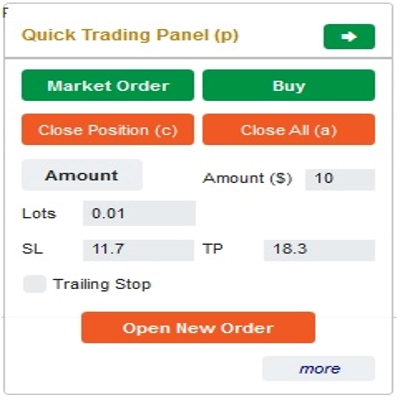
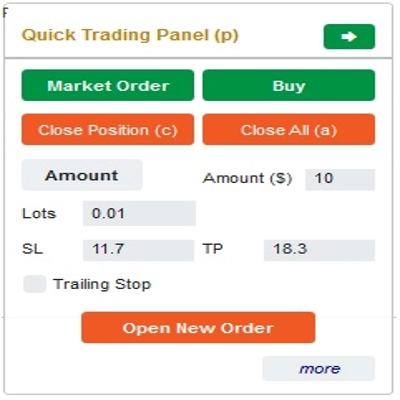
En el “Panel de Trading Rápido”:
Para cambiar entre órdenes de COMPRA y VENTA, puedes arrastrar la línea StopLoss en el gráfico arriba o abajo de la Línea de Entrada.
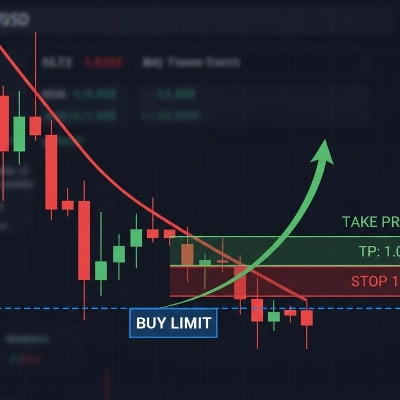
– Puedes abrir y cerrar tanto órdenes de mercado como órdenes límite u órdenes stop.
– Puedes ajustar la cantidad de la orden como %Balance o una cantidad fija para cada orden. Basado en esta cantidad y el StopLoss que elijas, el bot calculará automáticamente el número de Lotes para abrir la orden.
– Puedes editar StopLoss, TakeProfit o Precio de Entrada (para órdenes pendientes) cambiando los números SL, TP o Rango en el “Panel de Trading Rápido” o arrastrando las líneas horizontales en el gráfico.
– SL, TP y Rango (para órdenes pendientes) se calculan en Pips, mientras que Expiración(min) se calcula en Minutos (Si no usas Expiración, déjalo como 0 o espacio)
En el “Panel de Modificación Rápida”:
– En este Panel puedes cerrar órdenes o editar parámetros de la orden como StopLoss (en Precios), TakeProfit (en Precios), TrailingStop o Rango (en Pips) y Expiración (en Minutos)
(Ten en cuenta que StopLoss y TakeProfit en este panel son los precios a los que pretendes moverlos)
– En este Panel también puedes cambiar StopLoss, TakeProfit o Rango (en Pips) por número en el panel o arrastrar la línea horizontal en el gráfico a la posición deseada.
– Puedes cambiar entre órdenes para mostrar los parámetros de esas órdenes en el Panel
Nota: El número en el rectángulo amarillo es el número de ID de la orden seleccionada para editar
¡Te deseamos un trading exitoso!
Resumen
The interface includes a Quick Trading Panel where users can toggle between buy and sell orders by adjusting the stop loss line on the chart. Users can specify order amounts as a percentage of their balance or as fixed values. StopLoss, TakeProfit, and entry prices for pending orders can be edited either numerically or by dragging lines on the chart. Parameters such as SL, TP, and range are measured in pips, while expiry times are set in minutes.
A Quick Modifying Panel allows users to close orders or adjust order parameters including StopLoss, TakeProfit, TrailingStop, range, and expiry. Changes can be made by entering values or dragging chart lines. The panel also enables switching between orders to view and edit their details.
This tool operates in both real-time trading and backtesting modes, supporting multiple forex symbols including EURUSD, GBPUSD, USDJPY, and XAUUSD (gold). It is intended to streamline risk and reward management in forex trading environments.
Conversación
Valoraciones de clientes
5 | 33 % | |
4 | 33 % | |
3 | 33 % | |
2 | 0 % | |
1 | 0 % |
![Logotipo de "[Fx4U] GBPUSD - Price Action"](https://cdn.ctrader.com/image/webp/d80b34fc-da3c-4f01-a321-456450665649_26190)
![Logotipo de "[Fx4U] CADJPY - Price Action"](https://cdn.ctrader.com/image/webp/1ba81247-b6b7-4f3c-a297-fa3eb1d57fe1_26195)

![Logotipo de "[Fx4U] AUDCHF - Price Action"](https://cdn.ctrader.com/image/webp/0a22e9aa-c83b-42cd-b0b8-c1a2da593207_26148)

![Logotipo de "[Fx4U] EURAUD - Price Action"](https://cdn.ctrader.com/image/webp/baf8dde4-1ef3-4beb-8ae2-0fed8320f65d_26177)