Descrizione
Trading Workspace puts your trade plan, your limits and your review next to the chart, so your rules apply at the moment you trade.
What it does
Trade ticket on the chart
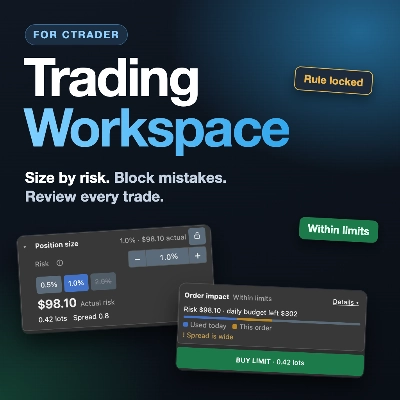
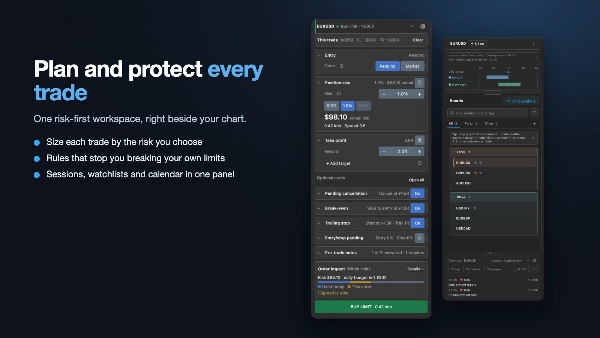
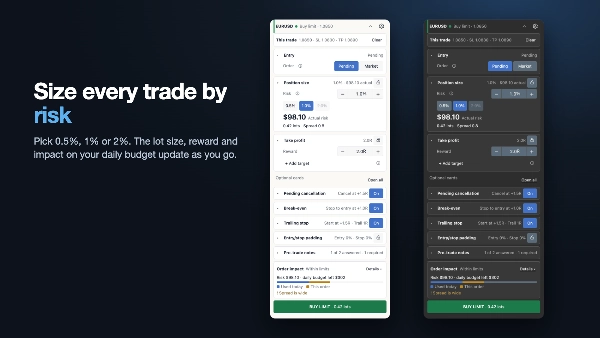
Set entry, stop and take profit, and the lot size comes from the risk you choose (for example 0.5%, 1% or 2%). The ticket shows the impact of the order on your daily budget before you send it.
- Break-even, trailing stop and pending-order cancellation are built in.
- Edit open trades and orders, with a review step before changes apply.
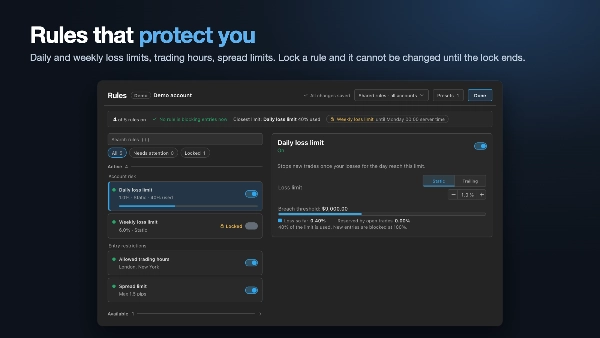
Rules that protect you
- Loss limits: daily and weekly.
- Allowed trading hours, spread limits and news restrictions.
- Locks: lock a rule and it cannot be changed until the lock ends.
- Presets: save your rule sets and switch between them.
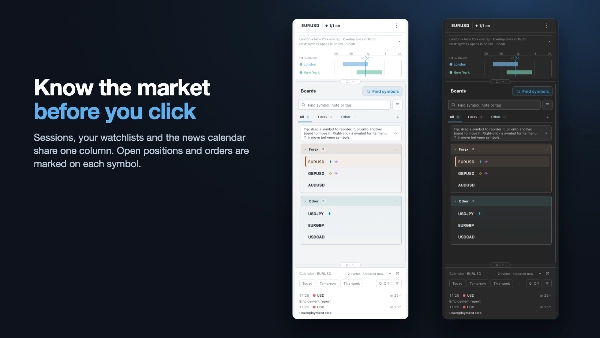
Sessions, watchlists and calendar in one column
- Forex and stock market sessions, with countdowns.
- Boards for your symbols, with notes and drag-and-drop ordering.
- The economic calendar beside your watchlist.
- Open positions and pending orders are marked on each symbol.
Review and journal
- Review your trades in their own window.
- Add notes and screenshots to each trade.
- Export your trades to CSV.
Made to fit your setup
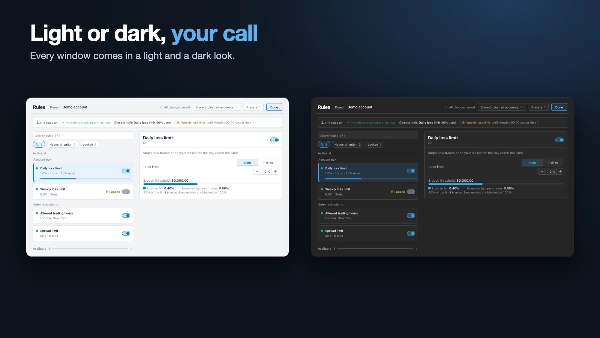
- Light and dark looks.
- Chart drawings and keyboard shortcuts.
- Backup, import and reset for all settings.
Who it is for
Manual traders on cTrader who want to size trades by risk, avoid breaking their own rules, and keep their review habit in one place.
Good to know
- It never trades by itself. You place every order.
- Works with cTrader on Windows and Mac.
Trading involves risk. Past performance does not guarantee future results. Rules and limits help reduce mistakes but cannot prevent every loss. This is a tool, not financial advice.
Riepilogo
Risk controls include daily and weekly loss limits, allowed trading hours, spread limits, news restrictions, and rule locks that prevent changes until expiration. Users can save and switch between rule presets. The interface consolidates forex and stock market sessions with countdowns, customizable watchlists with notes and drag-and-drop ordering, and an economic calendar alongside symbols marked with open positions and pending orders.
Trade review is supported through a dedicated window for notes, screenshots, and CSV export. The workspace offers light and dark themes, chart drawing tools, keyboard shortcuts, and settings backup/import/reset. It operates on Windows and Mac with cTrader and does not automate trading; all orders are placed manually. This tool is intended for manual traders seeking risk-based trade sizing, rule enforcement, and integrated journaling.