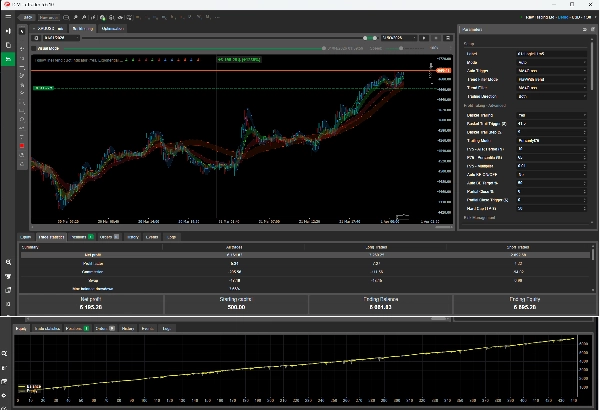
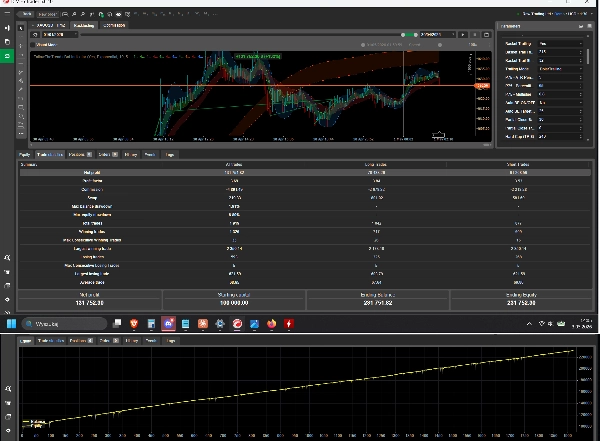
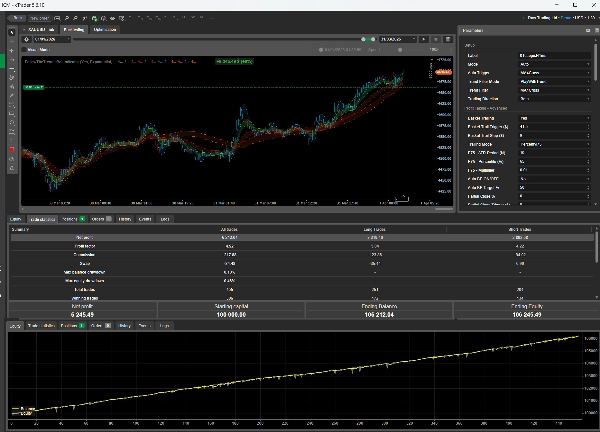
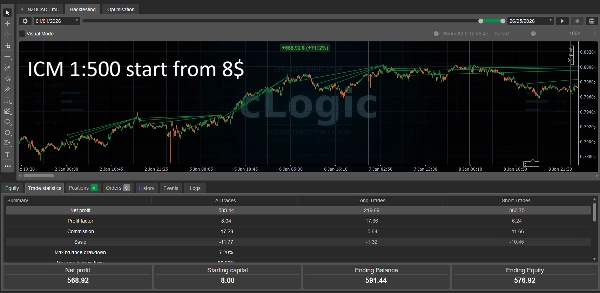

Description
Follow The Trend XAU 3.0 – Robot avancé de trading de tendance et de gestion de panier.
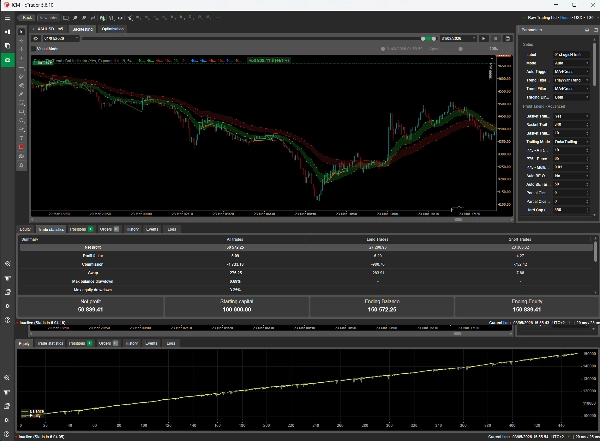
Nous recommandons les réglages MA4Cross haute performance avec un filtre TF supérieur
FTT_XAU est un système algorithmique intelligent entièrement automatisé conçu spécifiquement pour les marchés très liquides tels que l'Or (XAUUSD). Cet algorithme révolutionne le trading en combinant des filtres de suivi de tendance avec une gestion multi-positions très avancée (Grille / Pyramide). Au lieu de s'appuyer sur des valeurs fixes de Take Profit, FTT utilise Dynamic Basket Trailing, s'ajustant à la volatilité actuelle du marché grâce à l'indicateur ATR (75e percentile).
Caractéristiques clés et capacités :
- Suivi adaptatif du profit : Le bot ne ferme pas les positions à un niveau fixe. Au fur et à mesure que le marché évolue en votre faveur, le bot "traîne" la ligne de profit derrière lui. Plus le marché évolue rapidement, plus vous extrayez de profit, et tout recul significatif ferme le panier avec un profit maximal comprimé.
- Grille intelligente et pyramide : Le système peut lisser les positions perdantes (Grille) avec un pas dynamique basé sur l'ATR, et ajouter aux positions gagnantes selon la tendance (Pyramide), vous permettant de capitaliser sur les forts momentum.
- Break-Even automatique (Gestion des risques IA) : Lorsque le profit atteint une fraction définie de votre objectif, le bot trace un "plancher de fer" garantissant que vous ne perdrez plus sur ce trade.
- Fermeture partielle avancée : Le système peut automatiquement lâcher un peu de lest (par exemple, 50 % du volume) en combinant les pires positions perdantes avec les meilleures gagnantes (Fermeture sandwich), libérant de la marge sans impacter l'équité.
- Filtres de tendance doubles : Les entrées générées par EMA, MACD ou croisements de moyennes mobiles sont filtrées via une unité de temps supérieure. Vous ne tradez que dans la direction de l'argent intelligent.
- Bouclier de capital : Des filets de sécurité à plusieurs niveaux, incluant Stop Loss quotidien, Stop Loss panier, et une limite de temps (Durée max), protègent votre compte contre des événements imprévus de type cygne noir.
Beaucoup de tests https://www.youtube.com/@cLogic_algo
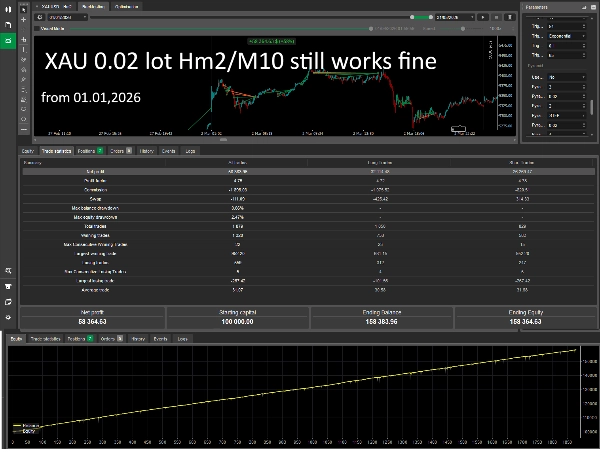
Les réglages de test pour ---2026--- sont déjà disponibles sur YT - en raison des limitations de la version d'essai, le résultat sera différent
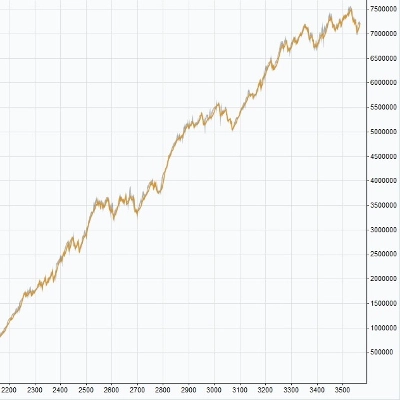
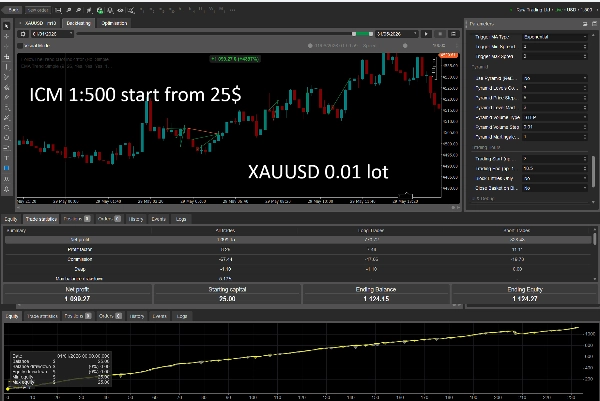
Test réel broker ICM 01 01 - 31 05 2026 https://www.youtube.com/watch?v=yeighmTHhHs
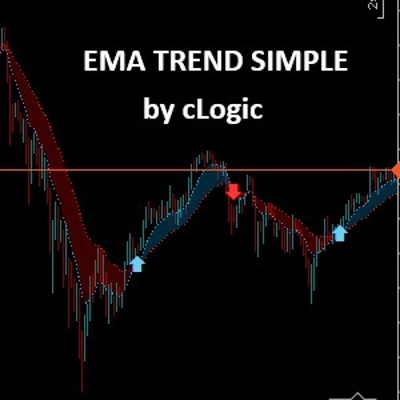
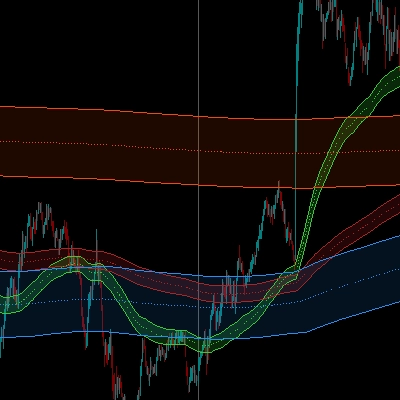
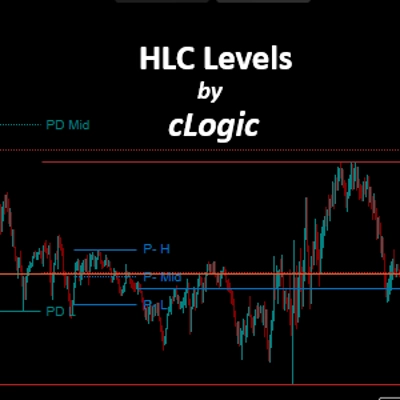
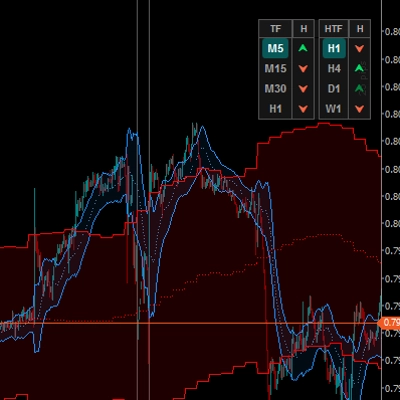
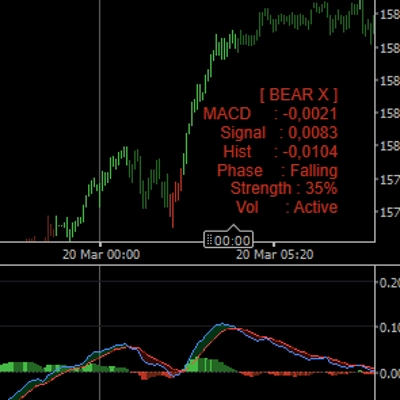
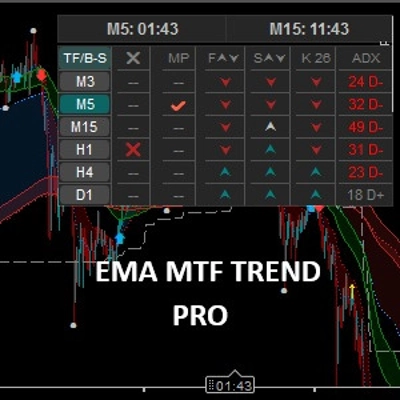
Vous pouvez télécharger l'INDICATEUR pour ce cBot gratuitement ici :
https://ctrader.com/products/3620?u=cLogic
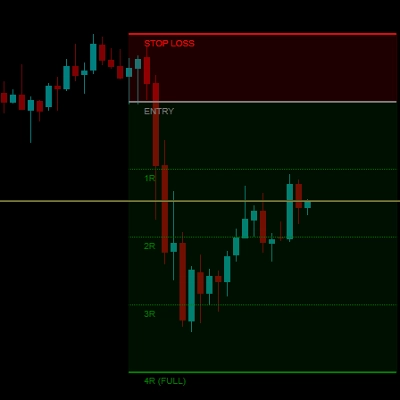
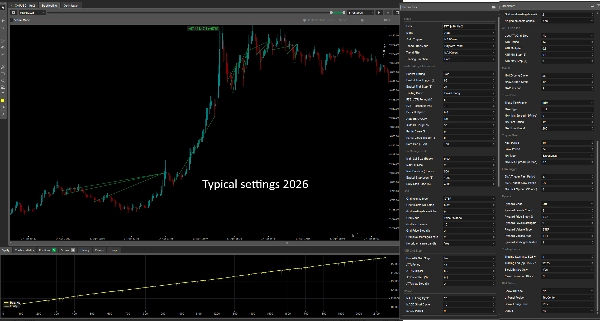
-----Description détaillée dans les photos jointes-----
Manuel utilisateur : Follow The Trend XAU (FTT_XAU_3.0)
1. Introduction
Follow The Trend XAU est un robot de trading algorithmique avancé (cBot) écrit pour la plateforme cTrader. Sa tâche principale est d'identifier les tendances du marché et d'ouvrir des positions en conséquence. Il dispose d'un module de gestion des positions ouvertes très sophistiqué, gérant les grilles d'ordres, la pyramide de profits et la prise de profit dynamique (Trailing et fermeture partielle).
2. Installation et configuration
- Téléchargez ou compilez le fichier du bot (.algo).
- Double-cliquez sur le fichier .algo pour l'installer dans la plateforme cTrader.
- Dans la plateforme, allez à l'onglet Automate.
- Trouvez Follow_The_Trend_XAU dans la liste des robots.
- Cliquez droit dessus et sélectionnez Ajouter une instance pour le symbole désiré (par exemple, XAUUSD).
- Ajustez les paramètres dans le panneau de droite et cliquez sur le bouton Play (Démarrer) pour lancer le bot.
3. Description détaillée des paramètres
Groupe : Configuration (Paramètres de base)
- Étiquette : Un nom unique pour le bot. Si vous utilisez plusieurs instances du bot sur le même compte, assurez-vous qu'elles ont des étiquettes différentes (par exemple, FTT_XAU_M15, FTT_EURUSD).
- Mode (Auto / Manuel) : En mode Auto, le bot ouvre les positions à partir des signaux de manière autonome. En mode Manuel, le bot ne gère que les positions (Grille, Trailing), et vous initiez les entrées vous-même via le panneau UI sur le graphique.
- Déclencheur automatique : Choix de l'indicateur générant les signaux d'entrée (MACD, EMA, MA4Cross).
- Mode filtre de tendance : PlayWithTrend permet de trader uniquement dans la direction déterminée par l'unité de temps supérieure (Trend TimeFrame). Off désactive cette exigence.
- Filtre de tendance : Choix de la logique de filtrage (par exemple, MA4Cross examine l'alignement de 4 moyennes mobiles).
- Direction de trading : Autorisation pour les positions (Achat uniquement, Vente uniquement, ou les deux).
Groupe : Prise de profit - Avancé
- Basket Trailing : (Oui/Non) – Active le "traînage" dynamique de la ligne de profit.
- Déclencheur Basket Trail (USD) : La valeur de profit du panier en dollars à laquelle la fonction Trailing s'active.
- Pas Basket Trail (USD) : La distance minimale (en dollars) à laquelle la ligne de trailing suit le profit actuel (si le mode DolarTrailing est sélectionné).
- Mode Trailing :
-
- DolarTrailing : Le trailing suit le prix selon le montant fixe en dollars spécifié ci-dessus.
- Percentyl75 : Le trailing ajuste sa distance dynamiquement en fonction de la volatilité historique ATR.
- P75 - Période ATR / Percentile / Multiplicateur : Paramètres régulant le comportement du trailing dynamique basé sur l'ATR.
- Auto BE ON/OFF : Active la fonction de gestion des risques par intelligence artificielle.
- Objectif Auto BE % : Si vous le réglez par exemple à 25 %, et que l'objectif total (Hard Cap ou Trail Trigger) est de 100 USD, le bot fixera un niveau Break-Even (garantissant de manière permanente +5 USD de profit) lorsque le panier atteindra 25 USD de profit.
- Fermeture partielle % : Quel pourcentage du volume total doit être fermé lors de l'atteinte du seuil déclencheur (par exemple, 30 %). Le bot appliquera une coupe "sandwich" – il supprimera la pire perte en la couvrant avec une partie du meilleur profit.
- Déclencheur de fermeture partielle (USD) : Le niveau de profit en dollars à partir duquel la réduction de volume sera déclenchée.
- Hard Cap (TP-USD) : Le seuil dur de Take Profit pour le panier. Lorsque le profit atteint cette valeur, tout est fermé immédiatement. Entrez 0 si vous souhaitez que les profits soient réalisés uniquement par Trailing.
Groupe : Gestion des risques
- Taille du lot principal (Base) : La taille de la première transaction ouvrant le panier.
- Taille maximale du lot : La limite supérieure pour la taille d'une position unique. Protège contre un multiplicateur martingale incontrôlé.
- Durée maximale (heures) : Le temps après lequel le panier de positions, quel que soit le résultat, sera fermé sans condition. Protège contre le blocage dans un marché mort.
- Stop Loss panier (USD) : Protection contre la faillite du panier. Le montant maximal que vous êtes prêt à risquer dans une direction donnée (par exemple, toutes les ordres d'achat). Si la perte flottante atteint ce niveau, le bot coupe la perte.
- Stop Loss quotidien (USD) : La perte cumulative maximale autorisée dans une journée calendaire. Si atteinte, le bot cesse de trader pour le reste de la journée.
Groupe : Grille (Filet de défense)
La grille est un mécanisme pour lisser le prix d'ouverture lorsque le marché va contre vous.
- Type de volume de grille : Comment la taille de la position suivante est calculée. (STEP – augmente par une valeur fixe, MARTINGALE – multiplie par une valeur spécifique, FIX_LOT – volume constant).
- Mode grille : PriceDistance ouvre selon la distance, ReEntryTrigger ouvre selon la distance ET un signal d'indicateur supplémentaire.
- Niveaux max de grille : Le nombre maximal de positions dans un panier perdant.
- Pas de prix de grille (USD) : La distance fixe entre les ordres consécutifs de la grille. (Pour des marchés comme XAU, 2.0 signifie une différence de 2 dollars par once).
- Utiliser le pas de grille ATR : (Oui/Non) – La distance pour la grille est ajustée dynamiquement selon l'indicateur ATR, empêchant la grille de s'ouvrir trop densément lors de forte volatilité du marché.
Groupes techniques (MACD, filtre de tendance, déclencheur MA4, déclencheur EMA)
Paramètres pour des périodes précises (Rapide, Lent, Cycle) pour les indicateurs générant les positions d'entrée. Ceux-ci nécessitent une optimisation pour une unité de temps et un marché spécifiques.
- Écart minimum (USD/Prix) : Filtre de force de tendance. Les moyennes mobiles sur le graphique doivent être séparées par une valeur minimale spécifiée pour que le bot considère la tendance comme forte et fiable pour l'entrée.
Groupe : Pyramide (Capitalisation des profits)
La pyramide ajoute des positions successives lorsque le marché évolue dans votre direction (rentable).
- Mode pyramide : Choix de la logique de pyramide (par exemple, ReEntry ouvre une autre position basée sur un signal aligné avec la tendance).
- Nombre de niveaux de pyramide : Le nombre maximal de niveaux ajoutés en profit.
- Pas de prix pyramide (USD) : Le profit/distance requis en dollars depuis la dernière position pour ouvrir la suivante construisant la pyramide.
Groupe : Heures de trading & UI
- Début / Fin du trading : Réglage des heures pendant lesquelles le bot est autorisé à entrer sur le marché. (Format décimal : par exemple, 22.75 signifie 22h45).
- Bloquer uniquement les entrées : Bloque uniquement les nouvelles entrées. Le bot continuera d'ouvrir des ordres de grille pour les positions existantes en dehors des heures de trading pour défendre le panier.
- Afficher le panneau UI : Active le panneau de contrôle sur le graphique.
- Position du panneau : Emplacement de l'interface (par exemple, en bas à gauche).
4. Explication du panneau UI du graphique
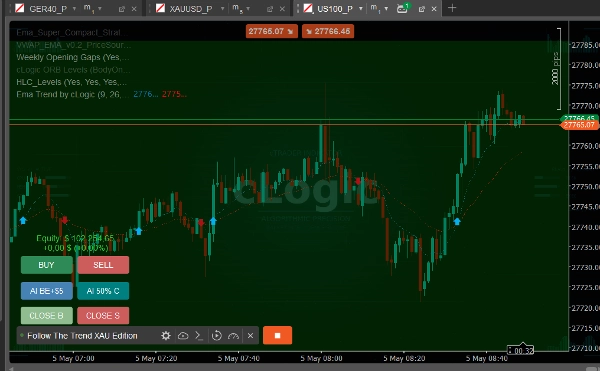
Sur le graphique, le bot dessine un panneau interactif qui offre une grande flexibilité pour le trading semi-automatique ou manuel.
- Barre d'équité et PnL : Montre l'état actuel de l'équité et le profit/perte flottant uniquement pour les positions contrôlées par le bot.
- Boutons ACHAT / VENTE : Utilisés pour forcer l'ouverture d'une position. Le bot s'occupe du reste (définir TP, Trailing, Grille si nécessaire). Il rejette la commande si le marché n'autorise pas l'entrée en raison d'une marge insuffisante (avertissement Pas d'argent).
- Bouton AI BE+5 USD : Force manuellement le tracé d'une ligne de sécurité. Si le prix est suffisamment éloigné du prix d'ouverture, le bot remonte une protection garantissant un minimum de +5 USD.
- Bouton AI 50% C : Force une fermeture partielle (réduction de volume). Affiche les boutons de sélection de direction (ACHAT/VENTE). Lors du clic, il ferme 50 % du volume total, coupant également dans les positions gagnantes et perdantes (optimisation du panier).
- FERMER B / FERMER S : Ferme complètement tout le panier pour les positions Achat ou Vente, respectivement. Un "Kill Switch" d'urgence.
5. Conseils opérationnels et meilleures pratiques
- Visualisation de la ligne de trailing : Lorsque le bot entre en phase de profit et que le Basket Trailing est déclenché, une "Drag_Line" épaisse verte (pour Achat) ou rouge (pour Vente) apparaît sur le graphique. Cette ligne est interactive. Vous pouvez la saisir avec votre souris et la déplacer vers le haut ou le bas, décidant manuellement du niveau de prise de profit (la logique de trailing la poussera vers le haut, mais ne la descendra jamais en dessous de votre réglage manuel).
- Sécurité de la marge (Avertissement Pas d'argent) : Le bot intègre un calculateur de marge. Il protégera votre compte contre l'ouverture d'une position trop grande ou l'entrée dans un filet de grille qui dépasserait le niveau de Stop-Out sur votre compte broker. Un message d'avertissement rouge apparaîtra à l'écran.
- Optimisation du backtest : Avant de lancer le bot sur un compte réel, assurez-vous d'effectuer des tests avec "Tick Data" sélectionné dans cTrader. Rappelez-vous que le Trailing et la fermeture partielle fonctionnent mieux sur des marchés volatils (par exemple, l'Or), où des mouvements soudains dans une direction peuvent liquider une grille entière d'ordres d'un coup.
Les tests présentés sont basés sur le passé, mais l'avenir est inconnu. Je recommande au moins deux mois de tests. De bons résultats peuvent être obtenus avec une stratégie semi-auto H1/M5-15 sur XAU. Vous ne devriez jamais trader contre la tendance. Je réalise tous les tests sur le broker ICM - chaque broker nécessite des ajustements individuels des réglages.
Trader l'or et d'autres instruments financiers comporte un risque significatif de perte. Les performances passées de ce système ou de tout système de trading automatisé ne garantissent pas les résultats futurs. Follow The Trend XAU Edition est un outil d'aide au trading — pas une garantie de profit. Testez toujours sur un compte démo avant de déployer avec du capital réel. Ne risquez jamais des fonds que vous ne pouvez pas vous permettre de perdre.
Résumé
Key features include adaptive profit trailing that uses the ATR indicator to adjust trailing stops based on market volatility, intelligent grid and pyramiding strategies to manage losing and winning positions dynamically, and an AI-driven break-even function that secures profits once targets are partially met. The bot also supports advanced partial close methods to optimize margin usage by balancing profitable and losing positions.
Trade entries are filtered through dual trend filters using indicators such as EMA, MACD, and moving average crossovers aligned with higher timeframes to ensure trading in the direction of the prevailing trend. Multiple risk management layers are integrated, including daily and basket stop losses, maximum position duration, and capital protection mechanisms.
The cBot offers a user interface panel on the chart for manual control, including position entry, partial close, and break-even activation. It supports configurable trading hours, position sizing, and grid parameters, allowing tailored strategies for swing trading with medium trade frequency. The system is suitable for prop firms and includes backtested performance data with a focus on volatility-based risk management.
Avis clients
5 | 0 % | |
4 | 0 % | |
3 | 100 % | |
2 | 0 % | |
1 | 0 % |