Deskripsi
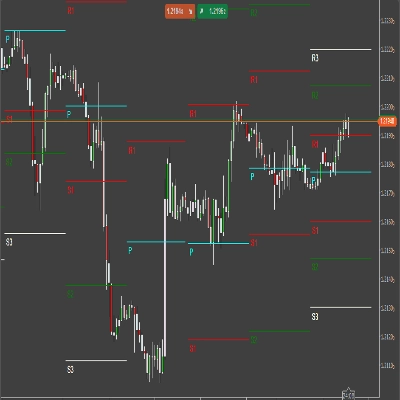
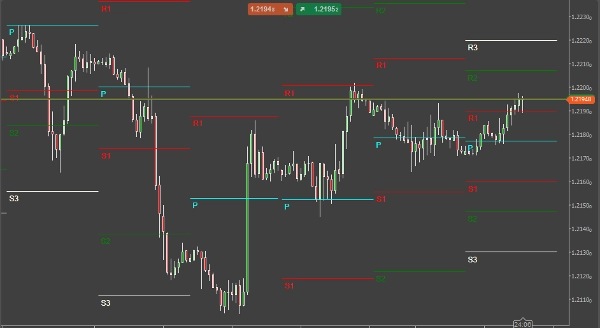
Titik pivot adalah indikator analisis teknikal yang digunakan untuk menentukan tren keseluruhan pasar menggunakan berbagai kerangka waktu dan berperan dalam mengidentifikasi level support dan resistance. Kerangka waktu yang paling populer untuk indikator titik pivot adalah harian.
Cara Menyesuaikan Indikator
Anda dapat dengan mudah mematikan level support dan resistance 1,2 dan 3 sehingga Anda hanya dapat melihat titik pivot utama, ini dilakukan di pengaturan Show R/S. Istilah R/S berarti level resistance dan support.
Formula Titik Pivot yang Tersedia
Ada beberapa opsi untuk perhitungan di mana level support dan resistance ditampilkan, indikator ini memungkinkan pilihan 3.
- Standar (Klasik)
- Fibonacci
- Woodie
Opsi Multi-Kerangka Waktu
Indikator ini juga memiliki opsi untuk menampilkan titik pivot dari kerangka waktu yang berbeda pada grafik Anda yang mungkin menunjukkan kerangka waktu yang berbeda, kerangka waktu yang tersedia adalah sebagai berikut:
- Kerangka waktu grafik saat ini
- 1 jam
- 4 jam
- Harian
- Mingguan
- Bulanan
Cara Berdagang Dengan Indikator
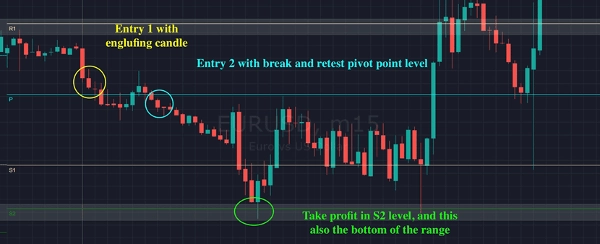
Contoh cara berdagang dengan indikator ini ditunjukkan di bawah ini:
- Entry 1: penolakan oleh level R1 dan ada candle engulfing
- Entry 2: breakout titik pivot dan retest kembali
- Take Profit: mencapai level S2 dan ini juga merupakan bagian bawah dari rentang
Ringkasan
It offers multi-timeframe functionality, enabling the visualization of pivot points from various timeframes such as the current chart timeframe, 1-hour, 4-hour, daily, weekly, and monthly. This flexibility helps traders analyze market conditions across different periods.
The indicator is primarily used to find pullback entries within trends. Typical trading strategies include entering on rejection at resistance levels confirmed by candlestick patterns (e.g., engulfing candles), entering on breakout and retest of pivot points, and setting take profit targets at specified support levels like S2.
Overall, [CB] Pivot Points Pro facilitates the identification of trend direction and potential reversal or continuation points by plotting pivot levels and their associated support and resistance zones across multiple timeframes and calculation methods.
Diskusi
Ulasan pelanggan
5 | 33 % | |
4 | 67 % | |
3 | 0 % | |
2 | 0 % | |
1 | 0 % |