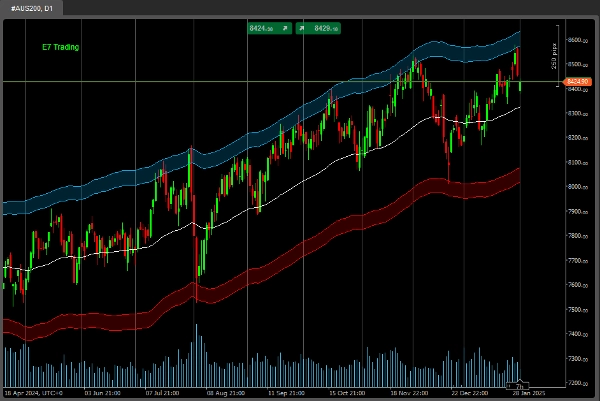
Beschreibung
Wie von vielen von Ihnen gewünscht, arbeiten wir nun intensiv daran, Beispiele für einige unserer Machine-Learning-Codes und -Pakete bereitzustellen.
TensorFlow, PyTorch, Keras, Numpy, Pandas und viele weitere .NET-Pakete, um in cTrader loszulegen.
Unsere Mission ist es, Machine Learning in cTrader für alle einfacher zu machen.
Viel Erfolg bei der Suche!
*** Dieser Code handelt nichts (er gibt nur Daten usw. aus). Es ist einfach Beispielcode, wie Sie mit unseren Machine-Learning-Paketen eigene KI-Modelle erstellen können.
.......................................................
using System;
using System.Collections.Generic;
using System.Linq;
using System.Text;
using cAlgo.API;
using cAlgo.API.Collections;
using cAlgo.API.Indicators;
using cAlgo.API.Internals;
using NumSharp;
using np = NumSharp.np;
using Shape = NumSharp.Shape;
using PandasNet;
using static PandasNet.PandasApi;
namespace cAlgo.Robots
{
[Robot(TimeZone = TimeZones.UTC, AccessRights = AccessRights.None)]
public class E7BBKGNumSharpSample : Robot
{
[Parameter("Version 1.01", DefaultValue = "Version 1.01")]
public string Version { get; set; }
[Parameter("Quelle")]
public DataSeries Source { get; set; }
[Parameter("Benötigte Balken", DefaultValue = 50, MinValue = 1, MaxValue = 10000, Step = 1)]
public int BarsRequired { get; set; }
[Parameter("Methodenname", DefaultValue = MethodName.DataSplitPrints)]
public MethodName Mode { get; set; }
public enum MethodName
{
DataSplitPrints,
PandasPrints,
NDArrayPrints
}
protected override void OnStart()
{
// Initialisiere alle Indikatoren
}
protected override void OnBar()
{
try
{
if (Mode == MethodName.DataSplitPrints)
{
DataSplitPrints();
}
else if (Mode == MethodName.PandasPrints)
{
PandasPrints();
}
else if (Mode == MethodName.NDArrayPrints)
{
NDArrayPrints();
}
}
catch (Exception ex)
{
Print($"Fehler: {ex.Message}");
if (ex.InnerException != null)
{
Print($"Innere Ausnahme: {ex.InnerException.Message}");
throw;
}
}
}
private float[,] GetDataSet()
{
int startBar = Bars.ClosePrices.Count - BarsRequired;
float[,] inputSignals = new float[BarsRequired, 5];
for (int i = 0; i < BarsRequired; i++)
{
int barIndex = startBar + i;
inputSignals[i, 0] = (float)Bars.OpenPrices[barIndex];
inputSignals[i, 1] = (float)Bars.HighPrices[barIndex];
inputSignals[i, 2] = (float)Bars.LowPrices[barIndex];
inputSignals[i, 3] = (float)Bars.ClosePrices[barIndex];
inputSignals[i, 4] = (float)Bars.TickVolumes[barIndex];
}
return inputSignals;
}
private float[,] GetTargetDataSet()
{
int startBar = Bars.ClosePrices.Count - BarsRequired;
float[,] inputSignals = new float[BarsRequired, 5];
for (int i = 0; i < BarsRequired; i++)
{
int barIndex = startBar + i;
inputSignals[i, 0] = (float)Bars.OpenPrices[barIndex];
inputSignals[i, 1] = (float)Bars.HighPrices[barIndex];
inputSignals[i, 2] = (float)Bars.LowPrices[barIndex];
inputSignals[i, 3] = (float)Bars.ClosePrices[barIndex];
inputSignals[i, 4] = (float)Bars.TickVolumes[barIndex];
}
return inputSignals;
}
/// NumSharp Datenaufteilung Ausgaben
public void DataSplitPrints()
{
// Formatiere Eingabedaten um, damit sie der erwarteten Eingabeform des Modells entsprechen
//var inputShape = new Shape(-1, BarsRequired, 5);
NDArray inputData = np.array<float>(GetDataSet());
Print("Eingabe NDarray: " + string.Join(", ", inputData));
// Formatiere Ziel-Daten um, damit sie der vom Modell erwarteten Ziel-Form entsprechen
//var targetShape = new Shape(-1, 5);
NDArray targetData = np.array<float>(GetTargetDataSet());
Print("Ziel NDarray: " + string.Join(", ", targetData));
// Teile Daten in Trainings- und Testsets auf
int testSize = (int)(0.2 * inputData.shape[0]); // 20% für Tests
var (x_train, x_test) = (inputData[$":{inputData.shape[0] - testSize}"], inputData[$"{inputData.shape[0] - testSize}:"]);
var (y_train, y_test) = (targetData[$":{targetData.shape[0] - testSize}"], targetData[$"{targetData.shape[0] - testSize}:"]);
Print("X_train Daten: " + string.Join(", ", x_train));
Print("X_test Daten: " + string.Join(", ", x_test));
Print("Y_train Daten: " + string.Join(", ", y_train));
Print("Y_test Daten: " + string.Join(", ", y_test));
}
/// PandasNet Ausgaben
public void PandasPrints()
{
// Konvertiere float[,] zu List<Series>
var inputData = GetDataSet();
var targetData = GetTargetDataSet();
var inputSeriesList = new List<Series>();
var targetSeriesList = new List<Series>();
for (int col = 0; col < inputData.GetLength(1); col++)
{
List<float> columnData = new List<float>();
for (int row = 0; row < inputData.GetLength(0); row++)
{
columnData.Add(inputData[row, col]);
}
inputSeriesList.Add(new Series(columnData.ToArray()));
}
for (int col = 0; col < targetData.GetLength(1); col++)
{
List<float> columnData = new List<float>();
for (int row = 0; row < targetData.GetLength(0); row++)
{
columnData.Add(targetData[row, col]);
}
targetSeriesList.Add(new Series(columnData.ToArray()));
}
// Erstelle DataFrames
DataFrame inputDataFrame = new DataFrame(inputSeriesList);
DataFrame targetDataFrame = new DataFrame(targetSeriesList);
Print("Eingabe DataFrame: " + inputDataFrame);
Print("Ziel DataFrame: " + targetDataFrame);
//Print("Eingabe DataFrame: " + string.Join(", ", inputDataFrame));
//Print("Ziel DataFrame: " + string.Join(", ", targetDataFrame));
}
/// Einfache NumSharp NDArray-Ausgaben
public void NDArrayPrints()
{
if (Bars.ClosePrices.Count < BarsRequired)
return;
try
{
// Aufruf Ihrer Eingabedaten float[,]
float[,] inputData = GetDataSet();
// Konvertiere zu NDArray und forme um zu (BarsRequired, 5)
NDArray inputNDArray = np.array(inputData); // NumSharp
Print("Eingabe NumSharp NDarray Daten : " + string.Join(", ", inputNDArray));
Print("Eingabe NumSharp NDarray Form: " + string.Join(", ", inputNDArray.shape));
int erwarteteLänge = BarsRequired * 5;
Print($"Erwartete NumSharp NDarray Länge: {erwarteteLänge}");
Print($"Eingabe NumSharp NDarray Größe: {inputNDArray.size}");
if (inputNDArray.size != erwarteteLänge)
{
Print($"Längenabweichung: Erwartete Länge {erwarteteLänge}, aber Größe {inputNDArray.size} erhalten");
return;
}
}
catch (Exception ex)
{
Print("Ausnahme: " + ex.Message);
Print("StackTrace: " + ex.StackTrace);
Exception innerException = ex.InnerException;
while (innerException != null)
{
Print("Innere Ausnahme: " + innerException.Message);
Print("StackTrace der inneren Ausnahme: " + innerException.StackTrace);
innerException = innerException.InnerException;
}
}
}
}
}
Zusammenfassung
Key functionalities include:
- Data extraction from market bars (open, high, low, close prices, and tick volumes) over a configurable number of bars.
- Conversion of this data into formats compatible with machine learning workflows, including NumSharp NDArrays and Pandas DataFrames.
- Methods to split data into training and testing sets, and to print these datasets for inspection.
- Three operational modes selectable via parameters: DataSplitPrints, PandasPrints, and NDArrayPrints, each demonstrating different data handling approaches.
This sample code aims to facilitate machine learning development inside cTrader by providing foundational examples of data preparation and manipulation using popular ML libraries in a .NET context.