


Açıklama
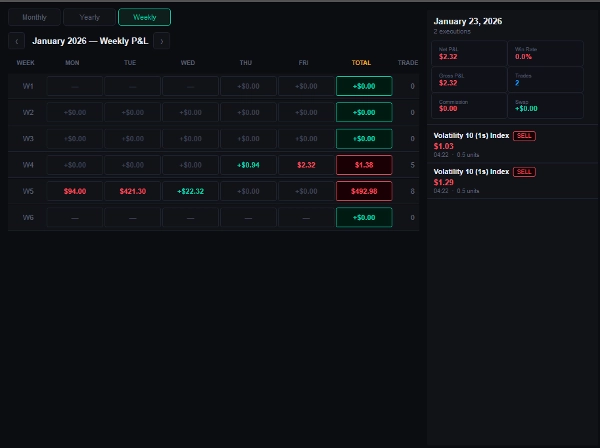
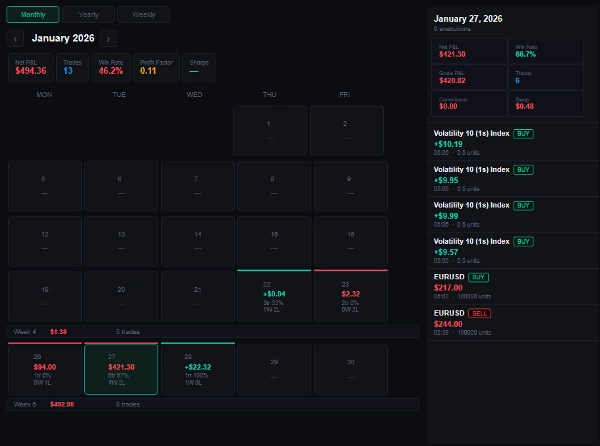
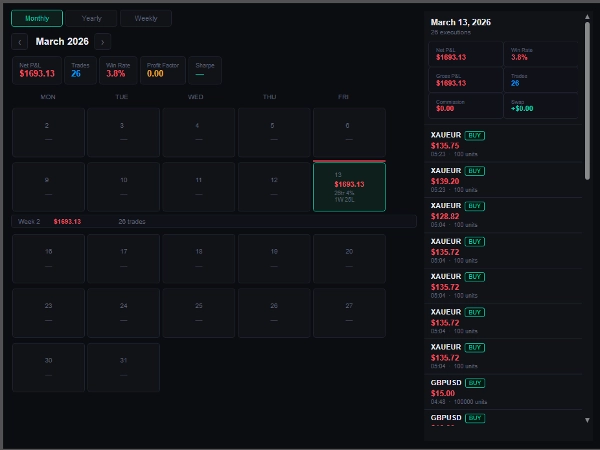
Trade Day Ledger, cTrader işlem geçmişinizi yapılandırılmış bir performans günlüğüne dönüştüren bir TradeWatch panel eklentisidir ve platformdan ayrılmadan herhangi bir gün, hafta veya ay boyunca kâr ve zararınızı net bir şekilde görmenizi sağlar.
İş akışınıza kattıkları: Çoğu trader, performansı sonradan elektronik tablolar veya harici araçlarda inceler. Trade Day Ledger, bu inceleme sürecini doğrudan cTrader içine getirir ve işlemler kapandıkça otomatik olarak güncellenir, böylece günlüğünüz her zaman güncel kalır.
Nasıl entegre olur., Eklenti TradeWatch panelinizin içinde bir sekme olarak görünür. Hesabınızın işlem geçmişinden doğrudan okur — kurulum, ithalat veya internet bağlantısı gerekmez. Açın ve verileriniz zaten oradadır.
Ana ayarlar ve parametreler
- Komisyonu Dahil Et — net kâr ve zarar hesaplamanıza komisyonu dahil edin
- Swap'ı Dahil Et — net kâr ve zarar hesaplamanıza swap'ı dahil edin
- Sembol Filtresi — belirli bir sembol girin (örneğin, EURUSD), joker karakter deseni (örneğin, *USD) veya her şeyi görmek için ALL olarak bırakın
Tipik kullanım durumları
- Stratejinizin en iyi performans gösterdiği günleri ve seansları incelemek
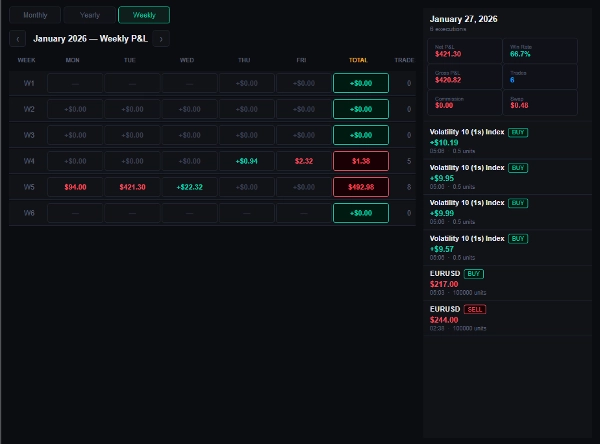
- Hafta veya ay bazında kayıp serilerini, büyümeden önce tespit etmek
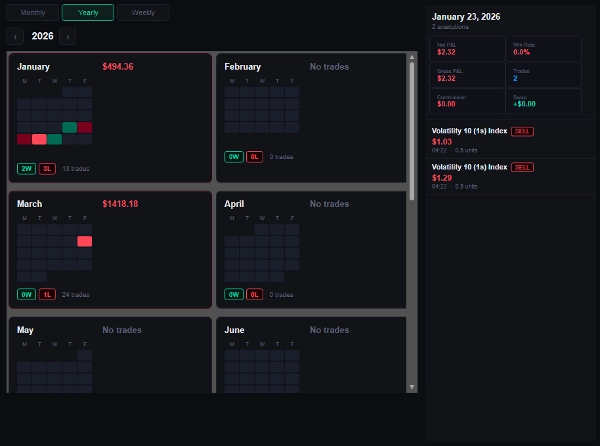
- Yıllık ısı haritasında tam bir yıl boyunca aylık performansı karşılaştırmak
- Bireysel işlemleri denetlemek için belirli bir güne detaylı bakmak
En uygun olduğu kullanıcılar: Tutarlı bir strateji yürüten ve performansını platformdan ayrılmadan takip etmek isteyen her cTrader kullanıcısı. Manuel traderlar, algoritmik traderlar ve temiz günlük kâr ve zarar kaydı tutması gereken prop firma katılımcıları için eşit derecede uygundur.
Sınırlamalar ve kullanım notları
- Sadece kapanmış işlem geçmişini gösterir — açık pozisyonlar dahil değildir
- Performans metrikleri (Kâr Faktörü, Sharpe Oranı) şu anda görüntülenen filtrelenmiş veri setinden hesaplanır
- cTrader'ı destekleyen tüm brokerlarda demo ve canlı hesaplarda çalışır
Özet
Key features include toggles to include commission and swap in net P&L calculations, and a symbol filter allowing you to view specific instruments or all trades. It supports demo and live accounts across all brokers compatible with cTrader.
Typical use cases involve reviewing strategy performance by day or session, identifying losing streaks by week or month, comparing monthly results in a yearly heat-map, and auditing individual trade executions. The plugin suits manual traders, algorithmic traders, and prop firm participants who need a clean daily P&L record integrated into cTrader.
Performance metrics such as Profit Factor and Sharpe Ratio are calculated based on the filtered data currently displayed. Open positions are not included in the analysis.
Tartışma
Müşteri değerlendirmeleri
SSS
Bu oluşturanın diğer ürünleri










Fiyat