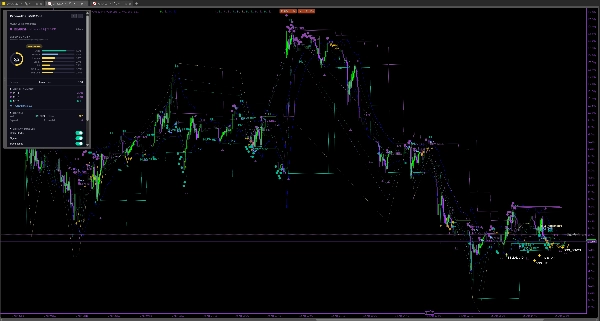
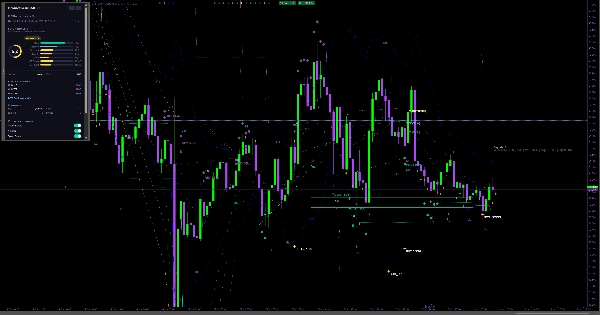
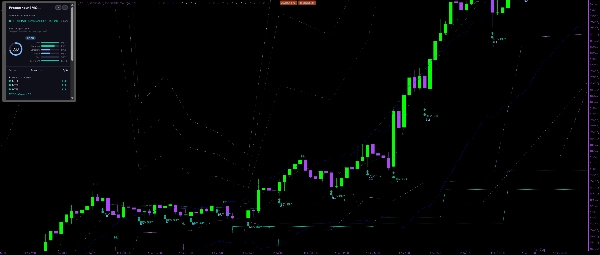
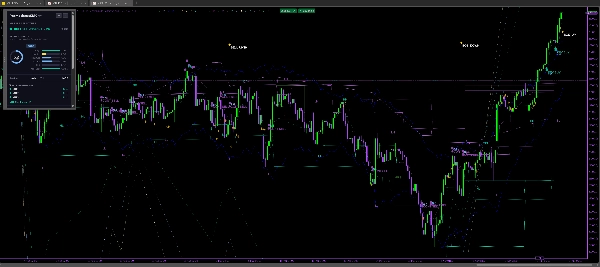
Penerangan
Apa yang Dianalisis oleh PrometheusSMC
PrometheusSMC membaca struktur harga, volum, dan volatiliti merentasi pelbagai jangka masa untuk mengenal pasti di mana aktiviti institusi paling mungkin mempengaruhi harga. Ia memproses enam lapisan data pada setiap bar:
- Struktur pasaran — puncak/lekuk ayunan (terlewat oleh bar StructureStrength untuk pengesahan), BOS (sambungan tren), dan CHoCH (pembalikan arah)
- Blok pesanan — zon di mana pesanan institusi mungkin terkumpul, ditapis oleh volum yang melebihi OB Volume Threshold sisihan piawai di atas purata
- Jurang Nilai Adil — ketidakseimbangan harga 3-lilin dengan penjejakan pengisian; zon-zon dikeluarkan apabila harga berdagang melalui badan jurang (bukan hanya tepi)
- Sapu kecairan — mengesan apabila harga melebihi titik ayunan sebelumnya sebelum berbalik, corak pemburuan hentian klasik
- Rejim tren — persilangan EMA digabungkan dengan penapis volatiliti ADX dan lebar Jalur Bollinger untuk mengklasifikasikan pasaran sebagai tren, julat, atau bergelora
- Konteks sesi — mengenal pasti jam zon mati (07:00 dan 11:00 UTC) di mana isyarat dikurangkan untuk mengurangkan bunyi
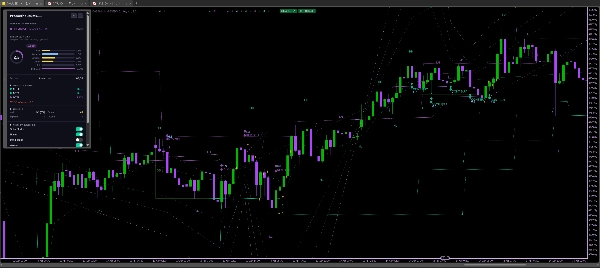
Cara Mentafsir Isyarat dan Elemen Visual
Anak panah dan label:
- Anak panah REV BUY / REV SELL menandakan CHoCH (Perubahan Watak) — tanda pertama tren mungkin berbalik
- Anak panah CONT BUY / CONT SELL menandakan BOS (Pecahan Struktur) — sambungan tren
- Warna anak panah mencerminkan tahap kualiti persediaan: sian = TINGGI, hijau = BAIK, ungu = SEDERHANA, biru langit = SEDERHANA, kuning = LEMAH, kelabu = BURUK
Zon berwarna:
- Segi empat hijau/ungu menandakan blok pesanan bullish/bearish; zon-zon pudar apabila diatasi
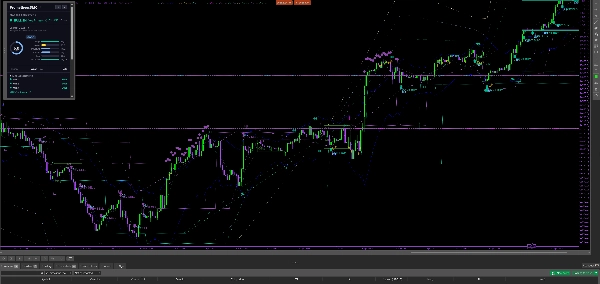
- Garis titik teal/ungu menandakan Jurang Nilai Adil yang belum diisi; ia hilang apabila harga berdagang melalui jurang
- Garis sauh ungu/sian memanjang dari titik CHoCH menunjukkan asal pembalikan
Tahap TP/SL:
- TP1 dan TP2 menggunakan pengganda tetap dari kemasukan (lalai 1.5× dan 2.5× risiko)
- TP3 mensasarkan kolam kecairan bertentangan (titik ayunan terdekat atau blok pesanan di atas/bawah kemasukan) — sasaran struktur untuk pergerakan besar
- SL diletakkan di ekstrem blok pesanan dengan penampan pengganda yang boleh dikonfigurasikan
Papan pemuka menunjukkan tren semasa, skor persediaan aktif, penjajaran MTF merentasi tiga jangka masa, status sesi, kehadiran sapuan dan FVG, serta saiz posisi yang dikira berdasarkan peratus risiko akaun anda.
Tetapan dan Parameter Utama
Kekuatan Struktur (lalai: 4) — Bar untuk mengesahkan titik ayunan. Lebih tinggi = kurang tetapi pecahan struktur lebih signifikan.
Tempoh Lihat Kembali (lalai: 12) — Bar untuk purata volum dan imbasan OB.
Ambang Volum OB (lalai: 1.8σ) — Berapa banyak volum mesti melebihi purata untuk mengesahkan blok pesanan.
Skor Minimum untuk Isyarat (lalai: 6, julat: 0-10) — Pintu kualiti. Isyarat hanya muncul apabila skor komposit memenuhi ambang ini.
Berat Bonus Sapuan (lalai: 1.0) — Berapa banyak sapuan kecairan sebelum CHoCH meningkatkan skor persediaan.
Berat Bonus FVG (lalai: 0.5) — Berapa banyak kedekatan dengan FVG yang belum diisi meningkatkan skor persediaan.
Bar Lihat Kembali Sapuan (lalai: 0 / auto) — Sejauh mana untuk melihat kembali titik ayunan semasa memeriksa sapuan. Auto = Kekuatan Struktur × 4. Tingkatkan ke 100-200 pada jangka masa lebih rendah untuk menangkap sapuan tahap harian.
Aktifkan TP Berasaskan Struktur (lalai: hidup) — Apabila diaktifkan, TP3 mensasarkan titik ayunan bertentangan atau blok pesanan dan bukannya pengganda tetap.
Jangka Masa MTF1 / MTF2 / MTF3 (lalai: 60 / 240 / 1440 min) — Tiga jangka masa lebih tinggi untuk skor penjajaran.
Risiko Per Perdagangan % (lalai: 1.0%) — Digunakan untuk pengiraan saiz posisi pada papan pemuka.
Tunjukkan Papan Pemuka (lalai: hidup) — HUD pada carta dengan skor, tren, dan penjajaran MTF.
Gunakan Papan Pemuka WebView (lalai: mati) — Papan pemuka HTML yang diperluas dengan lebih banyak butiran. Memerlukan cTrader Desktop Windows atau macOS.
Kes Penggunaan Tipikal
Scalping pada 1-5m dengan konteks struktur: Tetapkan Kekuatan Struktur kepada 2-3 untuk isyarat lebih pantas, turunkan Skor Minimum untuk Isyarat kepada 5, dan gunakan MTF 60m untuk bias. Peta haba keyakinan membolehkan anda melangkau kemasukan berkualiti rendah dengan cepat.
Intraday pada 15m: Tetapan lalai berfungsi dengan baik. Perhatikan anak panah CHoCH dengan bonus sapuan (sian/hijau) semasa sesi London atau New York. Ambil TP1 dengan cepat, biarkan TP3 berjalan ke kolam kecairan bertentangan.
Swing pada 1H/4H: Tingkatkan Kekuatan Struktur kepada 5-6 untuk pecahan struktur yang signifikan. Tetapkan Bar Lihat Kembali Sapuan kepada 200+ untuk menangkap sapuan puncak/lekuk mingguan. Tingkatkan Skor Minimum untuk Isyarat kepada 7-8 untuk kemasukan yang kurang tetapi berkualiti tinggi.
Penapis konfluens: Aktifkan penjajaran MTF dan perlukan sekurang-kurangnya 2 daripada 3 jangka masa bersetuju dengan arah isyarat sebelum masuk.
Siapa yang Sesuai Menggunakan Penunjuk Ini
PrometheusSMC dibina untuk pedagang yang sudah memahami Konsep Wang Pintar (blok pesanan, Jurang Nilai Adil, sapuan kecairan, struktur pasaran) dan mahukan sistem berasaskan peraturan yang konsisten untuk mengenal pasti dan menilai persediaan. Ia bukan perkhidmatan isyarat plug-and-play
— penilaian kualiti memerlukan anda memahami maksud komponen dan melarasnya mengikut instrumen dan jangka masa anda.
Tahap pengalaman: Sederhana hingga lanjutan. Pemula boleh menggunakannya untuk belajar SMC dengan melihat bagaimana struktur, OB, dan FVG berinteraksi, tetapi harus berdagang kertas terlebih dahulu dan mengkaji pecahan skor sebelum mempertaruhkan modal.
Gaya perdagangan: Pedagang intraday dan swing pada forex, indeks (US30, NAS100), dan emas (XAUUSD). Scalper boleh menggunakannya dengan kekuatan struktur yang dikurangkan. Ia termasuk pratetap untuk XAUUSD, US30, NAS100, dan pasangan forex utama.
Had dan Nota Penggunaan Penting
- Tidak melukis semula: Siri output (anak panah, label, zon) hanya muncul pada bar yang disahkan. Bar langsung mengemas kini penilaian dalaman secara responsif, tetapi keadaan struktur (titik ayunan, arah tren, blok pesanan, FVG) hanya disahkan pada penutupan bar. Ini bermakna
bar terakhir pada carta anda mungkin berubah apabila harga bergerak — ini adalah tingkah laku yang dijangka dan betul
- Tiada jaminan keuntungan: PrometheusSMC mengenal pasti struktur dan menilai konfluens; ia tidak meramalkan arah. Mana-mana persediaan boleh gagal. Sentiasa gunakan pengurusan risiko yang betul dan jangan pernah mempertaruhkan lebih daripada yang anda mampu kehilangan
- Papan Pemuka WebView memerlukan cTrader Desktop pada Windows atau macOS. Ia tidak akan dipaparkan pada cTrader Web atau Mudah Alih. Papan pemuka pada carta berfungsi pada semua platform
- Instrumen pratetap (XAUUSD, US30, dll.) melaras kekuatan struktur, tempoh EMA, dan ambang OB untuk setiap pasaran. Jika instrumen anda tidak ada dalam senarai pratetap, mulakan dengan lalai dan laraskan dari situ
- Prestasi sejarah yang ditunjukkan oleh mana-mana ujian semula atau main balik carta tidak menjamin keputusan masa depan. Isyarat lalu yang kelihatan pada carta mungkin kelihatan lebih baik daripada yang sebenarnya dalam masa nyata disebabkan oleh sifat output hanya bar yang disahkan