Opis
Ważne uwagi:
Do poprawnego wyświetlania / rozmiarów wartości w panelach wymagane jest zainstalowanie tego niestandardowego fontu na Twoim komputerze
Sprawdź sekcję Dyskusji, aby znaleźć link
Zostaw komentarz w sekcji Dyskusji lub skontaktuj się bezpośrednio, jeśli nie możesz zobaczyć / pobrać ostatniej wersji
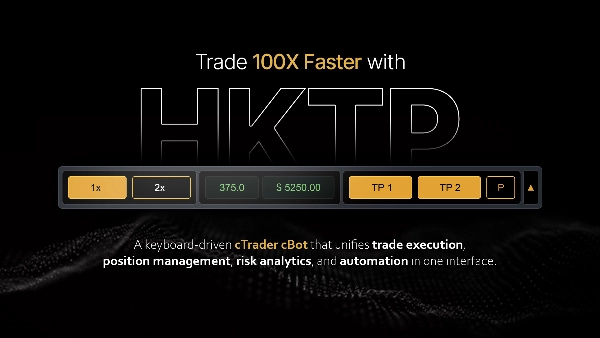
cBot cTrader do szybkiego, opartego na ryzyku handlu manualnego. Oblicza wielkość każdej pozycji na podstawie stałego ryzyka dolarowego, otwiera transakcje za pomocą skrótów klawiszowych lub interaktywnych poziomów cenowych, zarządza stopami i częściowymi wyjściami oraz egzekwuje limit strat na całe konto.
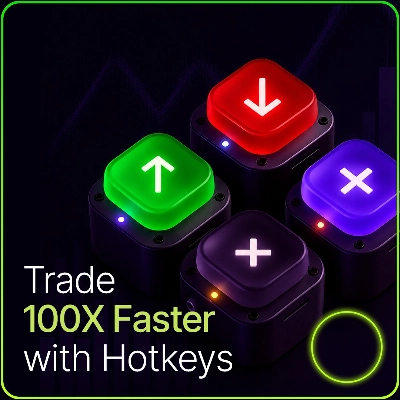
Wybierz preset ryzyka dolarowego. Naciśnij klawisz, aby kupić lub sprzedać; wielkość lota jest obliczana tak, aby odległość stop-lossa ryzykowała dokładnie tę kwotę. Opcjonalne automatyczne cele realizują częściowy zysk na ustalonych odległościach. Limit obsunięcia zamyka wszystko, jeśli kapitał konta spadnie zbyt nisko.
Główna koncepcja: Wielkość oparta na ryzyku
- Panel działa w trybie ryzyka dolarowego. Wybierasz jeden z trzech presetów ryzyka (np. 15 $, 30 $, 50 $). Przy wejściu wielkość lota jest wyliczana tak, aby ruch ceny od wejścia do stop-lossa ryzykował tę kwotę: lots = riskAmount / (stopLossPips × pipValue)
- Jeśli stop jest zbyt ciasny, aby preset mógł się zmieścić przy minimalnym locie brokera, wejście jest zablokowane zamiast cichego nadmiernego ryzyka, a panel pokazuje Sprawdź ryzyko komunikat ostrzegawczy. Poszerz stop lub zmień preset ryzyka.
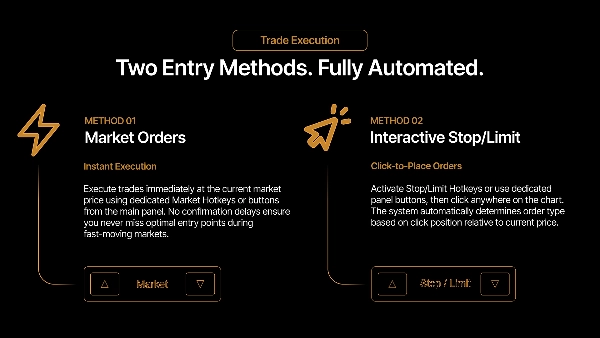
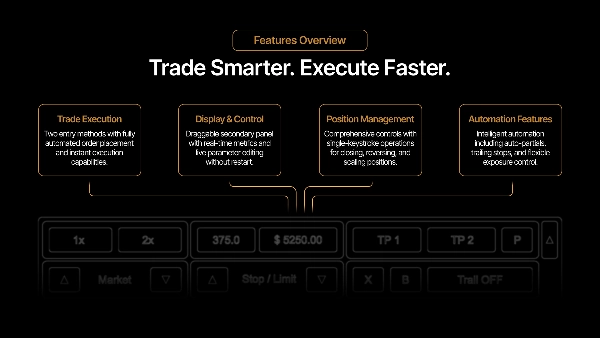
Wejścia: Dwa sposoby wejścia, oba wykorzystujące powyższe ustalanie wielkości ryzyka
- Skróty klawiszowe rynku. Klawisze Kup i Sprzedaj otwierają natychmiast po cenie rynkowej.
- Pole zlecenia oczekującego. Skrót klawiszowy rysuje na wykresie przeciągalne pole, którego wysokość odpowiada odległości stopu. Przeciągnij je do żądanej ceny, uzbrój, a zlecenie zostanie zrealizowane jako wejście rynkowe, gdy cena dotknie środkowej linii pola. Zmieniaj rozmiar pola tylko przez zmianę stop-lossa w panelu; pionowe przeciąganie przesuwa je. Ponowne naciśnięcie tego samego kierunku ukrywa pole; przeciwny kierunek przełącza je.
Domyślnie zapobiega się pozycjom w przeciwnych kierunkach, więc Kupno podczas pozycji krótkiej jest ignorowane zamiast hedgingu.
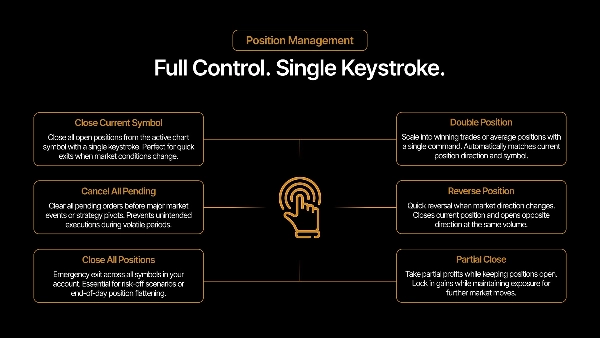
Zarządzanie pozycją
- Częściowe zamknięcie - Zamyka ustalony procent pozycji; jeśli pozostała część byłaby poniżej minimalnego lota brokera, zamyka ją w całości.
- Zmniejszenie stop-lossa - Przesuwa stop o ustalony krok bliżej wejścia. Nie przekroczy aktualnej ceny.
- Break-even - Przesuwa stop do poziomu wejścia. Nie zadziała, jeśli cena nie przekroczyła wejścia.
- Podwojenie - Podwaja wolumen pozycji (dokładanie), do opcjonalnego limitu.
- Odwrócenie - Zamyka i otwiera ponownie w przeciwnym kierunku.
- Zamknięcie - Zamknij bieżący symbol lub wszystkie symbole.
Podwajanie i dokładanie łączą się w jedną pozycję cTrader z uśrednionym wejściem. cBot śledzi indywidualne realizacje wewnętrznie, więc szacunki zysków z częściowego wyjścia odzwierciedlają rzeczywiste ceny poszczególnych realizacji, a nie tylko uśrednioną wartość.
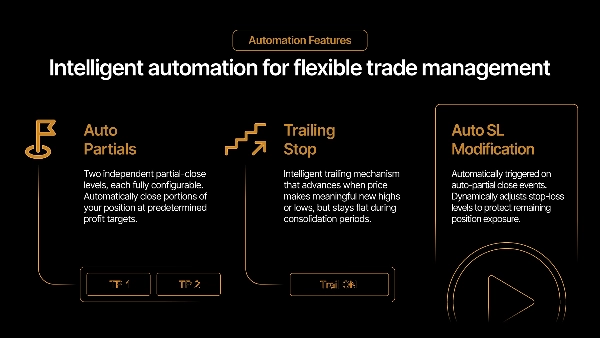
Automatyczne realizacje celów
- Dwa opcjonalne poziomy automatycznego częściowego realizowania zysku. Każdy ma własną odległość (pipsy) i procent wolumenu. Gdy cena osiąga poziom, ten procent jest zamykany od najstarszych realizacji (FIFO). TP2 realizuje swój procent z pozostałej części po TP1.
- Włączone poziomy rysują linię i etykietę na wykresie pokazującą odległość i szacowany zysk na tym poziomie. Szacunek zysku jest skalibrowany na podstawie wartości pozycji na żywo na platformie, więc dokładnie odzwierciedla zrealizowaną wartość brokera; na pozycji z dokładaniem pozostaje niewielka reszta z zaokrągleń cen w danych udostępnianych przez platformę.
- Opcjonalne działania następcze: zmniejszenie stopu o połowę po realizacji TP1 oraz przesunięcie stopu do break-even po TP2.
Ochrona przed obsunięciem
- Domyślnie włączona. Jeśli kapitał konta spadnie do saldo początkowe − maksymalna strata, wszystkie pozycje na koncie są zamykane, a nowe wejścia blokowane do momentu resetu z panelu.
- Przy włączonym śledzeniu limit podąża za kapitałem konta w górę — wyzwalacz staje się szczytowy kapitał − maksymalna strata — zabezpieczając zyski zamiast mierzyć od salda początkowego.
Panele
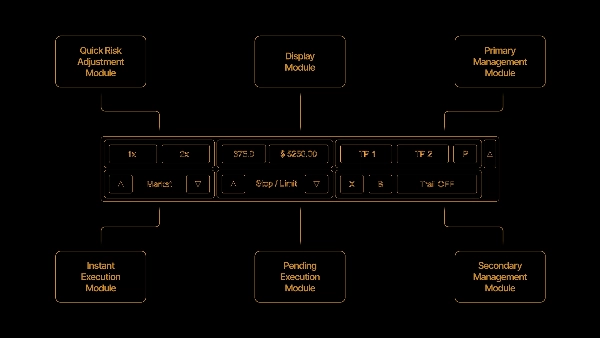
- Główny panel pokazuje ekspozycję (otwarte ryzyko), aktualne pipsy i wartość, wielkość lota, presety ryzyka oraz przyciski wejścia i zarządzania.
- Panel pomocniczy pokazuje zysk sesji, stan ochrony przed obsunięciem z pozostałym marginesem oraz przycisk resetu sesji.
Uwagi i ograniczenia
- Hedging jest wyłączony z założenia; pozycje w przeciwnych kierunkach są zapobiegane.
- Wartości zysku i ekspozycji są szacunkami skalibrowanymi na podstawie wartości na żywo na platformie i mogą różnić się od zrealizowanych przez brokera o kilka centów, głównie z powodu zaokrągleń cen i momentu naliczania prowizji/swapów.
- Automatyczne cele i częściowe zamknięcia działają tylko na symbolu wykresu; "zamknij wszystko" i ochrona przed obsunięciem działają na całe konto.
Podsumowanie
The panel manages positions with features including partial closes, stop-loss adjustments, breakeven stops, position doubling (scaling-in), reversing trades, and closing single or all symbols. It supports two automatic partial take-profit levels with configurable distances and volume percentages, displaying profit estimates and chart markers. Optional follow-up actions adjust stops after take-profits trigger.
Risk management includes an account-wide drawdown protection that closes all positions and blocks new entries if equity falls beyond a set limit, with an optional trailing feature to lock in gains. The main panel displays exposure, live pips and value, lot size, risk presets, and trade controls, while a secondary panel shows session profit and drawdown status.
Hedging is disabled; opposite-direction entries are prevented. Profit and exposure figures are estimates calibrated from live platform data. The tool supports stop, limit, stop-limit, and market orders, suitable for scalping and trend strategies with medium trade frequency. Recommended minimum account balance is $1,000.
Opinie klientów
5 | 100 % | |
4 | 0 % | |
3 | 0 % | |
2 | 0 % | |
1 | 0 % |