
Descrição
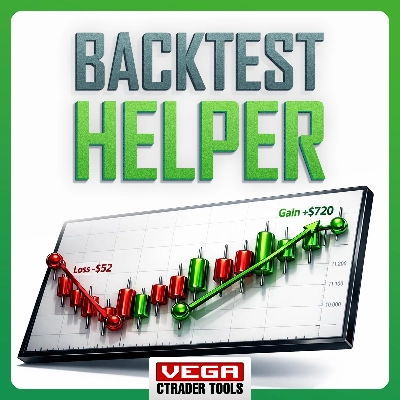
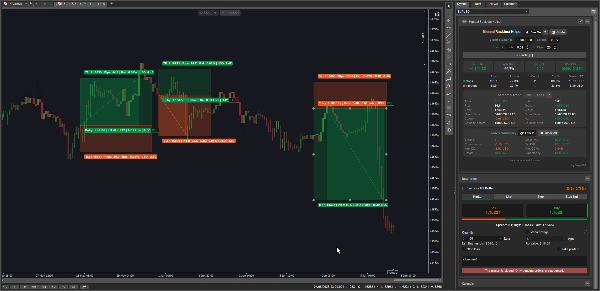
Manual Backtest Helper é um plugin cTrader que permite gravar, pontuar e analisar suas estratégias diretamente no gráfico — sem planilhas, sem ferramentas externas, sem exportar dados.
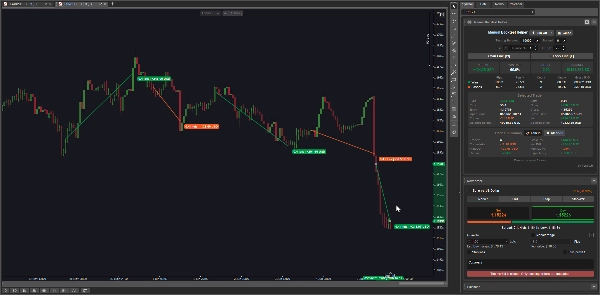
Você desenha suas operações visualmente, e o plugin calcula instantaneamente sua taxa de acerto, fator de lucro, lucro/prejuízo líquido, máxima perda, expectativa, e mais. Tudo é atualizado em tempo real conforme você adiciona ou edita operações.
Ele foi criado para:
- Traders discricionários que querem testar manualmente uma estratégia em dados históricos de preços
- Traders em desenvolvimento que constroem um histórico de suas configurações antes de operar ao vivo
- Revisores de estratégia que querem reproduzir operações passadas e medir a vantagem objetivamente
- Qualquer pessoa que queira responder à pergunta: “Minha estratégia realmente tem uma vantagem?”
--------------- ATENÇÃO: Este plugin não funciona bem no macOS no momento ---------------
Principais Recursos
📊 Dois Modos de Gravação
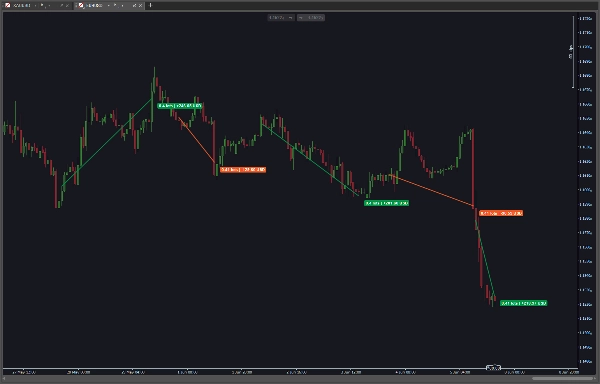
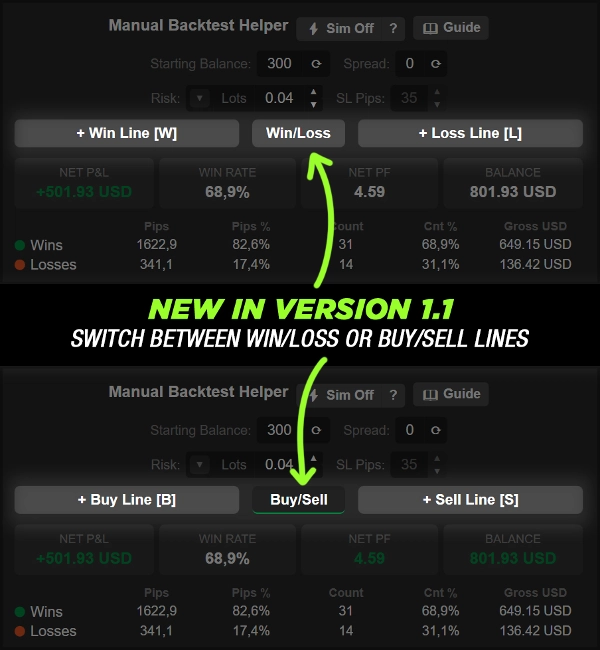
- Modo Manual — Desenhe uma vitória ou derrota como uma linha de tendência simples entre dois pontos de preço. A direção (COMPRA/VENDA) é inferida automaticamente pelo ângulo da linha
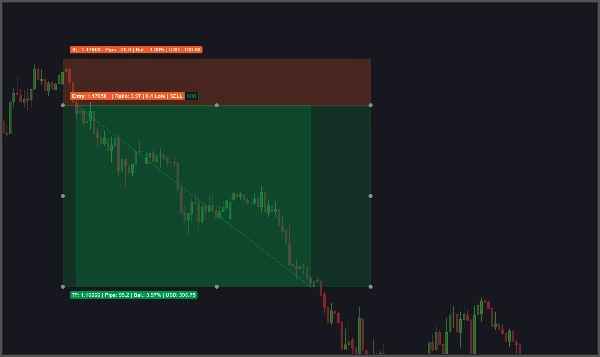
- Modo Sim (⚡) — Clique para colocar uma configuração completa de operação com entrada, alvo de lucro e stop loss. O plugin escaneia para frente através das velas e resolve automaticamente o resultado como vitória ou derrota
🎯 Resolução Automática de Operações (Modo Sim)
- Escaneia vela por vela para determinar se o alvo ou o stop loss foi atingido primeiro
- Marca operações como Ambíguas quando ambos os níveis são tocados na mesma vela
- Operações ambíguas podem ser manualmente alteradas para Vitória ou Derrota diretamente do inspetor
💰 Três Modos de Risco
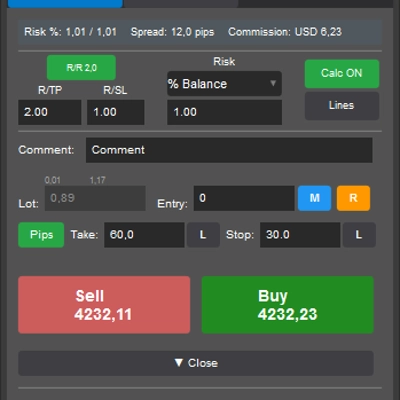
- Lotes Fixos — insira um tamanho de lote específico diretamente
- % do Saldo — insira uma porcentagem do saldo inicial para arriscar; o tamanho do lote é calculado automaticamente a partir dos pips do SL
- Valor Monetário — insira um valor fixo em moeda para arriscar; o tamanho do lote é calculado automaticamente a partir dos pips do SL
📐 Motor de Cálculo do Tamanho do Lote
- Calcula automaticamente o tamanho correto do lote a partir do valor de risco e dos pips do SL
- Ajusta para o passo mínimo de volume do símbolo
- Limita ao volume mínimo e máximo permitido do símbolo
🔢 Entradas Configuráveis
- Saldo Inicial — digitado manualmente ou sincronizado da conta ao vivo com um clique
- Spread — digitado manualmente ou copiado do símbolo do gráfico ao vivo com um clique
- Pips do SL — a distância do stop loss usada para cálculo do tamanho do lote e desenho da operação Sim
- Fáceis botões spinner ▲ / ▼ para ajustes incrementais rápidos
📈 Indicadores KPI ao Vivo
Três métricas principais sempre visíveis que atualizam em tempo real conforme operações são adicionadas ou editadas:
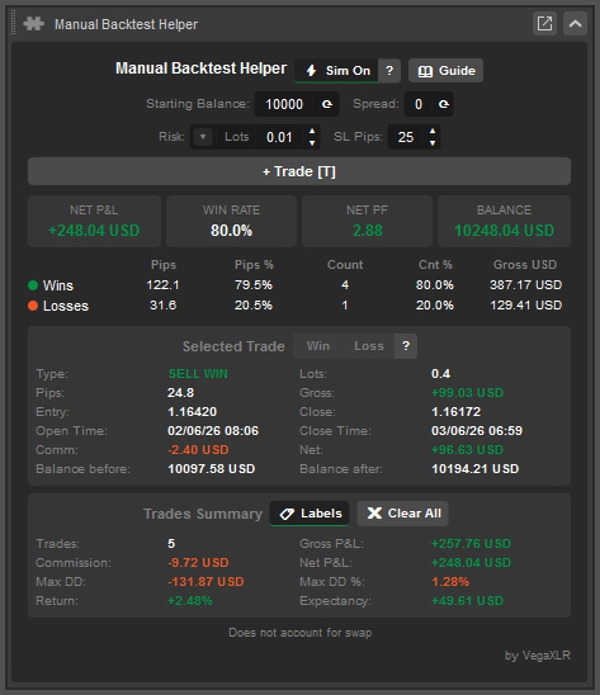
- LUCRO/PREJUÍZO LÍQUIDO — lucro/prejuízo total de todas as operações após comissão
- TAXA DE ACERTO — porcentagem de operações que foram vencedoras
- FATOR DE LUCRO LÍQUIDO — Fator de Lucro Líquido
- Saldo — Saldo após o backtest
📋 Tabela de Estatísticas de Vitórias/Derrotas
Detalhamento lado a lado de vitórias e derrotas em cinco colunas:
- Total de Pips
- % de Pips do total de pips movimentados
- Contagem de Operações
- % da Contagem do total de operações
- Valor monetário bruto
🔍 Inspetor por Operação
Clique em qualquer operação no gráfico para ver seus detalhes completos:
- Tipo (ex: COMPRA VITÓRIA, VENDA DERROTA, COMPRA AMBÍGUA)
- Tamanho do lote
- Pips ganhos ou perdidos
- Lucro/Prejuízo Bruto
- Preço de entrada e fechamento
- Timestamp de abertura e fechamento
- Comissão
- Lucro/Prejuízo Líquido (após comissão)
- Saldo antes da operação selecionada
- Saldo após a operação selecionada
📑 Seção de Resumo das Operações
Estatísticas ao nível do gráfico para todas as operações registradas:
- Contagem total de operações
- Lucro/Prejuízo Bruto
- Comissão total
- Lucro/Prejuízo Líquido
- Máxima perda (moeda)
- Porcentagem da máxima perda
- Retorno % sobre o saldo inicial
- Expectativa (retorno médio líquido por operação)
🏷️ Etiquetas no Gráfico
- Ative ou desative as etiquetas das operações diretamente no cabeçalho do Resumo das Operações
🗑️ Limpar Tudo com Confirmação
- ✖ Limpar Tudo botão remove todas as operações registradas
- Requer um ✓ Confirmação antes de executar, prevenindo exclusão acidental
- ✗ Cancelar interrompe a ação
⌨️ Atalhos de Teclado
- Teclas de atalho configuráveis para ações de desenhar Linha de Vitória, Linha de Derrota e Operação
- Etiquetas dos atalhos são exibidas diretamente nos botões de ação
💾 Estado Persistente
- Todas as operações, configurações e valores da interface são salvos automaticamente
- Totalmente restaurados na próxima vez que o gráfico ou plataforma for aberto
🎨 Interface Sensível ao Tema
- Cores do painel, estados dos botões e texto de status se adaptam ao tema ativo
- Botões alternados destacam para mostrar o modo de desenho ativo
Resumo
The plugin supports two recording modes: Manual Mode, where trades are drawn as trendlines with automatic direction detection, and Sim Mode, which allows placing full trade setups (entry, take profit, stop loss) that automatically resolve outcomes by scanning candle data. Ambiguous trades, where both target and stop loss are hit in the same candle, can be manually classified.
Risk sizing is flexible with three modes: fixed lot size, percentage of starting balance, or fixed monetary amount, with an automatic lot size calculator that respects symbol volume constraints. Configurable inputs include starting balance, spread, and stop loss pips, adjustable via spinner controls.
Users benefit from live KPI tiles showing net P&L, win rate, profit factor, and balance, a detailed win/loss stats table, and a per-trade inspector providing comprehensive trade details. Additional features include on-chart trade labels, keyboard shortcuts, persistent state saving, and a theme-aware user interface. This tool is suited for discretionary traders, strategy developers, and reviewers seeking objective edge analysis.




![Logótipo de "Custom Timeframes [Iridio Capital]"](https://cdn.ctrader.com/image/webp/4d75a920-23c7-4fea-a7b5-594a9d067f2e_63286)