Descrição
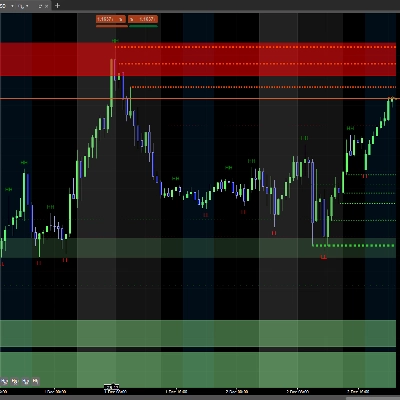
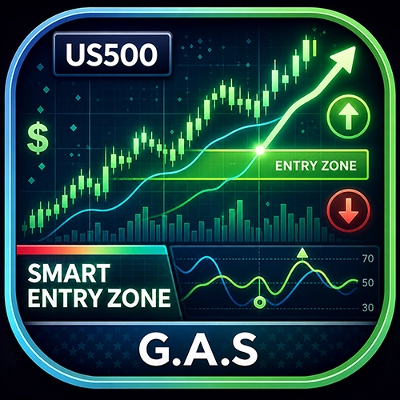
G.A.S - Smart Entry Zone é um indicador de ação de preço para US500 (S&P 500 CFD) que ajuda
os traders a identificar pontos de entrada de alta probabilidade em torno de uma zona de preço definida manualmente.
--- O QUE ELE ANALISA ---
O indicador monitora o comportamento do preço em torno de dois níveis horizontais definidos pelo usuário - os
limites superior e inferior da Smart Entry Zone. Ele acompanha como o preço se aproxima,
atravessa e reage a esses níveis barra a barra, procurando padrões específicos de
confirmação antes de gerar um sinal.
--- COMO INTERPRETAR SINAIS E ELEMENTOS VISUAIS ---
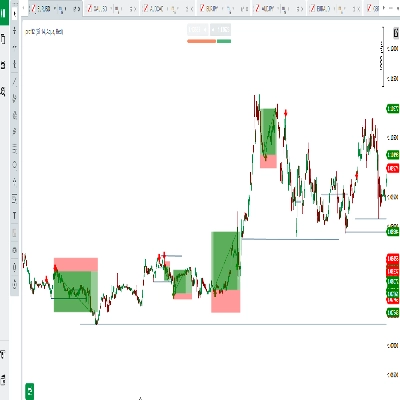
As linhas da zona marcam os limites superior e inferior da zona de entrada para o
dia de negociação selecionado. Três tipos de sinal são detectados:
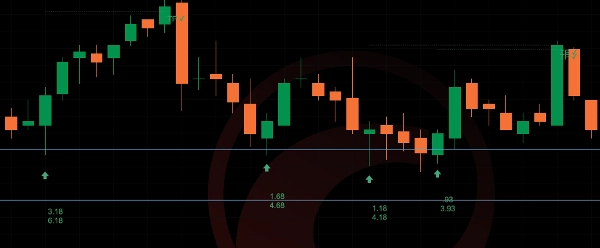
- Caso A - O preço faz pavios através da zona e então fecha novamente fora dela. Uma vela subsequente fechando na direção do rompimento aciona o sinal. Um sinal
por evento de atravessamento (one-shot).
- Caso B - A barra anterior fechou fora da zona, a barra atual faz pavios através dela e
fecha novamente fora. Confirma um reteste do limite da zona.
- Caso C - Na abertura exata da janela de tempo do sinal, o preço já está posicionado
além da zona. A primeira vela confirmatória nessa direção aciona o sinal.
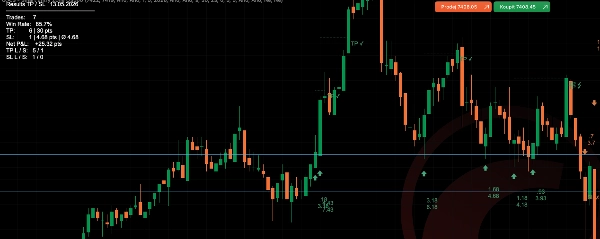
Os sinais são exibidos como setas abaixo (altista) ou acima (baixista) da barra do sinal.
Quando a exibição de TP/SL está ativada, linhas pontilhadas mostram os níveis de take profit e stop loss
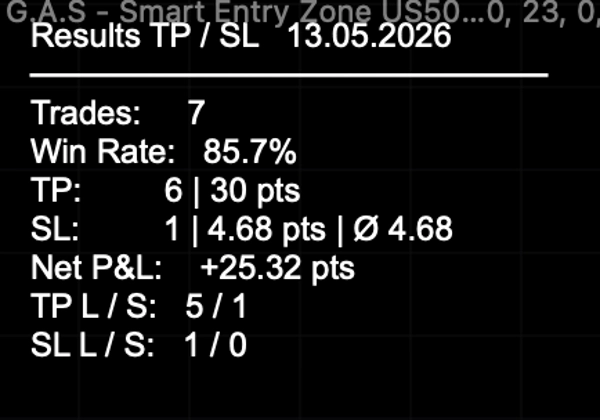
a partir da barra de entrada. Um rótulo TP ou SL marca o resultado quando o nível é atingido.
O rótulo opcional SL Distance mostra em tempo real a distância do preço atual até
o limite da zona de stop loss.
--- CONFIGURAÇÕES E PARÂMETROS PRINCIPAIS ---
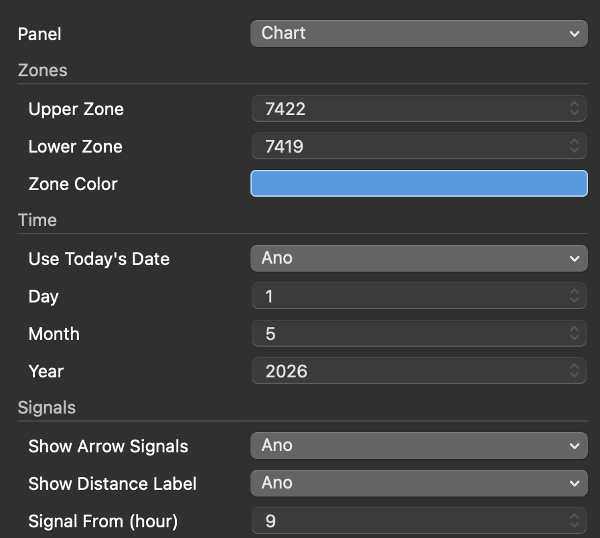
- Zonas: nível de preço superior e inferior, cor da linha, mostrar/ocultar
- Data: usar a data de hoje automaticamente ou definir uma data específica manualmente
- Sinais: ativar setas, configurar janela de tempo (ex. 15:30 / 23:00), lookback de atravessamento
(quantas barras após um atravessamento o sinal permanece válido), rótulos de distância ligado/desligado
- TP/SL: take profit em pontos, mostrar linhas e rótulos, tabela de resultados ligado/desligado,
modo de trade único (uma operação aberta por vez), cores personalizadas
- SL Distance: ativar rótulo, cor personalizada
--- CASOS DE USO TÍPICOS E CENÁRIOS DE NEGOCIAÇÃO ---
O indicador é projetado para negociação intradiária do US500 em um gráfico de 5 minutos. Um fluxo de trabalho típico é: antes da abertura do mercado dos EUA, o trader define os níveis superior e inferior da zona
para o dia. Uma vez que a janela de sinal abre (padrão 15:30 Praga / 09:30 Nova York), o
indicador monitora os setups dos Casos A, B ou C e marca entradas válidas com setas.
O rastreador TP/SL registra automaticamente os resultados ao longo da sessão.
--- PARA QUEM ESTE INDICADOR É MAIS ADEQUADO ---
Traders intermediários a avançados que já possuem uma metodologia intradiária definida e
usam zonas de preço fixas como parte do seu processo decisório. O indicador não
gera zonas automaticamente - o trader deve identificar e inserir os níveis manualmente
todos os dias. Não é adequado para iniciantes que procuram um sistema de sinal totalmente automatizado.
--- LIMITAÇÕES IMPORTANTES E NOTAS DE USO ---
- Os níveis da zona devem ser inseridos manualmente a cada dia de negociação - o indicador não
os calcula automaticamente.
- Projetado e testado para US500 em gráfico de 5 minutos. O comportamento em outros instrumentos
ou períodos de tempo não é garantido.
- As estatísticas de sinais passados mostradas na tabela de resultados são apenas para referência e não
representam garantia de desempenho futuro.
- A janela de tempo do sinal usa o horário de Praga (CET/CEST) internamente. Ajuste as
configurações de hora de início/fim se seu corretor usar um horário de servidor diferente.
Resumo
Signals appear as arrows indicating bullish or bearish entries, with optional automatic tracking and display of take profit (TP) and stop loss (SL) levels, including real-time SL distance labels. Users can customize zone levels, signal time windows, TP/SL parameters, and visual elements. The indicator logs trade statistics throughout the session for performance reference.
Intended for intermediate to advanced traders who incorporate fixed price zones into their intraday strategies, it requires manual input of zone levels daily and is specifically tailored for the US500 instrument. The indicator does not generate zones automatically and is not designed for other instruments or timeframes. Time settings use Prague time internally and should be adjusted if needed.