คำอธิบาย
จุดหมุน (Pivot point) เป็นตัวชี้วัดการวิเคราะห์ทางเทคนิคที่ใช้เพื่อกำหนดแนวโน้มโดยรวมของตลาดโดยใช้กรอบเวลาต่าง ๆ และมีบทบาทในการระบุระดับแนวรับและแนวต้าน กรอบเวลาที่ได้รับความนิยมมากที่สุดสำหรับตัวชี้วัดจุดหมุนคือรายวัน
วิธีปรับตัวชี้วัด
คุณสามารถปิดระดับแนวรับและแนวต้าน 1,2 และ 3 ได้อย่างง่ายดายเพื่อให้เห็นเพียงจุดหมุนหลักเท่านั้น ซึ่งทำได้ในส่วนตั้งค่า Show R/S คำว่า R/S หมายถึงระดับแนวต้านและแนวรับ
สูตรจุดหมุนที่มีให้เลือก
มีตัวเลือกไม่กี่แบบสำหรับการคำนวณตำแหน่งที่แสดงระดับแนวรับและแนวต้าน ตัวชี้วัดนี้อนุญาตให้เลือกได้ 3 แบบ
- มาตรฐาน (คลาสสิก)
- ฟีโบนัชชี
- วูดดี้
ตัวเลือกหลายกรอบเวลา
ตัวชี้วัดนี้ยังมีตัวเลือกให้แสดงจุดหมุนในกรอบเวลาต่าง ๆ บนแผนภูมิของคุณซึ่งอาจแสดงกรอบเวลาที่แตกต่างกัน กรอบเวลาที่มีให้เลือกมีดังนี้:
- กรอบเวลาปัจจุบันของแผนภูมิ
- 1 ชั่วโมง
- 4 ชั่วโมง
- รายวัน
- รายสัปดาห์
- รายเดือน
วิธีเทรดด้วยตัวชี้วัด
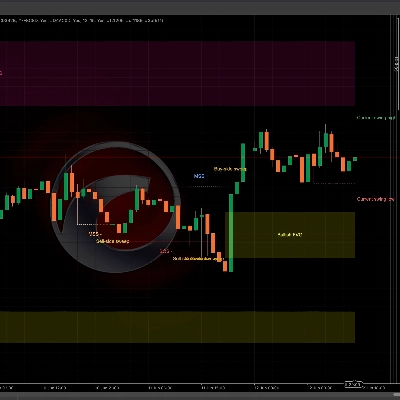
ตัวอย่างวิธีการเทรดด้วยตัวชี้วัดนี้แสดงไว้ด้านล่าง:
- เข้าเทรด 1: ถูกปฏิเสธโดยระดับ R1 และมีแท่งเทียนแบบ engulfing
- เข้าเทรด 2: เบรกเอาท์จุดหมุนและทดสอบใหม่อีกครั้ง
- ทำกำไร: ถึงระดับ S2 และนี่คือจุดต่ำสุดของช่วงราคา
สรุป
It offers multi-timeframe functionality, enabling the visualization of pivot points from various timeframes such as the current chart timeframe, 1-hour, 4-hour, daily, weekly, and monthly. This flexibility helps traders analyze market conditions across different periods.
The indicator is primarily used to find pullback entries within trends. Typical trading strategies include entering on rejection at resistance levels confirmed by candlestick patterns (e.g., engulfing candles), entering on breakout and retest of pivot points, and setting take profit targets at specified support levels like S2.
Overall, [CB] Pivot Points Pro facilitates the identification of trend direction and potential reversal or continuation points by plotting pivot levels and their associated support and resistance zones across multiple timeframes and calculation methods.
การสนทนา
รีวิวจากลูกค้า
5 | 33 % | |
4 | 67 % | |
3 | 0 % | |
2 | 0 % | |
1 | 0 % |