
Descrição
━━━━━━━━━━━━━━━━━━━━━━━━━━━━━━━━━━━━━━━━
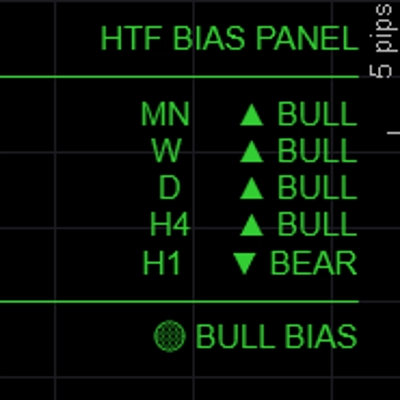
Painel de Viés HTF — Viés
━━━━━━━━━━━━━━━━━━━━━━━━━━━━━━━━━━━━━━━━
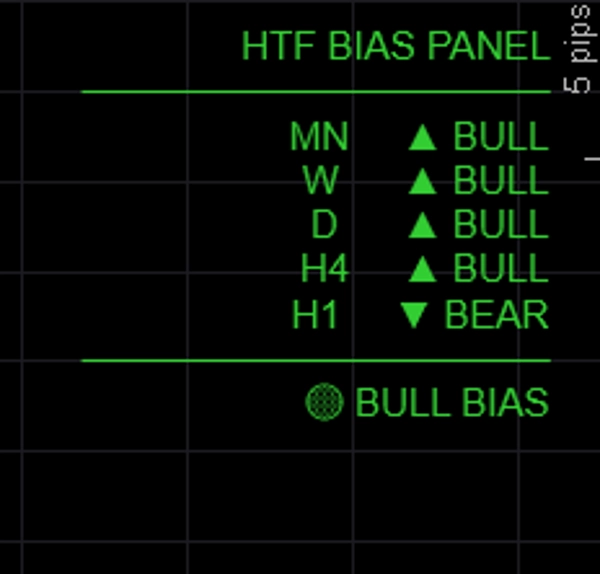
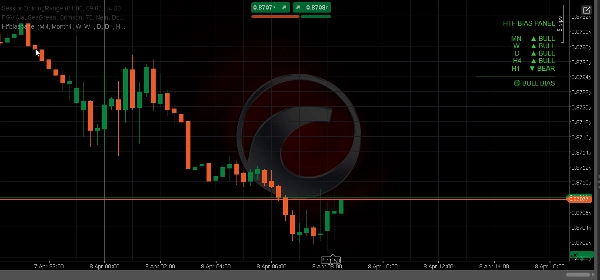
Mostra o viés direcional para até cinco períodos simultaneamente em um painel limpo no gráfico — para que você sempre saiba se os períodos maiores estão altistas, baixistas ou mistos antes de entrar em uma negociação.
─────────────────────────────
PRINCIPAIS RECURSOS
► 5 períodos totalmente configuráveis — padrão MN / W / D / H4 / H1, todos os rótulos e TFs personalizáveis
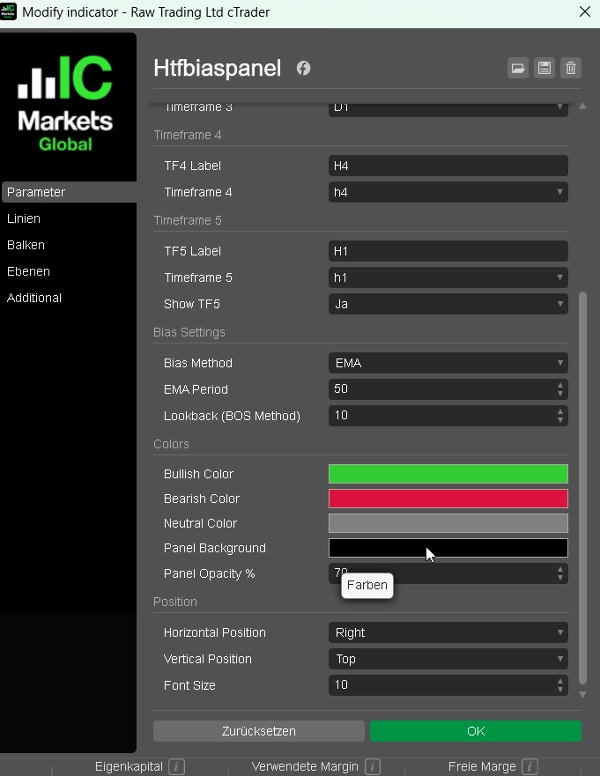
► Três métodos de viés — escolha como o viés é determinado por sessão:
• EMA: fechamento acima/abaixo da EMA(50) → mais confiável para seguir tendências
• Preço vs Último Fechamento: fechamento atual vs fechamento anterior → reativo, baseado em momentum
• BOS: faixa recente vs faixa anterior → viés baseado em estrutura
► Resumo de alinhamento — BULL COMPLETO / BEAR COMPLETO / VIÉS ALTISTA / VIÉS BAIXISTA / NEUTRO mostrado na parte inferior do painel
► Saída codificada por cores — verde para altista, vermelho para baixista, cinza para neutro
► Posição do painel — posicione no canto superior esquerdo, canto superior direito, centro superior, canto inferior esquerdo ou canto inferior direito
► Cores totalmente personalizáveis para estados altista, baixista e neutro
► Leve — sem desenhos no gráfico, sem retângulos, sem sobrecarga
─────────────────────────────
MÉTODOS DE VIÉS EXPLICADOS
→ EMA (padrão): Altista se fechamento > EMA(período). Mais estável, ignora ruído de curto prazo.
→ Preço vs Último Fechamento: Altista se fechamento da barra atual > fechamento da barra anterior. Rápido e reativo.
→ BOS: Compara a faixa recente de N barras com a faixa anterior de N barras. Altista se máximas e mínimas mais altas.
─────────────────────────────
CONFIGURAÇÕES PADRÃO
→ TF1 Mensal (MN)
→ TF2 Semanal (W)
→ TF3 Diário (D)
→ TF4 H4
→ TF5 H1 (alternável)
→ Método de Viés EMA
→ Período EMA 50
→ Cor Altista LimeGreen
→ Cor Baixista Crimson
→ Posição Superior Esquerda
─────────────────────────────
COMO USAR
1. Adicione o painel a qualquer gráfico
2. Escolha seu método de viés preferido (EMA recomendado para iniciantes)
3. Verifique o resumo de alinhamento antes de entrar em uma negociação — só faça compras quando VIÉS ALTISTA ou BULL COMPLETO
4. Use o viés HTF para filtrar sinais do seu indicador BOS/CHoCH ou FVG — negocie apenas na direção confirmada pelo painel
5. Ajuste os períodos para combinar com seu estilo de negociação (ex: D / H4 / H1 / M15 / M5 para scalpers)
─────────────────────────────
IDEAL PARA
✔ Traders ICT e Smart Money Concepts que precisam de análise rápida de cima para baixo
✔ Traders multi-temporais que querem uma verificação rápida visual do viés
✔ Traders FTMO e de prop firm que precisam negociar com confluência
✔ Qualquer trader que queira evitar negociar contra a tendência do período maior
✔ Traders de Forex, Ouro, Índices e CFDs de Cripto
─────────────────────────────
COMPATIBILIDADE
→ Plataforma cTrader (Desktop & Web)
→ Classes de ativos Forex, Índices, Commodities, CFDs de Cripto
→ Períodos Todos (M1 a MN)
→ Direitos de acesso Nenhum necessário
→ Tipo de conta Ao vivo & Demo
━━━━━━━━━━━━━━━━━━━━━━━━━━━━━━━━━━━━━━━━
Resumo
Avaliações de clientes
5 | 67 % | |
4 | 33 % | |
3 | 0 % | |
2 | 0 % | |
1 | 0 % |