

Description
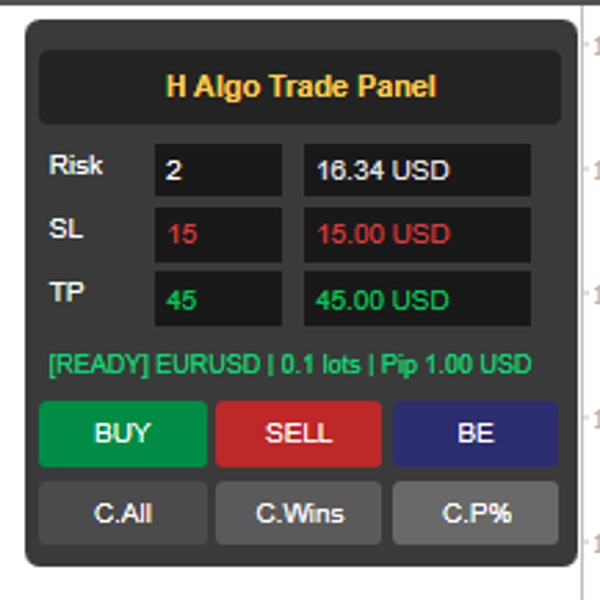
H Algo Trading Panel is a smart execution and trade-management panel for cTrader, built to help traders place trades faster, manage risk accurately, and handle open positions with more control.
It is designed for traders who want a simple, professional panel directly on the chart for:
- Auto Risk-based position sizing
- Auto Lot size calculations
- Account Currency Detection
- Fast Buy/Sell execution
- Break-even management
- Fast Partial % closes
- Quick profit/position management
- Preflight validation before placing orders
- Collapsible Panel Design
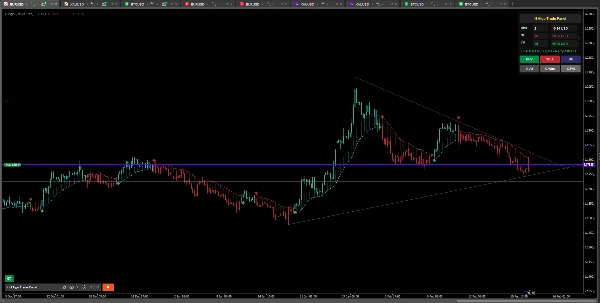
- Chart Panel Position Options
Instead of calculating lot size manually every time, the panel automatically calculates trade size based on your account equity, risk %, and stop-loss pips — helping you trade with consistency and discipline.
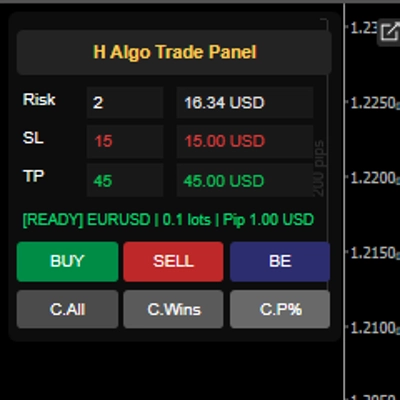
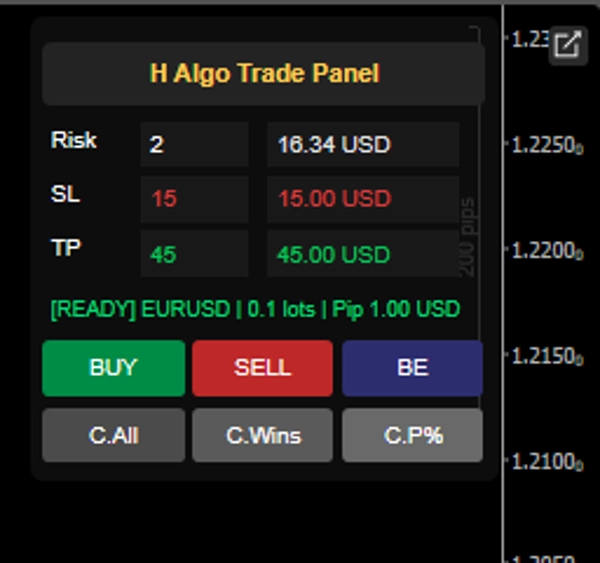
Just place your Risk % and SL in Pips It will place your Order with correct LOT, SL and TP AUTOMATICALLY
What H Algo Trading Panel Does (Exactly) Product Features:
1) Risk-Based Auto Lot Size Calculation
- Calculates trade volume automatically using
- Account equity
- Risk %
- Stop-loss (pips)
- Helps maintain consistent risk management
- Removes manual lot-size calculation mistakes
2) Live Money Display (Risk / SL / TP & Lot)
- Shows monetary value for:
- Risk amount
- Stop-loss amount
- Take-profit amount
- Lot Size
- Makes every trade setup easier to understand before entry
3) Fast Buy / Sell Execution
- One-click BUY and SELL buttons directly on chart
- Places market orders with your preset SL/TP values
- Speeds up execution during fast-moving markets
4) Break-Even Button (BE)
- Move open trades to break even
- Optional BE offset (pips) supported
- Helps protect positions and lock in safer trade management
5) Partial Close Function
- Set Partial Close % (example: 50%)
- Close a percentage of profitable positions quickly
- Useful for scaling out and securing profits
6) Close Management Shortcuts
Built-in buttons to manage panel trades:
- C.All→ Close All Trades for the symbol
- C.Wins→ Close only profitable trades
- C.P% → Partially close profitable trades by set percentage
7) Chart Panel Position Options
Panel can be placed on chart in different positions:
- Top Right
- Top Left
- Bottom Right
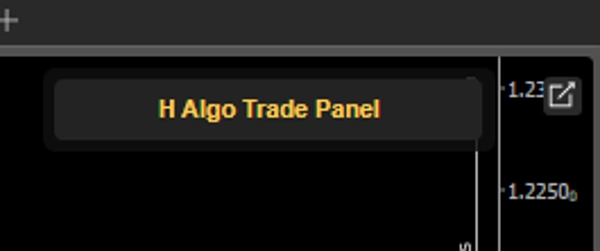
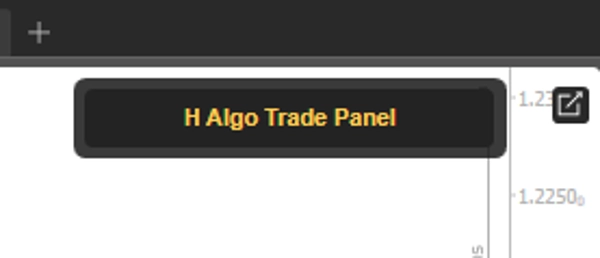
8) Collapsible Panel Design
- Expand / collapse panel from the header
- Keeps chart clean when not in use
- Fast access without removing the panel
9) Symbol-Specific Trade Handling
- Panel actions apply to the current chart symbol
- Helps keep trade management organized per chart/pair
10) Works with Different Asset Types (including symbols with special volume steps)
- Volume normalization is handled automatically
- Supports broker symbol volume rules (min/max/step)
- Works on all Markets
11) Preflight validation before placing orders
✅ READY status (green text)
When the panel shows READY, it means:
- The symbol data is valid
- The panel can calculate trade volume correctly
- Broker volume rules (min / max / step) are acceptable
- Pip/price values are usable
- The setup is compatible for execution
⛔ BLOCKED Status (red test)
When the panel shows BLOCKED, it means the panel detected a problem and stops the trade from being placed to avoid errors.
Examples of why it may show BLOCKED:
- Invalid pip value or pip size
- Symbol settings not supported / missing
- Volume cannot be calculated
- Calculated volume is outside broker limits
- Volume step normalization issue
- Invalid bid/ask price data
In short: the panel protects the user from placing an invalid order.
⚠️ WARNING (Yellow Test)
WARNING is usually shown when the setup passed checks, but something is rejected later (for example by broker/server during execution).
This helps the user understand: The panel attempted the trade But the broker/server returned an issue.
- Market Closed
- No Funds / Not Enough Margin
- Invalid Stops
- Off Quotes / No Price
- Trading Disabled
- Order Rejected by Broker
- Maximum volume / position limit reached
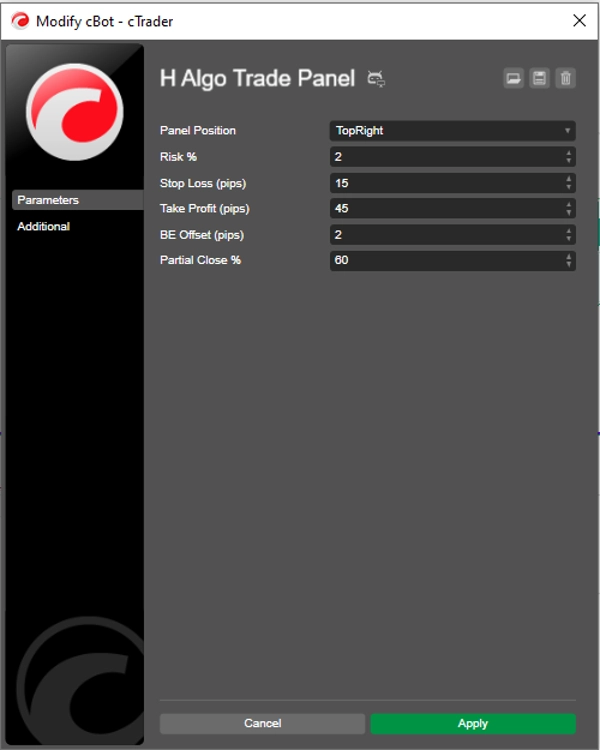
Main Inputs (User Settings)
- Panel Position
- Risk %
- Stop Loss (pips)
- Take Profit (pips)
- BE Offset (pips)
- Partial Close %
Who It’s For, H Trading Panel is ideal for:
- Manual traders who want faster execution
- Traders who use strict risk management
- Scalpers and intraday traders
- Traders who want a clean on-chart control panel in cTrader
- Traders who want to reduce errors in lot sizing and trade management
- Prop Firm Traders
Disclaimer: The H Algo Trading Panel is an execution and trade-management tool only — it does not generate signals, make trading decisions, or trade automatically for you. Use it at your own risk and always test on a demo account before using it on a live account. The user is fully responsible for all trades, settings, and execution results.
The Panel has been Tested on Ctrader IC MARKETS ALL SYMBOLS. IF YOU FACE ANY ERROR PLEASE REACH OUT AND WE WILL FIX IT FOR YOU!
Summary
Key features include live monetary display of risk, stop-loss, take-profit, and lot size; break-even management with optional offset; partial close functionality for scaling out profits; and shortcuts to close all or only profitable trades. The panel is symbol-specific, applying actions to the current chart symbol, and supports various asset types including forex, indices, commodities, and cryptocurrencies, handling broker volume rules automatically.
The interface offers customizable panel positioning on the chart (top right, top left, bottom right) and a collapsible design to maintain chart clarity. It includes preflight validation to prevent invalid orders by checking symbol data, volume limits, and price information before execution. Status indicators inform users of readiness, blockages, or warnings related to trade placement.
H Algo Trade Panel is intended for manual traders, scalpers, intraday traders, and prop firm traders who require efficient execution and strict risk management within cTrader. It does not generate trading signals or automate trading decisions.
Discussion
Customer reviews
FAQ
















Price