Description
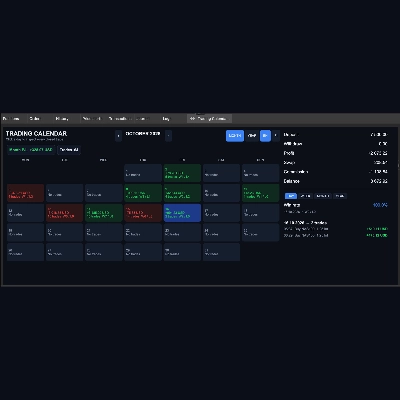
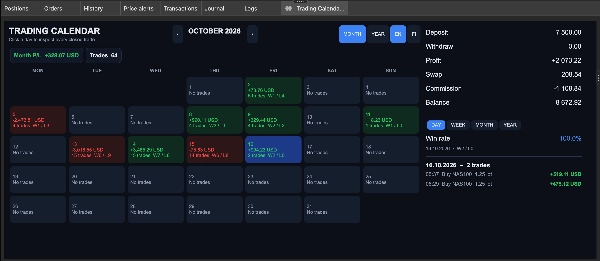
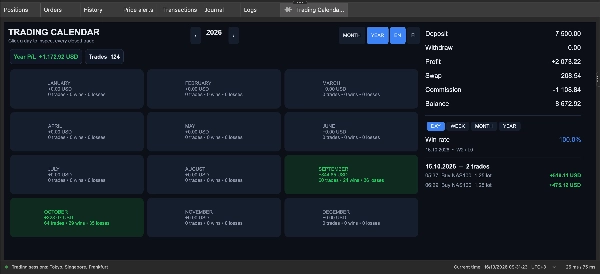
Trading Calendar turns your closed trade history into a clear, color-coded calendar right inside cTrader. See at a glance which days made money, which lost, and how your results develop month by month and year by year.
WHAT IT ADDS
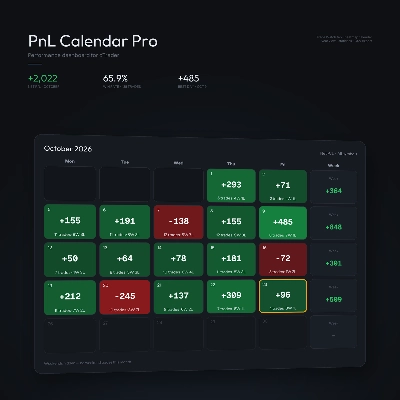
- A monthly calendar where every day shows its net P/L, number of trades and wins/losses (W/L)
- Green days for profit, red days for loss, grey days for no trades
- A yearly view with a summary card for each month
- A month and year summary showing total P/L and number of trades
- English and Finnish language toggle
HOW IT WORKS IN YOUR WORKFLOW
The plugin opens as its own tab in the Trade Watch panel (next to Positions, Orders and History). It reads your account history and updates automatically whenever a position is closed. Click any day to see every closed trade of that day: time, direction, symbol, lot size and net result.
ACCOUNT AND PERFORMANCE PANEL
- Deposit, withdraw, profit, swap, commission and balance
- Win rate for the selected day, week, month or year, including the date range and win/loss count
KEY SETTINGS
- MONTH / YEAR buttons switch between the calendar views
- Arrows move between months (or years in the yearly view)
- DAY / WEEK / MONTH / YEAR buttons choose the win rate period
- EN / FI buttons change the language
TYPICAL USE CASES
- Daily and weekly trading review
- Spotting your best and worst trading days and overtrading days
- Keeping a visual record of your consistency
- Tracking progress on a demo or live account
BEST SUITED FOR
Day traders, swing traders and anyone who keeps a trading journal, from beginners to experienced traders. Works with any symbol and any account.
LIMITATIONS AND USAGE NOTES
- The plugin only reads your history. It does not place, modify or close trades (no account access rights are required).
- Deposit is calculated from your balance and total results. If you have made withdrawals, the deposit figure may be off.
- Statistics are based on the trade history available in your cTrader account.