Descrizione
Mon_Algo_v2_C with Native Pop-up Alerts
Overview
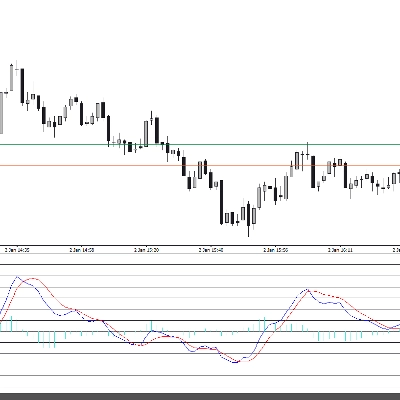
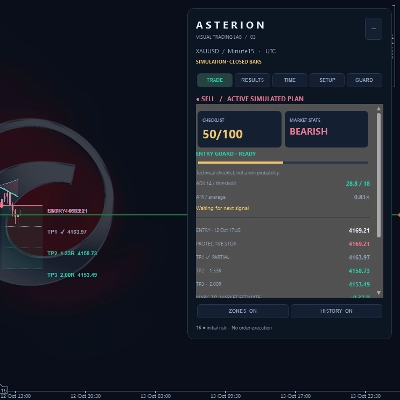
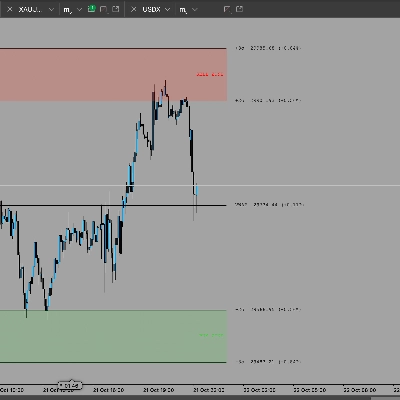
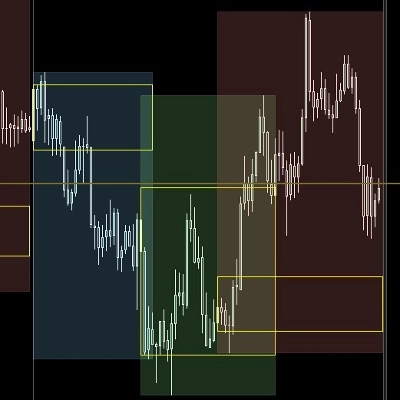
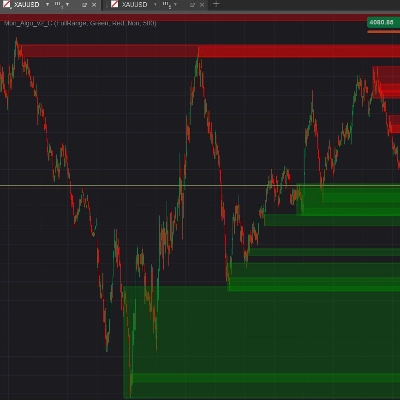
The MultiTimeframeOrderBlocks indicator is an advanced, institutional-grade technical analysis tool developed exclusively for the cTrader platform. Built for Price Action traders, Smart Money Concept (SMC/ICT) practitioners, and algorithmic scalpers, this tool automates the detection, mapping, and monitoring of institutional supply and demand zones—commonly known as Order Blocks (OB)—across multiple timeframes simultaneously.
By seamlessly multi-threading data from the M1, M5, M15, and H1 intervals, the indicator projects higher-timeframe structural zones directly onto your lower-timeframe execution chart. This eliminates the need for constant screen switching and ensures you never trade against major structural levels on highly volatile assets like Gold (XAUUSD), Equity Indices (US30), or major Forex pairs.
The Security Advantage: This standard version operates entirely within cTrader’s secure sandbox environment (AccessRights.None). It requires absolutely no local system modifications or external internet network access, ensuring an ultra-safe installation, lightweight execution, and 100% compliance with the cTrader Store guidelines.
Technical Features & How It Works
1. Advanced Engulfing Pattern Detection
The underlying algorithm rigorously evaluates price action at the close of every historical and live candle across all activated timeframes. An Order Block is validated when a powerful structural engulfing candle completely overwhelms the body and range of the preceding counter-trend candle. The indicator filters out low-liquidity market noise to capture only high-probability institutional footprints.
2. Surgical Multi-Timeframe Mapping
Unlike standard indicators that warp geometries when switching scales, this tool utilizes a precise chronological coordinate-mapping engine. When an Order Block forms on a higher timeframe (e.g., H1), the algorithm calculates its exact chronological anchor points and accurately projects the boundaries onto your current active lower-timeframe chart, maintaining perfect price level integrity.
3. Dynamic Mitigation & Real-Time Cleanup
To prevent chart clutter and maintain crisp technical clarity, the indicator features a live-tracking mitigation loop. As soon as a live candle breaches or completely invalidates the protective boundary of an active Order Block (structural mitigation), the corresponding rectangle is instantly purged from the chart in real time.
4. Instant In-Platform Pop-up Alerts
Never miss a high-probability trade setup, even when monitoring multiple assets or working on another screen:
- Native cTrader Pop-ups: Generates instantaneous visual and audio GUI alerts on your screen the exact millisecond a new Order Block forms or an existing active zone is tested by the price.
- Analysis Log: Automatically records detailed structural event data inside cTrader's "Log" tab for seamless history tracking and trade review.
Parameter Configuration Guide
Main Settings
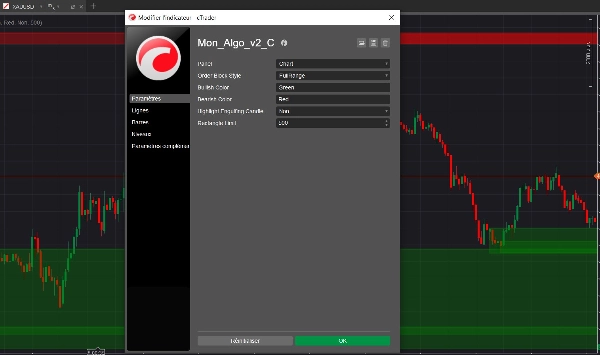
- Order Block Style (
ObStyle): Determines the exact mathematical methodology used to draw the vertical boundaries (Top and Bottom levels) of the detected zone based on the engulfed candle: Original: Traditional institutional mapping. For Bullish OBs, it maps the Open to Close; for Bearish OBs, it maps the absolute High to Low.Body: Focuses strictly on real body liquidity. Maps the Open to Close boundaries for both structures, completely ignoring outer wicks.FullRange: Maps the absolute extremes. Uses the absolute High and Low of the engulfed candle, providing the maximum protective zone.
- Bullish Color (
BullOBColorStr): Defines the aesthetic color theme for demand/bullish order blocks. Input text strings such as"Green","Blue","Cyan", or"Yellow"to customize the shaded fill zones. - Bearish Color (
BearOBColorStr): Defines the aesthetic color theme for supply/bearish order blocks. Input text strings such as"Red","Orange","Magenta", or"DarkRed"to customize the shaded fill zones. - Highlight Engulfing Candle (
HighlightEngulfing): A boolean switch (True/False). When enabled, it draws a distinct perimeter highlight directly around the specific candle that triggered the engulfing confirmation, allowing for rapid structural trade validation.
Performance & Optimization
- Rectangle Limit (
RectangleLimit): An essential performance-tuning parameter (Default:500). It limits the maximum number of active and historical geometric shapes retained in your platform's memory. When the threshold is exceeded, the oldest invalidated blocks are systematically purged from the memory stack, ensuring your cTrader terminal stays lightweight, fast, and lag-free during high-volatility trading sessions.