

Beschreibung
Großartig, Kumpel — das Symbolbild wurde erfolgreich hochgeladen. Unten findest du den Text, den du für die cTrader-Auflistung verwenden kannst.
Ich habe dies auf deiner regulären lokalen Warden R2 cTrader Version 2.007 Quelle basiert. Auf deinem Mac gibt es mehrere ältere und „Video“-Versionen, daher sollte die ausgewählte Store-Version vor der Veröffentlichung übereinstimmen.
Kurze Beschreibung — unter 120 Zeichen
Drei-Motoren-XAUUSD-cBot, der Breakout-, Session- und Portfolio-Strategien mit konfigurierbaren Risikokontrollen kombiniert.
Detaillierte Beschreibung — zum Einfügen bereit
ECFX XAU Warden — Automatisierter Goldhandel für cTrader
ECFX XAU Warden ist ein Multi-Strategie-cBot, der für den Goldhandel mit XAUUSD entwickelt wurde. Er kombiniert drei unabhängig gesteuerte Handelsmotoren in einer Anwendung und vereint Preisniveau-Breakouts, geplanten Session-Handel und ein Portfolio technischer Strategien.
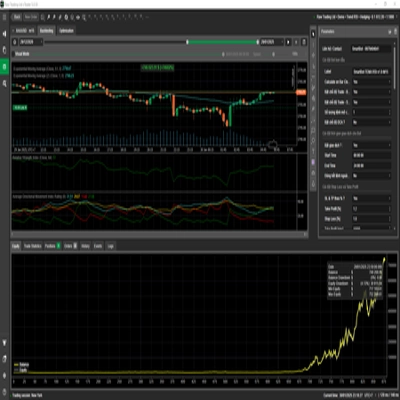
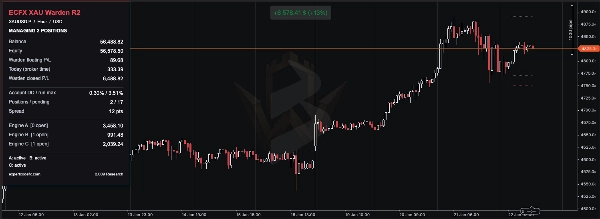
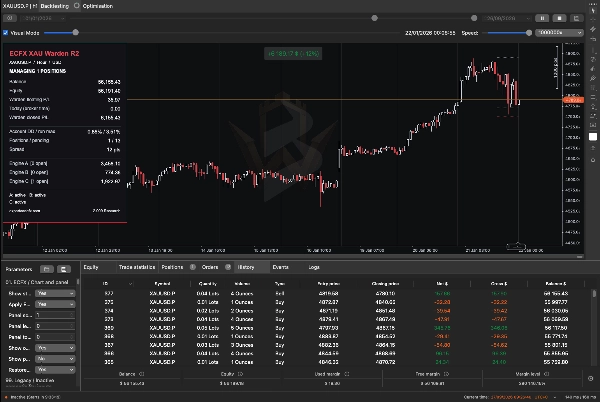
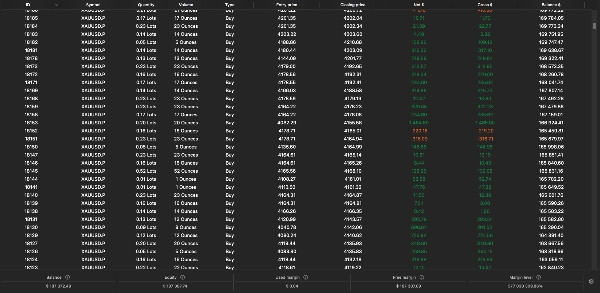
Ein gemeinsames Dashboard zeigt Kontostand, Eigenkapital, schwebenden Gewinn und Verlust, Drawdown, offene Positionen, ausstehende Aufträge und Ergebnisse der einzelnen Motoren an.
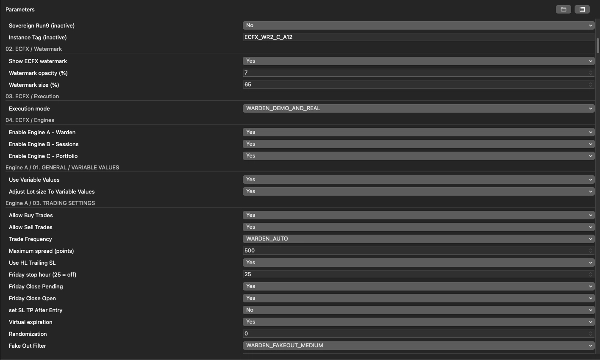
Warden ist für die Ausführung auf einem H1-Goldchart mit einem Hedging-Konto konzipiert. Seine Strategien analysieren intern auch andere Zeitrahmen. Jeder Motor kann ein- oder ausgeschaltet werden, sodass Benutzer einzelne Komponenten oder das kombinierte System testen können.
Wie Warden handelt
Motor A — Preisniveau-Breakout-Strategien
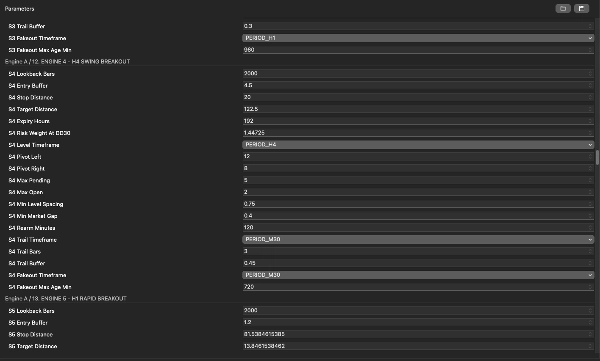
Motor A identifiziert bestätigte Swing-Hochs und -Tiefs über mehrere Zeitrahmen hinweg und nutzt diese Niveaus, um Buy-Stop- und Sell-Stop-Aufträge vorzubereiten.
Einstiege werden jenseits qualifizierender Preisniveaus platziert, abhängig vom Entry-Puffer der ausgewählten Strategie, Mindestabstand, Regeln für Auftragsabstände und Expositionsgrenzen. Ausstehende Aufträge können verfallen oder bei Änderungen der Marktstruktur erneuert werden.
Der Motor enthält neun konfigurierbare Strategieslots. Die Anzahl der genutzten Slots hängt vom ausgewählten Handelsfrequenzmodus, automatischen Auswahlregeln oder manuellen Strategiewechseln ab. Das Aktivieren des Motors aktiviert nicht zwangsläufig jeden Slot.
Das Handelsmanagement umfasst:
- Strategie-spezifische Stop-Loss- und Take-Profit-Abstände.
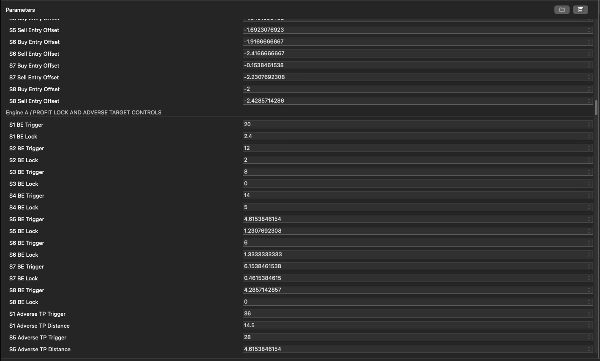
- Konfigurierbares Profit-Lock und schwingungsbasiertes Trailing-Stop-Verhalten.
- Ein Filter für falsche Ausbrüche beim Ausstieg.
- Optionale dynamische Take-Profit-Anpassung bei ausgewählten Strategien.
- Konfigurierbare Spread-, Freitag- und NFP-bezogene Einstiegskontrollen.
Dynamische Zielanpassungen können einen Ausstieg nach einer ungünstigen Kursbewegung näher bringen. Ein Trade, der auf seinem angepassten Take-Profit-Level geschlossen wird, kann daher dennoch einen Verlust realisieren.
Motor B — Sitzungsbasierter Handel
Motor B kombiniert separate Sitzungsregeln unter Verwendung einer konfigurierten Broker-Zeit.
Zu seinen verfügbaren Komponenten gehören:
- Range Breakout: erstellt während eines festgelegten Zeitraums eine Hoch-Tief-Spanne und prüft anschließend auf einen Ausbruch darüber oder darunter. Ein Filter für den Kerzenkörper des Vortages wird ebenfalls angewendet.
- Geplanter Kauf: sucht innerhalb eines definierten Zeitfensters an berechtigten Wochentagen nach einem Kauf-Einstieg und verwaltet den Trade dann mit seiner Haltedauer-Regel.
- Optionale Momentum-Ausbruch: prüft ein Mehrtageshoch oder -tief zusammen mit einer kürzlichen Preis-Momentum-Schwelle.
Die Range- und geplanten Kauf-Komponenten sind in den geprüften Standardquellen aktiviert; die optionale Momentum-Komponente ist deaktiviert.
Positionen verwenden Schutzstopps und zeitbasierte Ausstiege. Der Motor kann seine geplante Kaufposition auch vor einem gegensätzlichen Verkaufssignal schließen, abhängig von den Einstellungen.
Optionale wiederholbare Zeit-, Level- und Größenvariationen sind verfügbar. Behalte den Zufallssamen und verwandte Einstellungen unverändert, wenn du einen Backtest reproduzierst.
Die Sitzungsbezeichnungen A, B und C innerhalb dieses Motors sind eigene Unterstrategien, getrennt von Wardens drei Hauptmotoren.
Motor C — Technisches Strategie-Portfolio
Motor C kombiniert drei interne Gruppen:
- Technisches Portfolio: enthält zwölf Signalfamilien, darunter gleitende Durchschnitte und RSI-Bedingungen, Strukturbrüche, Volatilitätsengpässe, Rücksetzer, Liquiditätssweeps und Umkehrmuster.
- Trend-Ergänzung: nutzt die Richtung des gleitenden Durchschnitts, ATR-Volatilität und 48-Bar/72-Bar-Breakout-Niveaus, um bedingte Einstiege vorzubereiten.
- Souveräne Strategien: verwenden separate Pending-Order-Setups mit ATR-basierten Einstiegs-, Stopp- und Zielabständen.
Strategiewechsel, erlaubte Richtungsfilter, Sitzungsregeln, Spread-Limits, Abkühlzeiten und Expositionsgrenzen bestimmen, welche Signale zu Aufträgen werden können. Die Anwesenheit von zwölf Signalfamilien bedeutet nicht, dass alle zwölf unter jeder Konfiguration handeln.
Je nach Gruppe umfasst das Management Stop-Losses, Gewinnziele, Break-Even-Anpassungen, ATR-Trailing-Stops, Ablauf von Pending-Orders und maximale Haltedauern.
Wie die Motoren zusammenarbeiten
Jeder Motor identifiziert und verwaltet seine eigenen Trades durch dedizierte Kennungen und Labels. Mehr als eine Position kann gleichzeitig offen sein, und verschiedene Strategien können gegensätzliche Positionen halten.
Alle Motoren teilen sich dasselbe Kontoeigenkapital und die verfügbare Marge. Ihre kombinierte Exposition ist entscheidend: Ein einem einzelnen Strategie zugewiesener Risikoprozentwert ist nicht das maximale Risiko für den gesamten cBot.
Vermeide es, doppelte Warden-Instanzen mit denselben Eigentumseinstellungen auf demselben Konto und Symbol auszuführen. Ändere keine Handelskennungen oder eigentumsbezogenen Einstellungen, während bestehende Warden-Trades offen sind.
Risikoeinstellungen und wichtige Unterschiede
Warden bietet mehrere Größenmethoden und Schutzkontrollen, deren Verhalten sich jedoch zwischen den Motoren unterscheidet.
Motor A unterstützt feste Start-Lots und risikobasierte Größenbestimmung. Sein Drawdown-Größenreferenz (%) beeinflusst die Positionsgröße; sie ist nicht automatisch eine durchgesetzte Verlustobergrenze. In den geprüften Standardwerten ist das tägliche Drawdown-Limit deaktiviert und der separate Gesamtdrawdown-Schalter ausgeschaltet.
Motor B unterstützt automatische, prozentuale Risiko- und feste Lot-Größenbestimmung. Eine Null in einem inaktiven Größenfeld deaktiviert den Handel nicht zwangsläufig. Die Option zum Schließen bei Eigenkapital-Drawdown ist in den geprüften Standardwerten deaktiviert.
Motor C bietet Tagesverlustkontrollen, Drawdown-Sperren, Positionslimits und zusätzliche gruppenspezifische Schutzmaßnahmen. Seine Backtest Bypass Permanent Max Drawdown Lock Einstellung ist in den geprüften Standardwerten aktiviert. Dies kann dazu führen, dass sich das Verhalten im historischen Test von der Live-Betriebsweise mit aktivierter Sperre unterscheidet. Überprüfe diese Einstellung ausdrücklich, bevor du einen Test als repräsentativ für den Live-Betrieb interpretierst.
Einige Kontrollen überwachen das kontoweite Eigenkapital, wirken aber nur auf die Positionen ihres Motors. Sie sollten nicht als einzelne kontoweite Verlustgarantie beschrieben werden. Motor B verfügt außerdem über eine Alle Konto-Positionen schließen Option, die bei Aktivierung auch unzusammenhängende Trades beeinflussen kann.
Stop-Losses und Software-Schutzmaßnahmen können während Kurslücken, Slippage, Verbindungsabbrüchen oder abgelehnten Handelsanfragen keinen genauen maximalen Verlust garantieren.
Erstinstallation
- Installiere Warden über den cTrader Store und öffne cTrader Windows oder Mac.
- Wähle für die Erstinstallation ein Demo-Hedging-Konto.
- Öffne cTrader Algo, finde Warden und erstelle eine Instanz.
- Wähle das Goldsymbol deines Brokers, z. B. XAUUSD oder das entsprechende mit Suffix.
- Setze den Zeitrahmen des Instanz-Charts auf H1.
- Beginne mit den Standardwerten für deine genaue Version oder einem für diese Version bereitgestellten Preset.
- Überprüfe die drei Hauptmotorschalter und die Risikoeinstellungen in jedem Motor.
- Überprüfe den Ausführungsmodus. Die geprüfte Quelle unterstützt nur Backtesting, Demo plus Backtesting oder Demo/Live plus Backtesting. Standardmäßig sind Demo- und Live-Ausführung erlaubt.
- Prüfe die Strategieuhr, Spread-Einheiten und Broker-Symbolspezifikationen vor dem Start.
- Starte im Demo-Modus und überprüfe das Protokoll auf erfolgreiche Initialisierung, Nachrichten zum Laden der Historie und eventuelle Auftragsfehler.
Es gibt keine universelle Mindesteinzahlung oder Hebeleinstellung, die für jede Konfiguration geeignet ist. Kontogröße, Mindesthandelsvolumen, Stopp-Abstand, gleichzeitige Positionen und Margin-Anforderungen des Brokers müssen zusammen bewertet werden.
Brokerzeit, Punkte und Pips
Die Sitzungszeit beeinflusst direkt die Strategie.
Die MT5 Broker UTC-Verschiebung (Minuten) Einstellung definiert die Referenzuhr der Strategie innerhalb der cTrader-Implementierung. Es handelt sich um eine feste Verschiebung, die nicht automatisch Sommerzeitänderungen folgt. Motor C enthält ebenfalls separate Zeitverschiebungseinstellungen, die konsistent überprüft werden müssen.
Die MT5 Punktgröße Einstellung steuert den Preiswert eines Strategie-Punktes. Ein Wert von Null leitet ihn von den Stellen des Symbols ab. Dies kann von der nativen Pip-Größe von cTrader abweichen.
Motor C behält einen Strategie-Pip von 0.01 Preiseinheiten bei. Kopiere keine Spread- oder Distanzwerte zwischen unterschiedlich gehandelten Goldsymbolen ohne Überprüfung ihrer Einheiten.
Wie man Warden backtestet
- Öffne den Backtesting Abschnitt der Warden-Instanz in cTrader Windows oder Mac.
- Wähle das beabsichtigte Goldsymbol und den H1-Zeitrahmen.
- Wähle die Testdaten und das Startkapital. Notiere die Kontowährung, den Hebel und das genaue Preset.
- Wähle Tick-Daten vom Server für eine detaillierte Auswertung von Pending Orders und Intrabar-Management.
- Konfiguriere Spread- und Kommissionsannahmen entsprechend dem beabsichtigten Broker. Bestätige die von cTrader angezeigten Einheiten.
- Überprüfe die Strategie-Zeitverschiebungen, Punktgrößenzuordnung und Risiko-Sperreinstellungen.
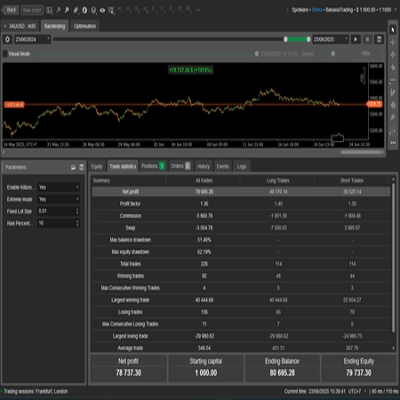
- Führe zuerst einen kurzen visuellen Test durch, um Dashboard, Einstiege, Ausstiege und Auftragsverhalten zu prüfen.
- Führe die vollständige Auswertung ohne visuellen Modus durch, wo dies praktikabel ist.
- Lasse den Test sein ausgewähltes Enddatum erreichen, bevor du die Zahlen als endgültig betrachtest.
- Speichere den Bericht und die Parametereinstellungen, damit der Lauf reproduziert werden kann.
Warden benötigt historische Daten für seine internen Zeitrahmen und Rückblicke. Fehlende Vorgeschichte kann Signale verzögern oder verhindern, dass einige Strategien handeln. Überprüfe das Protokoll und stelle ausreichend Historie vor dem Zeitraum bereit, den du bewerten möchtest.
Für die Backtesting-Steuerungen der Plattform konsultiere die offizielle cTrader Backtesting-Anleitung.
Was in den Ergebnissen zu überprüfen ist
Bewerte mehr als nur die endgültige Gewinnzahl:
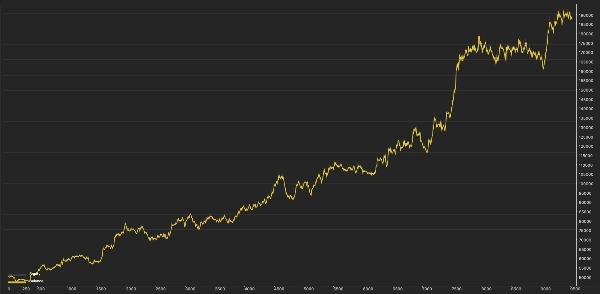
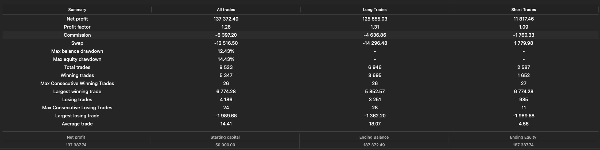
- Maximaler Eigenkapital-Drawdown und Kontostands-Drawdown.
- Realisierter Gewinn gegenüber schwebendem Gewinn oder Verlust am Ende.
- Handelsanzahl, Verlustserien und Haltedauern.
- Maximale gleichzeitige Positionen und Margennutzung.
- Spread- und Kommissionssensitivität.
- Auftragsablehnungen, Warnungen bei fehlender Historie und Risiko-Sperrereignisse.
- Ergebnisse über verschiedene Marktperioden hinweg.
Teste jeden Motor separat sowie die kombinierte Konfiguration. Ergebnisse isolierter Motoren addieren sich nicht zwangsläufig zum Gesamtergebnis, da Kontoeigenkapital, Größenbestimmung, Margin und konto-basierte Schutzmaßnahmen interagieren.
Wenn du optimierst, behalte einen separaten Zeitraum, der nicht zur Auswahl der Einstellungen verwendet wurde. Vermeide es, eine Konfiguration nur auszuwählen, weil sie den höchsten historischen Gewinn erzielt hat.
Dashboard- und Betriebsprüfungen
Das gemeinsame Panel hilft, Kontobedingungen von Wardens eigenen Handelsergebnissen zu unterscheiden. Bei einem Konto mit anderer Handelsaktivität beinhalten Kontostand und Eigenkapital diese Aktivität.
Bevor du einen Mangel an Trades untersuchst, überprüfe:
- Das Konto verwendet Hedging statt Netting.
- Der Ausführungsmodus erlaubt die aktuelle Umgebung.
- Die beabsichtigten Motoren und Unterstrategien sind aktiviert.
- Erforderliche historische Daten wurden geladen.
- Die Handelssitzung ist geöffnet.
- Spread-, Margin- und Mindestvolumenanforderungen sind erfüllt.
- Eine Tages- oder Drawdown-Sperre hat keine weitere Aktivität blockiert.
- Bestehende Aufträge oder Positionen haben kein Expositionslimit erreicht.
Das Stoppen des cBots schließt nicht zwangsläufig alle Positionen oder storniert jeden ausstehenden Auftrag aller Motoren. Überprüfe das Konto nach dem Stoppen. Dynamisches Trailing, zeitgesteuerte Ausstiege und andere softwaregesteuerte Aktionen erfordern, dass der cBot weiterläuft.
Plattformunterschiede
Wardens cTrader-Implementierung nutzt cTraders Ausführungs-, Marktdaten- und Kontosysteme. Identische MT5- und cTrader-Trades oder -Leistungen wurden nicht festgestellt.
Der MQL5-Wirtschaftskalender ist in dieser Implementierung nicht verfügbar. Anwendbare NFP-Filter basieren auf bereitgestellten Zeitstempeln oder einer ungefähren Rückfalllösung; sie sollten nicht als umfassender Live-News-Filter betrachtet werden.
Eingaben, die als inaktiv oder veraltet markiert sind, werden zur Kompatibilität beibehalten und bieten in dieser Version keine aktive Funktionalität.
Risikohinweis
Handel beinhaltet Risiken. Vergangene Leistungen garantieren keine zukünftigen Ergebnisse. Historische Simulationen können sich aufgrund von Preisgestaltung, Spread, Kommission, Slippage, Datenqualität, Margin- und Ausführungsbedingungen erheblich vom Live-Handel unterscheiden. Warden garantiert keinen Gewinn, kein festes Drawdown-Limit oder den erfolgreichen Abschluss einer Prop-Firm-Herausforderung.
Zusammenfassung
- Engine A employs price-level breakout strategies by identifying swing highs and lows across multiple timeframes to place buy-stop and sell-stop orders with configurable stop-loss, take-profit, trailing stops, and filters for false breakouts and news events.
- Engine B uses session-based trading rules based on broker time, including range breakouts, scheduled buys, and optional momentum breakouts, with time-based exits and protective stops.
- Engine C combines a portfolio of technical strategies, including moving averages, RSI, volatility squeezes, pullbacks, and reversal patterns, with trend complements and sovereign strategies, all managed with risk controls like stop losses, profit targets, and drawdown locks.
A shared dashboard displays account metrics, open positions, pending orders, and individual engine results. The cBot supports multiple sizing methods and risk controls that vary by engine. It allows enabling or disabling each engine independently for testing or combined operation. The system requires careful setup of broker symbol, time offsets, and risk parameters. Backtesting is supported with detailed configuration options. The cBot uses market and account data from cTrader and does not guarantee profits or fixed drawdown limits.