
![Trading product for [Stellar Strategies] Moving Averages Combined 1.0 Indikator Signal RSI, image 1](https://cdn.ctrader.com/image/webp/93692c9d-ac16-4dd8-ba83-5a62250c39a9_27250)
[Stellar Strategies] Moving Averages Combined 1.0
Indikator
270 downloads
Version 1.0, Mar 2025
Windows, Mac
5.0
Bewertungen: 1
![Trading product for [Stellar Strategies] Moving Averages Combined 1.0 Indikator Signal RSI, image 2](https://cdn.ctrader.com/image/webp/af42e1a3-f168-4456-81b0-72db1b69cc8e_27251)
![Trading product for [Stellar Strategies] Moving Averages Combined 1.0 Indikator Signal RSI, image 3](https://cdn.ctrader.com/image/webp/138fc3d1-bbf1-4f7c-9023-dad58a4a1503_27252)

20.46M
Gehandeltes Volumen
8.02K
Pip-Gewinn
27
Verkäufe
4.88K
Kostenlose Installationen
Beschreibung
Der Indikator "Combined Moving Averages" für cTrader bietet eine geglättete Darstellung der Kursbewegung, indem er sechs verschiedene gleitende Durchschnitte mittelt: drei einfache gleitende Durchschnitte (SMA) und drei exponentielle gleitende Durchschnitte (EMA). Dieser kombinierte Durchschnitt zielt darauf ab, Rauschen zu reduzieren und ein klareres, zuverlässigeres Trendsignal im Vergleich zur Verwendung einzelner gleitender Durchschnitte zu liefern.
Hauptmerkmale:
- Kombinierte Analyse: Mittelt sechs gleitende Durchschnitte (3 SMA, 3 EMA) für eine umfassende Sicht.
- Anpassbare Perioden: Ermöglicht es Benutzern, die Perioden für kurz-, mittel- und langfristige SMAs und EMAs anzupassen.
- Geglätteter Trend: Bietet eine glattere Linie als einzelne gleitende Durchschnitte, wodurch Fehlsignale und Whipsaws reduziert werden.
- Overlay-Indikator: Wird direkt im Kursdiagramm dargestellt für eine einfache Visualisierung.
- Verwendet Schlusskurse: Alle Berechnungen basieren auf den Schlusskursen der Balken.
Parameter:
- SMA Kurzperiode: Periode für den kurzfristigen einfachen gleitenden Durchschnitt (Standard: 9).
- SMA Mittelperiode: Periode für den mittelfristigen einfachen gleitenden Durchschnitt (Standard: 34).
- SMA Langperiode: Periode für den langfristigen einfachen gleitenden Durchschnitt (Standard: 100).
- EMA Kurzperiode: Periode für den kurzfristigen exponentiellen gleitenden Durchschnitt (Standard: 20).
- EMA Mittelperiode: Periode für den mittelfristigen exponentiellen gleitenden Durchschnitt (Standard: 34).
- EMA Langperiode: Periode für den langfristigen exponentiellen gleitenden Durchschnitt (Standard: 100).
Ausgabe:
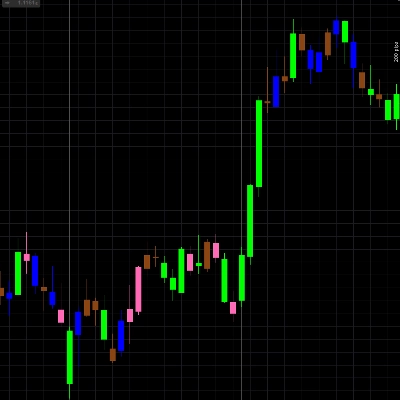
- MA Kombiniert: Die resultierende kombinierte gleitende Durchschnittslinie, dargestellt in hellem Grün (#01FE53) mit einer Dicke von 3.
Anwendung:
- Herunterladen und Installieren:
-
- Laden Sie die cAlgo-Indikator-Datei (.algo) herunter.
- Öffnen Sie cTrader und navigieren Sie zu "Automate" -> "Indicators".
- Klicken Sie auf "Add" und wählen Sie die heruntergeladene Indikator-Datei aus.
- Bauen Sie den Indikator.
- Zum Chart hinzufügen:
-
- Rechtsklicken Sie auf das Chart und wählen Sie "Indicators".
- Finden Sie "Combined Moving Averages" in der Liste und klicken Sie auf "Add".
- Passen Sie die Parameter nach Wunsch an und klicken Sie auf "OK".
- Interpretation:
-
- Trendfolge: Verwenden Sie den kombinierten gleitenden Durchschnitt, um den Gesamtrend zu identifizieren.
-
- Wenn der Kurs über dem kombinierten gleitenden Durchschnitt liegt, deutet dies auf einen Aufwärtstrend hin.
- Wenn der Kurs unter dem kombinierten gleitenden Durchschnitt liegt, deutet dies auf einen Abwärtstrend hin.
- Kreuzungen: Obwohl dieser Indikator glatter als einzelne MAs ist, können Kreuzungen von Kurs und kombiniertem MA auch als Einstiegssignale verwendet werden.
- Glättung: Das Hauptziel ist, diesen Indikator als Mittel zur Glättung der Kursbewegung zu verwenden und die Richtung der Linie als Trendfilter zu nutzen.
- Parameteranpassungen:
-
- Experimentieren Sie mit verschiedenen Periodeneinstellungen, um herauszufinden, was am besten zu Ihrem Handelsstil und dem jeweiligen Markt passt.
- Kürzere Perioden machen den Indikator empfindlicher gegenüber Kursänderungen, während längere Perioden eine glattere, langfristigere Sicht bieten.
- Kombinieren mit anderen Indikatoren:
-
- Verwenden Sie den kombinierten gleitenden Durchschnitt zusammen mit anderen Indikatoren (z. B. RSI, MACD) für Bestätigungssignale.
- Dieser Indikator eignet sich gut als Trendfilter für andere Einstiegssignale.
Wichtige Hinweise:
- Gleitende Durchschnitte sind nachlaufende Indikatoren, das heißt, sie spiegeln vergangene Kursbewegungen wider.
- Die Wirksamkeit des Indikators hängt von den gewählten Parametern und den Marktbedingungen ab.
- Verwenden Sie beim Handel stets ein angemessenes Risikomanagement.
- Dieser Indikator ist darauf ausgelegt, einen geglätteten Durchschnitt mehrerer gleitender Durchschnitte zu liefern und garantiert keine zukünftigen Kursbewegungen.
.............................................................................................................................................................................................................
Warnung für Trader: Der Handel ist mit erheblichen Risiken verbunden und nicht für jeden Anleger geeignet. Sie können einen Teil oder Ihr gesamtes investiertes Kapital verlieren. Stellen Sie stets sicher, dass Sie die Risiken vollständig verstehen und holen Sie bei Bedarf unabhängige Finanzberatung ein. Der Indikator Combined Moving Averages ist ein Werkzeug, das mehrere gleitende Durchschnitte mittelt, um eine geglättete Trenddarstellung zu bieten, garantiert jedoch keine profitablen Trades. Gleitende Durchschnitte sind nachlaufende Indikatoren, die vergangene Kursbewegungen widerspiegeln, und ihre Wirksamkeit hängt von den gewählten Parametern und den Marktbedingungen ab. Verlassen Sie sich nicht ausschließlich auf diesen Indikator für Handelsentscheidungen. Verwenden Sie ihn in Kombination mit anderen Analysemethoden und einem angemessenen Risikomanagement. Die vergangene Performance ist kein Indikator für zukünftige Ergebnisse.
Zusammenfassung
AI summary
The "[Stellar Strategies] Moving Averages Combined 1.0" indicator for cTrader calculates a smoothed price trend by averaging six moving averages: three Simple Moving Averages (SMA) and three Exponential Moving Averages (EMA). This combined moving average reduces market noise and provides a clearer trend signal than individual moving averages.
Key features include:
- Combined analysis of 3 SMAs and 3 EMAs for a comprehensive trend view.
- Customizable periods for short, medium, and long-term SMAs and EMAs.
- A smoother trend line that reduces whipsaws and false signals.
- Overlay plotting directly on the price chart using close prices.
- The combined moving average line is displayed in bright green with adjustable thickness.
Users can adjust parameters to tailor sensitivity and smoothing to their trading style and market conditions. The indicator helps identify trends: prices above the combined average suggest an uptrend, while prices below indicate a downtrend. Crossovers of price and the combined average can serve as entry signals. It is recommended to use this indicator alongside others (e.g., RSI, MACD) for confirmation and as a trend filter.
This tool reflects past price action as a lagging indicator and should be used with proper risk management and additional analysis methods.
Key features include:
- Combined analysis of 3 SMAs and 3 EMAs for a comprehensive trend view.
- Customizable periods for short, medium, and long-term SMAs and EMAs.
- A smoother trend line that reduces whipsaws and false signals.
- Overlay plotting directly on the price chart using close prices.
- The combined moving average line is displayed in bright green with adjustable thickness.
Users can adjust parameters to tailor sensitivity and smoothing to their trading style and market conditions. The indicator helps identify trends: prices above the combined average suggest an uptrend, while prices below indicate a downtrend. Crossovers of price and the combined average can serve as entry signals. It is recommended to use this indicator alongside others (e.g., RSI, MACD) for confirmation and as a trend filter.
This tool reflects past price action as a lagging indicator and should be used with proper risk management and additional analysis methods.
Indikatorprofil
Kundenbewertungen
5.0
Bewertungen: 1
5 | 100 % | |
4 | 0 % | |
3 | 0 % | |
2 | 0 % | |
1 | 0 % |
Kundenbewertungen
August 18, 2025
Multiple MA types in one indicator, customizable, lightweight. Cons: No alerts, no quick settings panel, no MTF dashboard.
Diskussion
Häufig gestellte Fragen (FAQ)
Signal
RSI
MACD
Über den cTrader Store verfügbare Produkte, einschließlich Handelsbots, Indikatoren und Plugins, werden von externen Entwicklern bereitgestellt und nur zu Informations- und technischen Zugriffszwecken verfügbar gemacht. cTrader Store ist kein Broker und erbringt keine Anlageberatung, persönlichen Empfehlungen oder eine Garantie für zukünftige Performance.
Mehr von diesem Autor
![„[Stellar Strategies] Market Structure Breakout“-Logo](https://cdn.ctrader.com/image/webp/bceec265-3247-4b11-915f-6295a29c106d_28465)
![„[Stellar Strategies] Market Session Ultimate“-Logo](https://cdn.ctrader.com/image/webp/61ffd537-0125-4246-9e72-42eca1791d64_28232)
![„[Stellar Strategies] Wave Trend Pro“-Logo](https://cdn.ctrader.com/image/webp/5f226fbb-245a-41cd-9cdd-b018257d5e6d_28617)
![„[Stellar Strategies] Inside Bar with Signals“-Logo](https://cdn.ctrader.com/image/webp/1d9e8bfa-3b2c-4440-bb37-5856902008a7_30683)
![„[Stellar Strategies] BOS Trend 1.0“-Logo](https://cdn.ctrader.com/image/webp/6cdec0f1-0e97-4a82-a8a4-2b67aed54d38_25695)
![„[Stellar Strategies] Smart ADX“-Logo](https://cdn.ctrader.com/image/webp/af13b084-b6f6-41db-b7bc-c7e688b57b05_36929)
![„[StellarStrategies] Scheduled Trade Executor“-Logo](https://cdn.ctrader.com/image/webp/daefc6af-7eca-453e-878d-1b981be2c401_25646)
![„[Stellar Strategies] VBO“-Logo](https://cdn.ctrader.com/image/webp/f034c012-94d4-445a-a01b-febd1cdedaef_36944)
![„[Stellar Strategies] Linear Regression Candles 1.1“-Logo](https://cdn.ctrader.com/image/webp/8b9cff9f-2431-46d2-b0ec-c7f55f4a4a6d_27918)
![„[Stellar Strategies] Candlestick Patterns Dashboard“-Logo](https://cdn.ctrader.com/image/webp/ae8691a5-4884-4553-9bcc-64e16ac82a30_38344)
![„[Stellar Strategies] SP500 Gap Closure cBot 1.0“-Logo](https://cdn.ctrader.com/image/webp/92c23fdc-4ad1-4e61-bdb5-c77f6ec8c539_27686)
![„[Stellar Strategies] QQE“-Logo](https://cdn.ctrader.com/image/webp/e702104a-874c-4b39-97dd-fb34518d1015_27712)








Preis
20.46M
Gehandeltes Volumen
8.02K
Pip-Gewinn
27
Verkäufe
4.88K
Kostenlose Installationen