
Descripción
Imperium MTF Heatmap es un indicador único de primer nivel para cTrader, creado para traders que quieren más que señales: quieren control del mercado, claridad visual y valor real en el trading.
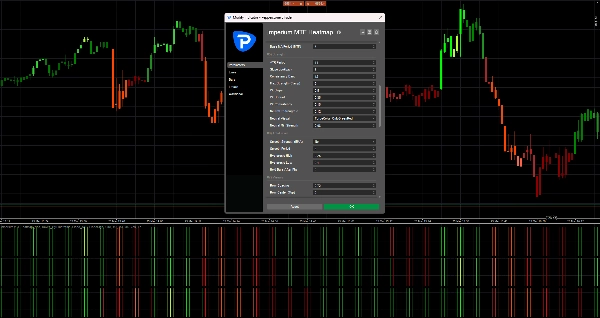
Este indicador está diseñado para revelar la verdadera estructura del movimiento del mercado a corto plazo combinando la alineación multi-temporal, la lógica de medias móviles, la fuerza direccional y el comportamiento de confirmación en un poderoso sistema de mapa de calor.
Su mayor ventaja no es solo lo que muestra, sino la rapidez y claridad con la que lo muestra. En mercados rápidos, las decisiones deben tomarse al instante. Imperium MTF Heatmap te ayuda a identificar la presión alcista y bajista, confirmar la calidad del momentum y detectar la alineación en capas clave sin saturar tu gráfico con ruido innecesario.
Los ajustes predeterminados están específicamente optimizados para Tick30 y Minute1, haciendo que este indicador sea excepcionalmente valioso para traders activos que operan en entornos rápidos y basados en precisión. Desde el momento en que lo aplicas, está listo para funcionar.
Este es un indicador premium con verdadera durabilidad.
Es el tipo de herramienta que rápidamente se convierte en parte de tu rutina de trading porque te brinda información difícil de ignorar una vez que la has visto en acción.
Muchos indicadores se usan por un tiempo y luego se eliminan.
Imperium MTF Heatmap es diferente.
Ofrece una ventaja visual tan práctica e inmediata que naturalmente se convierte en uno de esos indicadores a los que vuelves todos los días. Una vez que está en tu gráfico y comienzas a leer el mercado a través de él, operar sin él se siente como perder una capa importante de conciencia.
Si quieres un indicador único, poderoso y realmente útil para el trading en Tick30 y Minute1, Imperium MTF Heatmap es exactamente eso.
Cómo usar Imperium MTF Heatmap
Imperium MTF Heatmap está diseñado para ayudarte a leer la dirección, fuerza y alineación del mercado de manera rápida y visual.
En lugar de depender de múltiples indicadores separados, te ofrece una visión instantánea de la presión de la tendencia a través de múltiples capas.
En su esencia, el indicador muestra si el mercado se inclina hacia el alza o la baja, cuán fuerte es esa presión y si las diferentes filas están alineadas. Esto facilita mucho detectar condiciones de trading de alta calidad y evitar configuraciones débiles o ruidosas.
Lo que muestra el mapa de calor
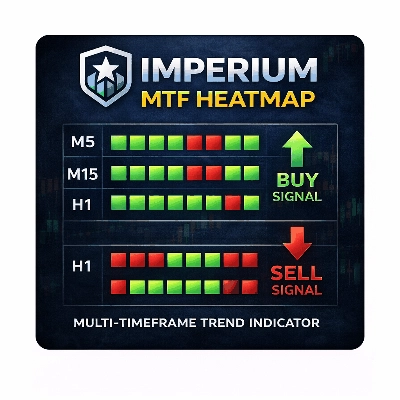
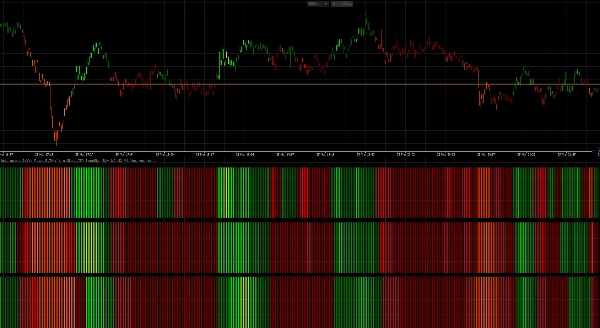
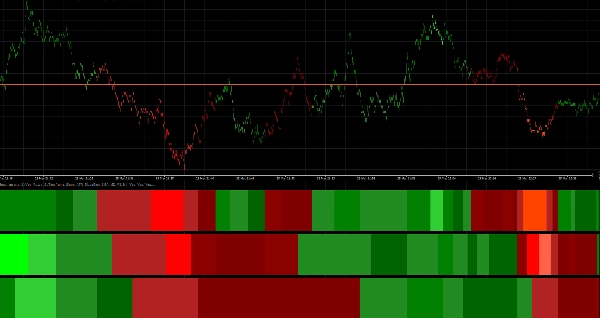
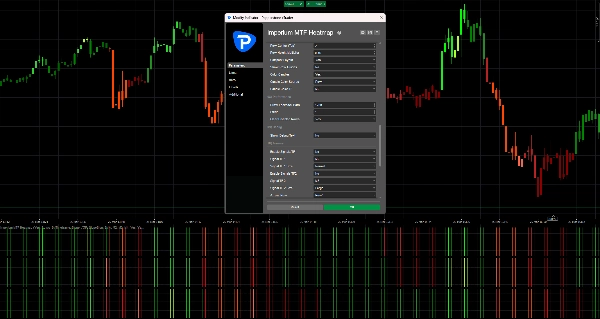
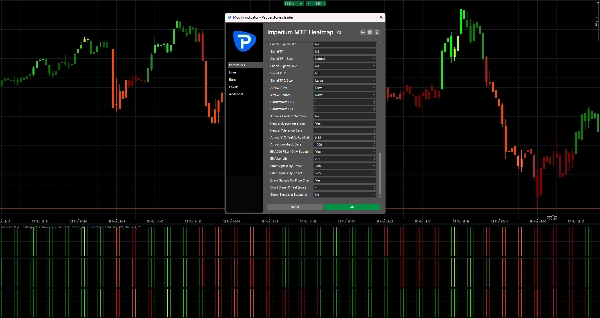
El mapa de calor está construido con 3 filas, y cada fila representa un marco temporal separado o una capa de media móvil según tu configuración.
- Zonas verdes indican presión alcista
- Zonas rojas indican presión bajista
- Intensidad de color más brillante / fuerte significa un momentum o fuerza de tendencia más fuerte
- Condiciones débiles o inestables aparecen menos poderosas y deben tratarse con más precaución
Cuando varias filas están alineadas en la misma dirección, el mercado generalmente tiene mejor estructura y un momentum más limpio.
Ahí es donde el indicador se vuelve especialmente valioso.
Configuración predeterminada
Los ajustes predeterminados están optimizados para:
- Tick30
- Minute1
Esto significa que el indicador está listo para usar inmediatamente en entornos de trading de ritmo rápido como scalping y trading intradía a corto plazo.
Estructura predeterminada:
- Fila 1 = M2
- Fila 2 = M3
- Fila 3 = M4
Esto crea una vista compacta multi-temporal que te ayuda a juzgar rápidamente si el momentum a corto plazo está respaldado por las capas superiores.
Cómo leer el indicador
1. Mira primero la Fila 1
La Fila 1 te da la lectura más rápida sobre la dirección a corto plazo y la presión inmediata.
Usa la Fila 1 para responder:
- ¿El momentum es actualmente alcista o bajista?
- ¿Hay presión activa en el mercado ahora mismo?
- ¿El movimiento es fuerte o débil?
La Fila 1 es la primera capa de información, pero no siempre debe operarse por sí sola.
2. Usa la Fila 2 y la Fila 3 para confirmación
La Fila 2 y la Fila 3 actúan como filtros.
Si la Fila 1 se vuelve verde pero la Fila 2 y la Fila 3 permanecen rojas, el movimiento puede ser débil, temprano o simplemente un retroceso de corta duración.
Si todas las filas se alinean en la misma dirección, eso generalmente indica una estructura más fuerte y mejor calidad de operación.
Regla general:
- 1 fila alineada = señal temprana
- 2 filas alineadas = confirmación más fuerte
- 3 filas alineadas = confluencia direccional de la más alta calidad
Mejor manera de usarlo en trading
Configuración alcista
Una configuración alcista más fuerte es cuando:
- La Fila 1 está verde
- La Fila 2 está verde
- La Fila 3 está verde
- la intensidad del color es sólida o creciente
- la acción del precio apoya la continuación
Esto te indica que la presión alcista no está aislada, sino respaldada en toda la estructura del mapa de calor.
Configuración bajista
Una configuración bajista más fuerte es cuando:
- La Fila 1 está roja
- La Fila 2 está roja
- La Fila 3 está roja
- la intensidad del color es sólida o creciente
- la acción del precio apoya la continuación a la baja
Esto sugiere control bajista y mejor probabilidad para entradas cortas o trades de continuación.
Enfoque práctico para el trading
Una forma simple de usar Imperium MTF Heatmap:
Estilo de entrada agresivo
Entra cuando:
- La Fila 1 cambia fuertemente
- La Fila 2 comienza a apoyar el movimiento
- el momentum se construye rápidamente
Este estilo ofrece entradas más tempranas, pero también más riesgo.
Estilo de entrada conservador
Entra solo cuando:
- La Fila 1, la Fila 2 y la Fila 3 están alineadas
- el color es estable y fuerte
- el movimiento está respaldado por una acción del precio limpia
Este estilo ofrece menos entradas, pero a menudo de mejor calidad.
Coloración de velas
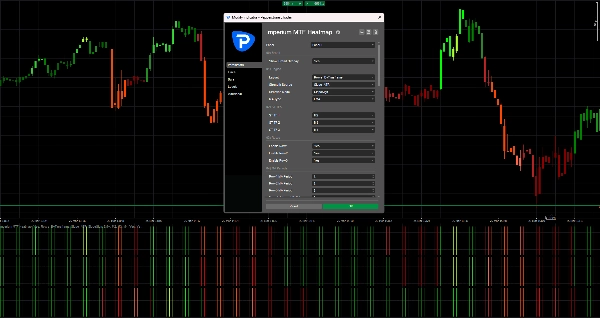
El indicador también puede colorear las velas según la dirección del mapa de calor.
Esto te ayuda a:
- mantenerte visualmente alineado con el sesgo actual
- evitar operar contra la presión activa
- leer el mercado más rápido sin revisar cada fila manualmente
Con los ajustes predeterminados, la coloración de velas está vinculada a M2, que encaja bien con la lógica de trading rápido de los gráficos Tick30 y Minute1.
Flechas de señal
Si están habilitadas, las flechas de señal pueden ayudar a resaltar oportunidades potenciales de compra y venta.
Estas flechas no están destinadas a reemplazar la lectura del mercado.
Funcionan mejor cuando se usan junto con la alineación del mapa de calor.
Mejor práctica:
- Usa las flechas solo en la dirección del sesgo completo del mapa de calor
- Da más valor a las flechas cuando la Fila 2 y la Fila 3 confirman la Fila 1
- Ignora las flechas durante condiciones mixtas o conflictivas del mapa de calor
En tus valores predeterminados actuales, las flechas de señal están apagadas off, lo que mantiene el gráfico limpio y pone el foco en el mapa de calor en sí.
Qué evitar
No uses el indicador a ciegas.
Evita tomar operaciones cuando:
- las filas están mezcladas
- los colores son débiles e inestables
- la dirección del mapa de calor cambia rápidamente
- el mercado está volátil o en rango
- la acción del precio claramente no concuerda con la estructura del mapa de calor
El indicador es más fuerte cuando se usa como una herramienta de apoyo a la decisión, no como un sistema de entrada automática independiente.
Mejores casos de uso
Imperium MTF Heatmap es especialmente efectivo para:
- scalping
- trading de momentum a corto plazo
- entradas de continuación de tendencia
- confirmación de retrocesos
- análisis de confluencia multi-temporal
- filtrado de operaciones débiles
- mantenerse alineado con la presión del mercado
Por qué los traders siguen usándolo
Este indicador se vuelve poderoso porque comprime mucha información importante del mercado en una lectura visual rápida.
Una vez que comienzas a usarlo regularmente, empiezas a notar:
- la dirección más rápido
- la fuerza más claramente
- la alineación con más confianza
- configuraciones débiles antes
- mejor sincronización en mercados activos
Por eso a menudo se convierte en uno de esos indicadores que los traders mantienen en su gráfico todo el tiempo.
Regla simple para recordar
Alineación verde = busca compras
Alineación roja = busca ventas
Mapa de calor mixto = espera
Ese único principio ya hace que el indicador sea muy práctico.
Resumen
Traders use the heatmap to quickly assess market direction, momentum quality, and alignment across multiple layers, aiding in identifying high-quality trade setups and filtering out weak or noisy conditions. The indicator supports both aggressive and conservative entry styles based on the alignment and strength of the heatmap rows. It can also color candles according to the dominant heatmap direction for faster market reading.
Optional signal arrows highlight potential buy and sell opportunities but are intended as a supplement to heatmap analysis rather than standalone signals. Imperium MTF Heatmap is particularly suited for scalping, short-term momentum trading, trend continuation, pullback confirmation, and multi-timeframe confluence analysis across various markets including Forex, indices, commodities, stocks, and cryptocurrencies. It functions as a decision support tool to enhance market awareness and timing in active trading environments.
Valoraciones de clientes
5 | 50 % | |
4 | 50 % | |
3 | 0 % | |
2 | 0 % | |
1 | 0 % |




![Logotipo de "Wyckoff Toolkit [Iridio Capital]"](https://cdn.ctrader.com/image/webp/5318c788-91ef-4297-bca6-4ce73b1516a8_61556)