Описание
✨ Ключевые особенности
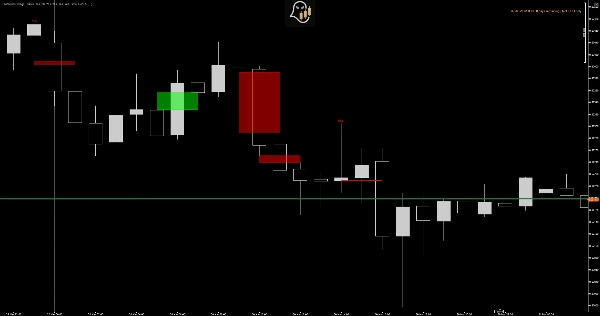
🔍 Обнаружение ликвидности Sweep
- Автоматически определяет, когда цена выходит за уровни пивота для захвата ликвидности
- Различает настоящие прорывы и ложные движения (ловушки стопов)
- Выделяет точную зону, где была взята ликвидность
📦 Анализ Fair Value Gap (FVG)
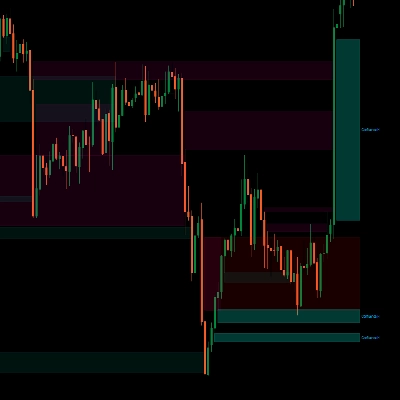
- Обнаруживает бычьи и медвежьи разрывы справедливой стоимости в реальном времени
- Отслеживает устранение FVG на нескольких таймфреймах
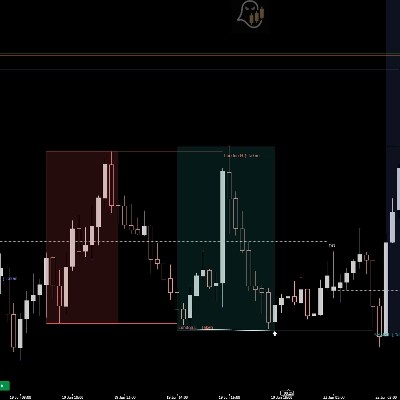
- Визуальные блоки показывают активные разрывы и их статус заполнения
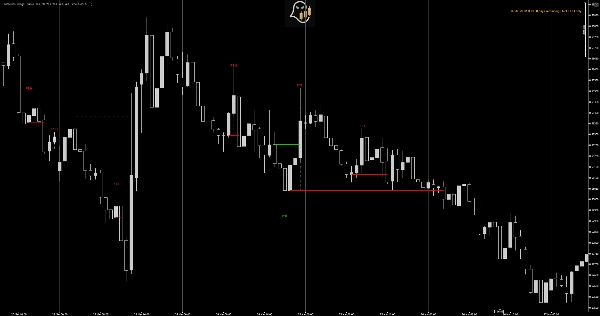
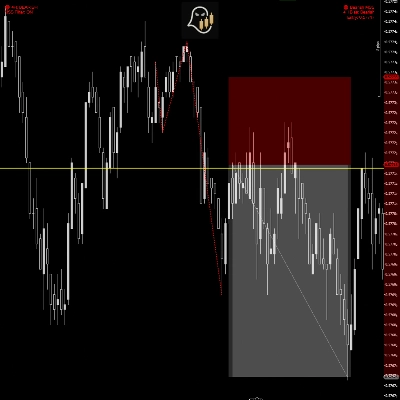
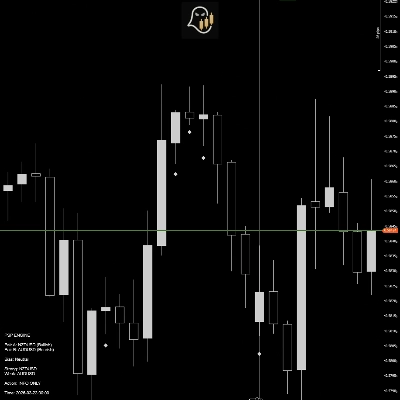
🎯 Идентификация защищённых свингов
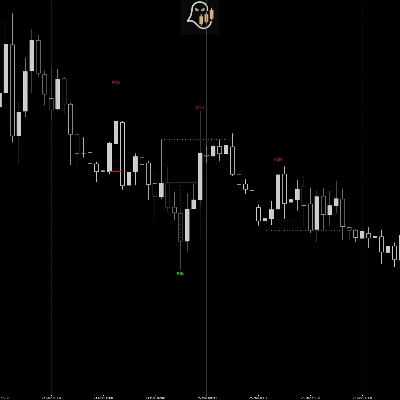
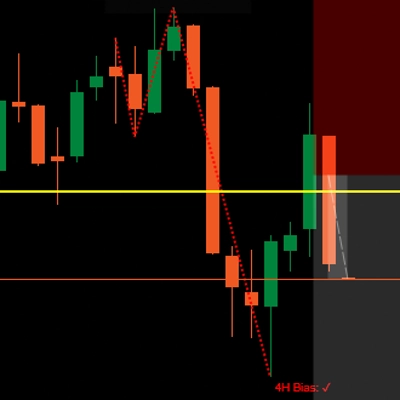
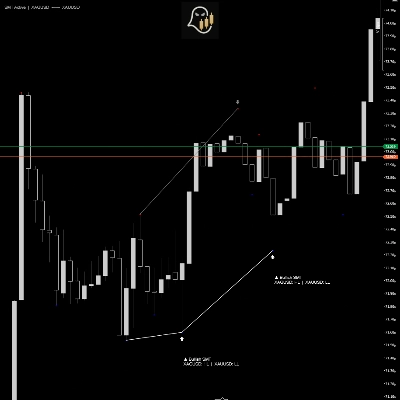
- Отмечает защищённые минимумы (PSL) и максимумы (PSH) свингов
- Сигнализирует только когда свинги следуют за ликвидными sweep или устранением FVG
- Устраняет шум, фильтруя незначительные точки свингов
⚡ Логика подтверждения CISD
- Использует методологию "изменения состояния поставки"
- Ожидает подтверждения цены выше/ниже ключевых уровней
- Автоматически отменяет установки при срабатывании стопов
🎨 Профессиональная визуализация
- Чистое, ненавязчивое отображение графика
- Настраиваемые цвета и прозрачность
- Подробные подсказки с объяснением каждого сигнала
- Автоматическое расширение уровней для удобного планирования целей
💡 Почему защищённые свинги?
Проблема традиционных индикаторов
Большинство индикаторов свингов отмечают каждое максимум и минимум, создавая загромождение графика и ложные сигналы. Они не различают случайные колебания цены и настоящую институциональную активность.
Решение с защищёнными свингами
Требуя либо ликвидный sweep, либо устранение FVG перед отметкой свинга, этот индикатор гарантирует, что вы видите только установки, где умные деньги проявили себя. Это значительно улучшает качество сигналов и снижает количество ложных срабатываний.
🚀 Как это работает
1. Фаза обнаружения
Индикатор непрерывно сканирует:
- Максимумы и минимумы пивотов (настраиваемая чувствительность)
- Ликвидные sweep (движения только фитиля за пределы пивотов)
- Разрывы справедливой стоимости (ценовые неэффективности)
2. Формирование свинга
Когда формируется минимум/максимум свинга И он следует за одним из:
- Ликвидным sweep предыдущего пивота, ИЛИ
- Входом цены в Fair Value Gap, индикатор отмечает его как "ожидающий" защищённый свинг.
3. Фаза подтверждения (CISD)
Свинг подтверждается только когда:
- Для PSL: Цена закрывается выше уровня без пробоя минимума свинга
- Для PSH: Цена закрывается ниже уровня без пробоя максимума свинга
4. Аннулирование
Если цена пробивает точку свинга до подтверждения, установка отменяется. Это сохраняет ваши графики чистыми и фокусируется только на действительных установках.
📈 Применение в торговле
Входы при продолжении тренда
- PSL в восходящих трендах = возможности для покупки с tight стопами
- PSH в нисходящих трендах = возможности для продажи с определённым риском
Торговля на разворот
- Несколько PSL на близких уровнях = зона сильного накопления
- Несколько PSH на близких уровнях = зона распределения/сопротивления
Размещение стоп-лоссов
- Размещайте стопы чуть за подтверждёнными PSL для длинных позиций
- Размещайте стопы чуть за подтверждёнными PSH для коротких позиций
- Методология Stop Defended обеспечивает оптимальное размещение риска
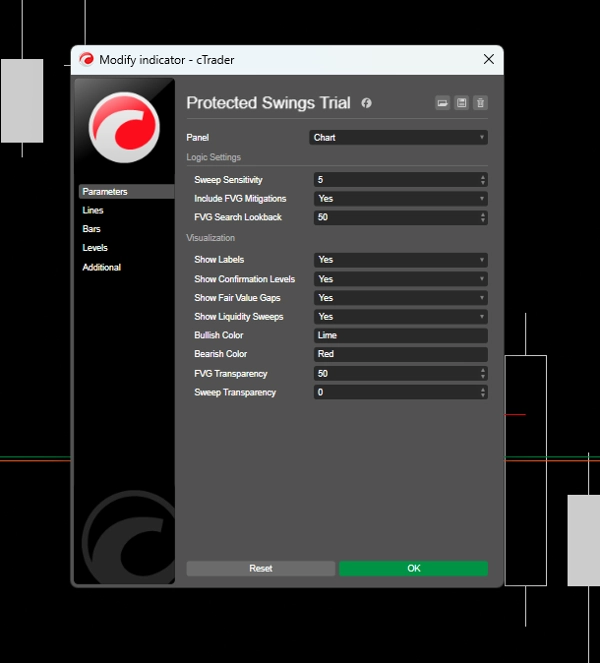
⚙️ Настраиваемые параметры
Настройки логики
- Чувствительность sweep (1-20): Контролирует значимость пивота - выше = меньше, но сильнее сигналы
- Включить устранение FVG: Включение/выключение сигналов на основе FVG
- Период поиска FVG: Как долго FVG остаются активными
### Визуализация
- Показывать метки: Отображать маркеры PSL/PSH
- Показывать уровни подтверждения: Рисовать горизонтальные линии на уровнях входа
- Показывать Fair Value Gaps: Отображать блоки FVG
- Показывать ликвидные sweep: Выделять зоны sweep
- Пользовательские цвета: Полная настройка цветов для бычьих/медвежьих элементов
- Контроль прозрачности:** Регулировка визуальной интенсивности по вашему вкусу
## ⚠️ Ограничения пробной версии
Это 7-ДНЕВНАЯ ПРОБНАЯ версия с следующими ограничениями:
✅ Что включено:
- Полный функционал индикатора
- Все функции разблокированы
- Поддержка всех таймфреймов на NZDUSD
- Полная настройка параметров
❌ Ограничения:
- Символ: Работает только на графиках NZDUSD
- Срок действия: 7-дневный пробный период с момента установки
- Поддержка: Ограниченная поддержка в пробной версии
### 🔓 Преимущества полной версии
- Работает на ВСЕХ валютных парах, акциях, индексах и товарах**
- Пожизненный доступ - без срока действия
- Бесплатные обновления на всю жизнь
- Приоритетная поддержка от GhostInTheSpread
- Подробное руководство пользователя с торговыми стратегиями
- Видеоуроки и руководства по настройке
Сводка
Protected Swings marks Protected Swing Lows (PSL) and Protected Swing Highs (PSH) only when these swings follow liquidity sweeps or FVG mitigations, filtering out insignificant swings to reduce noise. It employs a confirmation logic based on the "change in state of delivery" (CISD) method, confirming swings only when price closes above or below key levels without breaking the swing point, and invalidates setups if stops are hit.
The indicator offers clean, customizable visualizations including labels, confirmation levels, FVG boxes, and liquidity sweep highlights with adjustable colors and transparency. It supports trend continuation and reversal trading strategies, as well as optimal stop loss placement based on confirmed swings. Parameters such as sweep sensitivity and FVG inclusion are customizable. The trial version supports NZDUSD on all timeframes, while the full version works on all currency pairs, stocks, indices, and commodities.
Отзывы покупателей
5 | 50 % | |
4 | 50 % | |
3 | 0 % | |
2 | 0 % | |
1 | 0 % |




![Логотип продукта "[Stellar Strategies] Inside Bar with Signals"](https://cdn.ctrader.com/image/webp/1d9e8bfa-3b2c-4440-bb37-5856902008a7_30683)

![Логотип продукта "[Stellar Strategies] Market Session Ultimate"](https://cdn.ctrader.com/image/webp/61ffd537-0125-4246-9e72-42eca1791d64_28232)