
Descrizione
KNN Machine Learning Momentum Smetti di restare indietro. Inizia a prevedere. Analisi K-Nearest Neighbors di livello istituzionale.
Parametri predefiniti ottimizzati per XAUUSD. Funziona su qualsiasi timeframe — scegli in base al tuo stile di trading. Timeframe più alti offrono segnali più puliti e con probabilità più elevate. Timeframe più bassi generano più segnali con un po' più di rumore. Vedi la Guida ai Timeframe qui sotto.
🥈 Disponibile anche: versione bot automatizzata XAGUSD Ti piace la logica? Portala oltre. Una versione bot dedicata di questo indicatore — ottimizzata specificamente per XAGUSD (Argento) — è disponibile sul marketplace. Funziona completamente in automatico, eseguendo operazioni per tuo conto senza necessità di input manuale. Prezzo contenuto rispetto al ROI che è progettato per offrire.
👉 KNN XAGUSD Bot — Visualizza su cTrader Market
⏱ Guida ai Timeframe
TimeframeVolume SegnaliNote
M5
Molto Alto
Più rumore — richiede disciplina e filtraggio più rigorosi per evitare overtrading.
M8
Alto (PREDEFINITO)
La baseline ottimizzata. Miglior equilibrio tra frequenza e accuratezza dei segnali per XAUUSD.
M15
Medio
Segnali più puliti e di qualità superiore con meno entrate per sessione.
M30 / H1
Basso
Massima accuratezza — più adatto per setup in stile swing che richiedono più pazienza.
I parametri predefiniti sono stati testati su M8. Se cambi timeframe, considera di regolare di conseguenza il Periodo ATR e i moltiplicatori SL/TP.
⚙️ Parametri Predefiniti
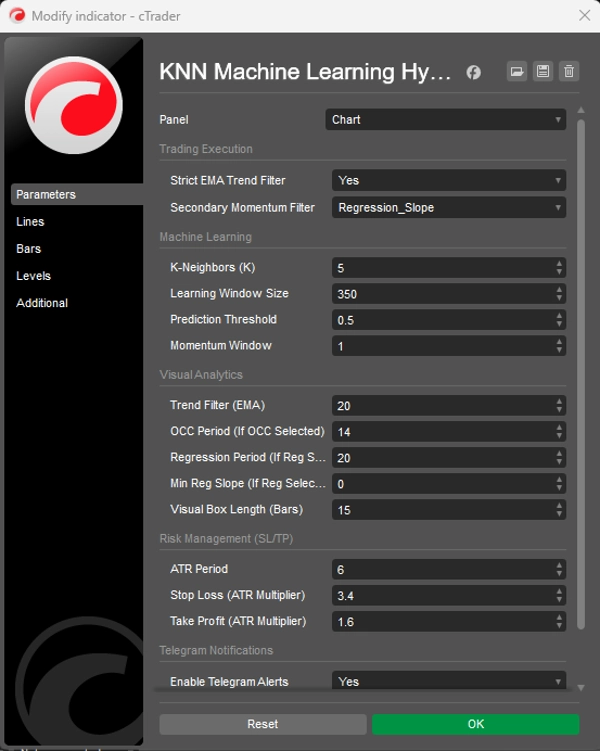
Finestra di Apprendimento (350) — Numero di candele storiche che il motore KNN analizza per trovare corrispondenze di pattern.
Soglia di Predizione (0.5) — Punteggio minimo di confidenza richiesto prima che venga generato un segnale.
Periodo ATR (6) — Periodo usato per calcolare l'Average True Range per dimensionare SL/TP.
Moltiplicatore Stop Loss (3.4) — Distanza SL = ATR × 3.4. Più ampia per dare spazio alla volatilità dell'Oro.
Moltiplicatore Take Profit (1.6) — Distanza TP = ATR × 1.6. Più stretta per bloccare rapidamente i profitti e mantenere un alto tasso di vincita.
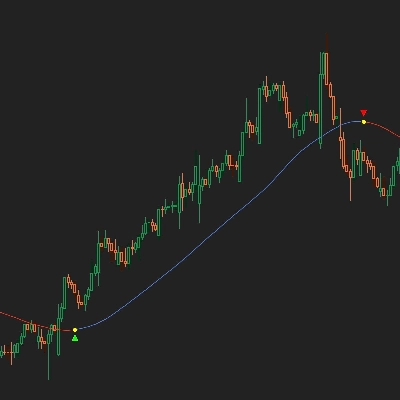
Filtro Trend EMA (20) — Periodo della EMA usata come filtro di trend — la Linea Blu sul tuo grafico.
🤖 Motore Predittivo KNN Comprende la deviazione di RSI e MA in un algoritmo di corrispondenza storica. Ad ogni candela, analizza le ultime 350 barre e trova i 5 momenti passati più simili per prevedere la direzione.
📈 Filtro Trend EMA Rigoroso Sopprime automaticamente setup contro-trend a bassa probabilità. Solo i segnali in linea con il trend più ampio sono considerati ad alta probabilità.
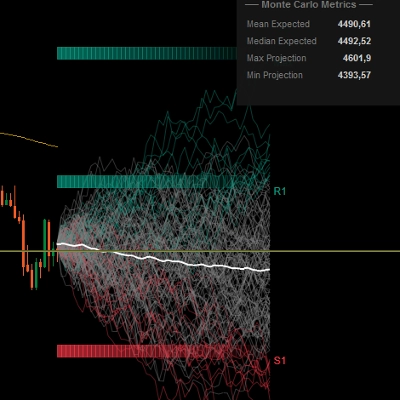
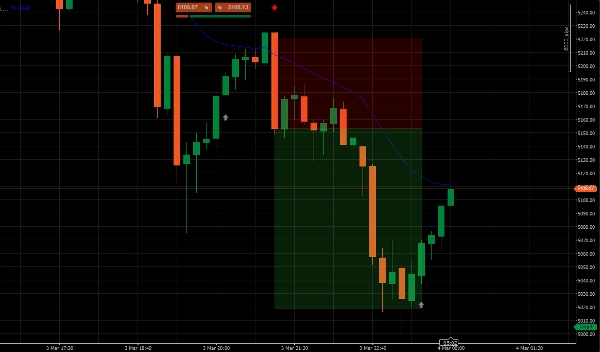
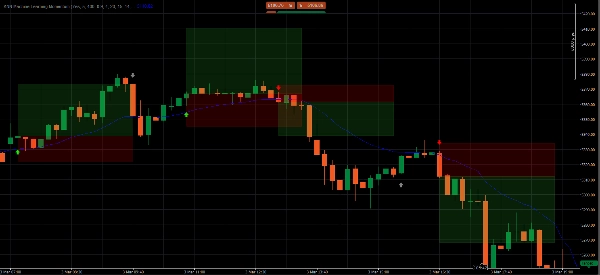
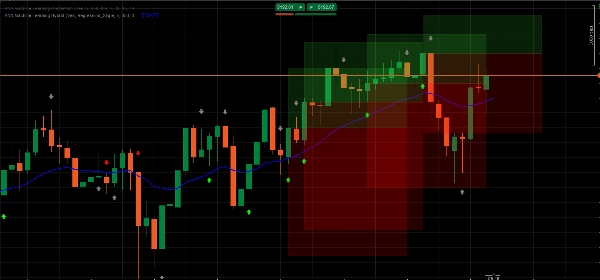
📦 Zone Target ATR Dinamiche Proietta box colorati trasparenti per le tue zone di Take Profit e Stop Loss, adattandosi in tempo reale alla volatilità di mercato attuale tramite ATR.
🧹 Gestore Memoria UI Mantiene il tuo grafico pulito rimuovendo automaticamente le vecchie zone. Vengono mostrati solo i 5 setup più recenti in qualsiasi momento.
📲 Avvisi Push Telegram Integrazione webhook incorporata invia avvisi di trading istantanei con prezzi esatti di Entrata, TP e SL direttamente al tuo telefono.
📊 Come Leggere i Segnali
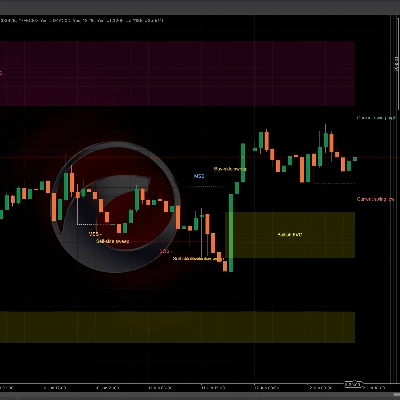
🟢 Freccia Verde Chiaro — BUY ad Alta Probabilità KNN prevede che il prezzo salirà E il prezzo è sopra la EMA. Allineamento completo del trend. Questi sono i setup premium da tradare.
🔴 Freccia Rossa Chiara — SELL ad Alta Probabilità KNN prevede che il prezzo scenderà E il prezzo è sotto la EMA. Allineamento completo del trend. Entra alla chiusura della candela del segnale.
⚪ Freccia Grigia — Contro-Trend (NON TRADARE) Rilevato cambiamento di momentum, ma contro il trend più ampio. Stampata solo per consapevolezza — probabilità significativamente più bassa.
▶️ Guida all'Esecuzione
- Aspetta una Freccia Verde Chiaro o Rossa Chiara — ignora completamente i segnali grigi.
- Aspetta che la candela del segnale si chiuda completamente prima di entrare.
- Imposta SL e TP al bordo orizzontale esterno di ogni box — il bordo più lontano dal tuo prezzo di entrata.
❓ FAQ
Perché appare una freccia? Ad ogni candela, l'algoritmo cattura lo stato attuale di RSI e MA, analizza le ultime 350 barre per i 5 momenti matematicamente più simili e prevede la direzione basandosi su dove è andato il prezzo in quei momenti.
Cosa distingue una freccia Chiara da una Grigia? Frecce chiare = segnale AI e trend EMA in pieno accordo — massima probabilità. Frecce grigie = momentum rilevato ma contro-trend — segnalate come troppo rischiose per tradare.
Quale timeframe dovrei usare? M8 è il default ottimizzato. Timeframe più alti (M15, M30, H1) danno segnali meno frequenti ma più puliti. M5 dà più segnali ma richiede una disciplina di filtraggio più rigorosa.
Dove esattamente devo posizionare SL e TP? Al bordo orizzontale esterno di ogni box colorato — il bordo più lontano dal tuo prezzo di entrata.
Posso usare questo su asset diversi dall'Oro? Sì — applicabile a qualsiasi asset su cTrader. Tuttavia, i parametri sono stati testati specificamente per XAUUSD. Altri strumenti beneficeranno di un periodo di tuning dei parametri.
⚠️ Avvertenza sul Rischio Il trading di valute estere, materie prime e CFD con margine comporta un alto livello di rischio e potrebbe non essere adatto a tutti gli investitori. Questo indicatore è uno strumento di analisi quantitativa a scopo educativo e informativo — non costituisce consulenza finanziaria. Le performance passate non sono indicative di risultati futuri. Testa sempre su un conto demo prima di rischiare capitale reale.
Riepilogo
Key functionalities include dynamic Average True Range (ATR)-based stop loss and take profit target zones that adapt to market volatility, and a UI memory manager that keeps charts clear by displaying only the five most recent setups. Signals are visually represented by arrows: bright green for high-probability buy, bright red for high-probability sell, and gray for counter-trend momentum (not recommended for trading). The indicator supports multiple timeframes, with M8 as the default optimized setting balancing signal frequency and accuracy.
Additionally, it integrates Telegram push alerts via webhook, delivering real-time trade signals with precise entry, stop loss, and take profit levels. Users are advised to wait for signal candle closure before entering trades and to place stops and targets at the edges of the ATR target zones. Parameters such as learning window, prediction threshold, ATR period, and multipliers for stop loss and take profit are configurable to suit different trading styles.