
설명
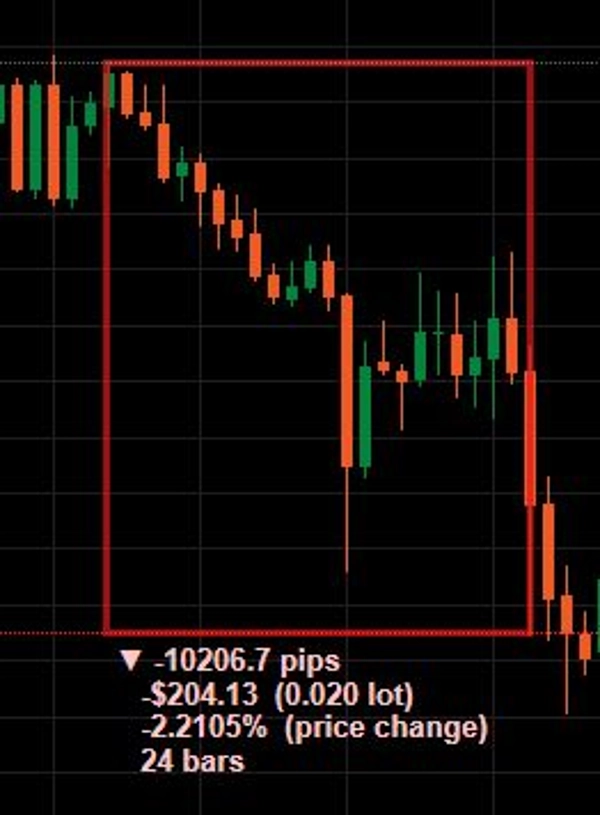
PriceMeasure는 트레이더가 차트에서 가격 움직임을 빠르고 정확하게 측정할 수 있도록 설계된 cTrader용 고급 측정 플러그인입니다.
이 도구는 TradingView의 “자” 기능과 유사하게 작동하지만 추가 기능을 포함하고 있습니다.
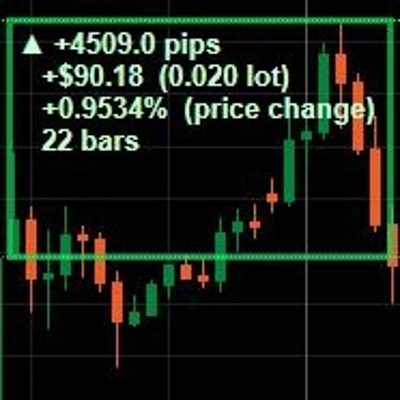
차트에서 두 지점을 선택하면 도구가 자동으로 계산합니다:
- 가격 거리,
- 핍 거리,
- 가격 변동 비율,
- 측정 지점 간 캔들 수.
플러그인은 사용자가 맞춤형 로트 크기를 정의할 수 있게 하여 자동으로 다음을 계산할 수 있습니다:
- 잠재적 이익,
- 잠재적 손실,
- 미국 달러 기준 움직임 가치.
이는 다음을 크게 가속화합니다:
- 위험/보상 분석,
- 포지션 크기 조정,
- 위험 관리.
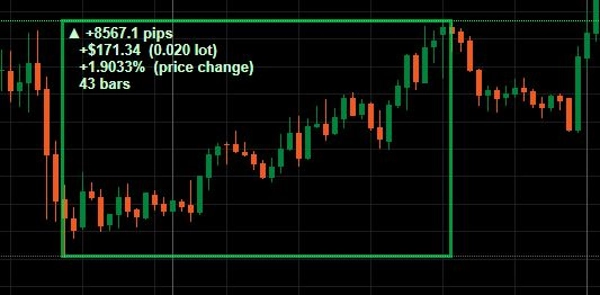
플러그인은 강세 움직임(녹색 사각형)과 약세 움직임(빨간색 사각형)을 자동으로 구분합니다.
플러그인 사용 방법
1. 도구 활성화
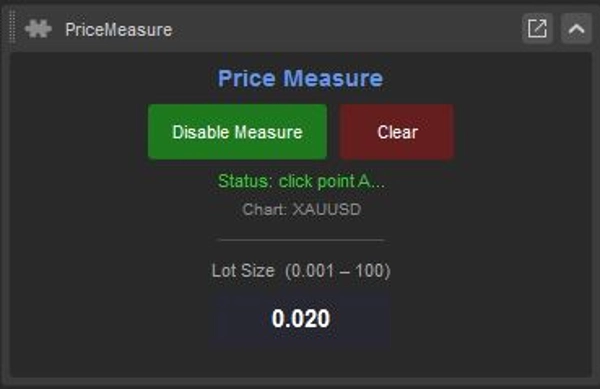
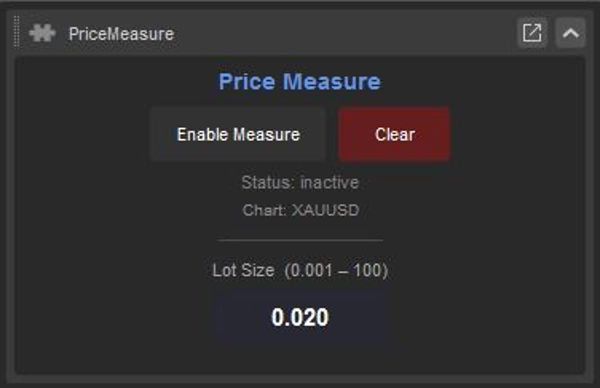
클릭하세요: Enable Measure
2. 포인트 A 선택
차트에서 첫 번째 가격 수준을 클릭하세요. 이것이 측정의 시작점이 됩니다.
3. 포인트 B 선택
두 번째 가격 수준을 클릭하세요. 플러그인이 자동으로 측정 영역을 그리며 모든 통계와 값을 표시합니다.
4. 데이터 확인
차트에 다음이 표시됩니다:
- 핍 수,
- USD 가치,
- 변동 비율,
- 캔들 수.
5. 여러 측정 생성
각 측정은 수동으로 제거할 때까지 차트에 남아 있습니다.
6. 측정 삭제
클릭하세요: Clear
차트에서 모든 측정을 제거합니다.
로트 크기
이익/손실 계산에 사용되는 포지션 크기를 정의합니다.
요약
AI 요약
PriceMeasure is a measurement plugin for the cTrader platform that enables traders to quickly and accurately measure price movements on charts. Functioning similarly to TradingView’s “Ruler” tool but with enhanced capabilities, it allows users to select two points on a chart to automatically calculate key metrics including price distance, pip distance, percentage price change, and the number of candles between points.
Users can define a custom Lot size to enable automatic calculations of potential profit, potential loss, and movement value in USD. The plugin visually distinguishes bullish movements with green rectangles and bearish movements with red rectangles, aiding in quick interpretation.
Key features include support for multiple simultaneous measurements on the chart, which remain until manually cleared, and a streamlined workflow for risk/reward analysis, position sizing, and risk management. The plugin displays pip count, USD value, percentage change, and candle count for each measurement, facilitating detailed trade planning and analysis directly within the cTrader chart interface.
Users can define a custom Lot size to enable automatic calculations of potential profit, potential loss, and movement value in USD. The plugin visually distinguishes bullish movements with green rectangles and bearish movements with red rectangles, aiding in quick interpretation.
Key features include support for multiple simultaneous measurements on the chart, which remain until manually cleared, and a streamlined workflow for risk/reward analysis, position sizing, and risk management. The plugin displays pip count, USD value, percentage change, and candle count for each measurement, facilitating detailed trade planning and analysis directly within the cTrader chart interface.
플러그인 프로필
플러그인 카테고리
거래 관리
데이터 액세스
차트
상담
고객 리뷰
0.0
리뷰: 0
고객 리뷰
이 상품에 대한 리뷰가 아직 없습니다. 이미 사용해 보셨나요? 다른 사람들에게 가장 먼저 소개해 주세요!
자주 묻는 질문(FAQ)
Position Sizer
Chart UI Tools
Risk/Reward
SL/TP Templates
Risk Calculator
트레이딩 봇, 지표, 플러그인 등 cTrader Store에서 제공되는 상품은 제3자 개발자에 의해 제공되며, 이는 단순히 정보 및 기술적 접근을 목적으로 제공된 것입니다. cTrader Store는 중개인이 아니며, 투자 조언, 개인별 추천 또는 향후 성과에 대한 어떠한 보장도 제공하지 않습니다.







가격
가입일 03/06/2025