![Trading product for [CB] Pivot Points Pro Indikator Breakout Indices, image 1](https://cdn.ctrader.com/image/webp/43463c82-67b0-4f10-a4ba-901bba091d81_32594)
![Trading product for [CB] Pivot Points Pro Indikator Breakout Indices, image 2](https://cdn.ctrader.com/image/webp/722302dc-3fc8-4aab-9f38-a9f4314d8613_32595)
![Trading product for [CB] Pivot Points Pro Indikator Breakout Indices, image 3](https://cdn.ctrader.com/image/webp/ead94ff6-1be2-4773-9c6c-dcdc74c8806c_32596)
Penerangan
Titik pivot adalah penunjuk analisis teknikal yang digunakan untuk menentukan arah keseluruhan pasaran menggunakan pelbagai jangka masa dan ia berperanan untuk mengenal pasti tahap sokongan dan rintangan. Jangka masa yang paling popular untuk penunjuk titik pivot adalah harian.
Cara Menyesuaikan Penunjuk
Anda boleh dengan mudah mematikan tahap sokongan dan rintangan 1,2 dan 3 supaya anda hanya dapat melihat titik pivot utama, ini dilakukan dalam tetapan Show R/S. Istilah R/S bermaksud tahap rintangan dan sokongan.
Formula Titik Pivot Tersedia
Terdapat beberapa pilihan untuk pengiraan di mana tahap sokongan dan rintangan ditunjukkan, penunjuk ini membenarkan pilihan 3.
- Standard (Klasik)
- Fibonacci
- Woodie
Pilihan Pelbagai Jangka Masa
Penunjuk ini juga mempunyai pilihan untuk menunjukkan titik pivot jangka masa yang berbeza pada carta anda yang mungkin menunjukkan jangka masa yang berbeza, jangka masa yang tersedia adalah seperti berikut:
- Jangka masa carta semasa
- 1 jam
- 4 jam
- Harian
- Mingguan
- Bulanan
Cara Berdagang Dengan Penunjuk
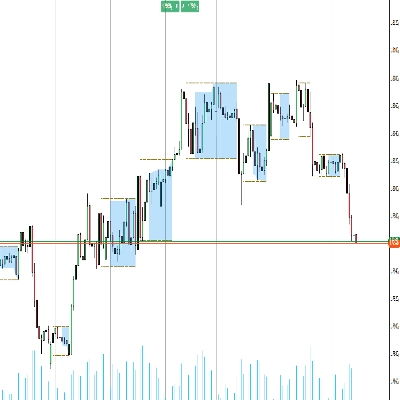
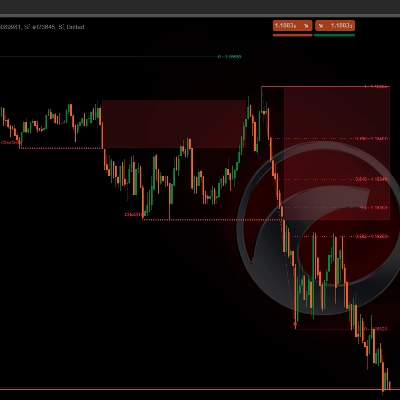
Contoh cara berdagang dengan penunjuk ini ditunjukkan di bawah:
- Masuk 1: tolak oleh tahap R1 dan terdapat lilin engulfing
- Masuk 2: pecah titik pivot dan uji semula sekali lagi
- Ambil Untung: capai tahap S2 dan ini juga adalah bahagian bawah julat
Ringkasan
It offers multi-timeframe functionality, enabling the visualization of pivot points from various timeframes such as the current chart timeframe, 1-hour, 4-hour, daily, weekly, and monthly. This flexibility helps traders analyze market conditions across different periods.
The indicator is primarily used to find pullback entries within trends. Typical trading strategies include entering on rejection at resistance levels confirmed by candlestick patterns (e.g., engulfing candles), entering on breakout and retest of pivot points, and setting take profit targets at specified support levels like S2.
Overall, [CB] Pivot Points Pro facilitates the identification of trend direction and potential reversal or continuation points by plotting pivot levels and their associated support and resistance zones across multiple timeframes and calculation methods.
Perbincangan
Ulasan pelanggan
5 | 33 % | |
4 | 67 % | |
3 | 0 % | |
2 | 0 % | |
1 | 0 % |