説明
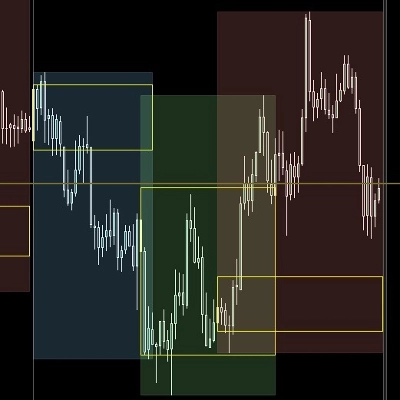
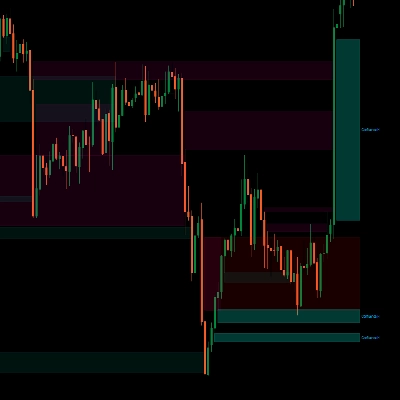
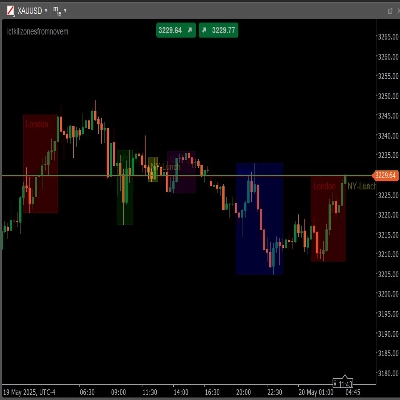
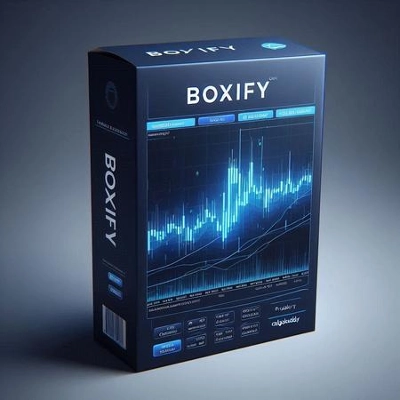
このcTraderのBoxifyインジケーターのアルゴリズムの目的は、価格の動きをゾーン、より良く言えばボックスに分類しようとすることです。これにより、トレーダーは取引ポジションで優位性を得ることができます。これは単独で機能するインジケーターではなく、むしろあらゆる取引戦略やセットアップを補完する便利なツールです。
横ばいの動きを検出することは、トレーダーが利益を確保したり、損失を切ったり、有利なリミット注文を出したりするのに役立ちます。ボックスを使う方法のいくつかを以下に示します:
統合エリアの検出
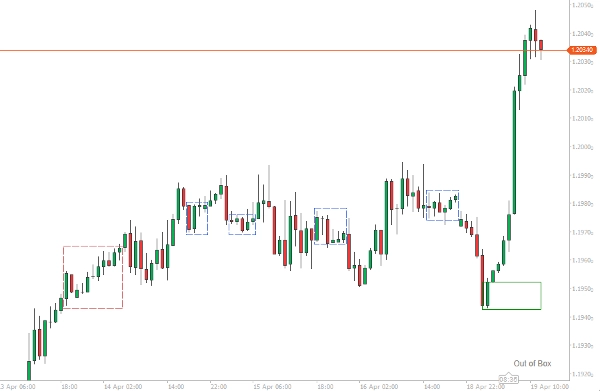
複数のバーを含む過去のボックスについては、これらが統合エリアであり、横ばいの動きがあると安全に推測できます。これらのエリアは価格の動きの分析においてサポートまたはレジスタンスレベルとして機能します。
より良い取引の配置
取引のセットアップがあり、価格がボックス化しているのが見えた場合、ボックスを価格の動きのガイドラインとして使用し、取引にとってより有利なポジションを得ることができます。現在形成中のボックスは、勝っているポジションで利益を確保したり、トレンド市場に再参入したり、ストップロスを置くために使用できます。
リミット注文の配置
長い横ばいの動きは最終的にブレイクアウトにつながります。Boxifyは、ブレイクアウトの開始を最大限に活用するために、上または下にリミット注文を配置するのに役立ちます。
インジケーターのオプション
インジケーターは少なくとも2本以上のバーから価格をボックス化しようとします。インジケーターからのメッセージはチャート領域の右下隅に表示されます。
- 価格がトレンドの場合、「Out of Box」というメッセージが表示されます。
- 価格がボックス化している場合、「Boxing」というメッセージが表示されます。
- 価格がボックス化していて、価格が上限を突破した場合、「Breaking High」が表示されます。
- 価格がボックス化していて、価格が下限を突破した場合、「Breaking Low」が表示されます。
ボックスは新しいバーの始まりで完了と見なされます。価格は常にボックス内に戻る可能性があるためです。
ボックスの最小バー数
この数値は、ボックスが完了と見なされるために必要な最小バー数を表します。エントリーポイントには低い数値を、統合エリアには高い数値を使用してください。
ATRフィルター
Boxifyには内部にATRインジケーターがあり、バーの長さ(高値-安値)がATR値を超えた場合にボックス形成を停止するフィルタリングオプションとして使用できます。取引に入る場合はこのオプションを使用してください。
重複の統合
ボックスの開始は前のボックスが終了する前に始まることがあります(特にボックスの長さに非常に低い数値を選択した場合)。このオプションでこれらのボックスを統合し、より大きなボックスの形成を見ることができます。これらのボックスは青色の境界線になります。
許容範囲
ボックスの上下限が持つことができる許容範囲を示す数値です。取引に入る場合は小さい数値を、統合エリアを見つけたい場合は大きい数値を使用してください。
概要
Key features include:
- Detection of price boxing with messages displayed on the chart indicating states such as “Boxing,” “Out of Box,” “Breaking High,” and “Breaking Low.”
- Configurable minimum bars per box to differentiate between entry points and consolidation zones.
- An internal Average True Range (ATR) filter to exclude bars exceeding volatility thresholds from box formation.
- Option to merge overlapping boxes to form larger zones, visually distinguished by blue borders.
- Adjustable tolerance for box boundary limits to fine-tune sensitivity for trade entries or consolidation identification.
Boxify complements existing trading strategies by providing visual zones that enhance decision-making across Forex, indices, commodities, and cryptocurrencies.
カスタマーレビュー
5 | 50 % | |
4 | 50 % | |
3 | 0 % | |
2 | 0 % | |
1 | 0 % |