
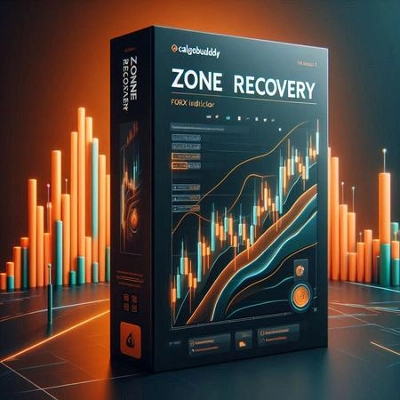
説明
もし市場がこの新しい方向に動き続けるなら、ある時点で逆方向の取引からの利益が最初の取引の損失を上回り、その時点で両方の取引を閉じることができます。
もし市場が以前の方向に戻るなら、より大きなロットサイズの反対取引は最初の取引が利益を得るよりも速く損失を蓄積します。この状況では、最初の方向にもう一つの取引を開き、最初の取引と三番目の取引が二番目の取引より大きくなります。
この往復ヘッジ戦略は、価格の動きがどちらかの方向にブレイクするまで続けることができます。
ゾーンリカバリーインジケーターの使い方
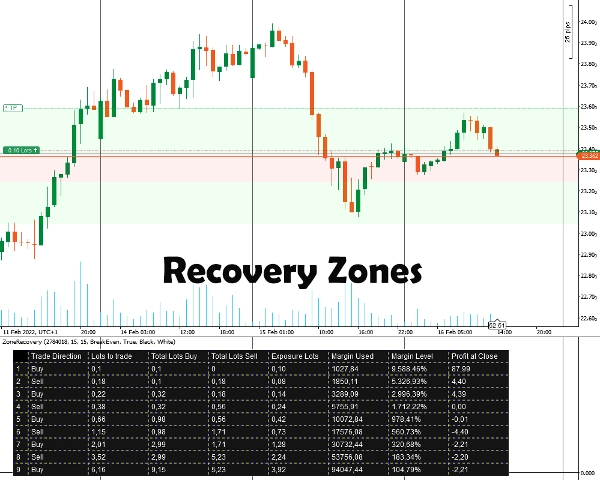
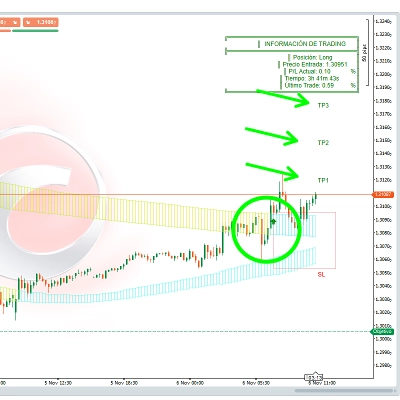
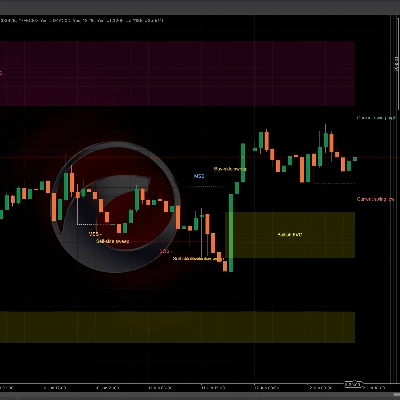
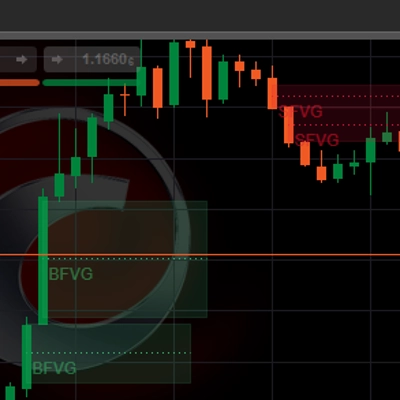
まず、ヘッジしたいポジションIDを入力します。そのポジションは 利益目標を持っている必要があります。その後、ヘッジを開始すべきだと考えるピップ数を入力してゾーンリカバリーのサイズを選択します。インジケーターはゾーンと戦略のための表を表示します。
すべての後続ポジションの注文、ストップロス、利益確定目標は手動で設定する必要があります。
重要な情報
まず第一に、あなたの取引口座はヘッジタイプの口座でなければなりません。
- 基本的にこれはマーチンゲール戦略であり、リスクを伴います。最初の取引がレンジ相場で開かれた場合、すぐに証拠金が枯渇する可能性があります。より良い結果を得るには、ボラティリティのある/トレンドのある銘柄が必要です。
- 手数料が低い/スプレッドが小さい取引銘柄の方が効果的です。
- 最初の取引が最小ロットサイズで行われた場合、手数料計算の誤差や将来の取引のロットサイズの切り上げ/切り下げにより、後続の計算がわずかに誤ることがあります。
- 口座の通貨と異なる銘柄を取引する場合、為替レートが常に変動するため証拠金計算が若干ずれることがあります。 (例:EUR口座でGBP/USDのポジションを開く場合)
- スワップは考慮されていません。
インジケーターオプション
インジケーターは以下のオプションを提供します:
- ポジションID - ヘッジテーブルを計算したい開いているポジションID。最初の「PID」を除いた数字だけで入力可能です。
- ゾーンリカバリーピップ数 - 計算に考慮されるゾーンリカバリーのピップ数。ゾーンリカバリーの終了時に、最初の取引と反対方向の取引が開かれなければなりません。
- 計算モード
2つのモードがあります:ブレイクイーブンと利益
ブレイクイーブン:すべての取引を閉じたときに損失がゼロまたは最小になるようにロットサイズを計算します。証拠金の減少が遅いです。
利益:最初のオープントレードの利益目標を達成するためにロットサイズを計算します。証拠金の減少が速いです。 - ゾーンリカバリーエリアを描画 - チャート上にゾーンリカバリーエリアを描画したい場合は「はい」を選択してください。
- テーブルの色 / フォントの色 - ヘッジテーブルの色設定オプション。
概要
AI summary
The Zone Recovery indicator facilitates an advanced hedging strategy by managing trades in opposing directions to recover losses. It operates by opening a trade opposite to an initial position when the market moves against it. If the market continues in the new direction, profits from the opposing trade can offset losses from the initial trade, allowing both to be closed profitably. If the market reverses, the indicator guides opening additional trades in the original direction with adjusted lot sizes to maintain a hedging balance. This back-and-forth process continues until a decisive price breakout occurs.
Users input the Position ID of the trade to hedge and set a Zone Recovery size in pips, which defines when to start hedging. The indicator displays recovery zones and a strategy table, but users must manually place orders, stop losses, and take profit targets. It requires a hedging account type and is based on a martingale approach, best suited for volatile or trending markets with low commissions and spreads.
Key options include selecting the Position ID, setting Zone Recovery pips, choosing between BreakEven or Profit calculation modes (balancing margin use and profit targets), enabling zone area drawings on the chart, and customizing table colors. The tool supports markets including Forex (e.g., EURUSD) and commodities (e.g., XAUUSD).
Users input the Position ID of the trade to hedge and set a Zone Recovery size in pips, which defines when to start hedging. The indicator displays recovery zones and a strategy table, but users must manually place orders, stop losses, and take profit targets. It requires a hedging account type and is based on a martingale approach, best suited for volatile or trending markets with low commissions and spreads.
Key options include selecting the Position ID, setting Zone Recovery pips, choosing between BreakEven or Profit calculation modes (balancing margin use and profit targets), enabling zone area drawings on the chart, and customizing table colors. The tool supports markets including Forex (e.g., EURUSD) and commodities (e.g., XAUUSD).
インジケーターのプロフィール
カスタマーレビュー
5.0
レビュー: 3
5 | 100 % | |
4 | 0 % | |
3 | 0 % | |
2 | 0 % | |
1 | 0 % |
カスタマーレビュー
February 3, 2025
It helped mostly by making bad ideas easier to skip. Forcing the entry still creates problems.
January 31, 2025
What stood out was the plan becomes easier to stick with. The market context still matters.
January 29, 2025
Good helper vibe, not a full system vibe. The trade log should confirm the value.
ディスカッション
よくあるご質問
Forex
EURUSD
Commodities
XAUUSD
Martingale
cTrader Storeで入手可能な取引ボット、インジケーター、プラグインなどの商品は、第三者の開発者が提供するものであり、情報と技術の取得のみを目的としてご利用いただけます。cTrader Storeはブローカーではなく、投資助言や個人的な推奨を行うことも、将来のパフォーマンスを保証することもありません。











価格
12
販売