present
新規登録で初回購入時に$50オフ
Trading product for CTrader_Jornal デスクトッププラグイン Consistent Returns No Overtrading, image 1
CTrader_Jornal
デスクトッププラグイン
1 購入済
バージョン 1.7、Oct 2026
Windows、Mac
4.0
レビュー: 3
Trading product for CTrader_Jornal デスクトッププラグイン Consistent Returns No Overtrading, image 2
Trading product for CTrader_Jornal デスクトッププラグイン Consistent Returns No Overtrading, image 3
Trading product for CTrader_Jornal デスクトッププラグイン Consistent Returns No Overtrading, image 4
Trading product for CTrader_Jornal デスクトッププラグイン Consistent Returns No Overtrading, image 5
Trading product for CTrader_Jornal デスクトッププラグイン Consistent Returns No Overtrading, image 6
Trading product for CTrader_Jornal デスクトッププラグイン Consistent Returns No Overtrading, image 7
Trading product for CTrader_Jornal デスクトッププラグイン Consistent Returns No Overtrading, image 8
Trading product for CTrader_Jornal デスクトッププラグイン Consistent Returns No Overtrading, image 9
Trading product for CTrader_Jornal デスクトッププラグイン Consistent Returns No Overtrading, image 10
Trading product for CTrader_Jornal デスクトッププラグイン Consistent Returns No Overtrading, image 11
登録日 09/02/2026
29
販売
179
無料インストール

説明

CTRADER JOURNAL - ログ記録を減らし、学習を増やす。

レビュー時間を使って何が起こったかを再構築するのをやめましょう。cTrader Journalは自動的にあなたの取引を記録し、エントリーとエグジットのスクリーンショットをキャプチャするので、意思決定の理解、パターンの発見、プロセスの改善に集中できます。

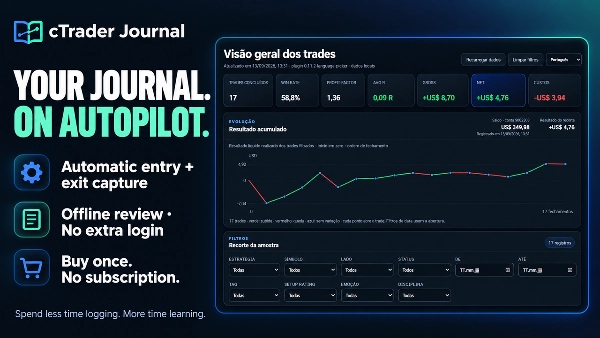
一度の購入。ジャーナルのサブスクリプションは不要。追加のジャーナルログインも不要。シンプルさが鍵です!


✅ あなたの取引履歴を役立つものに変えましょう

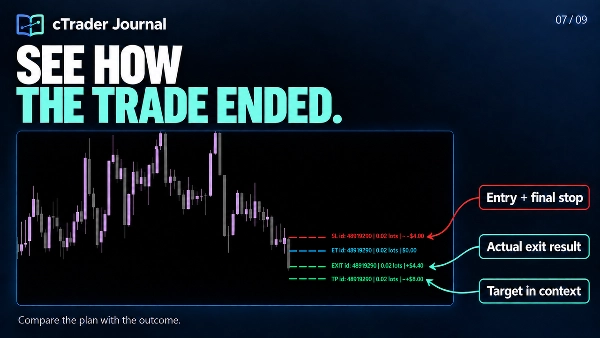
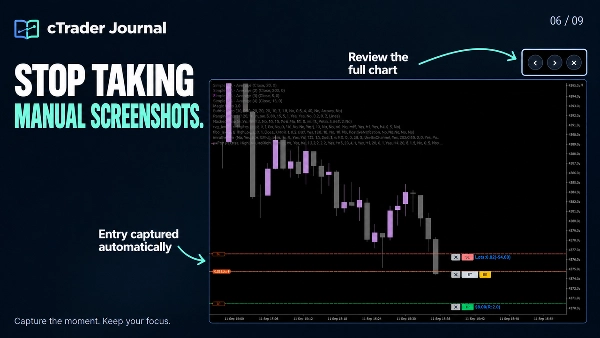
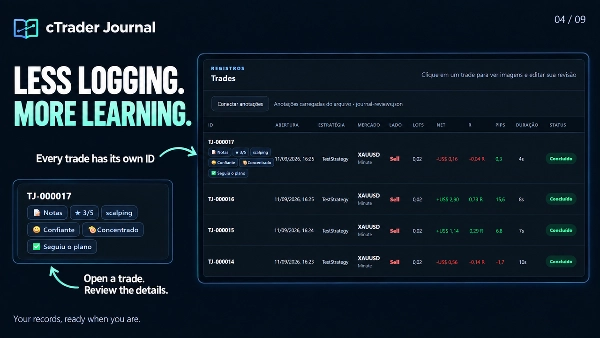
  • 時間を節約:自動のエントリーとエグジットのキャプチャにより、複数のポジションを含む各取引IDに記録とスクリーンショットがリンクされます。
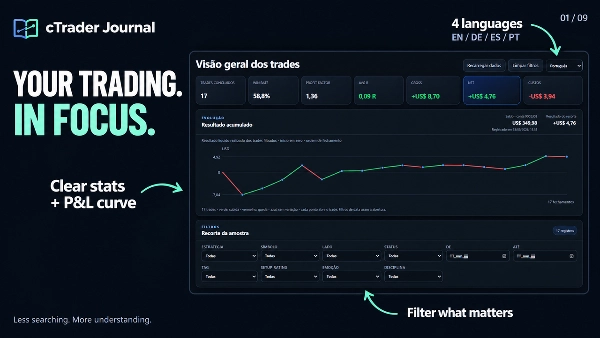
  • 注目すべきものを見極める:明確な統計、累積実現損益曲線、そしてフォーカスされたフィルターが重要なサンプルのレビューを助けます。
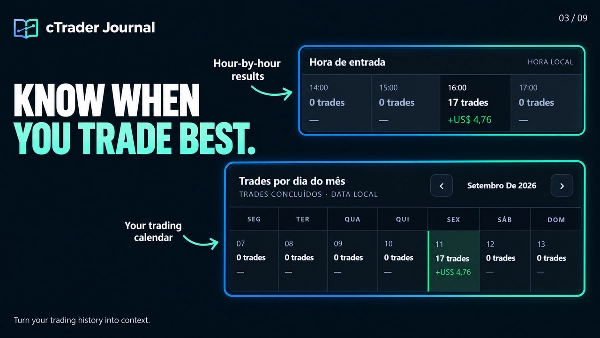
  • あなたのアプローチを比較する:戦略、セッション、エントリー時間、取引日をレビュー。コスト、実行スリッページ、MFE/MAEを調べて分析をサポートします。
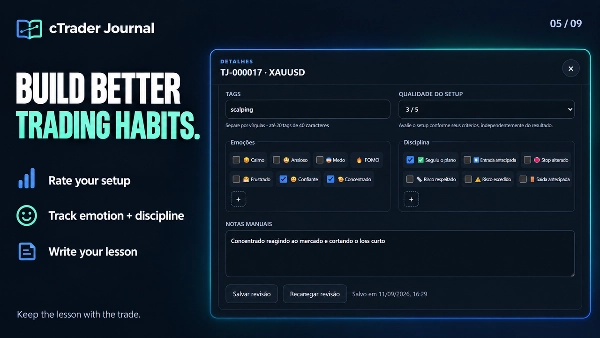
  • 意思決定から学ぶ:個々の取引に個人的なメモ、セットアップ評価、タグ、感情、規律マーカーを追加。独自の感情と規律のオプションを作成できます。
  • 全体像をレビュー:スクリーンショットを拡大し、ビューワーを離れずにエントリーとエグジットを切り替えられます。
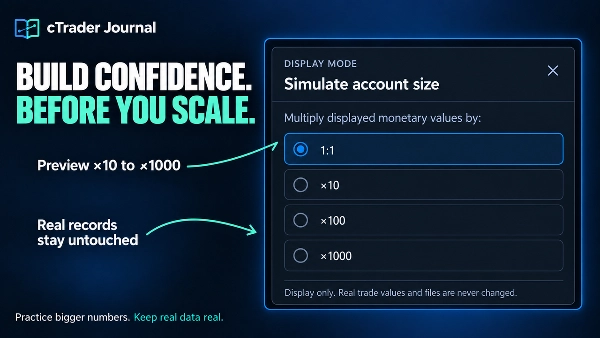
  • 保存された取引データを変更せずに、より大きなアカウントサイズをシミュレートします。
  • スクリーンショットを追加し、チャートに注釈を付け、取引チェックリストを更新します。
  • 記録をナビゲートし、累積曲線をより速く探索します。
  • より安全な自動再試行で中断されたキャプチャを回復します。
  • レビュー、スクリーンショット、メモをローカルに保存します。

✅限界を設定し、プロセスを守る。

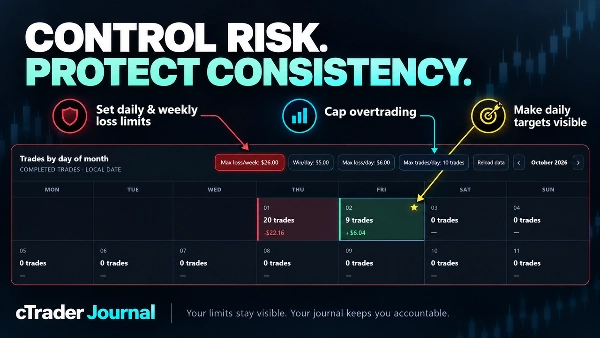
  • ジャーナルカレンダー内に直接持続的なリスクコントロールを構築し、より強い取引規律を築きます。
  • 金銭的価値または損失取引数による日次および週次の損失限度を設定します。
  • 1日あたりの最大取引数で過剰取引を防止します。
  • 日次利益目標を定義し、達成した日は金の星で即座にマークされます。
  • リロードやブラウザの更新をまたいで限界とアクティブな警告を保持します。


🖥️ 考える余地のあるあなたのジャーナル

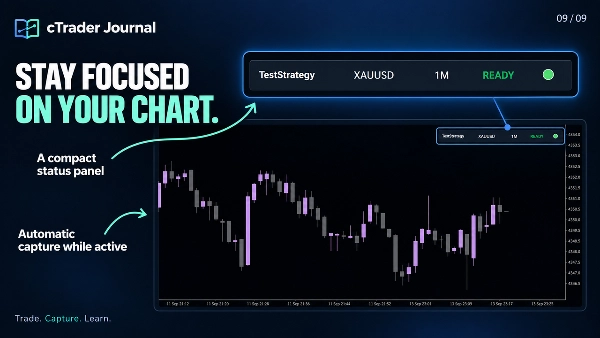
  1. ジャーナルはブラウザでローカルに開き、チャート、統計、スクリーンショット、個人レビューにフルブラウザウィンドウのスペースを提供します。コンパクトなパネルはcTraderチャートに常駐します。
  2. ジャーナルファイルはあなたのコンピューターに保存されます。サーバーをホストしたり別のジャーナルサービスにサインインしたりせずに、オフラインで保存データをレビューできます。
  3. インターフェースは英語、ポルトガル語、ドイツ語、スペイン語をサポートします。英語がデフォルトですが、メモやカスタムラベルは任意の言語で書けます。


📂 ジャーナルの場所

コンパクトパネルの「Open Journal」をクリックしてローカルアドレスにアクセスします。ブラウザが自動で開かない場合は、表示されたアドレスを選択し、Ctrl+A / Ctrl+Cでコピーして、Edge または Chromeのアドレスバーに貼り付けてください。


生成されるページは journal .htmlです。典型的なWindowsの場所は:

Documents\cAlgo\Data\Plugins\CTrader Jornal\jornal\journal.html


正確な場所はDocuments/OneDriveの設定、インストールされたプラグイン名、ジャーナルサブフォルダ設定によって異なります。プラグインが表示するアドレスを使用してください。


✍️ 個人レビューを接続する

  1. Microsoft EdgeまたはGoogle Chromeでjournal .htmlを開きます。
  2. 「Connect annotations」をクリックします。
  3. 同じジャーナルフォルダからjournal-reviews .jsonを選択し、ブラウザに変更の保存を許可します。
  4. 取引を開き、レビューを追加して「Save review」をクリックします。

例:セットアップを3/5で評価し、「Anxious」を選択、早期エントリーの規律マーカーを追加し、「確認前にエントリーしました。次回はローソク足のクローズを待ってください。」と書きます。

重要:これは既存のレビュー ファイルを接続します。取引を手動でインポートする必要はありません。journal-reviews .jsonをジャーナルと一緒に保管し、フォルダのバックアップ時に含めてください。ブラウザが後で再接続を求めた場合は、同じファイルを選択してください。


🌐 完全な体験のためにEdgeまたはChromeを選択してください

ジャーナルはMicrosoft EdgeとGoogle Chromeに最適化されており、これらのファイルアクセス機能によりレビューをローカルのJSONファイルに直接保存できます。

Firefoxや必要なサポートがないブラウザでは、ダッシュボード、統計、スクリーンショットの表示は可能ですが、レビューの作成や編集(メモ、評価、感情、規律、タグを含む)は利用できません。接続されたレビュー ファイルがない場合、表示される注釈は最後に生成されたダッシュボードのスナップショットを反映します。


⚙️ キャプチャ範囲

プラグインをアクティブに保ち、スクリーンショット用に元のチャートを表示してください。自動登録はアクティブチャートのシンボルの新しいポジションをカバーし、登録された取引はチャートを変更してもIDで追跡され続けます。登録前に既に開いているポジションは自動的にインポートされません。ジャーナルは取引を記録しレビューしますが、注文の発注や管理は行いません。

概要

AIによる概要
cTrader Journal is a plugin designed for automatic trade capture and offline review within the cTrader platform. It records trades by automatically capturing entry and exit data along with linked screenshots, enabling traders to focus on analyzing their decisions rather than manual logging. The journal tracks multiple positions per trade ID and provides clear statistics, including cumulative realized profit and loss curves, filters for focused review, and detailed metrics such as costs, execution slippage, and maximum favorable/adverse excursions (MFE/MAE).

Users can add personal notes, setup ratings, tags, emotions, and discipline markers to individual trades, with customizable options to support personalized analysis. The journal interface opens locally in a web browser (optimized for Microsoft Edge and Google Chrome) and stores all data on the user's computer, allowing offline access without requiring subscriptions or external servers. A compact panel integrates with the cTrader chart for easy access.

The plugin supports multiple languages for the interface and allows connection of personal review files for annotation and editing directly within the browser. It captures trades only from the active chart symbol while the plugin is active and visible, but does not place or manage orders. This tool is intended to enhance trading review efficiency and insight through automated data capture and comprehensive trade journaling.
プラグインのプロフィール
プラグインのカテゴリー
ユーティリティ
データアクセス
ポジション
市場データ
注文
チャート

ディスカッション

カスタマーレビュー

4.0
レビュー: 3
5
0 %
4
100 %
3
0 %
2
0 %
1
0 %
カスタマーレビュー
October 28, 2026
Trade IDs keep screenshots connected to slippage, MFE and MAE for a more useful review, with offline viewing supported but Edge or Chrome required for full annotation editing and local saves.
October 22, 2026
linking screenshots to trade IDs gives the journal a practical anchor. Slippage, MFE and MAE can sit beside the relevant image, with 4 interface languages and offline review. Edge or Chrome are needed for the full annotation editing and local saving workflow.
October 16, 2026
CTrader_Jornal successfully generates a local trading journal with a clean browser dashboard, statistics, filters, analytics and calendar. Empty states display correctly, and the compact chart panel initializes as expected. However, the Open Journal button repeatedly triggers a Windows 0xC0000005 exception, forcing manual access to the HTML file. Score: 3.8/5.

よくあるご質問

Consistent Returns
No Overtrading
Risk/Reward
SL/TP Templates
Trade Journal
Performance Report
Trade Statistics
cTrader Storeで入手可能な取引ボット、インジケーター、プラグインなどの商品は、第三者の開発者が提供するものであり、情報と技術の取得のみを目的としてご利用いただけます。cTrader Storeはブローカーではなく、投資助言や個人的な推奨を行うことも、将来のパフォーマンスを保証することもありません。

この作成者の他の商品

インジケーター
BOS
CHOCH
+5
Spot market structure shift with ease, overlay timeframes, avoid false breakouts with open close pivots, hide chart bars
インジケーター
Volume
Imbalance
+5
Spot Institutional Order Flow with Proportional Volume Bubbles & Integrated Cumulative Volume Delta (CVD) Intelligence.
インジケーター
Forex
EURUSD
+5
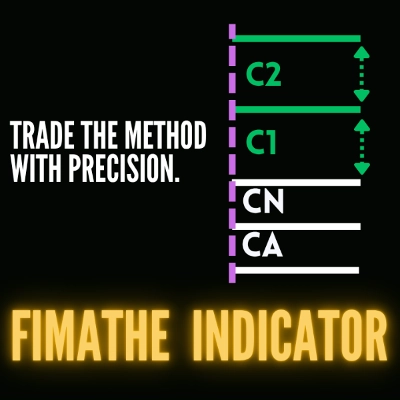
Fimathe Indicator - Fimathe PCM - Automated Trend Channels & Levels — Ideal for live trading and backteting
「ZigXRay」ロゴ
トップ評価
4.6
(5)
$29
/
$49
インジケーター
CHOCH
Key Levels
+5
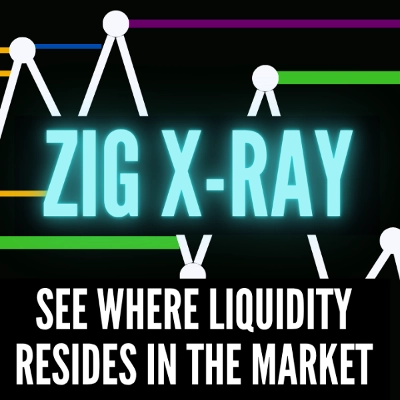
ZigZag Market Structure Identifier - Multi-Layer Scanner: Convergent Pivot Detection, 4-TF Overlay & Naked Chart Mode.
「DrbcLevels」ロゴ
トップ評価
4.0
(4)
$19
/
$29
インジケーター
Key Levels
Break & Retest
+5
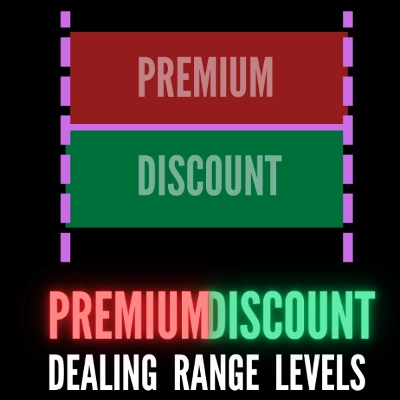
Premium Discount Levels - Professional Dealing Range Zones with Draggable Lines, Alerts, Wartermark & Backtest Mode.
cBot
Fixed Lot
TP Manager
+5
Hotkeys Trading Assistant - Professional Shortcut Assitant with Risk Manager, Hotkeys & Lot Sizing.
「TradeLens」ロゴ
トップ評価
4.5
(4)
$29
/
$49
インジケーター
CHOCH
Inducement
+5
TradeLens - Frame the Trade. Refine the Entry. Two Timeframes. One Decision.
「fvg_levels」ロゴ
トップ評価
4.0
(4)
$19
/
$29
インジケーター
Key Levels
Order Block
+5
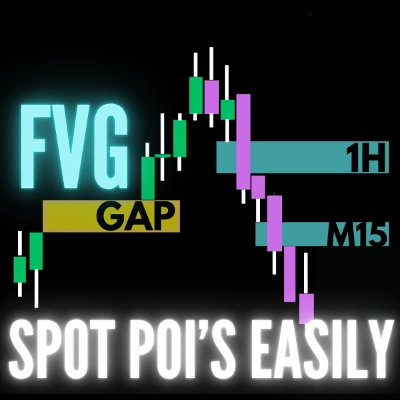
FVG Levels — Auto-Detection of Multi-Timeframe Fair Value Gaps & GAPs, Smart Filters and Liquidity Zone Monitoring

これも好きかも

デスクトッププラグイン
Chart UI Tools
Replay your broker’s charts candle by candle. Rewind any time, switch timeframes and practise trades with full stats.
デスクトッププラグイン
Prop Firm Fit
Trade Journal
+1
Paper trade your broker’s live prices in cTrader: demo accounts, prop challenges, a stats dashboard and trading journal
デスクトッププラグイン
Forex
Crypto
+3
Seconds | Ticks | Range | RangeY | Delta | Heikin-Ashi Bar types. Any size or Symbol.
デスクトッププラグイン
ECN-friendly
Chart UI Tools
Any timeframe cTrader lacks: seconds, minutes, hours, tick & range bars, Heikin-Ashi in the timeframe menu.
デスクトッププラグイン
Forex
Signal
+2
Adaptive Renko chart builder for precise, flexible trading - ideal for both scalping and trend analysis.
デスクトッププラグイン
Risk Alerts
Trade Alerts
+3
Daily loss limits, profit giveback protection and scheduled trading breaks to help you stay disciplined.
デスクトッププラグイン
AI
ATR
+27
Trade Analytics delivers advanced trading insights and heatmaps directly inside TradeWatch.
デスクトッププラグイン
ATR
Prop
+5
cTrader risk management plugin with daily & total drawdown limits, CBot control, and risk-based order execution.
デスクトッププラグイン
File Access
Trade Journal
Your watchlist in one grid: trend on five timeframes, ADR used, correlation to the chart's symbol, currency strength.
デスクトッププラグイン
Risk Reward management tools (风险回报管理工具)
デスクトッププラグイン
Trade Journal
Market Scanner
+1
Journal, stats, trade analysis, a daily coach and a daily bias for your real cTrader trades. Know why you lose; fix it.
デスクトッププラグイン
Trade Journal
AI Integration
+1
#1 Trade Journal, PnL analytics, bot monitoring and strategy statistics.
デスクトッププラグイン
Forex
Crypto
+4
Apply Stop Loss and Take Profit to all positions and pending orders in one click.
デスクトッププラグイン
Risk/Reward
Chart UI Tools
+3
Visual cTrader backtesting tool with trade drawing, risk sizing, stats, and automatic trade simulation.
デスクトッププラグイン
AI
Forex
+5
AI Trading Agent, predict market moves, detect trends, and execute profitable trades.
デスクトッププラグイン
Prop
Forex
+4
Visual monthly trading journal that displays your performance day-by-day in a calendar view.
デスクトッププラグイン
External Data
Study economic event reactions with broker M1 history, bar replay, range comparisons and a reproducible export.
デスクトッププラグイン
Market Scanner
An 8-currency strength ranking, multi-TF heatmap and impulse tracker. Read the real driver at a glance. Read-only.

価格

登録日 09/02/2026
29
販売
179
無料インストール