説明
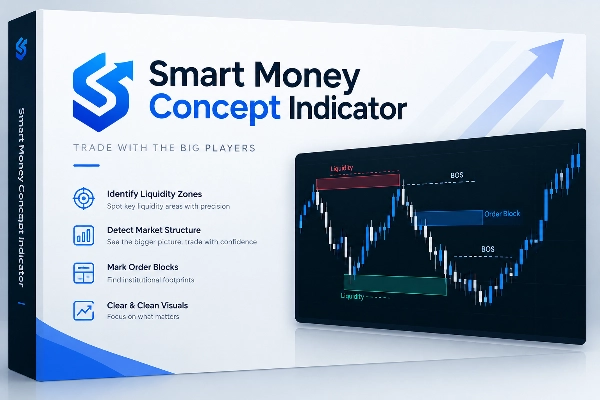
SMCIndicator is a chart-analysis plugin for cTrader Desktop. It combines Smart Money Concepts visuals with a movable, resizable dashboard, helping traders review market structure and monitor multiple instruments from one workspace.
It supports manual analysis and decision-making; it does not execute trades automatically.
What the plugin adds
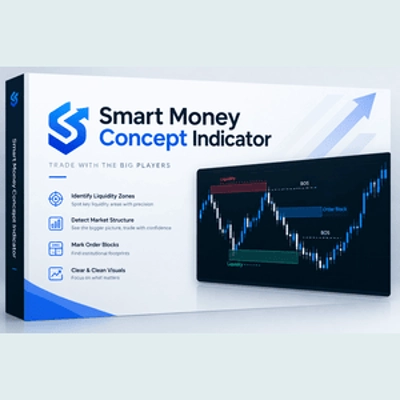
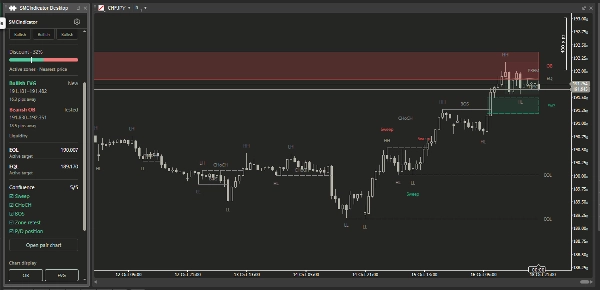
- Market-structure visuals: BOS, CHoCH and swing labels help traders follow changes in structure.
- Price areas: Displays detected order blocks, fair value gaps, and premium/discount areas.
- Liquidity context: Shows equal highs/lows and detected liquidity sweeps.
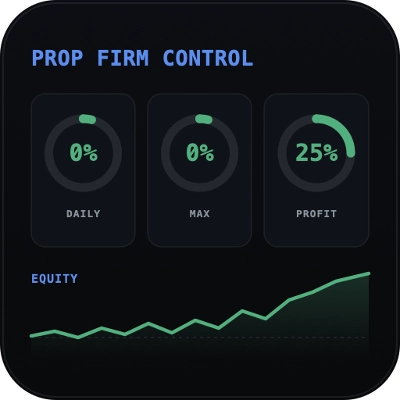
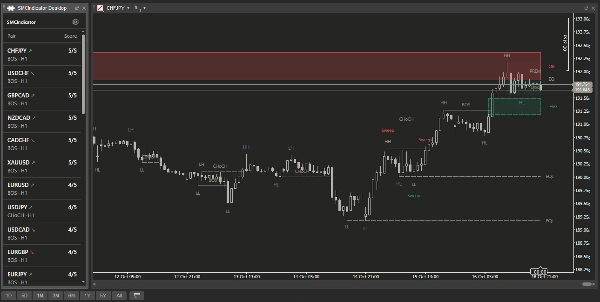
- Multi-instrument scanning: A watchlist dashboard summarizes directional bias, recent events and detected confluence conditions.
- Multiple timeframes: H4, H1 and M15 bias provide additional context for the selected instrument.
- Relevant zone selection: Active zones are ranked by proximity to the current bid. Ended zones are ranked by their most recent end time.
- Clearer chart presentation: Swing and Sweep labels avoid overlapping. Price-level labels retain their exact price and move horizontally when necessary.
How it fits into a trading workflow
- Scan the watchlist to identify instruments worth reviewing.
- Select an instrument to inspect its structure, timeframe bias, zones and confluence checklist.
- Review the chart for the relationship between price, structure and liquidity.
- Apply your own trading rules for confirmation, execution and risk management.
The panel follows the selected price chart. Visibility controls and theme choices remain accessible from the main dashboard, while the settings page provides the full plugin configuration.
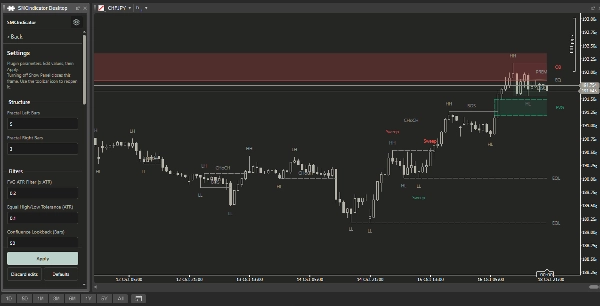
Main settings and parameters
- Structure: Fractal left/right bars used to confirm swing points
- Filters: FVG ATR threshold, equal-high/low tolerance and confluence lookback
- Visibility: OB, FVG, BOS, CHoCH, swings, liquidity, premium/discount and ended zones
- Display limits: Visible zones per type and visible structure events
- History and cleanup: Maximum historical bars, scanner history and zone cleanup mode
- Dashboard: Watchlist, refresh interval, panel visibility and theme
- Styling: Label font size, line thickness and structure/zone colors
Settings can be saved locally. The panel also supports scrolling and native frame resizing.
Common use cases
- Watchlist review: Compare several instruments before opening individual charts.
- Structure analysis: Examine confirmed swings, breaks and changes of character.
- Liquidity review: Observe detected sweeps alongside nearby structure and equal-high/low levels.
- Zone monitoring: Keep nearby active areas visible while reviewing recent ended areas separately.
- Timeframe comparison: Review the selected instrument’s H4, H1 and M15 context.
These are analysis workflows, not automatic entry or exit signals.
Who it is best suited for
The plugin is most suitable for discretionary traders who already understand basic chart reading and use—or are learning—SMC terminology.
Intermediate and experienced traders can use it to organize an existing analysis process. Beginners can use it as a visual aid, but should first understand concepts such as swing confirmation, liquidity, order blocks and fair value gaps.
Limitations and usage notes
- Structure and zone detection primarily use closed candles. Swing confirmation requires the configured number of right-side bars, so confirmation is delayed by design.
- Active-zone proximity can update between candle closes as the bid changes.
- Proximity ranking indicates distance, not zone strength or trade quality.
- Results depend on broker data, available history, symbol naming and parameter choices.
- Historical drawings are limited by the configured history and cleanup settings.
- Labels may temporarily hide when they are outside the viewport or cannot fit without overlapping.
- Remove the original overlay indicator from the same chart to avoid duplicate drawings.
- The plugin does not guarantee profitable outcomes or replace independent analysis and risk management.
概要
Users can scan multiple instruments via a watchlist dashboard that summarizes directional bias, recent market events, and confluence conditions across multiple timeframes (H4, H1, M15). Active and ended zones are ranked by proximity or recency to aid monitoring. The plugin enhances chart clarity by managing label overlap and maintaining precise price-level labeling.
Settings allow customization of structure detection parameters, visibility filters, display limits, history management, and dashboard styling. The panel follows the selected price chart and supports theme selection, scrolling, and resizing.
Typical workflows include watchlist scanning, detailed structure and liquidity analysis, zone monitoring, and timeframe comparison to support manual trade decision-making. The plugin does not automate trades and is intended for users familiar with SMC concepts and chart reading fundamentals.