Description
Averager Hedge Pro v2
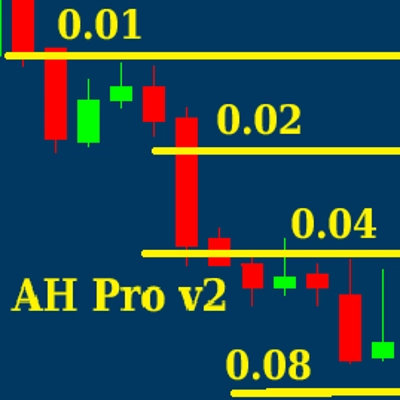
An advanced trade manager software for average market creating grid and recovery zone and more
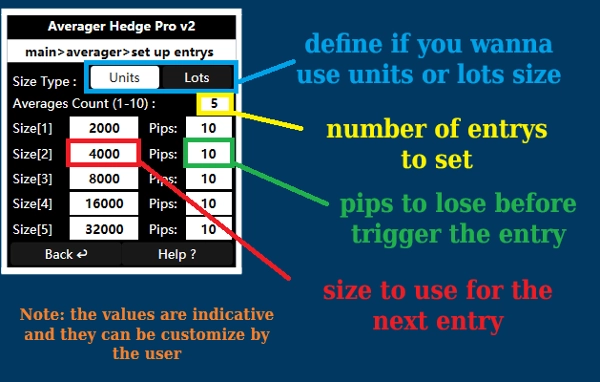
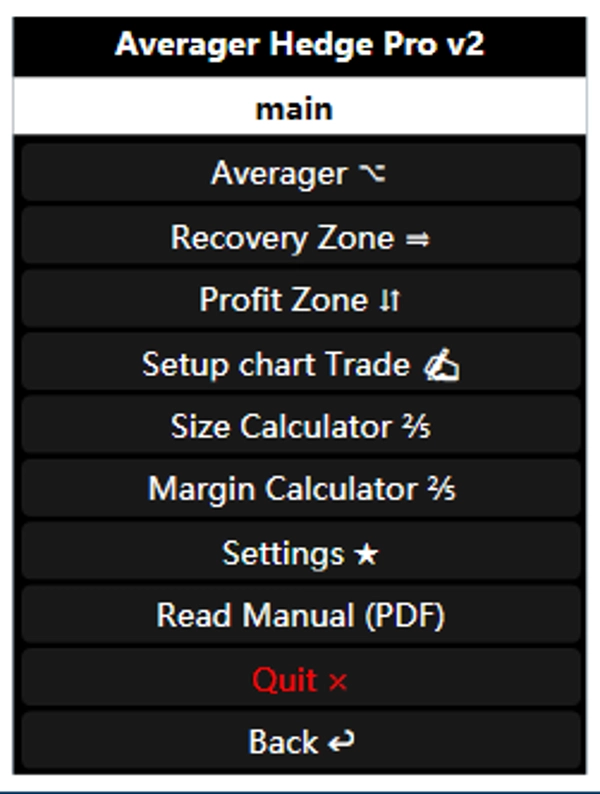
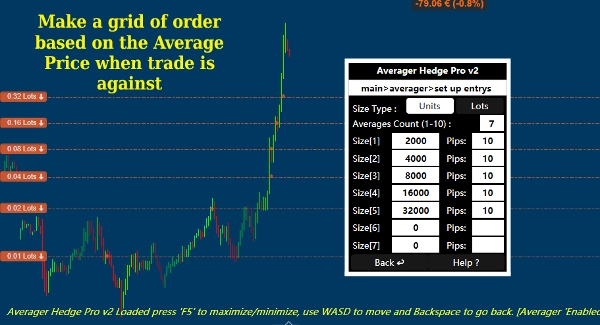
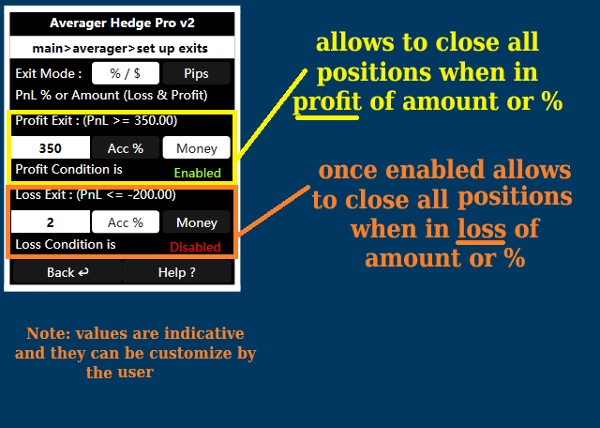
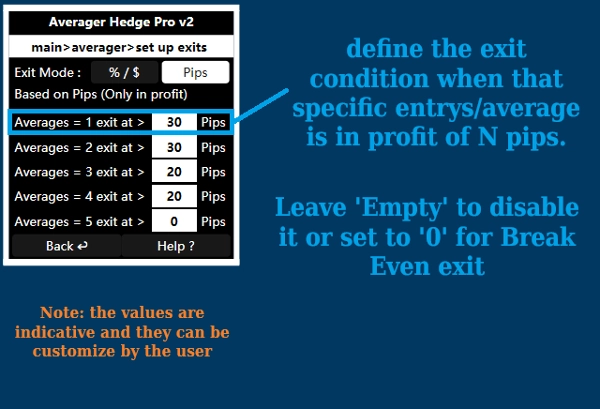
1. Averager: Allow to create an grid of order based on the average price, the user can customize size (units or lots) and how many pips from moving average the software should place the next size for each entrys; also two type of exit conditions, one with pips, A. exit after N pips in profit B. Exit when a certan % or amount of money the position is losing/profit. Once enabled this funzion from the menu the trade must place a initial position manually to get it to start working.
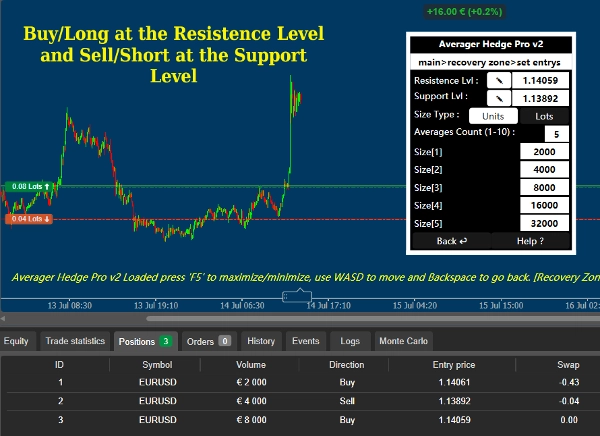
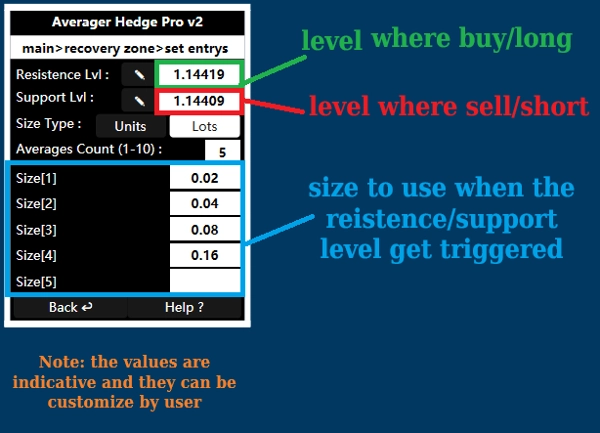
2. Recovery Zone: Once the trader configure the desired Support and Resistence Level, this mode create a “recovery zone” between them, so everytime that the price crosses the Resistence Level (does’t spam orders if already opened) the next trade will be a buy/long, otherwise once crosses the support level it will be a sell/short, as from the “Averager” the user can customize entry sizes, the Levels cna be configured directly from the chart using the “edit” buttons, customized exit conditions are also available in pips or % amount in loss or gain.
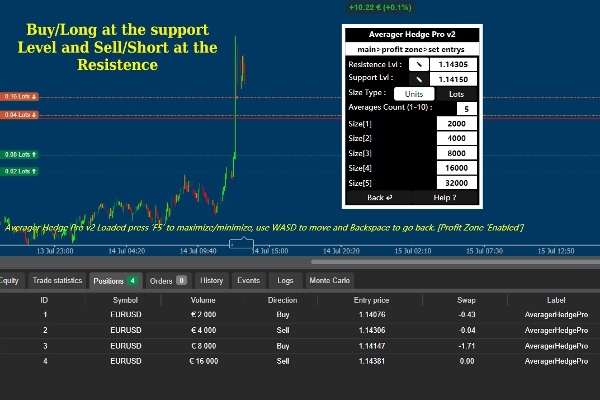
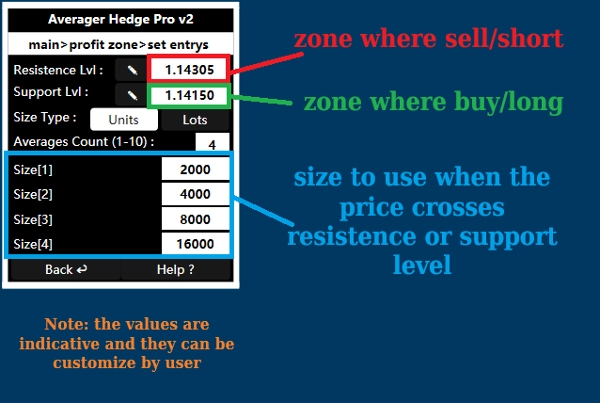
3. Profit Zone: This mode is the exactly opposite of the “Recovery Zone”, once the trader define Support and Resistence Levels it will create a zone where the software will place Buy/Long once crosses the Support and Sell/Short when crosses the Resistence Level, It is possible to set exit conditions based on profit/loss in % or amount.
4. Setup Chart Trade: This option allows the trader to build a position direcly on the chart, using the lines that will appear the user can move entry level, take profit and stop loss lines direcly on the chart, also will get all information about risk-reward ratio, win rate % (static) and by entering the size you can get the gain or loss that the position will cause, It is also possible to place a market order directly, and to automatically identify whether it is a stop or a limit order. Notice: All calculations are indicative and therefore do not take into account commissions, slippage, or spreads.
5. Size Calculator: This option is used to calculate the exact size needed to lose the amount you are willing to lose. Just putting the % of the account or the amount and the stop loss in pips, and you will get the size in units or lots, rounded from up, or down where the number is odd. Notice: All calculations are indicative and therefore do not take into account commissions, slippage, or spreads.
6. Margin Calculator: This calculator provides details on the margin required to open a trade; by entering an entry level, you can also obtain information regarding the stop-out and the maximum loss possible before liquidation occurs. The data displays are only an estimate and takes into account only the aforementioned operation (The stop-out data changes based on new open positions and any increase or decrease in capital). Notice: All calculations are indicative and therefore do not take into account commissions, slippage, or spreads.
7. Slippage Filter (From Settings): It is useful in cases of high volatility; it prevents opening trades where the entry trigger is too far from the calculated actual entry point. Notice: this filter only work for order opened by AH Pro, (not by using ctrader order form) 8. Settings: The menu can be customized, moved in different location of the chart and change colors, text size and style based on the user's preference
8. Settings: The menu can be customized, moved in different location of the chart and change colors, text size and style based on the user's preference.
Risk Disclaimer
The developer of this software assumes no responsibility for any damage caused by user operations. Trading involves risks for capital and must be done consciously. Trading operations and any average/recovery entry are a trader's choice. The software is a support tool and does not make decisions on the direction of the market.
Summary
Additional features include a New Trade Setup allowing users to set entry points, take profit, and stop loss directly on the chart by adjusting lines, with indicative calculations of risk/reward ratios and win probabilities. The Size Calculator helps determine position size based on a specified risk amount or percentage of the account, while the Margin Calculator estimates required margin and stop-out levels for trades.
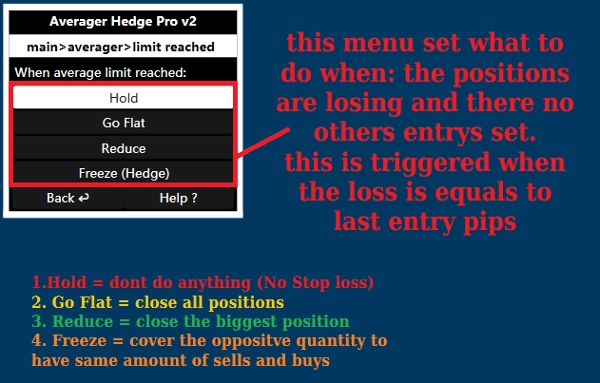
Users can configure up to 10 average or recovery entries, set specific exit conditions for profitable positions, and define actions when maximum average limits are reached, such as holding, closing, reducing, or neutralizing positions. The tool supports market, limit, stop, and stop-limit orders and incorporates dynamic and equity-based risk models with stop loss and take profit management.
All calculations are indicative and exclude commissions or swaps. The software serves as a support tool and does not make market direction decisions. It is suitable for day trading with medium trade frequency and supports up to 11 simultaneous positions.