

Penerangan
# M-Algo Triple Recovery PRO
**Perdagangan EURUSD Automatik | Strategi Pemulihan Tiga Kali Ganda | Pengurusan Risiko & Posisi Lanjutan**
M-Algo Triple Recovery PRO ialah cBot perdagangan Forex automatik yang dibangunkan oleh **M-Algo Systems** khusus untuk platform cTrader.
Direka untuk perdagangan EURUSD, sistem ini menggabungkan tiga bakul pemulihan yang diurus secara bebas, pengurusan posisi automatik, kawalan perdagangan yang boleh dikonfigurasikan, pengurusan Ambil Untung yang mengambil kira kos, dan perlindungan ekuiti akaun pilihan.
cBot menyokong perdagangan automatik pada **akaun lindung nilai Demo dan Langsung**, serta Ujian Semula Sejarah, Ujian Semula Visual, dan Pengoptimuman.
**Konfigurasi permulaan yang disyorkan: EURUSD H1 dengan parameter lalai.**
---
## CIRI UTAMA
**Perdagangan Automatik**
cBot menilai keadaan perdagangan, membuka posisi, mengurus kemasukan pemulihan, mengekalkan tahap Ambil Untung bakul, dan mengendalikan penutupan posisi mengikut strateginya sendiri.
**Seni Bina Pemulihan Tiga Kali Ganda — Bakul A, B dan C**
Tiga bakul menggunakan syarat kemasukan yang berasingan dan boleh diaktifkan atau dinyahaktifkan secara individu.
Setiap bakul mengekalkan posisi, urutan pemulihan, had posisi, dan pengurusan Ambil Untung bersama sendiri.
**Dua Mod Ambil Untung Bakul**
- **StandardPriceBased:** Menggunakan jarak Ambil Untung bakul yang dikonfigurasikan.
- **CostAware:** Mengambil kira kos perdagangan yang diperhatikan dan anggaran komisen penutupan apabila mengira sasaran Ambil Untung bersama.
Mod CostAware mungkin menggerakkan sasaran lebih jauh, berpotensi meningkatkan masa pegangan, pendedahan swap, dan penurunan nilai.
**Pengurusan Posisi**
Sistem menyokong perkembangan saiz posisi, had posisi Beli/Jual yang bebas, penyelarasan Ambil Untung bakul bersama, dan pengendalian boleh dikonfigurasikan bagi posisi yang ditutup secara manual.
**Perlindungan Akaun**
Perlindungan kerugian ekuiti berjejak pilihan boleh menutup posisi dan menghentikan, meneruskan, atau menjeda perdagangan sementara mengikut tindak balas yang dipilih.
**Pengoptimuman Lanjutan**
Lima kawalan pengoptimuman boleh laras dan pengiraan GetFitness tersuai tersedia untuk menilai konfigurasi berbeza menggunakan persekitaran Pengoptimuman cTrader.
---
## PARAMETER BOLEH DIKONFIGURASIKAN — 22 SETTING AWAM
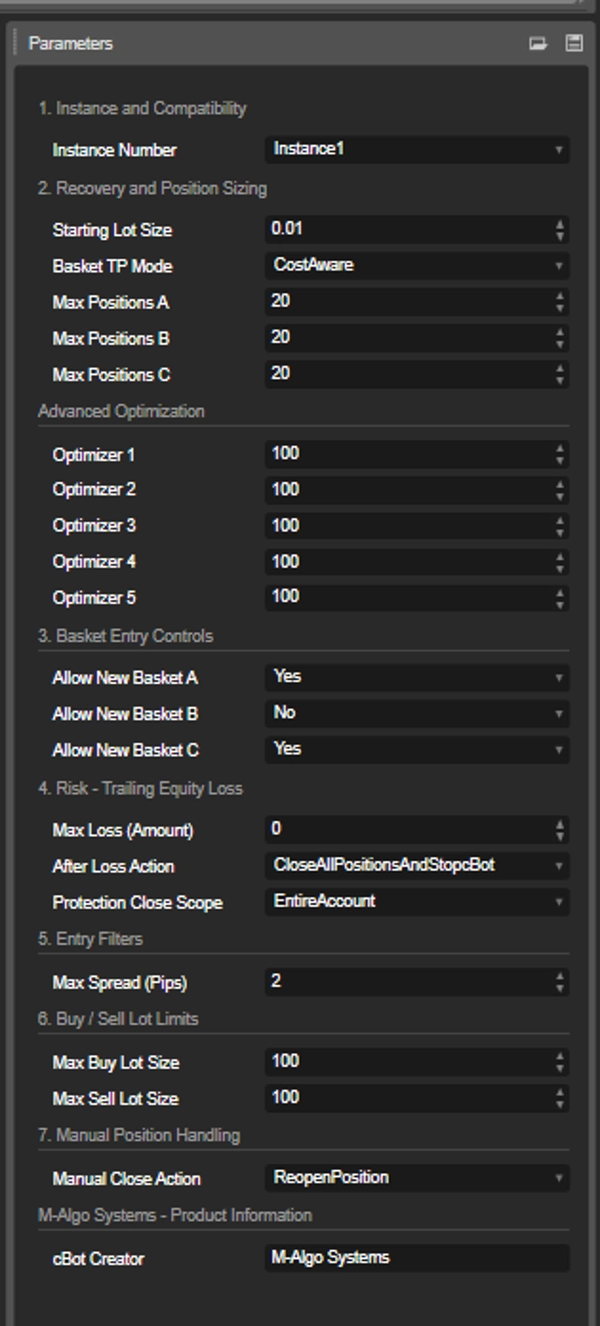
Kesemua 22 parameter awam tersedia dalam panel tetapan cTrader.
### 1. Instans dan Keserasian
**Nombor Instans**
Memilih identiti instans robot (Instance1–Instance5).
Beberapa instans boleh dikonfigurasikan dengan identiti berasingan. Setiap instans mesti menggunakan nombor unik apabila dijalankan pada akaun, simbol, dan jangka masa carta yang sama.
Jangan tukar identiti instans atau jangka masa carta semasa posisi yang diuruskan masih terbuka.
### 2. Pemulihan dan Saiz Posisi
**Saiz Lot Permulaan**
Menentukan saiz posisi awal apabila bakul baru dibuka.
- Lalai: 0.01 lot
- Julat boleh laras: 0.01–1.00 lot
Meningkatkan saiz lot permulaan juga meningkatkan pendedahan perdagangan dan potensi kerugian.
**Mod TP Bakul**
Memilih pengiraan Ambil Untung pada tahap bakul:
- StandardPriceBased
- CostAware (lalai)
**Max Posisi A**
Bilangan maksimum posisi serentak dalam Bakul A, termasuk posisi pemulihan.
Lalai: 20. Julat boleh laras: 5–20.
**Max Posisi B**
Bilangan maksimum posisi serentak dalam Bakul B, termasuk posisi pemulihan.
Lalai: 20. Julat boleh laras: 5–20.
**Max Posisi C**
Bilangan maksimum posisi serentak dalam Bakul C, termasuk posisi pemulihan.
Lalai: 20. Julat boleh laras: 5–20.
Had ini dikenakan secara individu kepada setiap bakul, bukan kepada jumlah posisi gabungan merentasi semua bakul.
### 3. Pengoptimuman Lanjutan
cBot menyediakan lima parameter penalaan strategi bebas:
- **Pengoptimum 1**
- **Pengoptimum 2**
- **Pengoptimum 3**
- **Pengoptimum 4**
- **Pengoptimum 5**
Setiap pengoptimum mengawal pelarasan strategi dalaman yang berasingan melalui sistem konfigurasi terlindung.
Kelima-limanya mempunyai julat pelarasan awam yang sama:
- Minimum: 90
- Lalai: 100
- Maksimum: 110
- Langkah: 0.02
Kelima-lima kawalan boleh dilaraskan secara bebas atau diuji menggunakan fungsi Pengoptimuman terbina dalam cTrader.
Nilai lalai 100 mewakili konfigurasi pengeluaran yang telah ditetapkan untuk setiap pengoptimum.
Pemetaan parameter dalaman adalah hak milik M-Algo Systems.
**Penting:** Nilai pengoptimuman boleh mengubah saiz posisi, tingkah laku perdagangan, keuntungan, dan penurunan nilai secara ketara. Uji sebarang konfigurasi yang diubah sebelum menggunakannya dalam perdagangan masa nyata.
### 4. Kawalan Kemasukan Bakul
**Benarkan Bakul Baru A**
Mengaktifkan atau menyahaktifkan penciptaan urutan perdagangan Bakul A baru.
Lalai: Ya.
**Benarkan Bakul Baru B**
Mengaktifkan atau menyahaktifkan penciptaan urutan perdagangan Bakul B baru.
Lalai: Tidak.
**Benarkan Bakul Baru C**
Mengaktifkan atau menyahaktifkan penciptaan urutan perdagangan Bakul C baru.
Lalai: Ya.
Menyahaktifkan kemasukan baru tidak menutup posisi sedia ada secara automatik. Bakul yang sudah dibuka terus diuruskan oleh cBot.
### 5. Risiko — Kerugian Ekuiti Berjejak
**Kerugian Maksimum (Jumlah)**
Menentukan penurunan maksimum yang dibenarkan dalam ekuiti akaun dari ekuiti tertinggi yang direkodkan sejak permulaan atau reset perlindungan terkini.
Nilai dinyatakan dalam mata wang deposit akaun perdagangan.
- Lalai: 0 (perlindungan dimatikan)
- Nilai positif mengaktifkan ambang kerugian ekuiti berjejak.
Tindak balas perlindungan dicetuskan apabila ambang yang dikonfigurasikan dilampaui.
**Tindakan Selepas Kerugian**
Mengawal apa yang berlaku selepas posisi terpilih ditutup selepas kejadian perlindungan.
Tindak balas yang tersedia:
- Tutup semua posisi terpilih dan hentikan cBot
- Tutup semua posisi terpilih dan teruskan perdagangan
- Tutup semua posisi terpilih dan jeda selama 12 jam
- Tutup semua posisi terpilih dan jeda selama 24 jam
- Tutup semua posisi terpilih dan jeda selama 3 hari
- Tutup semua posisi terpilih dan jeda selama 7 hari
Memulakan semula cBot membatalkan jeda perlindungan yang aktif.
**Skop Penutupan Perlindungan**
Menentukan posisi mana yang disasarkan apabila perlindungan Kerugian Maksimum diaktifkan.
- **EntireAccount (lalai):** Mungkin menutup posisi manual dan posisi milik cBot lain pada akaun yang sama.
- **ThisCbotInstanceOnly:** Menutup hanya posisi milik instans cBot semasa.
Pencetus Kerugian Maksimum sentiasa berdasarkan jumlah ekuiti akaun, tanpa mengira skop penutupan yang dipilih.
**Penting:** Perlindungan EntireAccount tidak membatalkan pesanan tertunda. Sila semak tetapan ini dengan teliti sebelum mengaktifkan perlindungan Kerugian Maksimum pada akaun yang dikongsi dengan strategi lain.
### 6. Penapis Kemasukan
**Sebaran Maksimum (Pip)**
Menetapkan sebaran maksimum yang dibenarkan untuk kemasukan awal baru, kemasukan pemulihan, dan kemasukan penggantian manual.
- Lalai: 2.0 pip
- 0 mematikan penapis sebaran.
Apabila sebaran pasaran melebihi had yang dipilih, kemasukan baru yang terjejas disekat sehingga keadaan membenarkan pelaksanaan.
### 7. Had Lot Beli / Jual
**Saiz Lot Beli Maksimum**
Mengehadkan volum setiap posisi Beli individu.
Lalai: 100 lot.
**Saiz Lot Jual Maksimum**
Mengehadkan volum setiap posisi Jual individu.
Lalai: 100 lot.
Kedua-dua had boleh dikonfigurasikan secara berasingan.
Had ini dikenakan setiap posisi, bukan kepada pendedahan agregat bagi keseluruhan bakul atau akaun perdagangan. Had volum broker juga dikenakan.
### 8. Pengendalian Posisi Manual
**Tindakan Tutup Manual**
Mengawal bagaimana cBot bertindak balas apabila pengguna menutup posisi yang diuruskan secara manual sementara posisi lain dalam bakul yang sama masih terbuka.
Pilihan yang tersedia:
- **ReopenPosition (lalai):** cBot mungkin menggantikan posisi yang ditutup secara manual apabila bakul dan syarat keselamatan yang berkaitan membenarkan.
- **KeepPositionClosed:** Posisi yang ditutup secara manual kekal ditutup.
Menutup keseluruhan bakul tidak menyebabkan bakul dibuka semula secara automatik. Penutupan Stop Loss, Ambil Untung, dan Stop Out tidak dianggap sebagai permintaan penggantian manual.
### 9. Maklumat Produk
**Pencipta cBot**
Memaparkan M-Algo Systems sebagai pembangun.
Ini adalah parameter maklumat sahaja dan tidak menjejaskan operasi perdagangan.
---
## UJIAN SEMULA DAN PENGOPTIMUMAN
M-Algo Triple Recovery PRO menyokong:
- Ujian Semula Sejarah
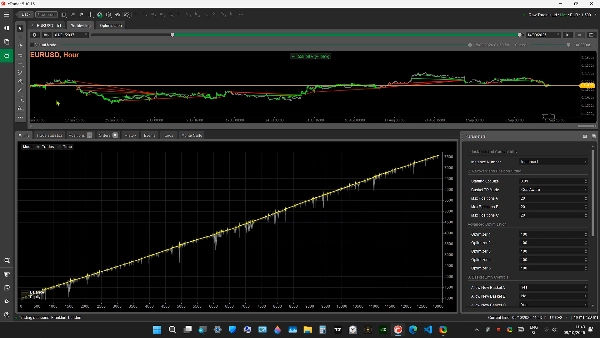
- Ujian Semula Visual
- Pengoptimuman Parameter
- Pengoptimuman GetFitness tersuai
- Penilaian jangka masa carta dan konfigurasi perdagangan yang berbeza
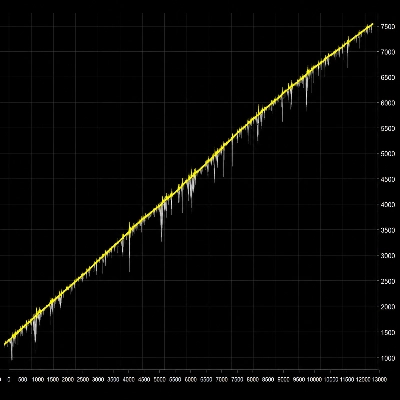
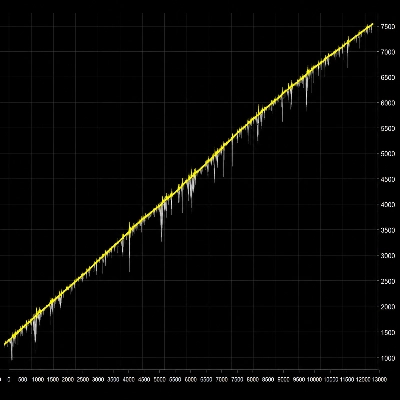
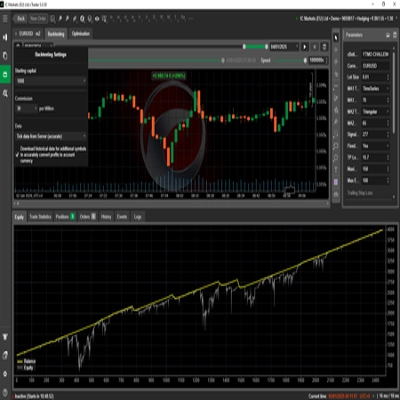
- Analisis perdagangan sejarah, baki, ekuiti, keuntungan, dan penurunan nilai
Konfigurasi yang disahkan utama ialah **EURUSD H1 menggunakan tetapan lalai**.
Jangka masa carta lain boleh dinilai melalui Ujian Semula dan Pengoptimuman, tetapi keputusan dan risiko mungkin berbeza dengan ketara.
Keputusan ujian sejarah bukan ramalan atau jaminan prestasi masa depan.
---
## PERSEKITARAN PERDAGANGAN YANG DISOKONG
**Platform perdagangan:** cTrader
**Instrumen disokong:** Hanya EURUSD
**Jenis akaun:** Memerlukan lindung nilai
**Jangka masa utama yang diuji:** H1 (1 jam)
**Pelaksanaan PRO Penuh:** Demo dan Langsung
**Ujian sejarah:** Disokong
cBot tidak menyokong akaun penetapan bersih atau instrumen perdagangan selain EURUSD.
Simbol EURUSD khusus broker dengan awalan atau akhiran mungkin diterima apabila aset asas dan petikan asas mereka adalah EUR dan USD.
### Nota Operasi Penting
- Gunakan Nombor Instans unik untuk setiap instans cBot yang sepadan.
- Jangan tukar saiz posisi, pengurusan bakul, atau parameter pengoptimuman semasa bakul yang diuruskan masih terbuka.
- Pantau margin tersedia dan pendedahan posisi agregat.
- Uji konfigurasi lalai sebelum mencuba tetapan alternatif.
- Semak tetapan perlindungan akaun dengan teliti apabila menggunakan cBot lain atau posisi manual pada akaun yang sama.
---
## PEMBELIAN — VERSI PRO PENUH
**PEMBELIAN SEKALI — TIADA YURAN LANGGANAN**
M-Algo Triple Recovery PRO tersedia sebagai pembelian sekali melalui Kedai cTrader.
Versi PRO Penuh termasuk:
- Perdagangan masa nyata automatik pada akaun Demo dan Langsung yang disokong
- Fungsi perdagangan Pemulihan Tiga Kali Ganda lengkap
- Semua 22 parameter awam
- Pengurusan posisi dan akaun terbina dalam
- Sokongan Ujian Semula dan Pengoptimuman
**Pengedaran Dilindungi**
Produk dihantar sebagai algoritma cTrader yang disusun dan disamarkan.
- Tiada kod sumber C# disertakan
- Tiada fail sumber boleh sunting disediakan
- Logik perdagangan dilindungi
- Tiada langganan berulang diperlukan
**Produk PRO Penuh:**
https://ctrader.com/products/5731
---
## PERCUBAAN PERCUMA — UJI SEBELUM MEMBELI
Versi Percubaan PERCUMA berasingan tersedia untuk menilai sistem perdagangan menggunakan data pasaran sejarah.
**Percubaan Percuma termasuk:**
- Ujian Semula Sejarah
- Ujian Semula Visual
- Pengoptimuman Parameter
- Pengiraan GetFitness tersuai
**Sekatan Percubaan:**
Perdagangan masa nyata DINONAKTIFKAN pada kedua-dua akaun Demo dan Langsung.
Percubaan tidak boleh membuka, mengubah suai, atau menutup posisi perdagangan masa nyata.
Untuk mengaktifkan perdagangan automatik pada akaun Demo dan Langsung, beli versi PRO Penuh.
**Muat turun Percubaan PERCUMA:**
https://ctrader.com/products/5733
---
## DEMONSTRASI VIDEO
Tonton M-Algo Triple Recovery PRO beroperasi dalam persekitaran ujian sejarah cTrader.
**Demonstrasi YouTube:**
---
## PENDEDAHAN RISIKO PENTING
Perdagangan Forex melibatkan risiko kewangan yang besar.
M-Algo Triple Recovery PRO menggunakan strategi berasaskan pemulihan yang boleh membuka pelbagai posisi dan meningkatkan pendedahan pasaran semasa pergerakan harga yang tidak menguntungkan.
Pengurusan posisi berasaskan pemulihan boleh menyebabkan kerugian terapung yang ketara, peningkatan keperluan margin, tempoh pegangan yang panjang, dan penurunan nilai akaun yang besar.
Fungsi perlindungan akaun adalah pilihan dan tidak menjamin kerugian akan kekal di bawah jumlah yang dipilih, terutamanya semasa pergerakan harga yang pantas, slippage, margin tidak mencukupi, atau kegagalan pelaksanaan.
Pengguna bertanggungjawab untuk menilai risiko perdagangan, syarat broker, leverage akaun, saiz posisi, dan pendedahan keseluruhan.
**Prestasi lalu tidak menjamin keputusan masa depan.**
Keputusan Ujian Semula dan Pengoptimuman mungkin berbeza daripada perdagangan Demo atau Langsung sebenar kerana perubahan keadaan pasaran, sebaran, komisen, swap, slippage, kecairan, dan pelaksanaan broker.
Tiada sistem perdagangan automatik yang boleh menjamin keuntungan atau mengelakkan kerugian kewangan.
Produk ini adalah perisian perdagangan dan tidak merupakan nasihat kewangan atau pelaburan.
---
**DIBANGUNKAN OLEH M-ALGO SYSTEMS**
Sistem Perdagangan Automatik untuk cTrader
© 2026 M-Algo Systems. Hak cipta terpelihara.
Ringkasan
Key features include a triple recovery system that manages three separate baskets of positions (A, B, and C) to optimize recovery trades, cost-aware basket-level Take Profit calculations that consider trading costs, and advanced position size management with configurable parameters such as starting lot size and maximum positions per basket. The robot incorporates built-in risk and account protection mechanisms that can close positions or pause trading based on equity loss thresholds.
M-Algo Triple Recovery PRO supports comprehensive historical testing, including backtesting, visual backtesting, parameter optimization with five adjustable parameters, and custom fitness calculations for strategy evaluation. Trade-entry controls allow filtering by spread and position limits to suit different market conditions.
The product is delivered as a compiled and obfuscated cBot without source code, available via one-time purchase. A trial version enables backtesting and optimization but does not support real-time trading. The system is intended for professional use with careful consideration of risk, margin, and account settings.
Perbincangan
Ulasan pelanggan
Soalan Lazim
Lebih banyak produk daripada penulis ini
















Harga