

Market Structure SNR + Auto Bias
指标
7 购买
版本 2.1, Nov 2025
Windows 版、Mac 版
4.3
评价:3
注册日期 25/03/2025
233.45M
交易量
2.3M
盈利点数
21
销售
说明
Heikin Ashi结构偏向(cTrader指标)
自动供应-需求区与多时间框架偏向。
它的作用——通俗易懂的解释
该指标自动:
- 读取Heikin Ashi价格行为并检测重要的枢轴转变。
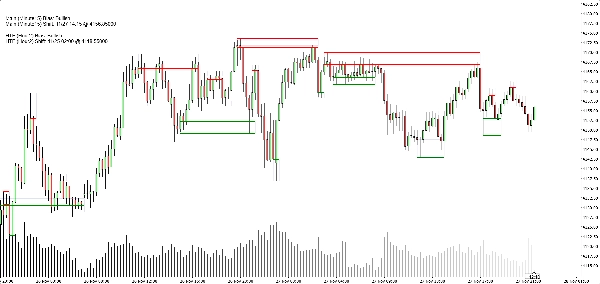
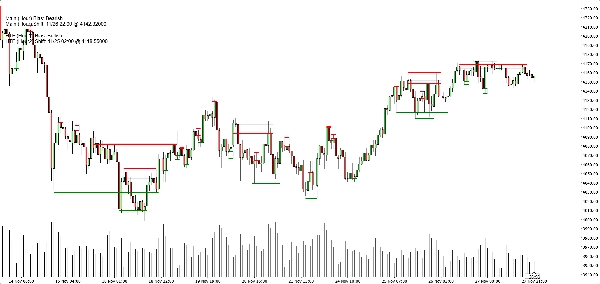
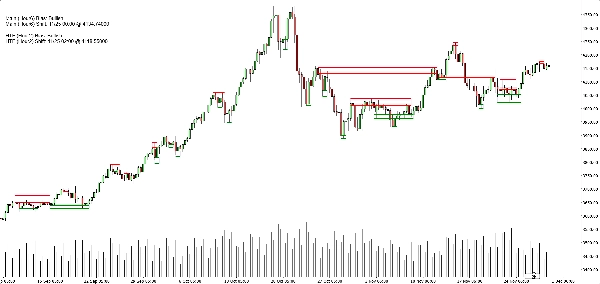
- 围绕这些枢轴构建动态支撑和阻力区,使用烛芯极值和蜡烛实体(而非随机线条)。
- 智能合并附近的区域,让您看到干净、可交易的水平,而不是一片横线森林。
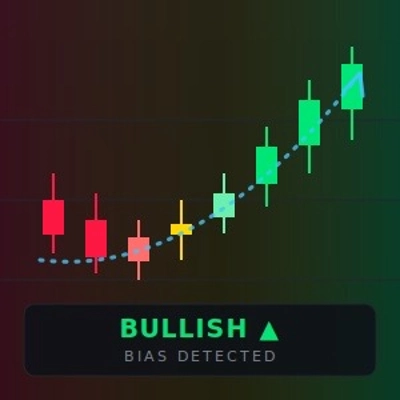
- 当价格完全突破最新的支撑或阻力区时,生成明确的多头或空头偏向。
- 显示以下偏向:
-
- 您的 图表时间框架,以及
- 一个可选的 更高时间框架(默认H2)——不会在图表上绘制HTF杂乱信息。
结果:一眼就能告诉您 真正的关键水平在哪里,以及市场当前是 倾向上涨还是下跌。
它解决的问题
大多数交易者面临相同的问题:
- 手工绘制的支撑/阻力线:
-
- 主观,
- 不一致,
- 且常常过度绘制。
- 简单的“之字形+水平线”指标:
-
- 不能正确处理区域宽度,
- 将水平线堆叠在一起,
- 或将区域延伸得过长,覆盖半个图表。
- 偏向常常“存在于脑海中”——不是您可以清晰看到或基于规则使用的东西。
该指标旨在:
- 将 Heikin Ashi结构 转化为 清晰、客观的区域,
- 基于这些区域为您提供 基于规则的趋势/偏向,
- 同时保持图表 简洁易读。
区域构建方式(交易者友好解释)
对于每个Heikin Ashi枢轴,指标查看一个 3根蜡烛结构:
- 当HA从 红色转为绿色时,标记一个 支撑枢轴。
- 当HA从 绿色转为红色时,标记一个 阻力枢轴。
然后构建区域:
支撑区
- 找到3根蜡烛中 最低的烛芯(真实极值)。
- 找到 下一个最低的低点,但仍高于该极值。
- 使用靠近该内低点的 蜡烛实体(开盘/收盘)来定义该区域的“可交易”边界。
- 最终支撑区:
-
- 底部 = 极值烛芯低点,
- 顶部 = 基于实体的内层水平。
阻力区
- 找到3根蜡烛中 最高的烛芯。
- 找到 下一个最高的高点,但仍低于该极值。
- 使用靠近该内高点的实体。
- 最终阻力区:
-
- 顶部 = 极值烛芯高点,
- 底部 = 基于实体的内层水平。
所以每个区域不仅仅是任意的带状:
它是一个 烛芯到实体的范围,代表价格真正被拒绝或反转的区域。
合并逻辑(为何图表保持简洁)
同类型区域(支撑与支撑,阻力与阻力):
- 被视为时间线上的 单元。
- 只有当它们 价格上实际重叠时才合并。
- 合并严格是 局部的:
-
- 新区域可以与:
-
- 最近的区域(紧邻),或
- 第二近的区域(间隔一个),并且
- 如果新合并的区域现在与之前的结构重叠,则在其后再合并一个“锚点”区域。
这使行为直观:
- 区域不会“吞噬”整个历史。
- 尊重较旧的水平,但不允许形成巨大的超级区域。
- 局部结构如A–B–C或A–C+D以受控方式处理。
偏向逻辑(您如何实际使用它交易)
对于每个时间框架(主框架和HTF):
- 指标跟踪 最新合并的支撑区和 最新合并的阻力区。
- 然后,在每根收盘蜡烛上:
-
- 如果价格 收盘价高于最新阻力区 → 偏向变为 多头。
- 如果价格 收盘价低于最新支撑区 → 偏向变为 空头。
它存储:
- 上次偏向翻转的 时间,
- 价格突破区域时的 价格水平。
图表上,一个小文本面板显示:
主(H1)偏向:多头主(H1)转变:11/26 15:00 @1.08750
如果启用HTF,您还会看到类似:
HTF(H2)偏向:空头HTF(H2)转变:11/25 08:00 @1.09200
您还可以启用 声音提醒,当主时间框架偏向翻转时触发。
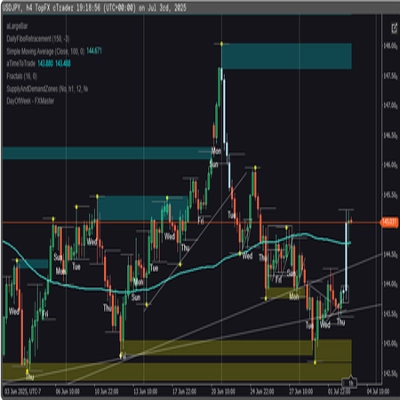
图表上您看到的内容
- 支撑区:
-
- 绿色水平基础/触发线(可选),
- 一个 柔和海军蓝矩形(非常低透明度)显示完整支撑带。
- 阻力区:
-
- 红色线条 + 柔和海军蓝矩形表示区域。
- 简洁显示切换:
-
- 显示/隐藏支撑区,
- 显示/隐藏阻力区,
- 开启/关闭填充矩形,
- 开启/关闭基础/触发线,
- 开启/关闭偏向面板。
这让不同的交易者可以选择:
- 更 极简的外观(可能只有矩形),或
- 更 精确的视图(可见精确线条)。
典型使用场景
您可以将其定位为适用于:
- 趋势过滤
-
- 仅当 主时间框架和HTF偏向均为多头时寻找买入机会。
- 仅当两者均为空头时寻找卖出机会。
- 区域入场
-
- 将区域用作 关注区域,用于:
-
- 限价单,
- 确认入场(例如价格回到被突破的区域并再次被拒绝),
- 止损设置在外带之外。
- 自上而下分析
-
- HTF偏向(默认H2)作为大局,
- 图表时间框架偏向用于时机选择,
- 区域用于具体执行水平。
它不是什么(诚实销售的重要说明)
- 它 不是 一个自动交易机器人。
- 它 不是 一个保证盈利的“圣杯”信号。
- 它是一个 结构和偏向引擎:
-
- 客观定义区域,
- 基于这些区域客观定义趋势/偏向,
- 实际交易管理留给交易者/策略。
摘要
AI summary
Market Structure SNR + Auto Bias is a trading indicator designed to identify and visualize key market structure elements using Heikin Ashi price action. It automatically detects meaningful pivot points where price momentum shifts, then constructs dynamic support and resistance zones based on the wick extremes and candle bodies of these pivots. The indicator intelligently merges overlapping zones to present clear, tradable levels without cluttering the chart.
It provides a rule-based bullish or bearish bias by tracking price breaks above resistance or below support zones on both the current chart timeframe and an optional higher timeframe. This bias is displayed on a built-in dashboard panel, with optional sound alerts for bias changes.
The indicator works across all timeframes and markets where price forms swings, including forex, crypto, stocks, and futures. It features customizable lookback periods, automatic cleanup of old zones, and toggles for display elements to suit different trader preferences.
Typical uses include trend filtering by aligning biases across timeframes, identifying zone entries for limit or confirmation orders, and supporting top-down analysis. The tool timestamps and sequences pivots and bias shifts, facilitating automation or journaling. It is a structure and bias engine that aids traders in objectively defining market levels and trends while maintaining chart clarity.
It provides a rule-based bullish or bearish bias by tracking price breaks above resistance or below support zones on both the current chart timeframe and an optional higher timeframe. This bias is displayed on a built-in dashboard panel, with optional sound alerts for bias changes.
The indicator works across all timeframes and markets where price forms swings, including forex, crypto, stocks, and futures. It features customizable lookback periods, automatic cleanup of old zones, and toggles for display elements to suit different trader preferences.
Typical uses include trend filtering by aligning biases across timeframes, identifying zone entries for limit or confirmation orders, and supporting top-down analysis. The tool timestamps and sequences pivots and bias shifts, facilitating automation or journaling. It is a structure and bias engine that aids traders in objectively defining market levels and trends while maintaining chart clarity.
指标配置
客户评价
4.3
评价:3
5 | 33 % | |
4 | 67 % | |
3 | 0 % | |
2 | 0 % | |
1 | 0 % |
客户评价
May 25, 2025
Clean market assistant if the trader wants it makes market context easier to scan. It works best as support, not a final decision maker. I would test it on 2 timeframes, 20 signals and a 1R stop plan. it should not be used as a blind entry trigger.
May 24, 2025
May 24, 2025
Useful pick for demo for traders who combine signals before acting. It gives value around chart reading, but it should not be used as a blind entry trigger. The cleaner reads should hold across 3 sessions, not just 1 good chart. It is stronger when a 1.5R target is realistic before the entry.
讨论
常见问答
Forex
Scalping
Crypto
Stocks
cTrader Store 提供的所有产品,包括交易机器人、指标和插件,均由第三方开发者提供,仅供信息参考和技术访问之用。cTrader Store 并非经纪商,不提供投资建议、个人推荐或任何未来业绩保证。
该作者的其他作品













价格
注册日期 25/03/2025
233.45M
交易量
2.3M
盈利点数
21
销售