Opis
Dynamiczny Menedżer Ryzyka RR (cAlgo / cTrader Automate)
Ważne: Ten cBot to narzędzie do zarządzania transakcjami wyłącznie. Nie otwiera transakcji ani nie generuje sygnałów. Zarządza pozycjami już otwartymi na Twoim koncie cTrader. Możesz używać go w chmurze działającej 24/7 dla ciągłej ochrony.
Co robi
- Częściowe zamknięcie przy RR: Automatycznie zamyka konfigurowalny % pozycji, gdy cena osiągnie wybrany przez Ciebie poziom Ryzyka (RR).
- Przesunięcie SL do punktu równowagi: Automatycznie przesuwa Stop Loss do ceny wejścia (opcjonalnie z małym przesunięciem w pipsach) po osiągnięciu skonfigurowanego RR.
- Przyjazny dla ręcznego zarządzania: Jeśli ręcznie przesuniesz SL do punktu równowagi lub lepiej, cBot przestaje modyfikować SL (nie będzie walczył z Twoimi ręcznymi zmianami).
Dzienny limit wykonania (Proszę przeczytać)
Ten cBot może ograniczyć liczbę nowych pozycji dozwolonych na dzień serwera (UTC).
Dzienny limit wykonania (Domyślnie WŁĄCZONY / Maks = 2):
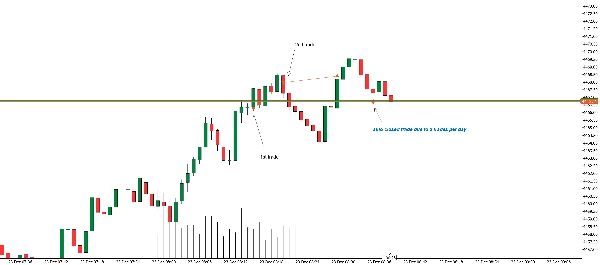
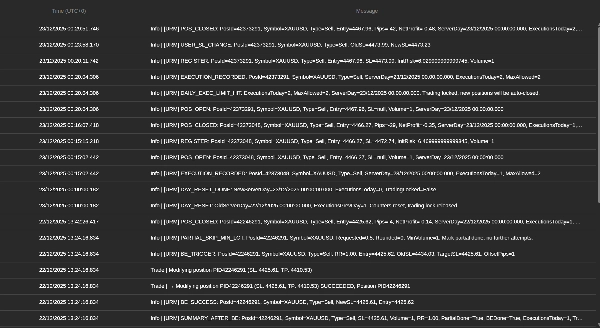
Po włączeniu cBot pozwala tylko na pierwsze X nowych wykonanych pozycji na dzień serwera (UTC). Wszystkie dodatkowe pozycje otwarte po osiągnięciu limitu zostaną automatycznie natychmiast zamknięte.
Ten limit jest ogólnokontowy (wszystkie symbole na koncie handlowym)
Koszty / Możliwe straty na automatycznie zamkniętych transakcjach
Jeśli nowa transakcja zostanie otwarta po osiągnięciu dziennego limitu i cBot ją automatycznie zamknie, możesz nadal ponieść koszty handlowe takie jak:
- Koszt spreadu (najczęstszy)
- Prowizja (jeśli Twój broker ją pobiera, możesz zapłacić za otwarcie + zamknięcie)
- Poślizg (podczas szybkich rynków zamknięcie może zostać zrealizowane po gorszej cenie)
Mówiąc prosto: powtarzające się dodatkowe sygnały handlowe po osiągnięciu dziennego limitu mogą powodować powtarzające się niewielkie straty ze spreadu/prowizji, nawet jeśli transakcja zostanie natychmiast zamknięta.
Główne ustawienia
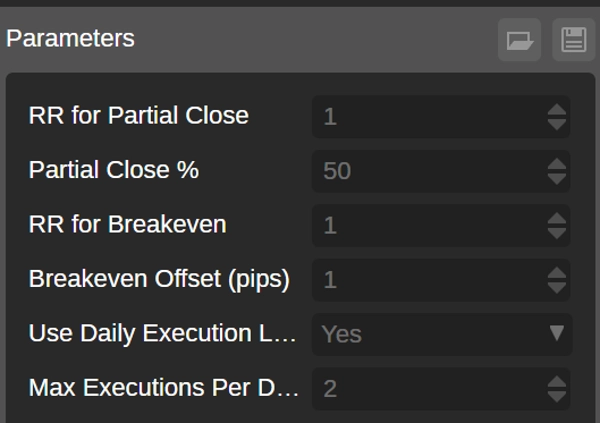
- PartialRR – poziom RR wyzwalający częściowe zamknięcie
- Procent częściowego zamknięcia – procent wolumenu do zamknięcia
- BreakevenRR – poziom RR do przesunięcia SL do punktu równowagi
- Przesunięcie punktu równowagi (pipsy) – przesunięcie poza cenę wejścia (opcjonalne)
- Użyj dziennego limitu wykonania – włącz/wyłącz dzienny limit
- Maksymalna liczba wykonanych pozycji na dzień – liczba nowych pozycji dozwolonych na dzień UTC
Uwagi
- Pozycje muszą mieć Stop Loss, aby logika zarządzania mogła zostać zastosowana (jest rejestrowana, gdy SL istnieje).
- Częściowe zamknięcia respektują zasady wolumenu brokera (minimalny wolumen / krok).
Podsumowanie
Key features include:
- Partial Close at Risk-Reward (RR) level: automatically closes a configurable percentage of a position when a specified RR target is reached.
- Move Stop Loss (SL) to Breakeven: automatically adjusts the SL to the entry price (with optional pip offset) once a configured RR level is met.
- Manual SL adjustments: if the user manually moves the SL to breakeven or better, the cBot ceases further SL modifications.
- Daily Execution Limit: restricts the number of new positions allowed per server day (UTC). Additional positions beyond this limit are automatically closed immediately, with potential trading costs such as spread, commission, and slippage.
Management logic requires positions to have an existing SL. Partial closes comply with broker volume rules including minimum volume and step size. The cBot supports account-wide daily limits across all symbols.
Settings configurable by the user include partial close RR level and percentage, breakeven RR level and offset, daily execution limit toggle, and maximum executions per day.
Dyskusja
Opinie klientów
5 | 33 % | |
4 | 67 % | |
3 | 0 % | |
2 | 0 % | |
1 | 0 % |