

VegaXLR - Trendline Trading cBot
cBot
5 purchases
Version 1.2, Apr 2026
Windows, Mac, Mobile, Web
4.5
Reviews: 2

257
Sales
1.63K
Free installs
Description
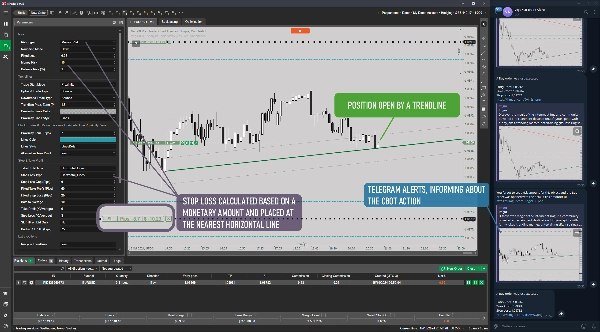
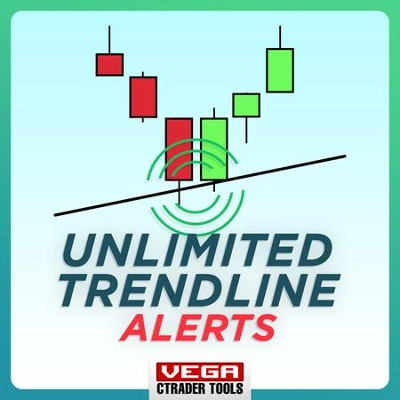
This cBot detects manually drawn trendlines on your chart and opens trades when the price interacts with them, providing a fully customizable trading experience with advanced risk management, stop loss, take profit, and alert options.
User guide included.
Key Features & How It Works
- Trade Initiation
- Detects trendline touches or proximity (within user-defined pips).
- Supports bounce (reversal) and continuation trades based on trendline direction.
- Users manually draw and label trendlines with risk settings (e.g., "$50" for money risk, "%2.5" for balance risk).
- Risk Management
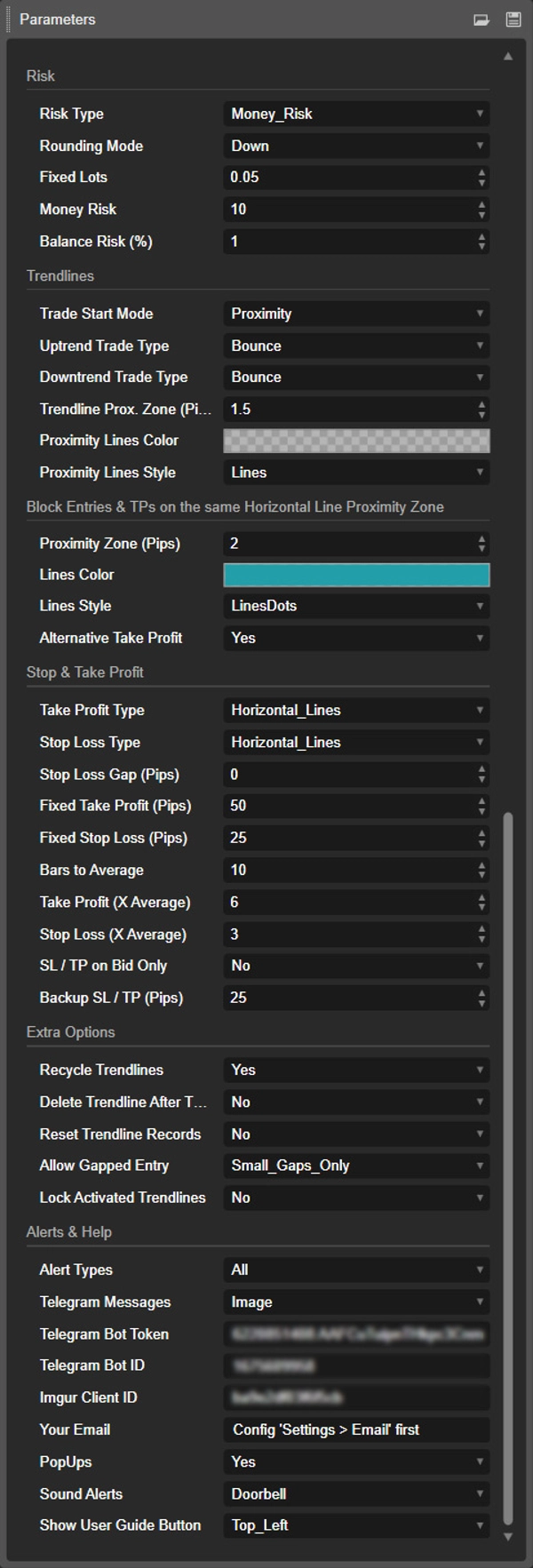
- Choose from Fixed Lots, Money Risk, or Balance Percentage for trade sizing.
- Add risk details in trendline comments or use default parameters if no input is provided.
- Stop Loss & Take Profit
- Multiple methods: fixed pips, average bar size, nearest horizontal lines, or detected price extremes.
- Proximity zones prevent trades if targets are too close to horizontal lines.
- Option to recycle trendlines or delete them after trade closure.
- Alerts & Notifications
- Alerts via Telegram, email, pop-ups, and sound.
- Telegram alerts can include screenshots of the chart.
- Works seamlessly with the cTrader Analysis Tools Alerts indicator for enhanced management.
- Extra Controls
- Automatically lock trendlines during trades to prevent accidental changes.
- Option to allow or block trades when the price gaps over the trendline.
- Simple user interface with a help button linking to a guide.
How to Use
- Draw Trendlines on your cTrader chart and add comments to specify trade risk (optional).
- Configure Parameters for risk management, stop loss, take profit, and alerts.
- When the price interacts with the trendline, the cBot will open a trade following your predefined conditions.
- Use proximity zones to prevent small or unsafe trades.
- Monitor and receive alerts through your chosen channels (Telegram, email, or pop-ups).
This tool offers high flexibility and control for traders who rely on technical analysis with trendlines, helping them manage risk and automate trade execution effectively.
Summary
AI summary
VegaXLR - Trendline Trading cBot is an automated trading tool for cTrader that detects manually drawn trendlines on your chart and opens trades when the price interacts with these trendlines. It supports both bounce (reversal) and continuation trades based on trendline direction. Users draw and label trendlines, optionally specifying risk parameters such as fixed money risk or balance percentage directly in trendline comments.
The cBot offers advanced risk management options, allowing trade sizing by fixed lots, money risk, or balance percentage, with default settings applied if no specific input is provided. Stop loss and take profit levels can be set using multiple methods including fixed pips, average bar size, nearest horizontal lines, or detected price extremes. Proximity zones help prevent trades when targets are too close to horizontal lines. Trendlines can be recycled or deleted after trade closure.
Alerts and notifications are available via Telegram (including chart screenshots), email, pop-ups, and sound. The cBot integrates with the cTrader Analysis Tools Alerts indicator for enhanced management. Additional controls include automatic locking of trendlines during trades and options to allow or block trades when price gaps over trendlines. A user guide and help button are included for ease of use.
This tool supports trading across Forex, Indices, Commodities, Crypto, and Stocks markets, providing flexible and customizable automation for traders relying on technical analysis with trendlines.
The cBot offers advanced risk management options, allowing trade sizing by fixed lots, money risk, or balance percentage, with default settings applied if no specific input is provided. Stop loss and take profit levels can be set using multiple methods including fixed pips, average bar size, nearest horizontal lines, or detected price extremes. Proximity zones help prevent trades when targets are too close to horizontal lines. Trendlines can be recycled or deleted after trade closure.
Alerts and notifications are available via Telegram (including chart screenshots), email, pop-ups, and sound. The cBot integrates with the cTrader Analysis Tools Alerts indicator for enhanced management. Additional controls include automatic locking of trendlines during trades and options to allow or block trades when price gaps over trendlines. A user guide and help button are included for ease of use.
This tool supports trading across Forex, Indices, Commodities, Crypto, and Stocks markets, providing flexible and customizable automation for traders relying on technical analysis with trendlines.
Trading profile
Discussion
Customer reviews
4.5
Reviews: 2
5 | 50 % | |
4 | 50 % | |
3 | 0 % | |
2 | 0 % | |
1 | 0 % |
FAQ
Forex
Indices
Commodities
Crypto
Stocks
Products available through cTrader Store, including trading bots, indicators and plugins, are provided by third-party developers and made available for informational and technical access purposes only. cTrader Store is not a broker and does not provide investment advice, personal recommendations or any guarantee of future performance.










Price
257
Sales
1.63K
Free installs